Introducció
Thank you for choosing Tribit XSport Fly Wireless Earphones. These earphones are designed to provide a high-quality audio experience with the convenience of wireless connectivity, built-in microphone, and IPX7 waterproof rating, making them ideal for sports and active lifestyles. This manual will guide you through the setup, operation, and maintenance of your new earphones.
Informació de seguretat
- Do not expose the earphones to extreme temperatures or humidity.
- Eviteu deixar caure els auriculars ni sotmetre'ls a impactes forts.
- Do not disassemble or modify the earphones. This will void the warranty.
- Clean the earphones with a soft, dry cloth. Do not use harsh chemicals or abrasive materials.
- Escoltar durant molt de temps a nivells de volum alts pot causar danys auditius. Ajusteu el volum a un nivell segur.
Contingut del paquet

The image displays the Tribit XSport Fly Wireless Earphones along with their included accessories. You should find the earphones, a charging cable, multiple sizes of ear tips, and a carrying case.
- Tribit XSport Fly Wireless Earphones
- Cable de càrrega USB
- Puntes per a les orelles (diverses mides)
- Maleta de transport
- Manual d'usuari (aquest document)
Producte acabatview
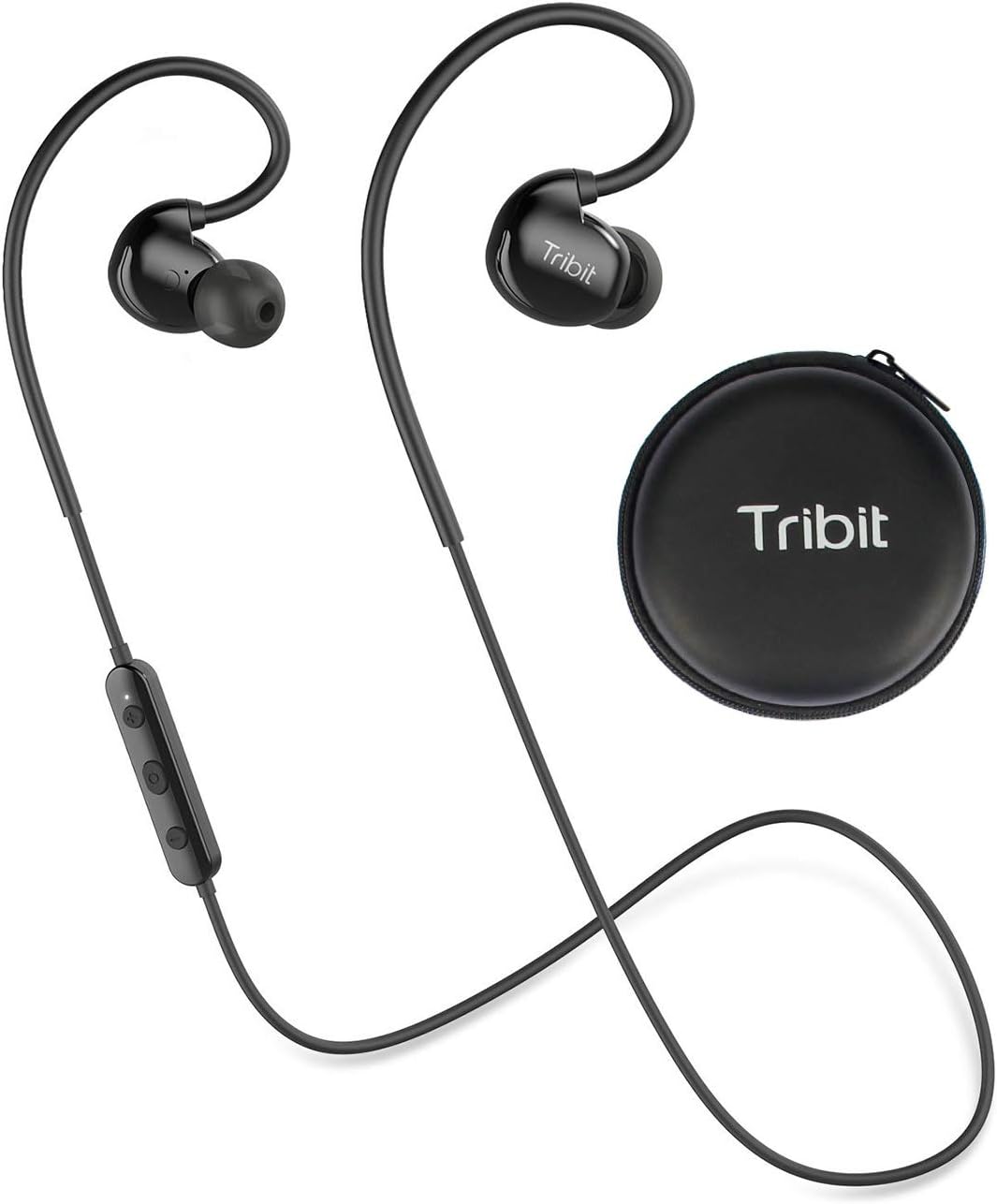
This image shows the Tribit XSport Fly Wireless Earphones, highlighting their design with ear hooks and an in-line control module, alongside their compact carrying case. The earphones feature a sleek black finish.
The Tribit XSport Fly earphones feature an ergonomic design with ear hooks for a secure fit during activities. The in-line control module allows for easy management of music playback and calls. The earphones are lightweight, ensuring comfort during extended use.

The image emphasizes the feather-light weight of the earphones, illustrating their minimal presence when worn. This design aspect contributes to comfort during long periods of use.
Configuració
1. Càrrega dels auriculars

This image shows a man wearing the earphones, with text indicating an 8-hour playtime and a quick charge feature: 10 minutes of charging provides 1 hour of playback.
Before first use, fully charge your Tribit XSport Fly earphones. Connect the USB charging cable to the charging port on the in-line control module and plug the other end into a USB power source (e.g., computer, wall adapter). The LED indicator will show charging status and turn off when fully charged. A full charge provides approximately 8 hours of playtime.
2. Com posar-se els auriculars

The image depicts a woman performing an exercise while wearing the Tribit XSport Fly Earphones, emphasizing their ergonomic design that ensures a secure fit and prevents them from falling out during physical activity.
Select the ear tips that provide the best seal and comfort for your ears. Place the ear hooks over your ears and gently insert the earbuds into your ear canals. Adjust the cable behind your neck for a secure and comfortable fit. The ergonomic design ensures they stay in place during workouts.
Instruccions de funcionament
1. Encendre/apagar
- Encès: Press and hold the Multi-function Button (MFB) for 3 seconds until the LED indicator flashes blue.
- Apagar: Press and hold the MFB for 3 seconds until the LED indicator flashes red and then turns off.
2. Emparellament Bluetooth
When powered on for the first time, the earphones will automatically enter pairing mode (LED flashes red and blue alternately).
- Activa el Bluetooth al teu dispositiu (telèfon intel·ligent, tauleta, etc.).
- Cerca "Tribit XSport Fly" in the Bluetooth device list.
- Select it to connect. Once connected, the LED indicator will flash blue slowly.
If the earphones do not connect automatically, ensure they are in pairing mode and repeat the steps.
3. Control de la música

The image shows a man interacting with his smartphone while wearing the earphones, illustrating the convenience of the in-line control for hands-free calls and music playback.
| Funció | Acció |
|---|---|
| Reproduir/Pausa | Premeu el MFB una vegada. |
| Pista següent | Premeu i manteniu premut el botó '+' durant 2 segons. |
| Pista anterior | Premeu i manteniu premut el botó '-' durant 2 segons. |
| Puja el volum | Premeu el botó '+' una vegada. |
| Baixa el volum | Premeu el botó '-' una vegada. |
4. Gestió de trucades
| Funció | Acció |
|---|---|
| Respondre/Finalitzar la trucada | Premeu el MFB una vegada. |
| Rebutja la trucada | Manteniu premut el MFB durant 2 segons. |
| Transfer Call (Earphones to Phone) | During a call, press and hold the MFB for 2 seconds. |
5. Assistent de veu
To activate your device's voice assistant (Siri, Google Assistant, etc.), double-press the MFB.
6. Multi-point Connection (Pair 2 Devices Simultaneously)

This image illustrates the capability of the Tribit XSport Fly Earphones to pair with two devices simultaneously, showing a phone playing music and another receiving a call, both connected to the earphones for fast pairing and stable connection.
The Tribit XSport Fly earphones can connect to two Bluetooth devices at the same time.
- Pair the earphones with the first device as described in 'Bluetooth Pairing'.
- Desactiva el Bluetooth al primer dispositiu. Els auriculars tornaran a entrar en mode d'emparellament.
- Pair the earphones with the second device.
- Torneu a activar el Bluetooth al primer dispositiu. Els auriculars s'haurien de connectar automàticament als dos dispositius.
You can now switch between audio sources from the two connected devices without re-pairing.
Manteniment
1. Neteja
Regularly clean your earphones to ensure optimal performance and hygiene. Use a soft, dry, lint-free cloth to wipe the earbuds and control module. For ear tips, you can remove them and clean with a mild soap solution, then rinse thoroughly and dry completely before reattaching.
2. Emmagatzematge
When not in use, store the earphones in their provided carrying case to protect them from dust, dirt, and physical damage. Avoid storing them in extreme temperatures or direct sunlight.
3. Resistència a l'aigua (IPX7)

The image shows the Tribit XSport Fly Earphones partially submerged in water, with bubbles indicating their IPX7 waterproof rating. This demonstrates that the nano-coating effectively protects against sweat and water.
The Tribit XSport Fly earphones are IPX7 waterproof, meaning they can withstand immersion in water up to 1 meter for 30 minutes. This makes them resistant to sweat and rain. However, they are not designed for swimming or prolonged submersion. Ensure the charging port cover is securely closed before exposure to water. After exposure to water, dry the earphones completely before charging.
Resolució de problemes
| Problema | Possible solució |
|---|---|
| Earphones won't power on. | Assegureu-vos que els auriculars estiguin completament carregats. |
| No es pot emparellar amb el dispositiu. | Ensure earphones are in pairing mode (red and blue flashing LED). Turn off and on Bluetooth on your device. Clear previous pairings on your device. |
| Sense so o amb un volum baix. | Check volume levels on both earphones and your connected device. Ensure earphones are properly connected. |
| El so entra i surt. | Move closer to your device (within 10 meters). Avoid obstacles between earphones and device. Reduce interference from other wireless devices. |
| El micròfon no funciona. | Ensure the earphones are selected as the audio input device on your phone/computer. |
Especificacions
| Característica | Detall |
|---|---|
| Número de model | F-BTH-21 |
| Connectivitat | Bluetooth |
| Resistència a l'aigua | IPX7 |
| Hora de joc | Fins a 8 hores |
| Càrrega ràpida | 10 minuts de càrrega = 1 hora de reproducció |
| Pes | Aprox. 68.04 grams (2.4 unces) |
| Dimensions | 10.29 x 8.99 x 3.78 cm |
| Components inclosos | Coixinets per a les orelles |
| Material | Plàstic |
Garantia i Suport
Tribit products are backed by a limited warranty. For detailed warranty information, product support, or to register your product, please visit the official Tribit weblloc web o poseu-vos en contacte amb el seu servei d'atenció al client. Conserveu el rebut de compra com a comprovant de compra per a reclamacions de garantia.
For further assistance, please refer to the Tribit support page or contact their customer service team directly.


