1. Introducció
The 360 S6 Robotic Vacuum Cleaner is an advanced home cleaning device designed to provide efficient and automated cleaning for various floor types. Equipped with LDS (Laser Distance Sensor) navigation, intelligent mapping, and both vacuuming and wet mopping functions, it offers a comprehensive cleaning solution. This manual provides detailed instructions for setup, operation, maintenance, and troubleshooting to ensure optimal performance and longevity of your device.
2. Instruccions de seguretat
Please read all safety instructions carefully before using the appliance and keep them for future reference. Failure to follow these instructions may result in electric shock, fire, or serious injury.
- Aquest aparell el poden utilitzar nens a partir de 8 anys i persones amb capacitats físiques, sensorials o mentals reduïdes o amb manca d'experiència i coneixements si han rebut supervisió o instruccions sobre l'ús de l'aparell d'una manera segura i entenen els perills que comporta. .
- Els nens no jugaran amb l'aparell. La neteja i el manteniment dels usuaris no els han de fer els nens sense supervisió.
- Only use the original power adapter provided with the product. Using a non-original adapter may cause fire, electric shock, or product damage.
- No utilitzeu el robot en entorns amb flames obertes o objectes fràgils.
- Ensure the robot is not exposed to water or other liquids.
- Abans de netejar, traieu els cables solts, els objectes petits o els elements fràgils del terra per evitar que s'enredin o es facin malbé.
- Do not operate the robot on elevated surfaces without barriers, such as stairs, to prevent falls.
3. Contingut del paquet
Verify that all components are present and in good condition upon unboxing:
- 360 S6 Robotic Vacuum Cleaner
- Base de càrrega
- Adaptador d'alimentació
- Dipòsit d'aigua
- Draps de fregar
- Raspalls laterals
- Pinzell principal
- Filtre HEPA (preinstal·lat o de recanvi)
- Eina de neteja
- Manual d'usuari
4. Producte acabatview
4.1. Components del robot

This image displays the 360 S6 Robotic Vacuum Cleaner from a top-front perspective, alongside its charging dock and a smartphone showing the companion app interface. The robot is white with a circular design, featuring a prominent LDS sensor tower on top and control buttons on its surface.

A closer top view of the 360 S6 Robotic Vacuum Cleaner, highlighting the power button and home button on its surface. The LDS sensor is visible at the top, and the dustbin access panel is indicated by an 'OPEN' label.

The underside of the 360 S6 Robotic Vacuum Cleaner, revealing its main rolling brush, two side brushes, and large drive wheels. This view also shows the charging contacts and various sensors.
4.2. Base de càrrega
The charging dock serves as the robot's home base for automatic recharging. Ensure it is placed against a wall with sufficient clear space around it (at least 0.5m on sides and 1.5m in front) for the robot to easily dock.
5. Configuració
5.1. Càrrega inicial
- Place the charging dock on a hard, level surface against a wall.
- Connecteu l'adaptador de corrent a la base de càrrega i endolleu-lo a una presa de corrent.
- Place the robot onto the charging dock, ensuring the charging contacts align. The robot will power on automatically and begin charging. Allow it to fully charge before first use (approximately 3-4 hours).
5.2. Instal·lació i connexió de l'aplicació
The 360 S6 can be controlled via the 360Smart app, offering advanced features like mapping, scheduling, and zone cleaning.
- Download the '360Smart' app from your mobile app store (Google Play Store or Apple App Store).
- Registreu un compte i inicieu sessió.
- Follow the in-app instructions to add your 360 S6 robot. This typically involves connecting the robot to your home Wi-Fi network.

This image shows a smartphone screen displaying the 360 Robotic Vacuum Cleaner app, which features a detailed map of a floor plan, indicating cleaned areas and the robot's current position. The app allows for interactive control and monitoring of the cleaning process.
6. Instruccions de funcionament
6.1. Inici d'un cicle de neteja
- Inici manual: Premeu el botó d'engegada del robot una vegada per iniciar un cicle de neteja.
- Inici de l'aplicació: Open the 360Smart app and tap the 'Clean' button.
The robot will begin by scanning its environment using its LDS (Laser Distance Sensor) and SLAM (Simultaneous Localization and Mapping) algorithm to create a detailed map of your home.

This graphic illustrates the 360 S6 Robotic Vacuum Cleaner utilizing its LDS Lidar and SLAM Algorithm for intelligent navigation. A blue laser beam emanates from the robot, mapping the environment and ensuring thorough cleaning without missing spots.
6.2. Modes de neteja
- Aspirar: The robot will vacuum floors with 1800Pa suction power.
- Fregar humit: Attach the water tank and mopping cloth for wet mopping functionality. Ensure the water tank is filled with clean water.
6.3. Funcions de control de l'aplicació
- Neteja de zones: Seleccioneu zones específiques del mapa perquè el robot les netegi.
- Zones prohibides/Murs virtuals: Define areas where the robot should not enter or clean.
- Programació: Set specific times for the robot to automatically start cleaning.
- Ajust de potència d'aspiració: Adjust the suction level (e.g., Quiet, Standard, Powerful) via the app.
- Multiple-Floor Mapping: The robot can save maps for different floors, allowing for convenient cleaning in multi-story homes.

This image demonstrates the 360Smart app's feature for setting up off-limit areas. A hand holds a smartphone displaying a floor map where specific zones can be marked to prevent the robot from entering or to designate for spot cleaning.
6.4. Automatic Recharge and Breakpoint Resume
When the battery level is low, the robot will automatically return to its charging dock. Once fully charged, it will resume cleaning from where it left off, ensuring complete coverage of your home.

This diagram illustrates the automatic recharge and breakpoint resume function of the 360 S6 robot. It shows the robot returning to its charging station when the battery is low and then continuing its cleaning path from the exact point it stopped after recharging.
6.5. Obstacle Avoidance and Anti-Drop
The 360 S6 is equipped with multiple sensors to prevent collisions with furniture and to detect drops, ensuring safe operation around stairs and elevated areas.
7. Manteniment
Regular maintenance is crucial for the optimal performance and longevity of your 360 S6 Robotic Vacuum Cleaner.
7.1. Dustbin and Filter Maintenance
- Buidant la paperera: Press the 'OPEN' button on the robot's top cover to access and remove the dustbin. Empty it after each cleaning cycle or when indicated by the app.
- Neteja del filtre HEPA: Tap the filter gently to remove loose dirt. The HEPA filter is washable; rinse it under running water and allow it to air dry completely before reinserting. Do not use a brush or any tools to clean the filter.
7.2. Brush Maintenance
- Pinzell principal: Remove the main brush cover and lift out the main brush. Use the provided cleaning tool to remove hair and debris. Cut tangled hair with scissors if necessary.
- Raspalls laterals: Periodically check side brushes for wear or entanglement. Remove any hair or debris. Replace worn brushes to maintain cleaning efficiency.
7.3. Water Tank and Mopping Cloth Maintenance
- Buidatge del dipòsit d'aigua: Després de fregar, buideu l'aigua que quedi del dipòsit.
- Cleaning Mopping Cloth: Remove the mopping cloth and wash it thoroughly. Allow it to air dry completely before reattaching.
7.4. Neteja del sensor
Wipe all sensors (cliff sensors, wall sensor, charging contacts) with a clean, dry cloth to ensure proper functionality and navigation.
8. Solució De Problemes
If you encounter issues with your 360 S6, refer to the following common problems and solutions:
| Problema | Causa possible | Solució |
|---|---|---|
| El robot no s'encén | Bateria baixa; No s'ha premut el botó d'engegada | Col·loca el robot a la base de càrrega; prem i mantén premut el botó d'engegada durant 3 segons |
| Robot cannot dock | Charging dock obstructed; Charging contacts dirty | Ensure clear space around dock; Clean charging contacts on robot and dock |
| Mal rendiment de neteja | Full dustbin; Clogged filter; Tangled brushes | Empty dustbin; Clean/replace filter; Clean main and side brushes |
| El robot s'enganxa sovint | Obstacles on floor; Cliff sensors dirty | Remove obstacles; Clean all sensors |
| Problemes de connexió de l'aplicació | Contrasenya Wi-Fi incorrecta; Encaminador massa lluny; Robot no en mode d'emparellament | Verify Wi-Fi credentials; Move robot closer to router; Reset Wi-Fi on robot and re-pair |
Per a problemes més complexos, consulteu la secció d'assistència o poseu-vos en contacte amb el servei d'atenció al client.
9. Especificacions
| Característica | Detall |
|---|---|
| Marca | 360 |
| Nom del model | S6 |
| Característica especial | HEPA Filter, Wet Mopping Function |
| Color | Blanc |
| Potència d'aspiració | 1800 Pa |
| Mètode de control | App |
| Navegació | LDS (Laser Distance Sensor), Intelligent Navigation |
| Tipus de bateria | Ió de liti |
| Capacitat de la paperera | 0.4 litres |
| Nivell de soroll | 65 dB |
| Dimensions del producte | 35 x 35 x 35 cm |
| Pes de l'article | 5 kg 930 g |
| UPC | 781871772417 |
10. Garantia i Suport
The 360 S6 Robotic Vacuum Cleaner comes with a 1-year warranty. For any product-related queries, technical support, or service requests, please contact the authorized importer and service provider.
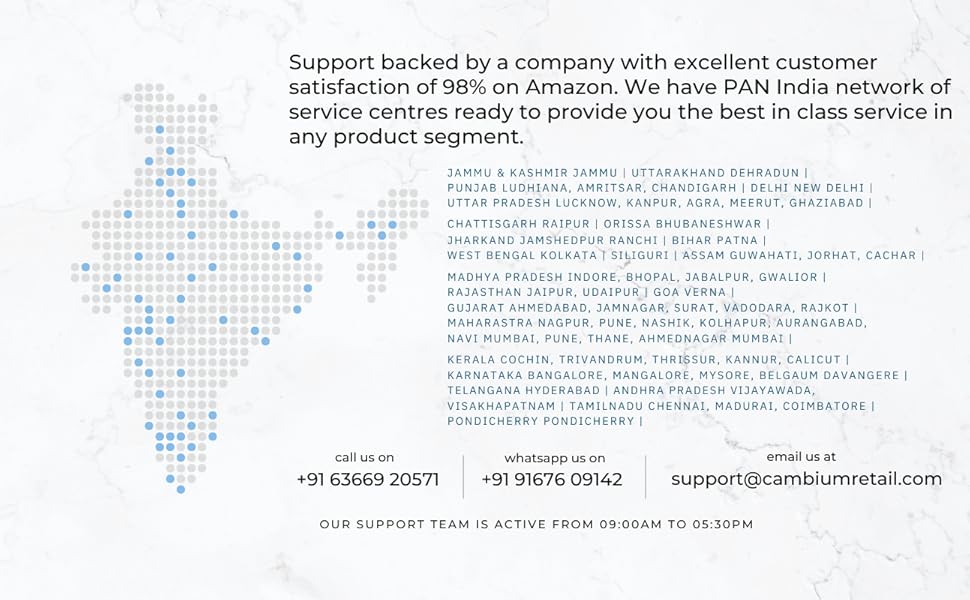
This image provides contact details for support in India. You can call at +91 63669 20571, WhatsApp at +91 91676 09142, or email at suport@cambiumretail.com. The support team is active from 09:00 AM to 05:30 PM.
Importador: Cambium Retail Pvt Ltd, 109, 1st Floor, Hubtown Solaris, Near Teli Gali, Andheri East, Mumbai - 400069.


