1. Introducció
Gràcies per la compraasing the MIFA A30 Bluetooth Speaker. This manual provides essential information for setting up, operating, and maintaining your device. Please read it thoroughly before use to ensure optimal performance and longevity of your speaker.
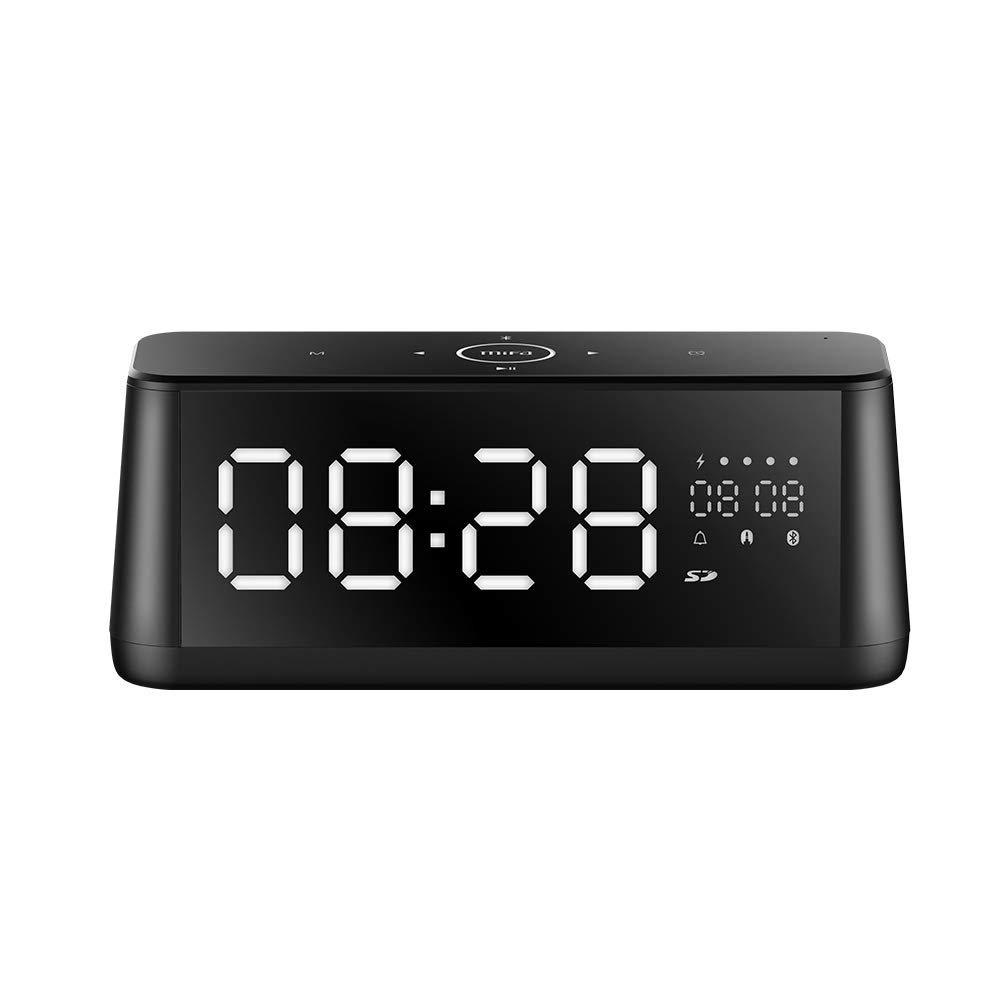
Imatge 1.1: Frontal view of the MIFA A30 Bluetooth Speaker, displaying the time on its large LED screen.
2. Informació de seguretat
- No exposeu l'altaveu a temperatures extremes, llum solar directa ni humitat elevada.
- Eviteu deixar caure o sotmetre l'altaveu a forts impactes.
- Do not disassemble, repair, or modify the device yourself. Contact authorized service personnel for any repairs.
- Keep the speaker away from water and other liquids, despite its waterproof rating, to prevent damage to ports when open.
- Feu servir només el cable de càrrega i l'adaptador especificats.
- Netegeu l'altaveu amb un drap suau i sec. No utilitzeu productes de neteja abrasius.
3. Contingut del paquet
Si us plau, comproveu el paquet per veure si hi ha els elements següents:
- MIFA A30 Bluetooth Speaker
- Cable de càrrega USB
- Cable d'àudio de 3.5 mm
- Manual d'usuari (aquest document)
4. Producte acabatview
4.1. Components
The MIFA A30 speaker features a robust design with advanced audio components for high-quality sound reproduction.

Imatge 4.1: Desplegada view illustrating the internal components of the MIFA A30, including two 15-watt drivers and two low-frequency passive radiators.
4.2. Control Panel and Ports
The speaker's top panel features capacitive touch controls, and the rear panel houses various connectivity ports.
Imatge 4.2: De dalt a baix view of the MIFA A30 control panel, indicating the functions of each touch button for mode, playback, volume, and clock adjustment.
- Botó M (mode): Short press to switch between Bluetooth, TF Card, and AUX modes.
- Control Bluetooth: Long press to turn off Bluetooth, short press to turn on.
- Botó de pista anterior: Premeu breument per anar a la pista anterior.
- Play/Pause/Hands-Free Button: Short press to play/pause music. Short press to answer/end calls. Long press to reject calls.
- Botó de pista següent: Premeu breument per anar a la pista següent.
- Botó del rellotge: Long press for clock adjustment.
- Pujar el volum: Gireu en sentit horari per augmentar el volum.
- Baixar el volum: Gireu en sentit antihorari per disminuir el volum.
- Micròfon: Micròfon integrat per trucades mans lliures.
- Pantalla LED: Shows time, date, battery level, and current mode.
5. Configuració
5.1. Carregant l’altaveu
Before first use, fully charge the speaker. Connect the provided USB charging cable to the speaker's charging port and the other end to a USB power adapter (not included) or a computer's USB port. The LED display will indicate charging status.
5.2. Encès / apagat
- Per encendre: Press and hold the Play/Pause button until the LED display lights up.
- Per apagar: Press and hold the Play/Pause button until the LED display turns off. The speaker will automatically screen out and power off to save battery after a period of inactivity.
6. Instruccions de funcionament
6.1. Emparellament Bluetooth
- Ensure the speaker is powered on and in Bluetooth mode (indicated by the Bluetooth icon on the LED display). If not, short press the 'M' button to switch to Bluetooth mode.
- Al vostre telèfon intel·ligent o tauleta, activeu el Bluetooth i cerqueu els dispositius disponibles.
- Select "MIFA A30" from the list of devices.
- Un cop emparellat, l'altaveu emetrà un so de confirmació i la icona de Bluetooth de la pantalla deixarà de parpellejar.
- The speaker will automatically re-connect to the last paired device when powered on, if the device is within range.
6.2. Reproducció d'àudio
- Reproduir/pausa: Premeu breument el botó Reproduir/Pausa.
- Pista següent: Short press the Next Track button.
- Pista anterior: Short press the Previous Track button.
- Ajust de volum: Gireu el control de volum en el sentit de les agulles del rellotge per augmentar el volum, en sentit contrari per a reduir el volum.
6.3. Trucades mans lliures
Quan es connecta a un telèfon intel·ligent mitjançant Bluetooth:
- Respon a la trucada: Premeu breument el botó Reproduir/Pausa.
- Finalitzar la trucada: Premeu breument el botó Reproduir/Pausa durant una trucada.
- Rebutja la trucada: Long press the Play/Pause button when a call comes in.
6.4. Reproducció de targetes TF
- Insert a Micro-SD (TF) card with supported audio files (FLAC/APE/MP3/WMA/WAV) into the TF card slot.
- Short press the 'M' button to switch to TF Card mode. The speaker will automatically begin playing music from the card.
6.5. Entrada AUX
- Connect one end of the 3.5mm audio cable to the speaker's AUX input port and the other end to the audio output of your device (e.g., MP3 player, computer).
- Short press the 'M' button to switch to AUX mode.
- Ara l'àudio es reproduirà a través de l'altaveu des del dispositiu connectat.
6.6. Clock and Display Settings
- Ajust del rellotge: Long press the Clock button to enter time setting mode. Use the Next/Previous buttons to adjust values and the Play/Pause button to confirm.
- Display Luminance: The LED display has 7 adjustable luminance levels. Refer to the full product documentation for specific adjustment steps, typically involving short presses of the Clock button or a combination with volume controls.
7. Manteniment
- Neteja: Wipe the speaker's surface with a soft, dry, lint-free cloth. Do not use liquid or aerosol cleaners.
- Emmagatzematge: Quan no l'utilitzeu durant períodes prolongats, guardeu l'altaveu en un lloc fresc i sec, allunyat de la llum solar directa i de temperatures extremes.
- Cura de la bateria: Per allargar la durada de la bateria, eviteu descarregar-la completament amb freqüència. Carregueu l'altaveu regularment, fins i tot si no l'esteu fent servir.
8. Solució De Problemes
| Problema | Causa possible | Solució |
|---|---|---|
| L'altaveu no s'encén. | Bateria baixa. | Carregueu l'altaveu durant almenys 2 hores. |
| Sense so. | Volum massa baix; mode incorrecte; dispositiu no connectat. | Increase speaker and device volume. Ensure correct mode (Bluetooth/AUX/TF Card). Re-pair Bluetooth device or check AUX cable connection. |
| L'aparellament de Bluetooth falla. | L'altaveu no està en mode d'emparellament; el dispositiu és massa lluny; interferències. | Ensure speaker is in Bluetooth mode. Move device closer to speaker. Turn off other Bluetooth devices. Try forgetting "MIFA A30" on your device and re-pairing. |
| TF Card not playing. | Mode incorrecte; no compatible file format; card error. | Switch to TF Card mode. Ensure files are FLAC/APE/MP3/WMA/WAV. Reinsert TF card or try a different card. |
9. Especificacions
| Característica | Detall |
|---|---|
| Nom del model | A30 |
| Tipus d'altaveu | prestatgeria |
| Tecnologia de connectivitat | Bluetooth 4.2, Auxiliary (3.5mm), Micro-SD (TF Card) |
| Mode de sortida d'àudio | estèreo |
| Potència de sortida màxima dels altaveus | 30 Watts (2 x 15W drivers) |
| Millora dels baixos | Two low-frequency boosters |
| Capacitat de la bateria | 4000 mAh |
| Hora de joc | Up to 10-12 hours (depending on volume and content) |
| Mètode de control | Panell tàctil capacitiu |
| Mostra | 7.2" x 2.8" Mirror LED Screen with 106 LEDs, 7-level adjustable luminance |
| Formats d'àudio compatibles | FLAC/APE/MP3/WMA/WAV |
| Micròfon incorporat | Sí, per a trucades de mans lliures |
| Impermeable | Yes (Note: Ensure ports are covered for water resistance) |
| Color | Negre |
| Tipus de muntatge | Muntatge de taula |
10. Garantia i Suport
The MIFA A30 Bluetooth Speaker typically comes with a 30-day warranty from the date of purchase, covering manufacturing defects. Please retain your proof of purchase for warranty claims.
For technical support, troubleshooting assistance beyond this manual, or warranty inquiries, please contact MIFA customer service through their official website or the retailer where the product was purchased. Provide your product model (A30) and purchase details when seeking support.


