Introducció
This manual provides essential information for the installation, operation, and maintenance of your ZOTAC Gaming GeForce RTX 2080 Ti Blower graphics card. Please read this guide thoroughly before proceeding with installation to ensure proper setup and optimal performance.
Producte acabatview
The ZOTAC Gaming GeForce RTX 2080 Ti Blower is a high-performance graphics card designed for demanding gaming and professional applications. It features NVIDIA's Turing architecture, 11GB of GDDR6 memory, and a blower-style cooling solution.
- New Turing architecture for advanced graphics processing.
- 11GB 352-bit GDDR6 memory for high-bandwidth performance.
- Virtual Reality Ready for immersive experiences.
- 4K ready for ultra-high-definition gaming.
- Boost Clock 1545 MHz for enhanced speed.

Imatge: Frontal view of the ZOTAC Gaming GeForce RTX 2080 Ti Blower graphics card, showcasing its black shroud and single blower fan.

Image: Backplate view of the ZOTAC Gaming GeForce RTX 2080 Ti Blower graphics card, featuring a metal backplate for structural rigidity and heat dissipation.
Què hi ha a la caixa
Verifiqueu que tots els components siguin presents al paquet:
- ZOTAC GAMING GeForce RTX 2080 Ti Blower Graphics Card
- 2 x Dual 6-pin to 8-pin power cables
- User Manual (Quick Installation Guide)
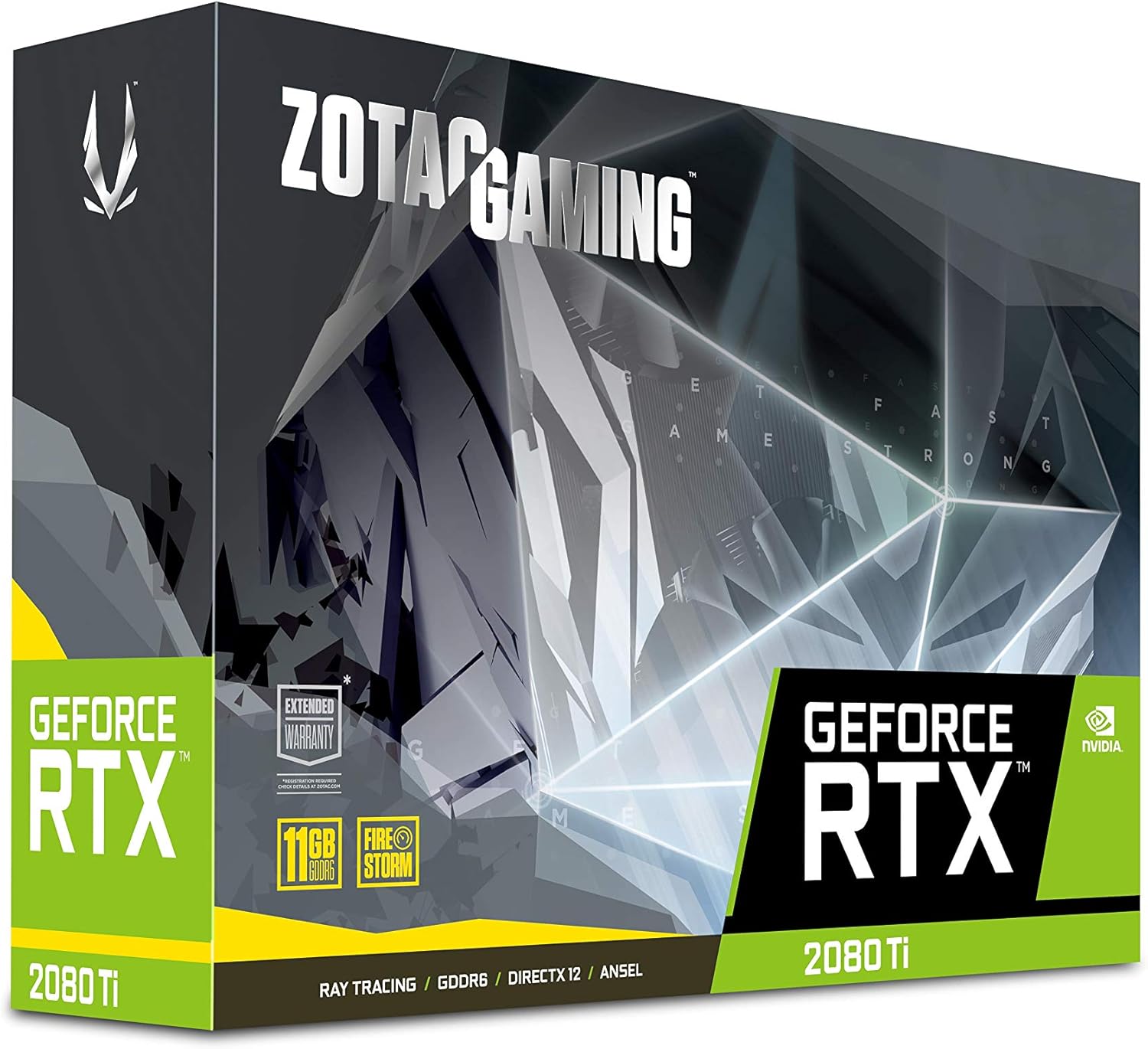
Image: The retail packaging for the ZOTAC Gaming GeForce RTX 2080 Ti Blower graphics card.

Image: The ZOTAC Quick Installation Guide, providing initial setup instructions.
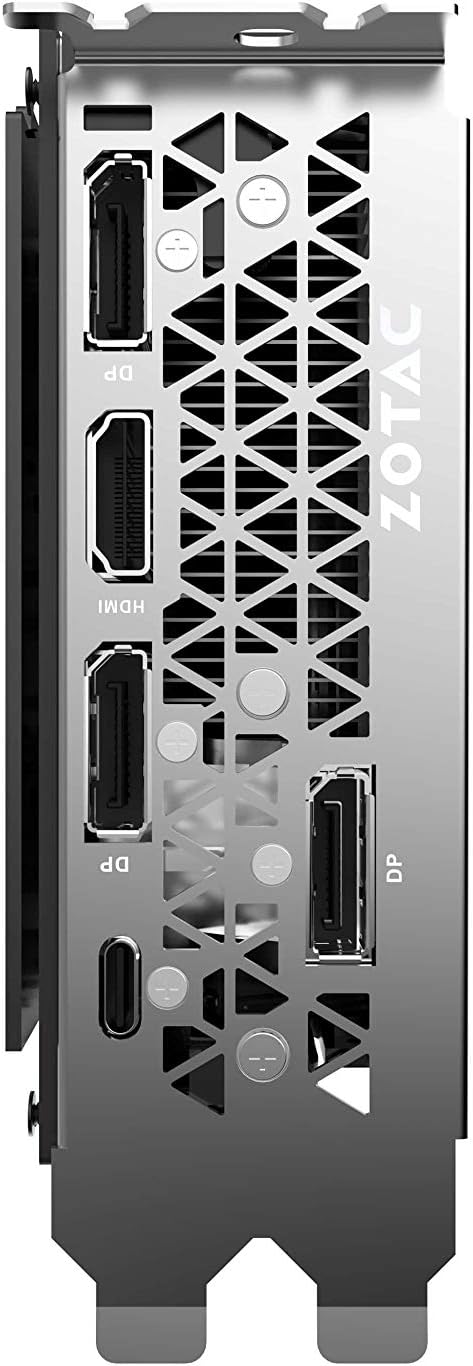
Image: The included 2 x Dual 6-pin to 8-pin power cables for connecting the graphics card to the power supply.
Configuració i instal·lació
Follow these steps to install your graphics card:
- Prepareu el vostre sistema: Turn off your computer and disconnect the power cable. Open your computer case.
- Localitza la ranura PCIe: Identify an available PCI Express 3.0 x16 slot on your motherboard.
- Instal·leu la targeta: Carefully align the graphics card with the PCIe slot and press down firmly until it is securely seated. Secure the card with the case's retention mechanism or screws.
- Connectar l'alimentació: Connect the required 8-pin power connectors from your power supply to the graphics card. Use the provided 6-pin to 8-pin adapters if necessary.
- Tanca la caixa i connecta la pantalla: Tanqueu la carcassa de l'ordinador, torneu a connectar el cable d'alimentació i connecteu el cable o cables de la pantalla als ports de sortida de la targeta gràfica.
- Instal·leu els controladors: Power on your computer. Once the operating system loads, install the latest NVIDIA drivers from the official NVIDIA weblloc.

Imatge: Un angle view of the graphics card, illustrating its form factor for installation into a PCIe slot.
Requisits d'alimentació
To ensure stable operation, your system must meet the following power specifications:
- Font d'alimentació recomanada: 650-watt power supply or greater.
- Consum màxim d'energia: Watts 250.
Note: Insufficient power supply can lead to system instability or damage.
Connexions
The graphics card provides multiple display output options:
- 3 x DisplayPort 1.4
- 1 x HDMI 2.0B
- 1 x USB tipus C
The card is capable of supporting quad simultaneous displays.
Image: The rear I/O panel of the graphics card, showing the DisplayPort, HDMI, and USB Type-C outputs.
Compatibilitat de programari
Ensure your system meets the following software requirements for optimal performance:
- Sistema operatiu: Microsoft Windows 10/7 x64
- Conductors: Game Ready Drivers (available from NVIDIA's official weblloc)
- API: Microsoft DirectX 12 API, Vulkan API, OpenGL 4.5
Instruccions de funcionament
After successful installation and driver setup, your ZOTAC Gaming GeForce RTX 2080 Ti Blower graphics card will automatically enhance your system's graphical capabilities. For best performance, ensure your drivers are always up-to-date. You can monitor card performance and temperatures using ZOTAC's FireStorm utility or other compatible third-party software.
Manteniment
Regular maintenance helps prolong the lifespan and performance of your graphics card:
- Eliminació de pols: Periodically clean dust from the fan and heatsink using compressed air. Ensure the system is powered off and unplugged before cleaning.
- Flux d'aire: Maintain good airflow within your PC case to prevent overheating. Ensure no cables or other components obstruct the graphics card's fan.
- Actualitzacions de controladors: Mantingueu els controladors gràfics actualitzats per aprofitar les millores de rendiment i les correccions d'errors.
Resolució de problemes
Si teniu problemes, tingueu en compte les solucions habituals següents:
- Sense pantalla: Ensure the display cable is securely connected to the graphics card and the monitor. Verify the monitor is set to the correct input.
- Inestabilitat/Avaries del sistema: Check power connections to the graphics card. Ensure your power supply meets the recommended wattage. Update or reinstall graphics drivers.
- Sobreescalfament: Verify that the graphics card fan is spinning. Clean any dust buildup from the heatsink and fan. Ensure adequate case airflow.
- Problemes del controlador: Realitzeu una instal·lació neta dels controladors gràfics més recents d'NVIDIA weblloc.
If problems persist, consult the ZOTAC support weblloc o poseu-vos en contacte amb el seu servei d'atenció al client.
Especificacions
| Característica | Especificació |
|---|---|
| GPU | NVIDIA GeForce RTX 2080 Ti |
| Nuclis CUDA | 4352 |
| Memòria de vídeo | 11 GB GDDR6 |
| Bus de memòria | 352 bits |
| Engine Boost Clock | 1545 MHz |
| Rellotge de memòria | 14.0 Gbps |
| PCI Express | 3.0 |
| Sortides de visualització | 3 x DisplayPort 1.4, 1 x HDMI 2.0B, 1 x USB Type-C |
| Suport multipantalla | Quad Simultaneous Display Capable |
| Font d'alimentació recomanada | 650W |
| Consum d'energia | 250W |
| Dimensions (LxWxH) | 10.55 x 4.45 x 1.5 polzades |
| Suport del sistema operatiu | Windows 10/7 x64 |
Garantia i suport
Your ZOTAC Gaming GeForce RTX 2080 Ti Blower graphics card may be eligible for an extended warranty. Registration is typically required to activate the full warranty period. Please refer to the official ZOTAC website for detailed warranty terms and conditions, and for information on how to register your product.
For technical support, driver downloads, and further assistance, visit the official ZOTAC support page:

Image: Information regarding ZOTAC's 5-year warranty, which typically requires product registration.