1. Introducció
This manual provides detailed instructions for the installation, operation, and maintenance of your TooQ TQE-2528B 2.5-inch SATA USB 3.1 Gen1 HDD Enclosure. This device allows you to convert a 2.5-inch SATA I/II/III hard disk drive or solid-state drive into an external storage solution, connecting via USB 3.1 Gen1 for high-speed data transfer.
2. Contingut del paquet
Si us plau, verifiqueu que tots els elements siguin presents al paquet:
- TooQ TQE-2528B 2.5-inch SATA USB 3.1 Gen1 HDD Enclosure
- USB 3.0 Type-A to Micro-B Cable
- Manual d'usuari (aquest document)

Image 2.1: The TooQ TQE-2528B enclosure shown with its included USB 3.0 cable.
3. Producte acabatview
The TooQ TQE-2528B is designed for ease of use and portability. Key features include:
- Compatible with 2.5-inch SATA I/II/III HDDs and SSDs up to 9.5mm height.
- USB 3.1 Gen1 (USB 3.0) interface for data transfer speeds up to 5.0 Gbps.
- Tool-free installation for quick setup.
- LED indicator for connection status and data access.
- Powered directly via USB port.
3.1. Identificació de components
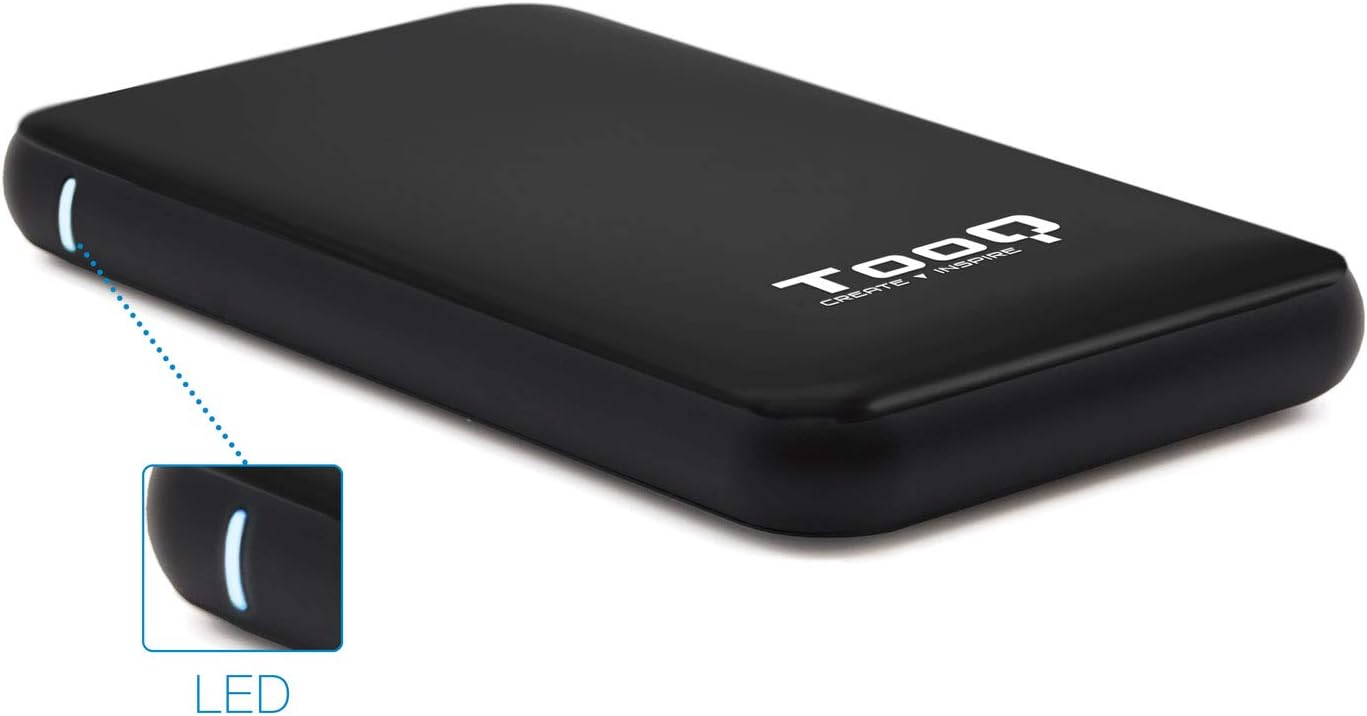
Image 3.1: The enclosure features an LED indicator on the side, which illuminates to show power and data activity.

Image 3.2: The rear of the enclosure includes a power button and a Micro-USB port for connection.
4. Setup: Hard Drive Installation
Follow these steps to install a 2.5-inch SATA HDD or SSD into the enclosure:
- Obriu el recinte: Gently slide the top cover of the enclosure to open it. The design allows for tool-free access.
- Connecteu la unitat: Align your 2.5-inch SATA HDD/SSD with the SATA connector inside the enclosure. Carefully push the drive into the connector until it is firmly seated. Ensure the drive is flush with the internal tray.
- Tanca el recinte: Feu lliscar la coberta superior fins que faci clic de manera segura.
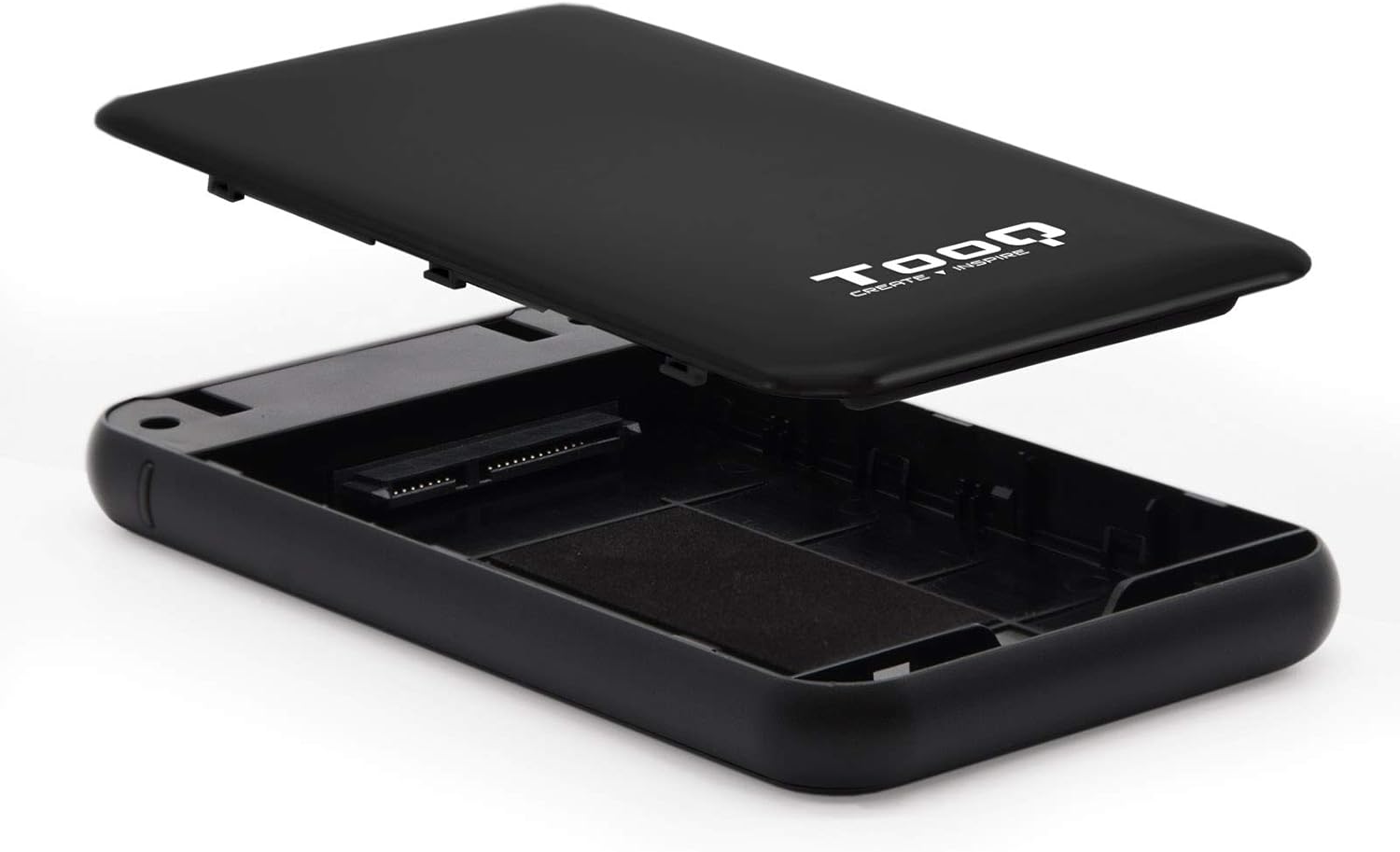
Image 4.1: The enclosure opened, revealing the internal SATA data and power connector for a 2.5-inch drive.
5. Instruccions de funcionament
After installing your hard drive, connect the enclosure to your computer:
- Connecteu el cable USB: Plug the Micro-B end of the included USB 3.0 cable into the enclosure's Micro-USB port.
- Connexió a l'ordinador: Plug the Type-A end of the USB cable into an available USB port on your computer. For optimal performance, use a USB 3.0 or USB 3.1 Gen1 port.
- Encès: If the enclosure has a power button (refer to Image 3.2), press it to turn on the device. The LED indicator (Image 3.1) will illuminate, indicating power and connection status.
- Accés a la unitat: Your operating system should automatically detect the new storage device.
- New Drives: If you are using a brand new hard drive, it may need to be initialized and formatted before use. Refer to your operating system's disk management tools for this process.
- Existing Drives: If the drive contains data, it should appear as a removable drive in 'My Computer' (Windows) or on the desktop (macOS).

Image 5.1: The TooQ TQE-2528B enclosure connected to a laptop, demonstrating a typical usage scenario.
6. Manteniment
To ensure the longevity and optimal performance of your enclosure:
- Mantingueu la carcassa neta i sense pols. Feu servir un drap suau i sec per netejar-la.
- Eviteu exposar el dispositiu a temperatures extremes, humitat o llum solar directa.
- No deixeu caure la carcassa ni la sotmeteu a impactes forts.
- Always safely eject the drive from your operating system before disconnecting the USB cable to prevent data corruption.
7. Solució De Problemes
If you encounter issues with your TooQ TQE-2528B enclosure, refer to the following common solutions:
- Unitat no detectada:
- Assegureu-vos que el cable USB estigui connectat correctament tant a la carcassa com a l'ordinador.
- Proveu de connectar-vos a un altre port USB de l'ordinador.
- Verify that the hard drive is correctly seated within the enclosure's SATA connector.
- Check your computer's Disk Management (Windows) or Disk Utility (macOS) to see if the drive is recognized but uninitialized or unformatted.
- Test the enclosure with a different 2.5-inch SATA drive, if available, to rule out a drive issue.
- Transferència lenta de dades:
- Ensure you are connected to a USB 3.0 or USB 3.1 Gen1 port on your computer. Connecting to a USB 2.0 port will result in slower speeds.
- Verifiqueu que el vostre sistema operatiu i els controladors estiguin actualitzats.
- Enclosure Does Not Power On:
- Ensure the USB cable is properly connected and providing power. The enclosure is bus-powered.
- Proveu un port USB diferent a l'ordinador.
8. Especificacions
| Número de model | TQE-2528B |
| Unitats compatibles | 2.5-inch SATA I/II/III HDD/SSD (up to 9.5mm height) |
| Interfície | USB 3.1 Gen1 (USB 3.0) |
| Velocitat de transferència de dades | Fins a 5.0 Gbps |
| Font d'alimentació | USB Bus-powered (5 Volts) |
| Material | Plàstic ABS |
| Dimensions (L x A x A) | 13.5 cm x 8 cm x 1.6 cm (aprox. 5.3 x 3.1 x 0.6 polzades) |
| Pes | 50 g (aprox. 0.11 lliures) |
| Compatibilitat de sistemes operatius | Universal (Windows, macOS, Linux) |

Image 8.1: Technical drawing illustrating the dimensions of the TooQ TQE-2528B enclosure.
9. Garantia i Suport
TooQ products are designed for reliability and performance. This product comes with a standard manufacturer's warranty. For specific warranty terms and conditions, please refer to the warranty card included with your product or visit the official TooQ weblloc.
For technical support, frequently asked questions, or to download the latest drivers (if applicable), please visit the official TooQ support weblloc web o poseu-vos en contacte amb el seu departament d'atenció al client. La informació de contacte normalment es pot trobar a l'embalatge del producte o a la fitxa oficial weblloc.
Fabricant: TOOQ
Número d'article comercial global (GTIN): 08433281008304


