1. Introducció
Thank you for choosing the ONIKUMA K8 Gaming Headset. This manual provides detailed instructions for setting up, operating, and maintaining your headset to ensure the best possible gaming and audio experience. Please read this manual carefully before use.
2. Contingut del paquet
- Auriculars de joc ONIKUMA K8
- Cable d'àudio de 3.5 mm
- USB Cable (for RGB lighting)
- Manual d'usuari
3. Producte acabatview
The ONIKUMA K8 is a wired over-ear gaming headset designed for immersive audio. It features a built-in microphone, volume control, and vibrant RGB LED lighting. The headset is compatible with multiple gaming platforms and devices.
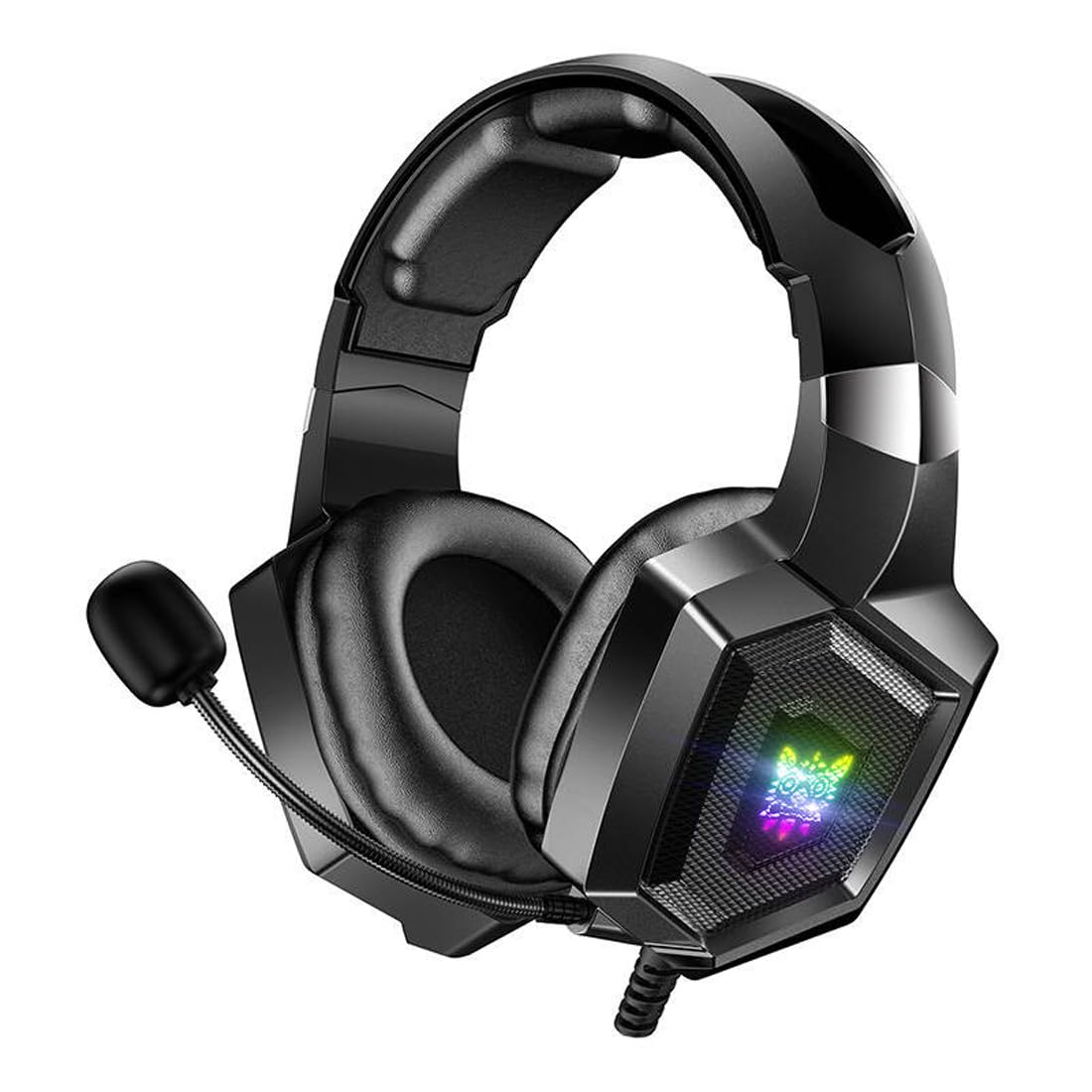
Image 1: The ONIKUMA K8 Gaming Headset, showcasing its design, detachable cables, and retail packaging.

Imatge 2: Una explosió view illustrating the internal components of a headset driver, highlighting the precision audio engineering.
4. Instruccions de configuració
- Connecta l'àudio: Plug the 3.5mm audio jack into the corresponding audio port on your device (PC, console controller, etc.). Ensure it is fully inserted for proper sound and microphone function.
- Connect USB for Lighting: Plug the USB connector into an available USB port on your device. This powers the RGB LED lighting on the earcups. The headset will function for audio even without the USB connected, but the lighting will not activate.
- Ajustar els auriculars: Place the headset on your head and adjust the headband for a comfortable fit. The earcups are designed to fit over your ears.
- Posició del micròfon: Adjust the flexible microphone boom to a position near your mouth for clear voice capture.
5. Instruccions de funcionament
5.1 Control de volum
The headset features an inline control unit on the cable. Use the scroll wheel or dedicated buttons on this unit to adjust the audio volume up or down.
5.2 Silenciament del micròfon
Locate the microphone mute switch on the inline control unit. Flip the switch to mute or unmute the microphone as needed during gameplay or communication.
Il·luminació LED RGB 5.3
The RGB LED lighting on the earcups will automatically activate when the USB cable is connected to a powered USB port. There are no user-adjustable settings for the lighting patterns or colors on the headset itself.
6. Manteniment
- Neteja: Feu servir un drap suau i sec per netejar els auriculars i la diadema. No utilitzeu netejadors líquids ni materials abrasius.
- Emmagatzematge: Guardeu els auriculars en un lloc fresc i sec, allunyat de la llum solar directa i de temperatures extremes. Eviteu col·locar objectes pesats a sobre dels auriculars.
- Cura del cable: Avoid sharply bending or twisting the cables. Always grasp the plug, not the cable, when disconnecting.
7. Solució De Problemes
| Problema | Possible solució |
|---|---|
| No hi ha so dels auriculars |
|
| El micròfon no funciona |
|
| La il·luminació RGB no funciona |
|
8. Especificacions
| Marca | ONIKUMA |
| Nom del model | K8 |
| Tecnologia de connectivitat | Amb cable |
| Conector d'auriculars | Jack de 3.5 mm |
| Factor de forma | Sobre l'orella |
| Control de soroll | Cancel·lació activa del soroll |
| Sensibilitat | 102 dB |
| Color | Negre |
| Pes de l'article | 329 grams |
| Dimensions del producte | 10 x 5 x 1.27 cm |
| Materials | Plàstic |
| Usos recomanats | Jocs |
| Dispositius compatibles | Múltiples |
| Tipus de control | Volume Control, Inline Controls |
| Nivell de resistència a l'aigua | No resistent a l'aigua |
9. Informació de la garantia
This ONIKUMA K8 Gaming Headset comes with a standard manufacturer's warranty. Please refer to the warranty card included in your package or contact your retailer for specific terms and conditions regarding warranty coverage and duration. Keep your proof of purchase for warranty claims.
10. Suport
For technical assistance, troubleshooting, or further inquiries about your ONIKUMA K8 Gaming Headset, please contact the retailer where you purchased the product or visit the official ONIKUMA website for support resources. Ensure you have your product model number (K8) and proof of purchase ready when seeking support.


