Introducció
This manual provides comprehensive instructions for the Walfront ESP-WROOM-32 Test Burn Board. This device is a small batch burn fixture designed for efficient testing and programming of ESP-WROOM-32 minimum system development modules. Please read this manual thoroughly before use to ensure proper operation and longevity of the product.
Producte acabatview
The Walfront ESP-WROOM-32 Test Burn Board is engineered for reliability and ease of use in development and production environments. It features a robust design and clear pinout for various ESP-WROOM-32 modules.
Característiques principals:
- Aplicació: Suitable for burning test boards of ESP-WROOM-32 modules.
- IO Port Visibility: All IO ports are equipped with LEDs, allowing the board to function as a minimum system board or for small batch burning with the fixture.
- Construcció d'alta qualitat: Manufactured with precision electronic components to ensure durability and stable performance.
- Reliable Contact: Designed for good contact performance, ensuring stable operation during testing and programming.
Contingut del paquet:
- 1 x Walfront ESP-WROOM-32 Test Burn Board

Figura 1: De dalt a baix view of the Walfront ESP-WROOM-32 Test Burn Board, highlighting its pin headers and control buttons.
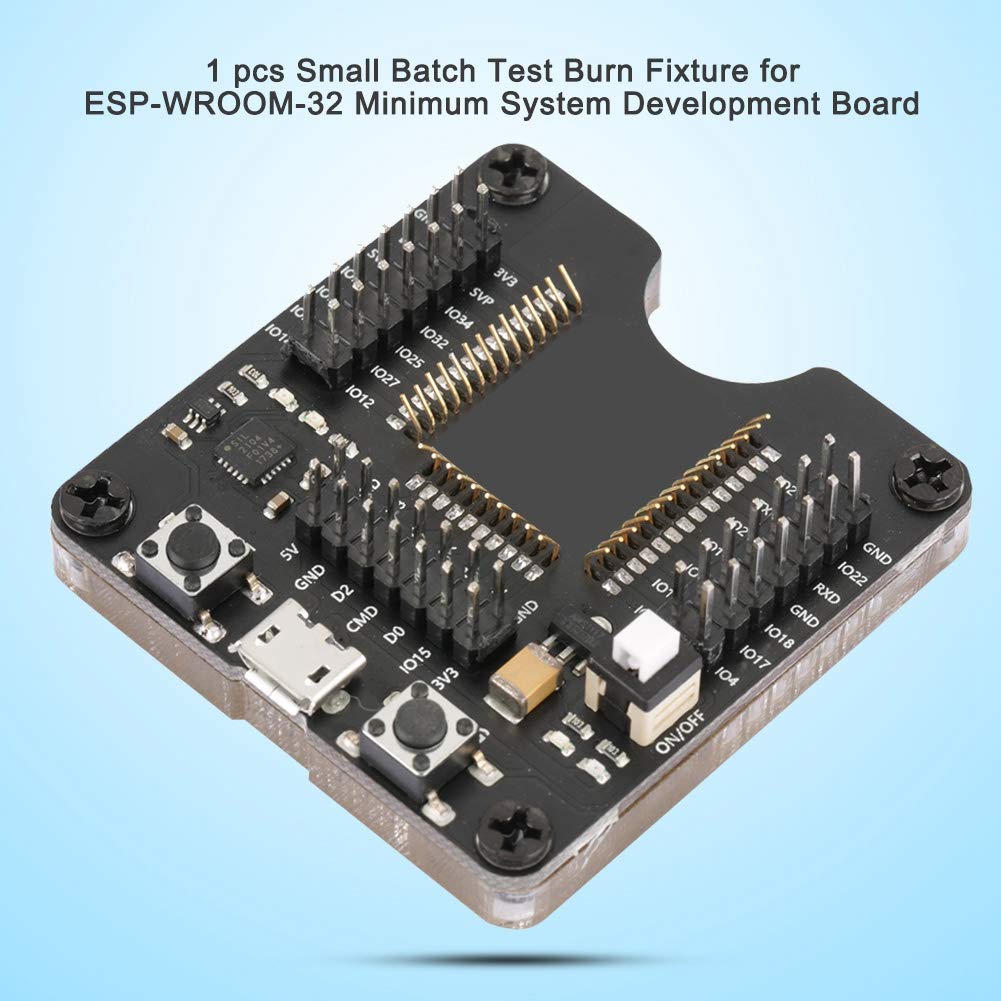
Figura 2: Angle view of the burn board, illustrating the clear acrylic base and the central slot for the ESP-WROOM-32 module.
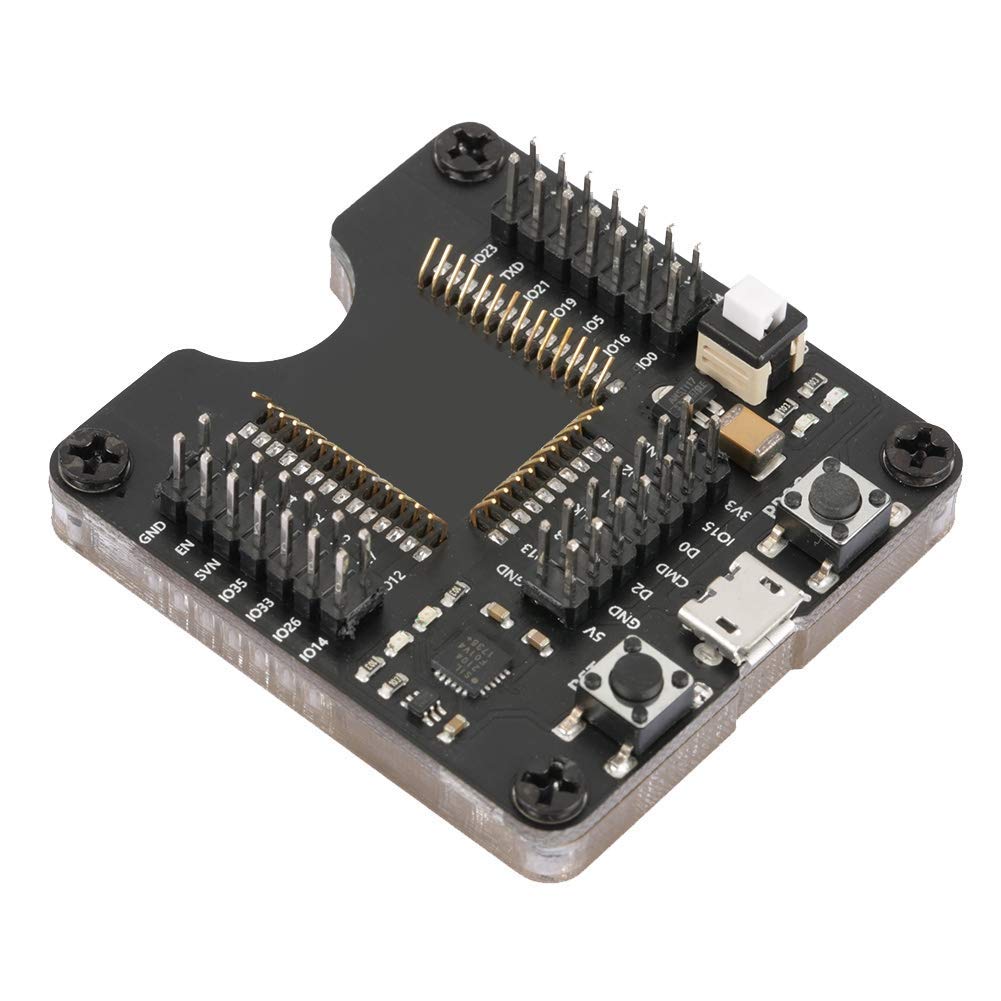
Figure 3: Dimensions of the Walfront ESP-WROOM-32 Test Burn Board, measuring 4.5 cm by 5 cm.
Instruccions de configuració
- Unpack the Burn Fixture: Carefully remove the Walfront ESP-WROOM-32 Test Burn Board from its packaging. Inspect for any visible damage.
- Identify Module Slot: Locate the central slot on the burn board designed for the ESP-WROOM-32 module. Note the surrounding pin headers and their labels (e.g., GND, 3V3, IO pins).
- Insert ESP-WROOM-32 Module: Gently align your ESP-WROOM-32 module with the pin headers in the central slot. Ensure all pins are correctly seated into the spring-loaded contacts. Apply even pressure to avoid bending pins.
- Connexió a l'ordinador: Connect the burn fixture to your computer using a standard Micro USB cable. The board will draw power from the USB connection.
- Instal·leu els controladors: If your operating system does not automatically recognize the device, you may need to install specific USB-to-serial drivers (e.g., Silicon Labs CP210x drivers) for proper communication. Refer to your computer's device manager to confirm driver installation.

Figure 4: The burn board connected via Micro USB, ready for module insertion and programming.
Instruccions de funcionament
Once the burn fixture is set up and connected, you can proceed with programming your ESP-WROOM-32 module.
- Verify Module Seating: Double-check that the ESP-WROOM-32 module is securely and correctly seated in the burn fixture's slot. Good contact is essential for stable operation.
- Launch Programming Software: Open your preferred Integrated Development Environment (IDE) or flashing tool (e.g., Arduino IDE, ESP-IDF, esptool.py).
- Select Serial Port: In your software, select the serial (COM) port corresponding to the connected burn fixture. This port should appear after successful driver installation.
- Prepare for Flashing:
- Manteniu premut el botó PROG button (Program button).
- Mentre aguanta PROG, briefly press and release the RST button (Reset button).
- Allibera el PROG button. The module is now in programming mode.
- Initiate Flashing: Start the flashing or burning process from your software. The IO port LEDs on the burn board may indicate data transmission activity.
- Finalització: Once the flashing process is complete, disconnect the burn fixture from your computer. The ESP-WROOM-32 module can then be carefully removed.

Figure 5: Detail of the RST (Reset) and PROG (Program) buttons, and the Micro USB port for connection.

Figure 6: The spring-loaded pins ensure good contact with the ESP-WROOM-32 module for stable operation.
Manteniment
To ensure the longevity and optimal performance of your Walfront ESP-WROOM-32 Test Burn Board, follow these maintenance guidelines:
- Neteja: Keep the board clean and free from dust and debris. Use a soft, dry cloth or a brush to gently clean the surface. Avoid using liquids or abrasive cleaners.
- Emmagatzematge: Store the burn fixture in a dry, cool environment, away from direct sunlight and extreme temperatures.
- Manipulació: Handle the board with care. Avoid dropping it or subjecting it to excessive force, which could damage the delicate electronic components or the spring-loaded pins.
- Pin Inspection: Periodically inspect the spring-loaded pins for any signs of bending or damage. Bent pins can lead to poor contact and unreliable operation.
Resolució de problemes
If you encounter issues while using the Walfront ESP-WROOM-32 Test Burn Board, refer to the following common problems and solutions:
| Problema | Causa possible | Solució |
|---|---|---|
| Module not recognized by computer/software. | Missing or incorrect USB-to-serial drivers. Loose USB connection. Module not properly seated. | Install the correct drivers (e.g., Silicon Labs CP210x). Ensure the Micro USB cable is securely connected. Re-seat the ESP-WROOM-32 module, checking pin alignment. |
| Flashing process fails or encounters errors. | Module not in programming mode. Poor contact with module pins. Incorrect software settings (e.g., wrong COM port, baud rate). | Ensure the module is put into programming mode (PROG then RST). Verify the module is firmly seated. Check software settings for correct serial port and parameters. |
| IO port LEDs do not light up or behave unexpectedly. | Module not powered or not communicating. Faulty module. | Confirm the burn board is powered via USB. Ensure the ESP-WROOM-32 module is functional. |
| Physical damage to pins or components. | Improper handling or insertion of modules. | Handle with care. If pins are bent, gently attempt to straighten them with fine-tipped tweezers. If damage is severe, replacement may be necessary. |
Especificacions
| Atribut | Valor |
|---|---|
| Tipus | Burn Fixture |
| Dimensions del producte | 3.15 x 2.76 x 2.36 inches (approx. 5 x 4.5 cm) |
| Pes de l'article | 0.704 unces (aproximadament 27 grams) |
| Fabricant | Walfront |
| Número de model | Walfront6fiapg28nw |
| ASIN | B07KPHF8XM |
| Data de primera disponibilitat | 19 de novembre de 2018 |
Garantia i Suport
For detailed warranty information, technical assistance, or customer support regarding your Walfront ESP-WROOM-32 Test Burn Board, please refer to the product packaging or contact Walfront customer service directly. Keep your purchase receipt for warranty claims.
