1. Introducció
This manual provides detailed instructions for the safe and efficient use of your DROK DC-DC Buck Converter. This module is designed to step down a higher DC input voltage to a lower, adjustable DC output voltage, featuring an LCD display for real-time monitoring of voltage, corrent i potència.
2. Característiques del producte
- Vol d'entrada àmpliatage Rang: DC 6.5V a 36V.
- Vol. de sortida ajustabletage: DC 1.2V to 32V. Factory default output is 5V.
- Corrent de sortida alt: Stable operation at 3.5A for extended periods, capable of reaching 4.5A with adequate heat dissipation. Adjustable current limit is approximately 4.2A-4.5A.
- Pantalla LCD: Mostra el volum d'entradatage, voltage, corrent de sortida i potència de sortida.
- Alta resolució de pantalla: Voltage resolution of 0.05V, current resolution of 0.005A.
- Precisió de visualització: Voltage display accuracy of ±0.1V, current display accuracy of ±0.05A.
- Control de botons: Easy adjustment of output voltage and control of output ON/OFF state without a screwdriver.
- Protecció de connexió inversa d'entrada: Protects the module from damage due to incorrect input polarity.
- C protectoraasing: Includes a transparent acrylic case to prevent physical damage to the module.
3. Precaucions de seguretat
- Assegureu-vos que l'entrada correcta voltage polarity. The module has input reverse connection protection, but always verify connections.
- Hi ha no reverse current protection on the output terminals. Do not connect a battery or other power source to the output without an external diode to prevent reverse current flow, as this can damage the module.
- Do not short-circuit the Input IN- terminal to the Output OUT- terminal. This will disable the constant current function.
- Ensure proper ventilation, especially when operating at higher currents (above 3.5A) to allow for adequate heat dissipation.
- Always verify the output voltage setting before connecting any load to prevent damage to your devices.
- Handle the module with care, especially during assembly of the acrylic case, to avoid damage to components.
4. Especificacions
| Paràmetre | Valor |
|---|---|
| Entrada Voltage Rang | CC 6.5V - 36V |
| Vol. De sortidatage Rang | DC 1.2V - 32V (Adjustable) |
| Output Current (Stable) | 3.5A |
| Output Current (Max with Heat Dissipation) | 4.5A |
| Potència de sortida | 75W |
| Voltage Resolució de la pantalla | 0.05 V |
| Resolució de pantalla actual | 0.005A |
| Voltage Precisió de visualització | ± 0.1 V |
| Current Display Accuracy | ± 0.05A |
| Dimensions | 14.7 x 8 x 5.2 cm |
| Pes | 70 g |
5. Configuració
5.1 Identificació de components
Familiarize yourself with the components of the buck converter module:

Figure 1: Component layout of the DROK buck converter. Labels indicate input/output terminals, LCD display, control buttons, and the voltage potenciòmetre d'ajust.
5.2 Acrylic Case Assembly
The module comes with a transparent acrylic case for protection. Assembly is straightforward:
- Identify the top and bottom acrylic plates, standoffs, and screws.
- Carefully align the bottom acrylic plate with the mounting holes on the PCB.
- Insert the brass standoffs through the bottom plate and into the PCB.
- Place the top acrylic plate over the standoffs, ensuring all cutouts align with the module's components (terminals, buttons, screen).
- Secure the top plate with the remaining screws. Do not overtighten.
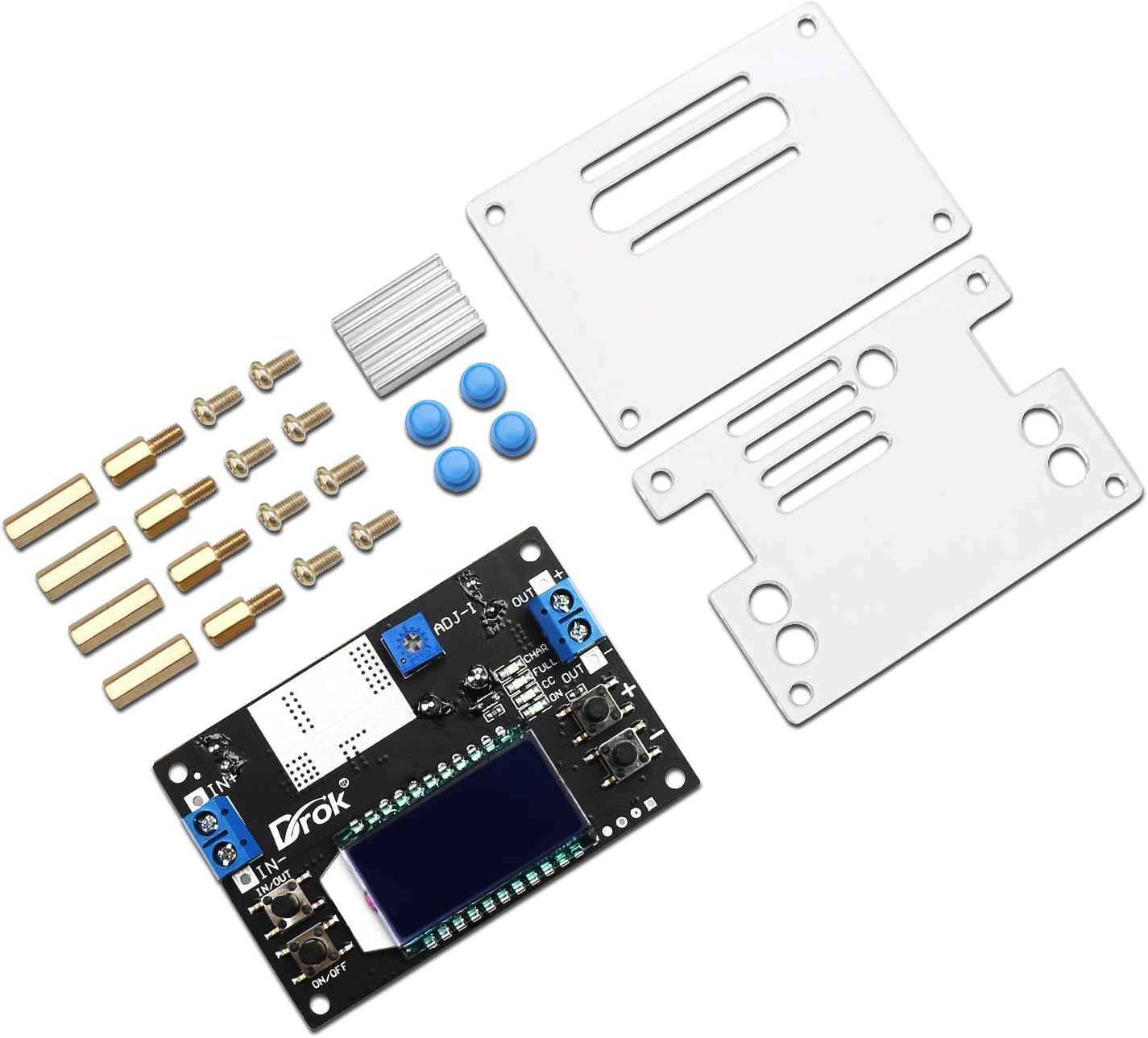
Figure 2: Disassembled module with acrylic case components.

Figure 3: Assembled module with protective case.
5.3 Connexions de cablejat
Connect your power source and load to the module using the screw terminals:
- Input (IN+ / IN-): Connect your DC power source (6.5V-36V) to these terminals. Ensure correct polarity: IN+ for positive, IN- for negative.
- Output (OUT+ / OUT-): Connect your load to these terminals. Ensure correct polarity: OUT+ for positive, OUT- for negative.
Note: Always double-check wiring before applying power.
6. Instruccions de funcionament
6.1 Encès/Apagat
- After connecting the input power, the LCD will light up.
- Premeu el botó ON/OFF button (usually on the left side) to toggle the output power.
- To set the default power-on state (output ON or OFF), press and hold the ON/OFF button. The module will remember this setting for subsequent power cycles.
6.2 Ajust del volum de sortidatage
El voltage is adjusted using the two buttons on the right side of the module:
- Premeu el botó '+' button to increase the output voltage.
- Premeu el botó '-' button to decrease the output voltage.
- The LCD will display the current output voltage during adjustment.
6.3 LCD Display Modes
The module features an LCD that can display various parameters. Use the button on the left (often labeled 'IN/OUT' or similar) to cycle through display modes:
- Vol. De sortidatage (OUT V): Mostra el volum de sortida actualtage.
- Entrada Voltage (IN V): Displays the current input voltage.
- Vol d'entrada/sortidatage (IN/OUT V): Alternates between input and output voltagvisualització.
- Output Current (OUT A): Displays the current flowing through the output.
- Output Power (OUT W): Displays the calculated output power.
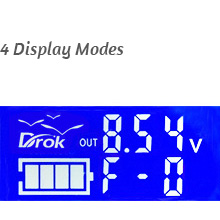
Figura 4: Vol. de sortidatage Visualització
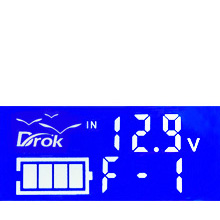
Figura 5: Volum d'entradatage Visualització
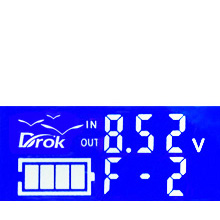
Figure 6: Input/Output Voltage Visualització

Figure 7: USB Output Voltage Display (if applicable)
6.4 Constant Current (CC) Adjustment
The module supports constant current output. The current limit can be adjusted using the small potentiometer (ADJ-I) on the board. Turn clockwise to increase the current limit. This is typically set to approximately 4.2A-4.5A at the factory.
7. Manteniment
- Mantingueu el mòdul net i lliure de pols i deixalles. Feu servir un drap suau i sec per netejar-lo.
- Ensure adequate airflow around the module, especially when operating at higher loads, to prevent overheating.
- Regularly check wiring connections for tightness and signs of wear or corrosion.
- Eviteu exposar el mòdul a la humitat, temperatures extremes o ambients corrosius.
8. Solució De Problemes
| Problema | Causa possible | Solució |
|---|---|---|
| No display/No output | No input power; Incorrect input polarity; Output turned off. | Check input power connections; Verify input polarity; Press the ON/OFF button to enable output. |
| Volum de sortidatage no es pot ajustar | Potentiometer at its limit; Faulty potentiometer. | Ensure the adjustment buttons are being pressed correctly; If still unresponsive, contact support. |
| Constant current function not working | Input IN- short-circuited to Output OUT-. | Check wiring to ensure IN- and OUT- are not connected. |
| Sobreescalfament del mòdul | Excessive load current; Insufficient ventilation. | Reduce load current; Ensure adequate airflow around the module; Consider adding a fan for continuous high-current operation. |
9. Vídeos de productes
Watch these official videos for additional guidance on using your DROK Buck Converter:
Video 1: Demonstration of the buck converter's features and operation.
Video 2: Detailed guide on setting up and adjusting the output voltage.
Vídeo 3: Curtmetratge finalview of the module's display functions.
Video 4: Comprehensive tutorial on advanced usage and applications.
10. Garantia i Suport
For warranty information or technical support, please refer to the product packaging or contact your retailer. Keep your purchase receipt for warranty claims.