1. Introducció
This manual provides essential information for the safe and efficient use of your MEDION E3221 Convertible Laptop. Please read this manual thoroughly before operating the device and retain it for future reference. The MEDION E3221 is a versatile 13.3-inch Full HD touch-enabled laptop designed for various modes of use, including laptop, tablet, stand, and tent modes.
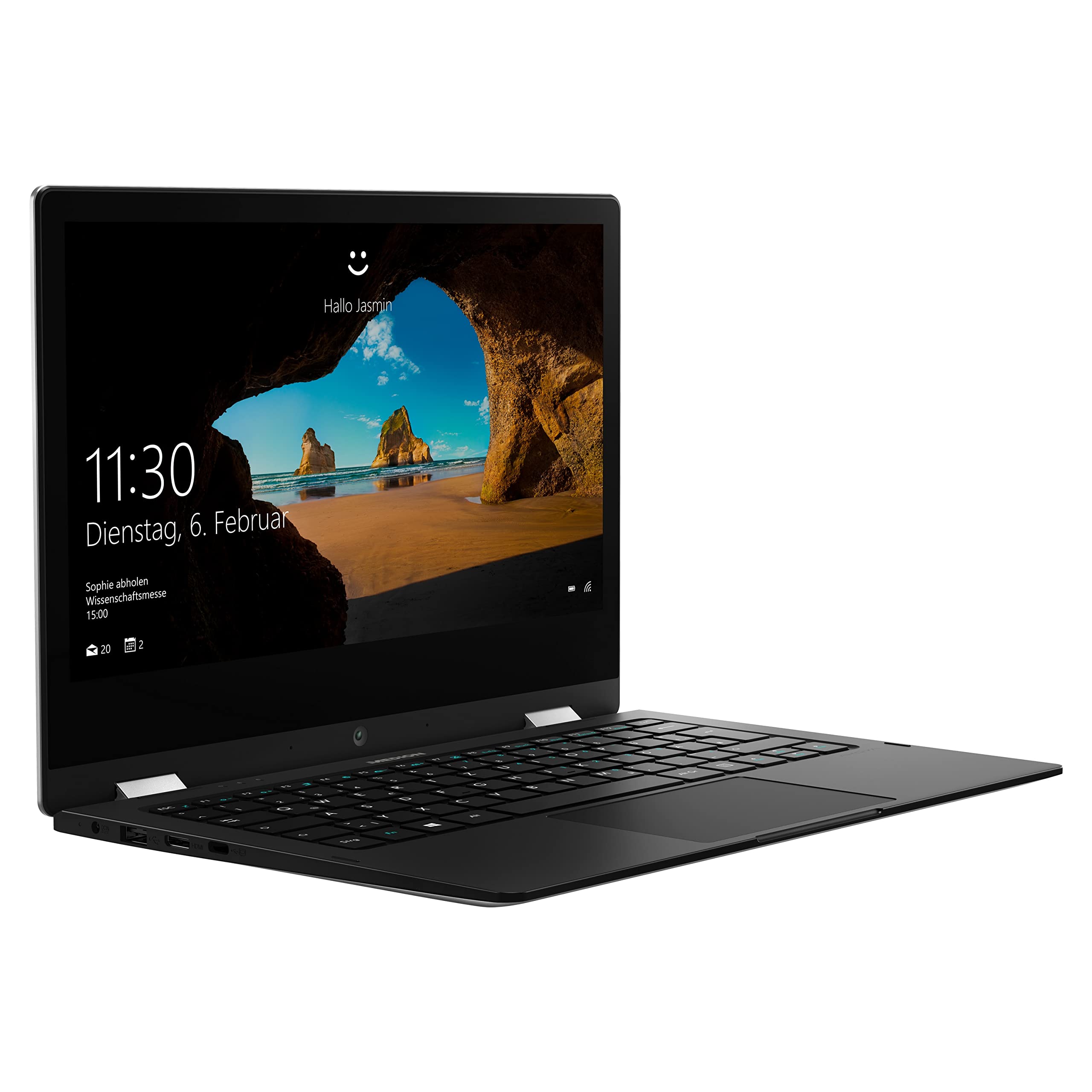
Image: The MEDION E3221 laptop demonstrating its 360-degree hinge and multiple usage modes.
2. Informació de seguretat
- Always use the original power adapter provided with your device.
- Eviteu exposar el portàtil a temperatures extremes, llum solar directa o humitat elevada.
- No intenteu desmuntar ni reparar el dispositiu vosaltres mateixos. Poseu-vos en contacte amb personal de servei qualificat.
- Keep the laptop away from liquids and sources of strong magnetic fields.
- Assegureu-vos una ventilació adequada per evitar el sobreescalfament. No obstruïu les obertures de ventilació.
3. Contingut del paquet
Verifiqueu que tots els elements siguin presents al paquet:
- MEDION AKOYA E3221 Convertible Laptop
- Integrated 2-cell Li-polymer Battery (pre-installed)
- Unitat d'alimentació externa
- Targeta de garantia
- Manual d'usuari (aquest document)
4. Configuració
4.1 Càrrega inicial i engegada
- Connect the external power supply unit to the laptop's power input port and then to a wall outlet.
- Deixeu que el portàtil es carregui durant almenys 30 minuts abans del primer ús o fins que l'indicador de la bateria mostri una càrrega suficient.
- Press the power button (located on the right side of the device) to turn on the laptop.

Image: Left side of the MEDION E3221 laptop, showing the power input port, USB port, HDMI port, and USB-C port.

Image: Right side of the MEDION E3221 laptop, showing the power button, audio jack, microSD card slot, and another USB port.
4.2 Configuració inicial de Windows
Follow the on-screen instructions to complete the Windows 10 Home S Mode setup. This typically involves selecting your region, language, connecting to a Wi-Fi network, and creating a user account. Your laptop includes a 1-year subscription to Office 365 Personal, which can be activated during or after the initial setup.
4.3 Connexió de perifèrics
- Dispositius USB: Connect USB devices (e.g., mouse, keyboard, external storage) to the available USB 2.0 ports or the USB Type-C port.
- Dispositius Bluetooth: To pair Bluetooth devices, navigate to Windows Settings > Devices > Bluetooth & other devices, and follow the pairing instructions for your specific device.
- Pantalla externa: Use the HDMI port or a suitable USB-C adapter to connect an external monitor or projector.
5. Funcionament de l'ordinador portàtil
5.1 Modes convertibles
The MEDION E3221 features a 360-degree hinge, allowing it to be used in four primary modes:
- Mode portàtil: Configuració estàndard d'ordinador portàtil per a la mecanografia i la productivitat.
- Mode tauleta: Fold the screen back completely to use as a tablet with touch input.
- Mode de peu: Position the keyboard face down to use the screen for viewmitjans de comunicació.
- Mode tenda: Stand the laptop in an inverted 'V' shape, ideal for presentations or watching videos in confined spaces.
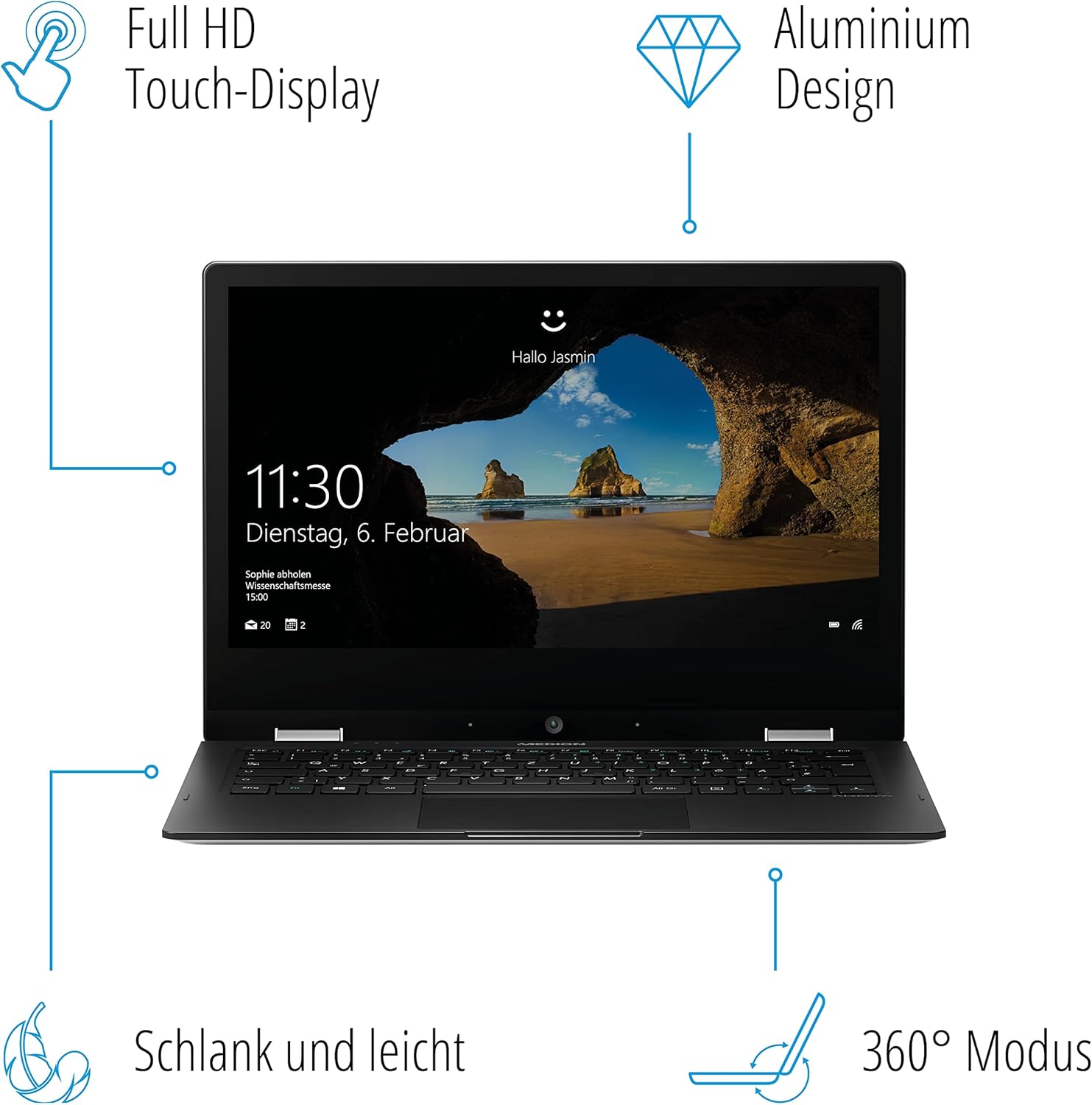
Image: A diagram illustrating the key features of the MEDION E3221, including its Full HD Touch-Display, Aluminum Design, slim profile, and 360° convertible mode.
5.2 Ús de la pantalla tàctil
The 13.3-inch Full HD IPS LCD touchscreen supports multi-touch gestures. Use your fingers to navigate, tap, swipe, and pinch-to-zoom, similar to a smartphone or tablet.

Imatge: Un primer pla view of the MEDION E3221 laptop screen displaying the Windows login interface.
5.3 Windows 10 Home S Mode
Your laptop operates on Windows 10 Home in S Mode, which is designed for security and performance. In S Mode, you can only install apps from the Microsoft Store and must use Microsoft Edge for safe browsing. If you need to install apps from outside the Microsoft Store, you can switch out of S Mode permanently via Windows Settings.
6. Manteniment
- Neteja: Utilitzeu un drap suau i sense pelusa lleugerament dampNetegeu la pantalla amb aigua o un netejador de pantalles. Per al xassís, utilitzeu un drap sec i suau. Eviteu productes químics agressius.
- Actualitzacions de programari: Comproveu i instal·leu regularment si hi ha actualitzacions de Windows per garantir un rendiment i una seguretat òptims.
- Cura de la bateria: Per allargar la durada de la bateria, eviteu descarregar-la completament amb freqüència. Guardeu el portàtil en un lloc fresc i sec si no l'utilitzeu durant períodes prolongats.
7. Solució De Problemes
- El portàtil no s'encén: Assegureu-vos que l'adaptador de corrent estigui ben connectat i que la bateria tingui prou càrrega. Proveu una altra presa de corrent.
- La pantalla està en blanc: Check if the laptop is powered on. If connected to an external display, ensure the correct display output is selected (often via function keys).
- Wi-Fi or Bluetooth issues: Verify that Wi-Fi and Bluetooth are enabled in Windows settings. Restart the laptop and your router if necessary.
- Rendiment lent: Close unnecessary applications. Check for available Windows updates. Ensure sufficient free storage space.
8. Especificacions
| Característica | Detall |
|---|---|
| Marca | MEDIÓ |
| Número de model | E3221 |
| Color | Plata |
| Sistema operatiu | Windows 10 Home S Mode |
| Processador | Intel Pentium Silver N5000 (up to 2.7 GHz, 4 Cores) |
| RAM | 4 GB |
| Emmagatzematge | Memòria Flash de 64 GB |
| Mida de la pantalla | 13.3 polzades |
| Resolució de visualització | 1920 x 1080 pixels (Full HD IPS LCD) |
| Gràfics | Intel UHD Graphics (Shared Memory) |
| Connectivitat sense fil | Bluetooth, WiFi |
| Ports | 1x USB Type-C, 1x USB 2.0, HDMI, Audio Jack, MicroSD Card Slot, Power Input |
| Durada de la bateria | Fins a 8.5 hores |
| Dimensions (L x A x A) | 31.5 x 21.5 x 1.57 cm |
| Pes | 1.47 quilos |
| Característiques especials | 360° Mode, Integrated Webcam, Touchscreen |
9. Informació de la garantia
Your MEDION E3221 Convertible Laptop comes with a manufacturer's warranty. Please refer to the included warranty card in your package for detailed terms, conditions, and registration information. Keep your proof of purchase for warranty claims.
10. Suport
For technical assistance, troubleshooting beyond this manual, or service inquiries, please contact MEDION customer support. Refer to the warranty card or the official MEDION weblloc per obtenir les dades de contacte específiques de la vostra regió.


