1. Introducció
This manual provides essential information for the proper setup, operation, and maintenance of your Eyeclops Digital Microscope & Camera. This device allows you to magnify objects up to 800 times, capture images, and record videos, making it suitable for exploring the microscopic world both indoors and outdoors.
Què hi ha a la caixa:
- 1 EyeClops Digital Microscope & Camera with built-in color screen
- 1 cable USB
- 1 512MB MicroSD Card
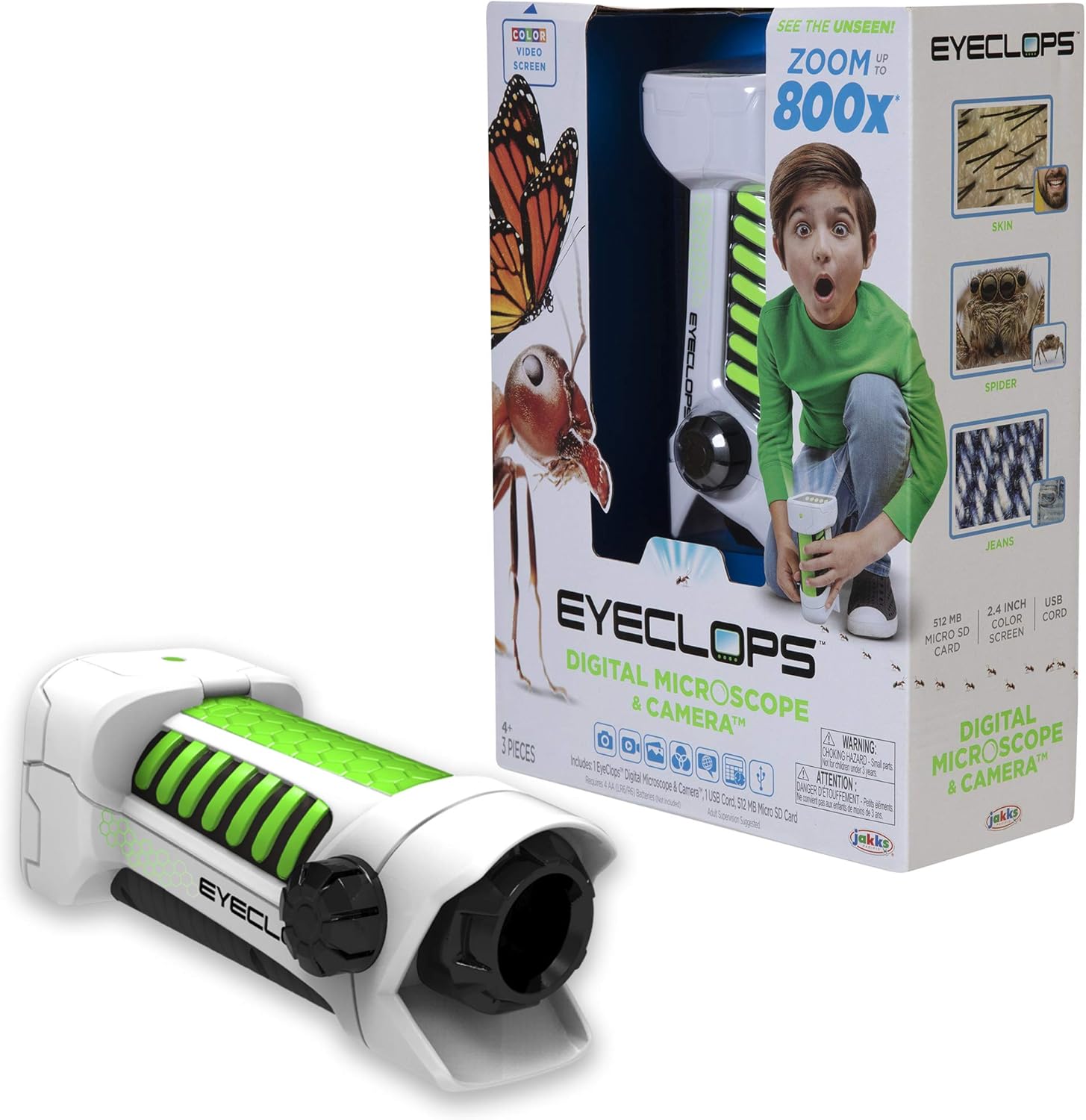
Imatge 1.1: The Eyeclops Digital Microscope & Camera with its retail packaging. This image displays the device alongside its box, highlighting its compact design and the included accessories like the MicroSD card and USB cable.
2. Informació de seguretat
Si us plau, llegiu i comprengui les següents precaucions de seguretat abans d'utilitzar el dispositiu:
- Perill d'asfixia: This product contains small parts and is not suitable for children under 3 years of age. Adult supervision is recommended for all users, especially younger children.
- Seguretat de la bateria: Use only the specified battery type (4 AA batteries). Ensure correct polarity when inserting batteries. Do not mix old and new batteries, or different types of batteries. Remove batteries if the device will not be used for an extended period.
- Condicions ambientals: Eviteu exposar el dispositiu a temperatures extremes, llum solar directa o humitat.
3. Configuració
3.1 Instal·lació de la bateria
- Localitzeu la tapa del compartiment de la bateria al dispositiu.
- Use a small screwdriver to open the battery compartment.
- Insert 4 AA batteries, ensuring the correct positive (+) and negative (-) polarity as indicated inside the compartment.
- Substituïu la tapa del compartiment de la bateria i fixeu-la amb el cargol.
3.2 Inserció de la targeta MicroSD
- Localitza la ranura per a targetes MicroSD al lateral del dispositiu.
- Gently insert the included 512MB MicroSD card into the slot until it clicks into place. Ensure the card is oriented correctly.
- Per treure la targeta, empenyeu-la suaument cap a dins fins que surti.
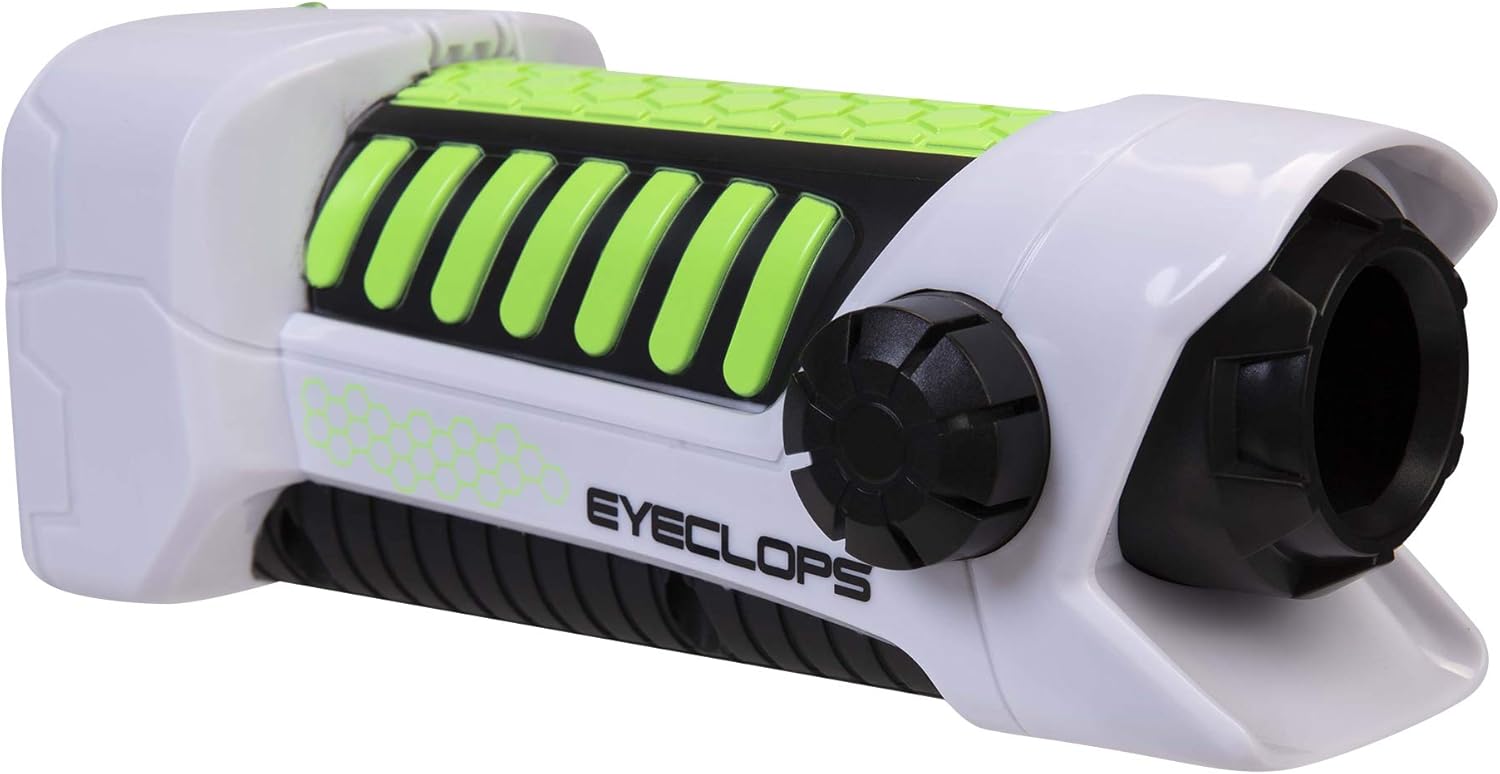
Imatge 3.1: Un costat view of the Eyeclops Digital Microscope, illustrating the general shape and location of external features such as the focus knob and lens. This view helps in identifying the MicroSD card slot and battery compartment.
4. Instruccions de funcionament
4.1 Engegada/apagada
- To power on the device, press and hold the Power button (usually located near the screen or grip).
- Per apagar l'aparell, premeu i manteniu premut el botó d'engegada de nou fins que la pantalla s'apagui.
4.2 Focusing and Zoom
- Point the lens of the microscope at the object you wish to observe.
- Ajusteu el Pom de focus (typically located on the side of the device) until the image on the 2.4-inch color screen appears clear.
- The device offers up to 800x magnification. The zoom level can be adjusted using dedicated zoom buttons (often marked with '+' and '-' symbols) or by moving the device closer to or further from the object.
4.3 Taking Pictures and Recording Video
- Once focused, press the Botó de la càmera (often indicated by a camera icon) to capture a still image.
- Per gravar vídeo, premeu la tecla Botó de vídeo (often indicated by a video camera icon). Press it again to stop recording.
- All captured images and videos are saved to the inserted MicroSD card.
4.4 Using as a Regular Camera
The Eyeclops Digital Microscope can also function as a regular camera. To use this feature, turn off the zoom function or adjust the focus for standard distance photography. This allows for capturing broader scenes or objects without extreme magnification.
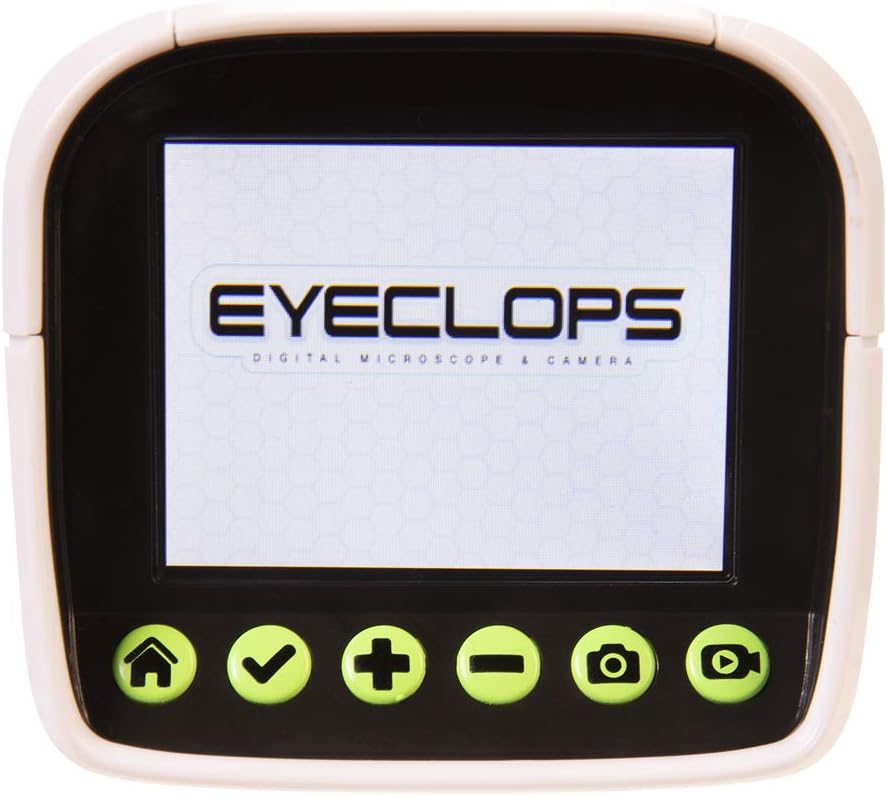
Imatge 4.1: Un detallat view of the Eyeclops Digital Microscope's 2.4-inch color screen and its control buttons. The buttons typically include Home, Select/Confirm, Zoom In (+), Zoom Out (-), Camera, and Video functions.

Imatge 4.2: A child actively using the Eyeclops Digital Microscope to observe a small object, demonstrating the handheld operation and the visual engagement with the magnified view.
5. Transferència de dades
5.1 Transferència Files mitjançant USB
- Connect the Eyeclops Digital Microscope to your Windows PC or Mac using the provided USB cable.
- El dispositiu hauria d'aparèixer com a dispositiu d'emmagatzematge extraïble a l'ordinador.
- Navigate to the device's storage or the MicroSD card folder to access your pictures and videos.
- Copia el desitjat files al vostre ordinador.
5.2 Transferència Files via MicroSD Card Reader
Alternatively, you can remove the MicroSD card from the microscope and insert it into a compatible card reader connected to your computer to transfer files.
6. Manteniment
- Neteja: Use a soft, dry cloth to clean the exterior of the device. For the lens and screen, use a specialized lens cleaning cloth and solution to avoid scratches. Do not use abrasive cleaners or solvents.
- Emmagatzematge: Store the microscope in a cool, dry place away from direct sunlight and extreme temperatures. Remove batteries if storing for extended periods to prevent leakage.
- Protecció de la lent: The lens is designed to be slightly inset to prevent accidental touching. Avoid poking or scratching the lens.
7. Solució De Problemes
- El dispositiu no s'encén:
- Comproveu si les piles estan inserides correctament amb la polaritat correcta.
- Substituïu-les per piles AA noves.
- Blurry images/difficulty focusing:
- Ensure you are adjusting the Focus Knob slowly and precisely.
- Maintain a steady hand or place the object on a stable surface to minimize movement during observation or capture.
- Clean the lens if it appears smudged or dirty.
- No es pot transferir files a l'ordinador:
- Assegureu-vos que el cable USB estigui connectat correctament tant al microscopi com a l'ordinador.
- Proveu un port USB diferent a l'ordinador.
- Verify that the MicroSD card is properly inserted into the microscope.
- If issues persist, try using an external MicroSD card reader.
- MicroSD card error:
- Assegureu-vos que la targeta estigui inserida correctament.
- Try reformatting the card (this will erase all data, so back up first).
- If the problem continues, the card may be faulty and require replacement.
8. Especificacions
| Característica | Especificació |
|---|---|
| Número de model | 652331 |
| Ampliació màxima | 800x |
| Pantalla integrada | Pantalla a color de 2.4 polzades |
| Emmagatzematge | 512MB MicroSD Card (included) |
| Connectivitat | USB |
| Font d'alimentació | 4 piles AA (no incloses) |
| Dimensions del producte | 9 x 3.5 x 11 polzades (22.86 x 8.89 x 27.94 cm) |
| Pes de l'article | 14.8 unces (420 grams) |
| Edat recomanada | 6 - 9 anys |
| Fabricant | Jakks Pacific Inc. |
9. Informació de la garantia
For detailed warranty information, please refer to the documentation included with your product at the time of purchase or visit the official Eyeclops or Jakks Pacific Inc. weblloc. Els termes de la garantia solen cobrir els defectes de fabricació durant un període especificat a partir de la data de compra.
10. Suport
If you encounter issues not covered in this manual or require further assistance, please contact the manufacturer's customer support. Contact information can usually be found on the product packaging or the official Jakks Pacific Inc. weblloc.
