Introducció
This manual provides instructions for the HUAYU RM-L1165 replacement remote control, designed for use with Sony televisions. This remote offers the same functionality as your original Sony TV remote control, ensuring a seamless user experience. It is compatible with various Sony TV types, including LCD, LED, and Plasma models.
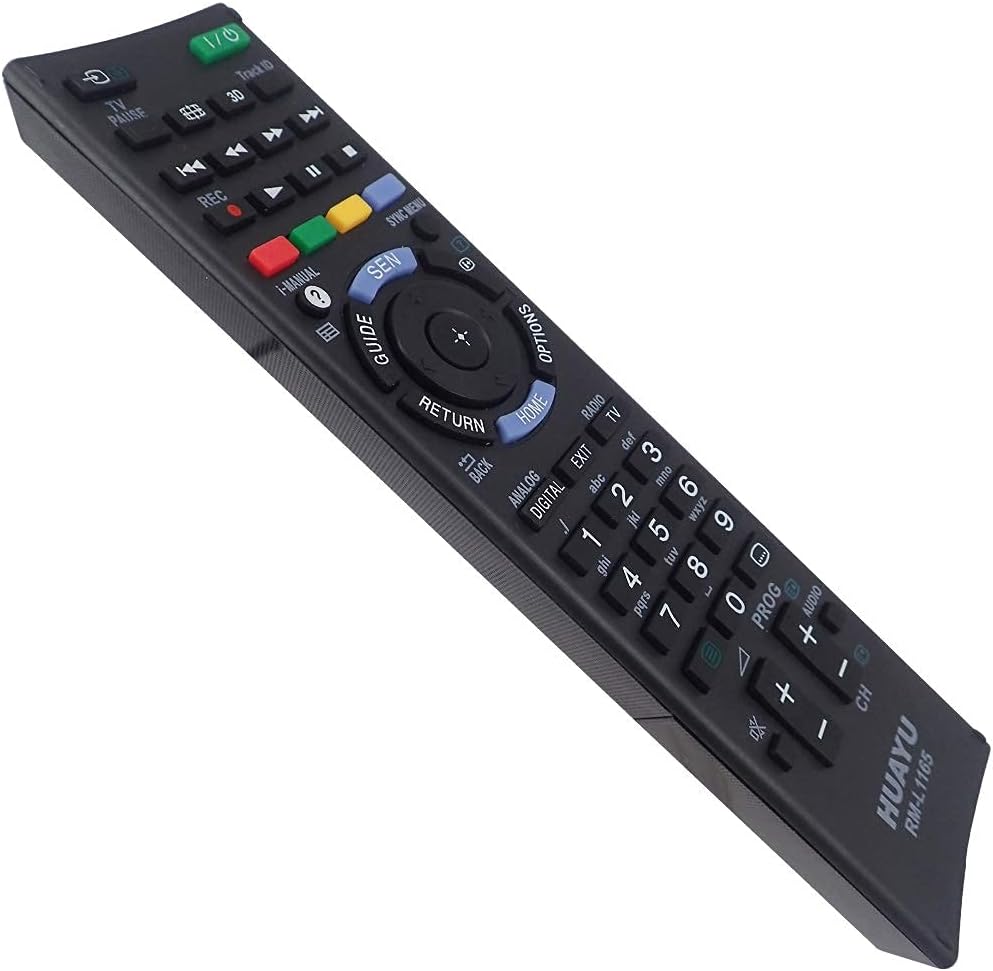
Imatge: Anglesa view of the HUAYU RM-L1165 remote control.
Configuració
The HUAYU RM-L1165 remote control requires no programming or complex setup. Simply insert the batteries, and it is ready for immediate use with your Sony TV.
Instal·lació de la bateria
- Localitzeu el compartiment de la bateria a la part posterior del comandament a distància.
- Feu lliscar la tapa del compartiment de la bateria cap avall o en la direcció indicada per una fletxa per obrir-la.
- Insert two AAA batteries (not always included) into the compartment, ensuring the positive (+) and negative (-) terminals align correctly with the markings inside the compartment.
- Feu lliscar la tapa del compartiment de la bateria fins que faci clic de manera segura.
Once batteries are installed, the remote control is operational.
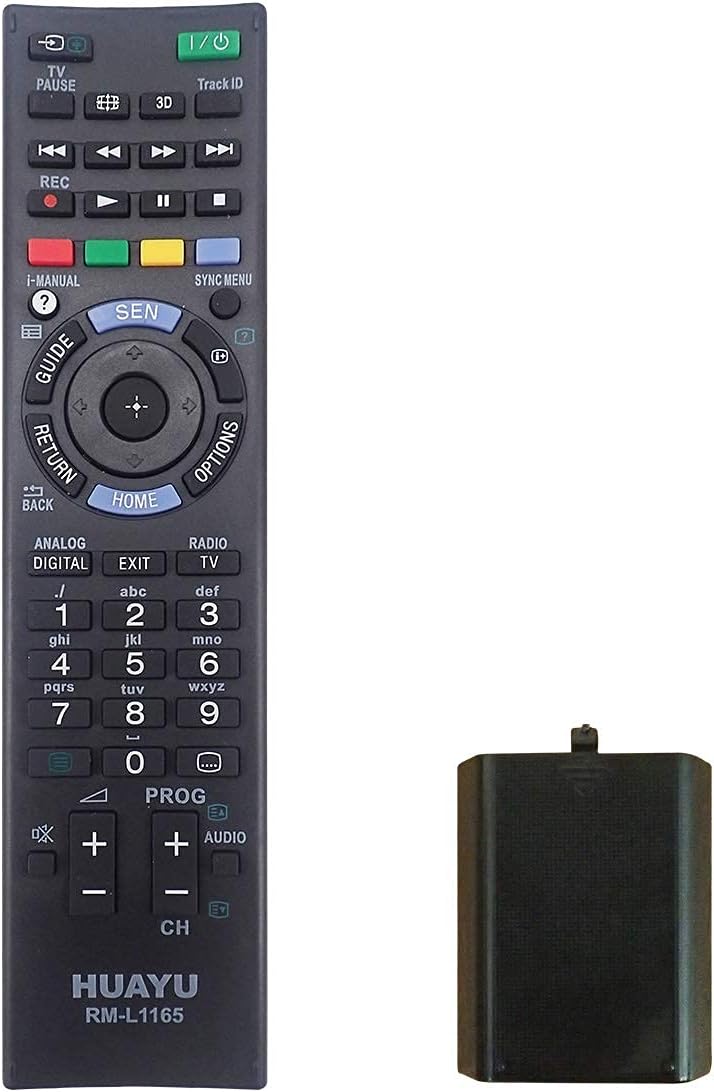
Image: HUAYU RM-L1165 remote control with its battery compartment.
Instruccions de funcionament
The HUAYU RM-L1165 remote control functions identically to your original Sony TV remote. Point the remote directly at your television's infrared receiver for optimal performance.

Imatge: Frontal view of the HUAYU RM-L1165 remote control.
S'han acabat les funcions clauview
- Botó d'encendre (E/S): Encén o apaga el televisor.
- Botons numèrics (0-9): Directly select channels.
- Canal amunt/avall (CH +/-): Changes the TV channel sequentially.
- Pujar/baixar volum (VOL +/-): Ajusta el volum del televisor.
- Botó de silenci: Silences the TV audio.
- Navigation Pad (Up, Down, Left, Right, Enter/OK): Navega pels menús i confirma les seleccions.
- Botó d'inici: Accesses the TV's main menu or smart TV interface.
- Botó Tornar/Enrere: Torna a la pantalla o al menú anterior.
- Botó d'entrada/font: Selects different input sources (HDMI, AV, etc.).
- Botons de colors (vermell, verd, groc, blau): Perform specific functions within certain applications or menus, as indicated on the TV screen.
- Playback Controls (Play, Pause, Stop, Rewind, Fast Forward): Controla la reproducció multimèdia.
Manteniment
Canvi de bateria
Replace batteries when the remote's response becomes sluggish or stops working. Always replace both batteries simultaneously with new ones of the same type (AAA). Do not mix old and new batteries or different battery types.
Neteja
Per netejar el comandament a distància, netegeu-lo suaument amb un drap suau i sec. Per a la brutícia resistent, netegeu-lo lleugerament.ampRenta el drap amb aigua. Evita utilitzar productes químics agressius, netejadors abrasius o humitat excessiva, ja que poden danyar la superfície o els components interns del comandament a distància.
Resolució de problemes
- El comandament a distància no respon:
- Comproveu si les piles estan inserides correctament amb la polaritat correcta.
- Substituïu les piles per unes de noves.
- Assegureu-vos que no hi hagi obstacles entre el comandament a distància i el sensor d'infrarojos del televisor.
- Make sure you are within the effective range of the TV's sensor.
- Botons específics que no funcionen:
- Clean around the button to ensure no debris is preventing it from pressing correctly.
- If only a few buttons are unresponsive after checking batteries, the remote may be faulty and require replacement.
Especificacions
| Característica | Detall |
|---|---|
| Model | RM-L1165 |
| Marca | HUAYU |
| Compatibilitat | Sony TVs (LCD, LED, Plasma) |
| Font d'alimentació | 2 x piles AAA |
| Dimensions (aprox.) | 20.9 x 5.5 x 2.8 cm |
| Pes (aprox.) | 100 g (sense piles) |
Garantia i Suport
For information regarding warranty coverage, please refer to the terms provided by your retailer at the time of purchase. If you encounter issues not covered in this manual or require further assistance, please contact the seller or manufacturer directly.


