1. Introducció
This manual provides essential information for setting up, operating, and maintaining your HP Spectre x360 2-in-1 Laptop. This device combines the power of a traditional laptop with the versatility of a tablet, featuring a 15.6-inch 4K UHD touchscreen display and an Intel Core i7-8565U processor.
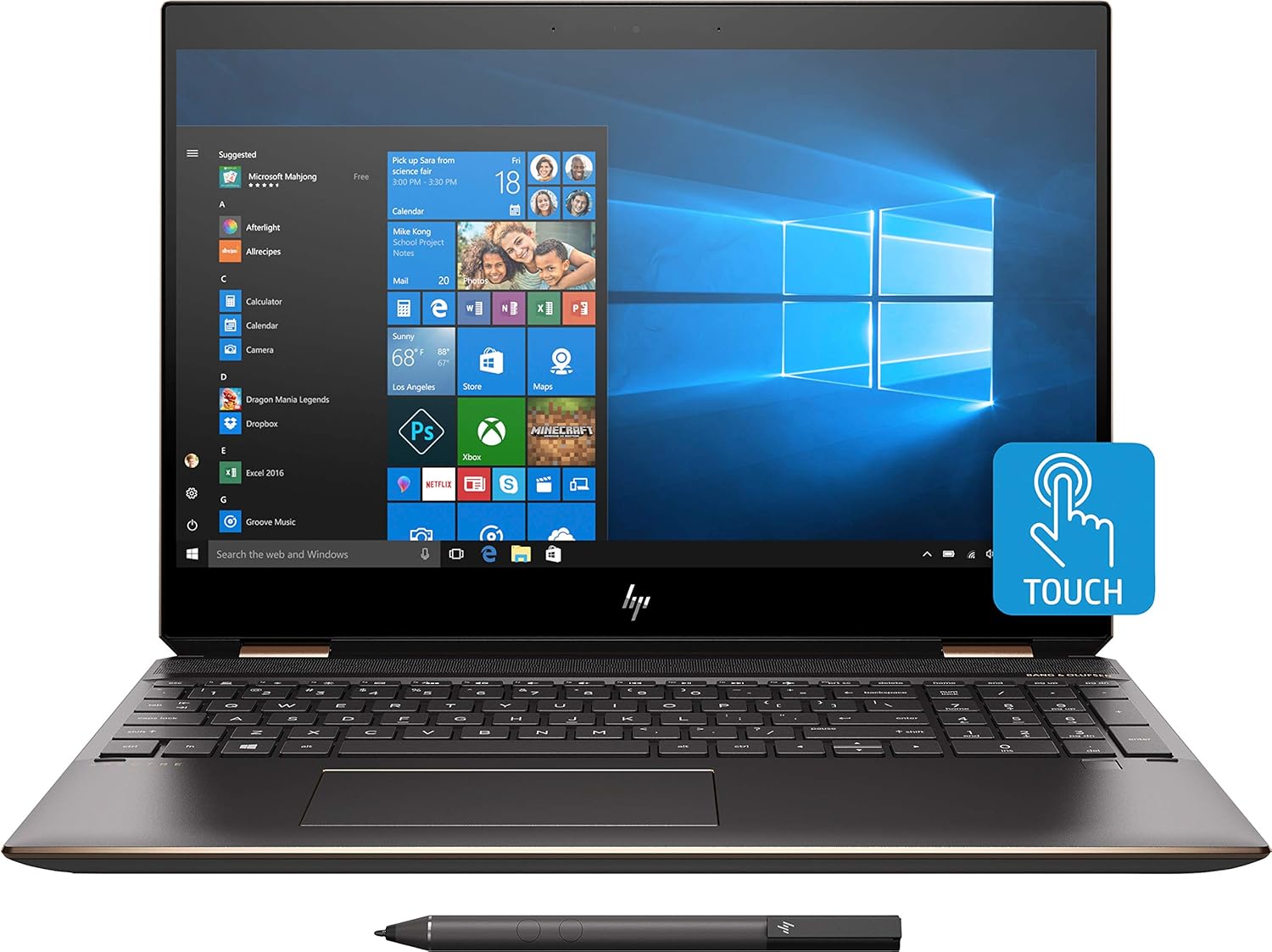
Imatge 1.1: Frontal view of the HP Spectre x360 in laptop configuration.
2. Configuració
2.1 Engegada inicial
- Unpack your HP Spectre x360 laptop and all accessories.
- Connecteu l'adaptador de corrent al portàtil i a una presa de corrent.
- Premeu el botó d'engegada per encendre el dispositiu.
- Follow the on-screen instructions to complete the initial Windows 10 Home setup, including language, region, and user account creation.
2.2 Connecting to a Wireless Network
- During the Windows setup or afterward, click the Wi-Fi icon in the taskbar.
- Select your desired wireless network from the list.
- Introduïu la clau de seguretat de xarxa (contrasenya) si se us demana.
- Feu clic a "Connecta".
2.3 HP Active Stylus Setup
The HP Active Stylus is included for enhanced interaction with the touchscreen. Ensure the stylus has a working battery. The stylus should automatically pair with your device. If not, refer to the Windows Bluetooth settings for manual pairing.

Image 2.1: HP Spectre x360 with included Active Stylus.
3. Instruccions de funcionament
3.1 Funcionalitat 2 en 1
The HP Spectre x360 can seamlessly transition between laptop, tablet, tent, and stand modes. Gently rotate the screen backward to switch modes. The system will automatically detect the orientation and adjust the display and keyboard functionality accordingly.

Image 3.1: HP Spectre x360 in a convertible mode.
3.2 Touchscreen and Stylus Usage
The 4K UHD touchscreen supports multi-touch gestures for intuitive navigation. Use the included HP Active Stylus for precise input, drawing, and note-taking directly on the screen. The stylus offers pressure sensitivity for a natural writing and drawing experience.
3.3 Teclat i touchpad
The full-size backlit keyboard provides comfortable typing in various lighting conditions. Adjust backlight intensity using the function keys. The HP Imagepad supports multi-touch gestures for scrolling, zooming, and navigating.
3.4 Ports i connectivitat
El vostre portàtil està equipat amb diversos ports per connectar perifèrics:
- 1 Thunderbolt 3 Port: For high-speed data transfer (up to 40 Gb/s), DisplayPort 1.2, and HP Sleep and Charge functionality.
- 1 USB 3.1 Type-C Gen 1 Port: For data transfer (up to 5 Gb/s), DisplayPort 1.2, and HP Sleep and Charge functionality.
- 1 USB 3.1 Gen 1 Port: For connecting standard USB devices and HP Sleep and Charge functionality.
- 1 port HDMI: Per connectar pantalles o projectors externs.
- 1 connector combinat per a auriculars/micròfon: Per a l'entrada i sortida d'àudio.

Imatge 3.2: Pro lateralfile of the HP Spectre x360 displaying its connectivity ports.
3.5 Sistema d'àudio
Experience rich audio with the Bang & Olufsen dual speakers. The integrated dual array digital microphone ensures clear voice input for calls and recordings.
3.6 Funcions de seguretat
The HP Spectre x360 includes advanced security features:
- Lector d'empremtes digitals: Located on the keyboard deck for quick and secure login.
- HP Wide Vision FHD IR Camera: Admet Windows Hello per a un inici de sessió segur amb reconeixement facial.
4. Manteniment
4.1 Neteja del portàtil
- Utilitzeu un drap suau i sense pelusa lleugerament dampesbandiu amb aigua o un netejador de pantalles per netejar la pantalla.
- Per al teclat i el xassís, feu servir un drap suau i sec. Eviteu productes químics agressius.
4.2 Cura de la bateria
- Per allargar la durada de la bateria, eviteu les temperatures extremes.
- Deixeu que la bateria es descarregui periòdicament per sota del 20% abans de tornar-la a carregar.
4.3 Actualitzacions de programari
Comproveu i instal·leu regularment si hi ha actualitzacions de Windows i de controladors HP per garantir un rendiment i una seguretat òptims.
5. Solució De Problemes
Aquesta secció tracta els problemes habituals que podeu trobar. Per obtenir una resolució de problemes més detallada, consulteu el servei d'assistència d'HP. weblloc.
- Sense energia: Assegureu-vos que l'adaptador de corrent estigui ben connectat i que la presa de corrent funcioni. Proveu una altra presa de corrent.
- Problemes de visualització: If the screen is blank, try pressing the power button briefly or connecting to an external monitor to diagnose.
- Problemes de connectivitat Wi-Fi: Check if Wi-Fi is enabled. Restart your router and laptop.
- Pantalla tàctil que no respon: Restart the laptop. Ensure no physical obstructions are on the screen.
6. Especificacions
| Característica | Detall |
|---|---|
| Nom del model | HP Spectre x360 2-in-1 (Model: Spectre) |
| Processador | Intel Core i7-8565U (fins a 4.6 GHz) |
| Gràfics | NVIDIA GeForce MX150 (2GB GDDR5 dedicated) |
| RAM | 16 GB DDR4-2400 SDRAM |
| Emmagatzematge | SSD M.2 PCIe NVMe de 512 GB |
| Mostra | 15.6" diagonal 4K IPS eDP micro-edge BrightView WLED-backlit (3840 x 2160) Touchscreen |
| Sistema operatiu | Windows 10 Home 64 |
| Connectivitat sense fil | Intel 802.11b/g/n/ac (2x2) Wi-Fi and Bluetooth 4.2 Combo |
| Ports | 1x Thunderbolt 3, 1x USB 3.1 Type-C Gen 1, 1x USB 3.1 Gen 1, 1x HDMI, 1x Headphone/Microphone Combo |
| Àudio | Bang & Olufsen, Dual Speakers |
| Càmera | Càmera IR HP Wide Vision FHD amb micròfon digital de doble matriu integrat |
| Accessoris inclosos | HP Active Stylus, HP Sleeve |
| Color | Plata cendra fosca |
| Dimensions (LxWxH) | 14.2 x 9.8 x 0.8 polzades |
| Pes de l'article | 12.3 unces (aprox. 0.35 kg) |
| Durada mitjana de la bateria | Fins a 17.5 hores |
7. Garantia i Suport
Per obtenir informació sobre la garantia, assistència tècnica i recursos addicionals, visiteu el lloc web oficial d'assistència d'HP. website. You can find detailed documentation, driver downloads, and contact options there.
Suport d'HP Weblloc: www.hp.com/support