1. Introducció
This manual provides comprehensive instructions for the operation and maintenance of the LAUNCH U400 OBD2 Automotive Scanner. The U400 is a professional diagnostic tool designed to assist in identifying and resolving issues in various vehicle systems, including engine, transmission, and performing specific reset functions.
Si us plau, llegiu atentament aquest manual abans de fer servir el dispositiu per garantir-ne un ús correcte i evitar danys.
2. Contingut del paquet
Verifiqueu que tots els elements que s'enumeren a continuació siguin presents al vostre paquet:
- 1 x LAUNCH Creader U400 Scanner
- 1 x OBDII Connector Cable
- 1 x cable USB
- 1 x Guia d'inici ràpid
3. Dispositiu acabatview
The LAUNCH U400 scanner features a user-friendly interface with a clear display and intuitive button layout for easy navigation and operation.

Figure 3.1: LAUNCH U400 Device Layout
This image displays the front of the LAUNCH U400 scanner, highlighting its key components. The Pantalla LCD indicates test results. Buttons include DTC (F1) for reading diagnostic trouble codes, ER (F2) for clearing codes, I/M (F3) for I/M Readiness, and a Help Button (F4). Navigation is managed by a Botó de selecció (directional arrows), and actions are confirmed with the Botó D'acord. A Botó de retorn (ESC) allows navigation to the previous screen.
The device is designed for durability with a thick, flexible insulator casing.

Figure 3.2: LAUNCH U400 Durability and Ports
This image shows various views of the LAUNCH U400 scanner, emphasizing its robust construction. The top view reveals a USB port for connectivity, while the side view illustrates the device's ergonomic design. The bottom view displays the OBDII connector port, which is used to connect the scanner to the vehicle's diagnostic port.
4. Especificacions
| Característica | Detall |
|---|---|
| Pantalla | 4.0" TFT, 320*480 dpi |
| Voltage Rang | 9-18V |
| Temperatura de funcionament | De 0 °C a 50 °C (32 °F a 122 °F) |
| Temperatura d'emmagatzematge | -20 °C a 70 °C (-4 °F a 158 °F) |
| Dimensions | 195 mm x 86 mm x 32 mm (7.6 "x 3.4" x 1.2") |
| Pes | 839 g |
| Font d'alimentació | Vehicle Powered |
| Operating System for Updates | Windows XP (or newer compatible versions) |
| Protocols compatibles | ISO9141-2, ISO14230-4, SAEJ1850, ISO15765-4 |
5. Configuració
- Localitza el port OBDII: The OBDII port is typically located under the dashboard on the driver's side of the vehicle. Refer to your vehicle's owner's manual if you cannot locate it.
- Connecteu l'escàner: Plug the OBDII connector cable into the vehicle's OBDII port. Ensure a secure connection.
- Encès: Once connected, the scanner will automatically power on, drawing power from the vehicle's battery. The main menu will appear on the screen.
- Encès del vehicle: For most diagnostic functions, the vehicle's ignition should be in the "ON" position (engine off) or the engine running, depending on the specific test.
6. Instruccions de funcionament
6.1. General OBDII Functions
The LAUNCH U400 supports all standard OBDII diagnostic modes. Navigate through the menu using the directional buttons and press OK per seleccionar una opció.

Figure 6.1: OBD-II Diagnostic Modes
This diagram illustrates the various OBD-II service modes supported by the LAUNCH U400 scanner. These include: Llegir codis (retrieving Diagnostic Trouble Codes), Esborra codis (clearing DTCs), Congelar fotograma (snapshot of engine conditions when a fault occurred), Preparació I/M (emissions system status), Flux de dades (live sensor data), Prova del sensor d’O2, Seguiment a bord, EVAP System Test (Mode $8), i VIN Information (vehicle identification number).
- Llegir codis: Select this option to retrieve current, pending, and permanent Diagnostic Trouble Codes (DTCs) from the vehicle's Engine Control Unit (ECU).
- Codis clars: After repairs are made, select this to erase DTCs and turn off the Malfunction Indicator Lamp (MIL). Ensure the issue is resolved before clearing codes.
- Preparació I/M: Checks the status of the vehicle's emission-related monitoring systems. This is useful for emissions testing.
- Flux de dades: Displays live data parameters from the vehicle's sensors in numerical or graphical format. Up to 4 data streams can be graphically displayed simultaneously. Data stream storage and playback are also supported.
- Congelar fotograma: Captures a snapshot of operating conditions at the moment a fault code was set.
- Prova del sensor d'O2: Recupera els resultats de la prova de monitorització del sensor d'O2.
- Monitorització a bord: Recupera els resultats de les proves per a components i sistemes del tren motriu relacionats amb les emissions que no es controlen contínuament.
- Prova del sistema EVAP: Inicia una prova del sistema de control d'emissions evaporatives.
- Informació del vehicle: Displays the vehicle identification number (VIN), calibration ID, and calibration verification number (CVN).
6.2. Funcions especials
The U400 offers specific reset functions for common maintenance tasks.
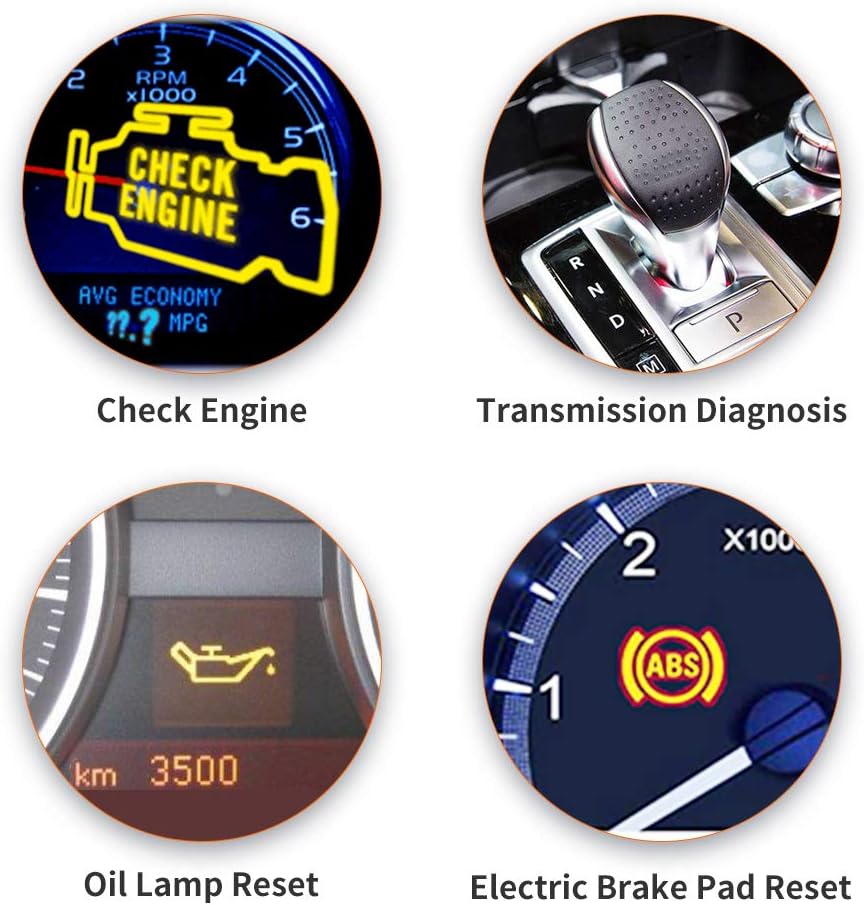
Figure 6.2: Special Diagnostic and Reset Functions
This image illustrates key diagnostic and reset capabilities of the LAUNCH U400. These include diagnosing issues related to the Comprova el motor light, performing Transmission Diagnosis, executing an Oli Lamp Restableix after an oil change, and performing an Electric Brake Pad Reset for vehicles equipped with electronic parking brakes.
- Oli Lamp Restablir: Used to reset the oil service light after an oil change. Follow the on-screen prompts for your specific vehicle model.
- Electronic Brake Pad Reset (EPB Reset): Essential when replacing brake pads on vehicles with an electronic parking brake system. This function allows the brake calipers to be safely retracted and then reset after new pads are installed. Follow the on-screen prompts carefully.
6.3. Cobertura de vehicles
The LAUNCH U400 is compatible with a wide range of vehicles manufactured from 1996 onwards, supporting over 40 global car brands.

Figura 6.3: Compatibilitat àmplia de vehicles
This image shows the LAUNCH U400 scanner's screen displaying a partial list of supported car brands, including Acura, VW, Audi, Ford, Benz, BMW, Chrysler, and Citroen. This demonstrates the device's extensive compatibility with various global vehicle manufacturers.
Supported brands include, but are not limited to: GM, Ford, Chrysler, BMW, Mercedes, Toyota, Honda, Nissan, Hyundai, Kia, Subaru, Mitsubishi, Acura, Audi, VW, Benz, Citroen, and more.
7. Manteniment
7.1. Actualitzacions de programari
The LAUNCH U400 offers lifetime free software updates to ensure compatibility with new vehicle models and diagnostic protocols. Updates are performed via a USB connection to a Windows PC.

Figure 7.1: Software Update Process
This image illustrates the process of updating the LAUNCH U400 scanner. The device is connected to a Windows PC via a USB cable, indicating that software updates are performed by downloading and installing the latest firmware from the manufacturer's website onto the scanner through the computer.
- Baixeu l'eina d'actualització: Visita el LLANÇAMENT oficial website to download the update tool software for your PC.
- Connecta l'escàner: Connect the U400 scanner to your PC using the provided USB cable.
- Executa l'eina d'actualització: Launch the update tool on your PC and follow the on-screen instructions to download and install the latest software onto your scanner.
7.2. Neteja i emmagatzematge
- Netegeu el dispositiu amb un suau, damp tela. No utilitzeu netejadors abrasius ni dissolvents.
- Store the scanner in a dry, cool place, away from direct sunlight and extreme temperatures.
- Keep the OBDII connector free from dirt and debris.
8. Solució De Problemes
If you encounter issues with your LAUNCH U400 scanner, consider the following common troubleshooting steps:
- Sense energia: Assegureu-vos que el cable OBDII estigui connectat correctament tant a l'escàner com al port OBDII del vehicle. Verifiqueu que el contacte del vehicle estigui en la posició "ON".
- Error de comunicació: Check that the vehicle's ignition is on. Ensure the OBDII cable is not damaged. Try connecting to a different compatible vehicle to rule out a vehicle-specific issue.
- Incorrect Readings/Functions: Ensure the scanner's software is up to date. Verify that the vehicle is compatible with the specific function you are attempting to perform.
- Problemes de pantalla: If the screen is unresponsive or displays errors, try restarting the device by disconnecting and reconnecting it.
For persistent issues, refer to the official LAUNCH support resources or contact customer service.
9. Garantia i Suport
For information regarding the product warranty, please refer to the warranty card included in your package or visit the official LAUNCH weblloc. Els termes i condicions de la garantia poden variar segons la regió.
Per obtenir assistència tècnica, actualitzacions de programari o més ajuda, visiteu la LAUNCH Official Store on Amazon o el responsable del fabricant weblloc.


