Introducció
This manual provides detailed instructions for setting up, operating, and maintaining your Logitech MK545 Advanced Wireless Keyboard and Mouse Combo. Designed for comfort and productivity, this combo offers a reliable wireless connection and customizable features for an enhanced user experience.
Configuració
1. Contingut del paquet
Abans de començar, assegureu-vos que hi hagi tots els components:
- Logitech MK545 Advanced Wireless Keyboard
- Logitech Advanced Wireless Mouse
- Receptor USB unificador Logitech
- Batteries (2 AAA for keyboard, 1 AA for mouse)
2. Instal·lació de la bateria
The keyboard requires two AAA batteries, and the mouse requires one AA battery. These are typically pre-installed with a pull-tab to activate. Remove the pull-tabs to enable power.
3. Connecting the USB Unifying Receiver
Plug the small Logitech Unifying USB receiver into an available USB port on your computer (PC, laptop, or tablet). The system should automatically detect and install the necessary drivers.

Image: The Logitech MK545 keyboard and mouse are shown alongside the compact Unifying USB receiver, which facilitates wireless connection to your computer.
4. Maridatge inicial
The keyboard and mouse should automatically connect to the Unifying receiver. If they do not, ensure the devices are powered on. For advanced pairing or troubleshooting, refer to the Logitech Options software.
Funcionament del dispositiu
Característiques del teclat
- Disseny estàndard: Enjoy a familiar typing experience with optimized keys for improved accuracy and reduced typing noise.
- Disseny de comoditat: A structured wrist rest and adjustable fold-out feet provide ergonomic support for extended use.
- Convenient Hotkeys: Access media controls, calculator, and battery status instantly with dedicated hotkeys.
- Tecles de funció personalitzables: Personalize F-keys using the Logitech Options software to adapt them to your workflow.

Imatge: Un professional lateralfile of the Logitech MK545 keyboard highlights its ergonomic design and adjustable feet, allowing users to customize the typing angle for comfort.
Funcions del ratolí
- Disseny ergonòmic: The curved shape and soft rubber grips ensure comfortable use for either hand, even during long work sessions.
- Precise Tracking: Laser tracking technology provides smooth and accurate cursor control.
- Controls avançats: Utilize advanced controls for efficient navigation and operation.
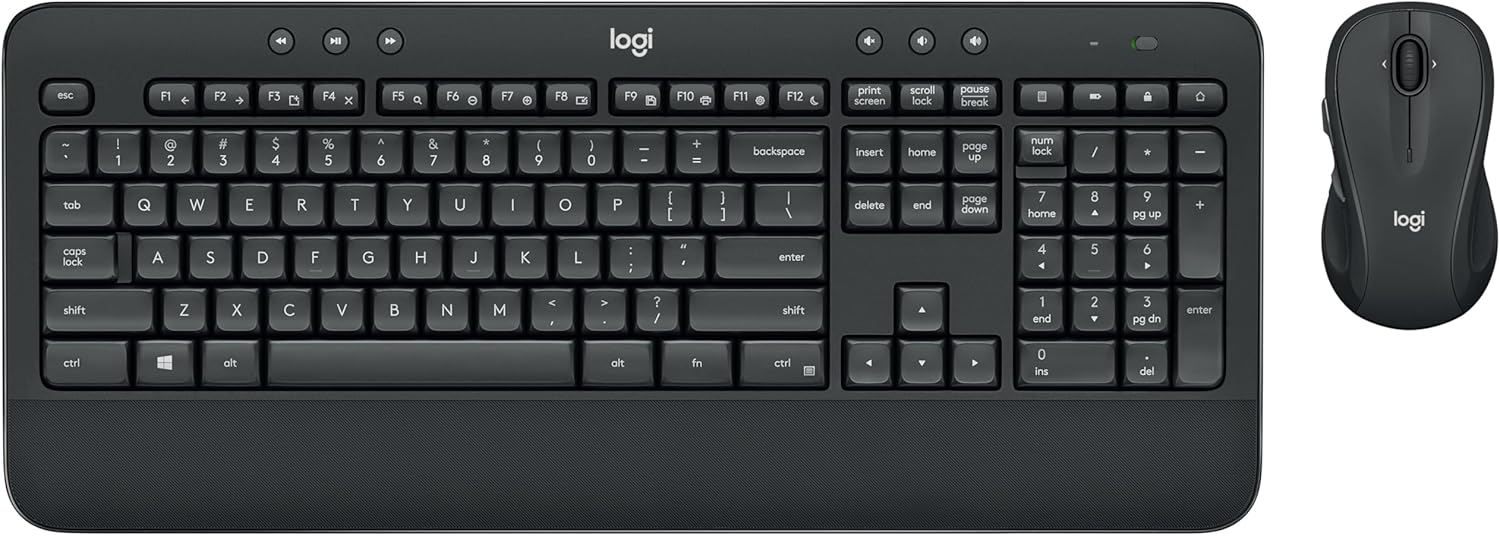
Image: The Logitech MK545 Advanced Wireless Keyboard and Mouse Combo is displayed, showcasing both peripherals in their full black design.
Manteniment
Canvi de bateria
The keyboard batteries are designed to last up to 36 months, and the mouse batteries up to 24 months, depending on usage. Replace batteries when performance degrades. The keyboard uses two AAA batteries, and the mouse uses one AA battery.
Neteja
The keyboard is splash-proof for up to 60 ml of liquid. For general cleaning, use a soft, damp cloth. Avoid harsh chemicals or abrasive materials. The hardwearing key print ensures text on keys does not fade.
Resolució de problemes
Problemes de connexió
- Ensure the USB Unifying receiver is securely plugged into a working USB port.
- Check that the keyboard and mouse are powered on and have fresh batteries.
- Prova de connectar el receptor a un port USB diferent o a un ordinador diferent per aïllar el problema.
- If connection is lost, use the Logitech Options software to re-pair your devices.
Lag or Intermittent Performance
- Move the keyboard and mouse closer to the Unifying receiver.
- Avoid placing the receiver near other wireless devices or large metal objects that could cause interference.
- Ensure your operating system and Logitech Options software are up to date.
Especificacions
| Característica | Detall |
|---|---|
| Marca | Logitech |
| Número de model | 920-008889 |
| Sistemes operatius compatibles | Linux, Windows 10, Windows 7, Windows 8 |
| Dispositius compatibles | PCs, laptops, tablets |
| Tecnologia de connectivitat | Wireless USB (Logitech Unifying Technology) |
| abast sense fils | Fins a 10 metres (33 peus) |
| Durada de la bateria del teclat | Up to 36 months (2 AAA batteries) |
| Durada de la bateria del ratolí | Up to 24 months (1 AA battery) |
| Keyboard Special Features | Wrist Rest, Adjustable Tilt Legs, Splash-proof (up to 60ml) |
| Mouse Movement Detection | Làser |
| Orientació de la mà | Tots dos |
| Color | Negre |
| Dimensions del producte | 21.01 x 46.99 x 8 cm |
| Pes de l'article | 888 grams |
Garantia i Suport
For detailed warranty information and technical support, please visit the official Logitech weblloc web o poseu-vos en contacte amb el servei d'atenció al client. Conserveu el comprovant de compra per a reclamacions de garantia.


