1. Introducció
Welcome to the user manual for your new Bissell EV675 Robot Vacuum Cleaner. This document provides essential information for the safe and efficient operation, maintenance, and troubleshooting of your robotic vacuum. Please read this manual thoroughly before using your device.
2. Instruccions de seguretat importants
Per reduir el risc d'incendi, descàrrega elèctrica o lesions, seguiu sempre les precaucions bàsiques, com ara les següents:
- Llegiu totes les instruccions abans d'utilitzar l'aparell.
- No l'utilitzeu a l'aire lliure ni sobre superfícies humides.
- No permetre que s'utilitzi com a joguina. Cal prestar molta atenció quan l'utilitzen nens o a prop dels nens.
- Feu servir només tal com es descriu en aquest manual. Utilitzeu només els accessoris recomanats pel fabricant.
- No l'utilitzeu amb un cable o un endoll danyats. Si l'aparell no funciona com hauria, s'ha caigut, s'ha fet malbé, s'ha deixat a l'exterior o ha caigut a l'aigua, torneu-lo a un centre de servei.
- No estireu ni porteu el cable, no utilitzeu el cable com a nansa, no tanqueu una porta al cable ni estireu el cable per vores o cantonades afilades. No feu passar l'aparell per sobre del cable. Mantingueu el cable lluny de les superfícies escalfades.
- No desconnecteu estirant del cable. Per desconnectar, agafa l'endoll, no el cable.
- No manipuleu l'endoll o l'aparell amb les mans mullades.
- No introduïu cap objecte a les obertures. No utilitzar amb cap obertura bloquejada; mantenir lliure de pols, pelusa, cabells i qualsevol cosa que pugui reduir el flux d'aire.
- Mantingueu els cabells, la roba solta, els dits i totes les parts del cos lluny de les obertures i les parts mòbils.
- No agafeu res que estigui cremant o fumant, com ara cigarrets, llumins o cendres calentes.
- Tingueu molta cura quan netegeu les escales.
- No l'utilitzeu per recollir líquids inflamables o combustibles, com ara la gasolina, ni l'utilitzeu en zones on puguin estar presents.
- No recolliu material tòxic (llexiu amb clor, amoníac, netejador de clavegueram, etc.).
- No l'utilitzeu en un espai tancat on hi hagi vapors de pintura a base d'oli, dissolvent de pintura, algunes substàncies antiarnes, pols inflamable o altres vapors explosius o tòxics.
- No l'utilitzeu per recollir objectes durs o punxeguts com ara vidre, claus, cargols, monedes, etc.
- No l'utilitzeu sense el got de pols i/o els filtres al seu lloc.
- Apagueu tots els controls abans de desconnectar.
- Desendolleu la presa de corrent quan no estigui en ús i abans de fer-ne el servei.
3. Contingut del paquet
Your Bissell EV675 Robot Vacuum Cleaner package includes the following items:
- Bissell EV675 Robot Vacuum Cleaner
- Self-Charging Dock
- Adaptador d'alimentació
- Control remot
- Bonus Filter
- Bonus Edge Cleaning Brushes (2 sets)
- Eina de neteja

This image displays the additional filter and two sets of edge cleaning brushes that come with your robot vacuum, ensuring you have spare parts for maintenance.
4. Producte acabatview
The Bissell EV675 is a robotic vacuum designed for efficient floor cleaning, especially effective on pet hair. It features a low-profile design to clean hard-to-reach spaces and a self-charging dock for convenience.
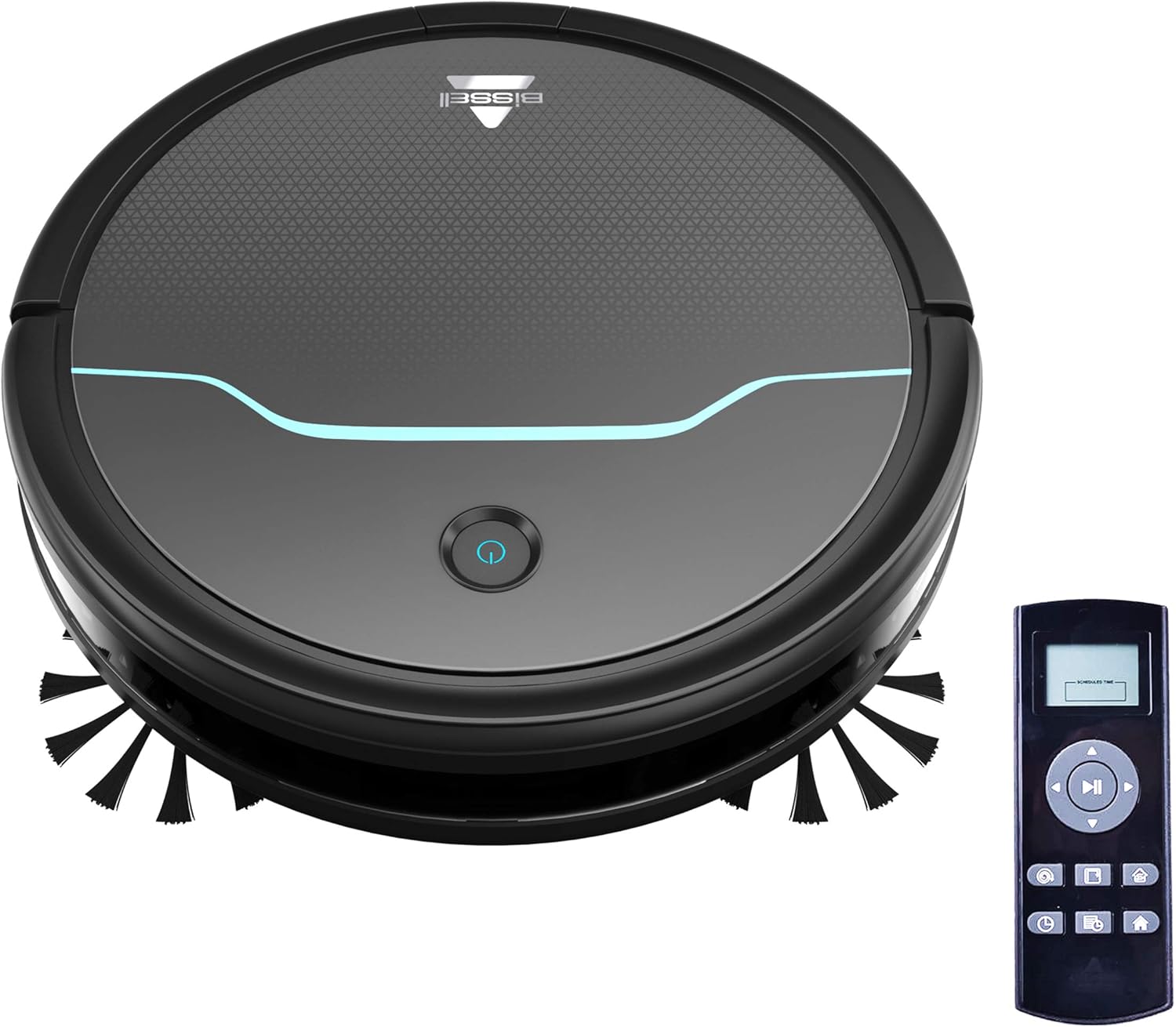
This image shows the main unit of the robot vacuum and its accompanying remote control, highlighting its compact, circular design.

This image illustrates the vacuum's ability to clean under furniture, reaching areas that are typically difficult to access.
5. Configuració
5.1 Col·locació de la base de càrrega
Place the self-charging dock against a wall in an open, uncluttered area. Ensure there is at least 0.5 meters (1.6 feet) of clear space on either side of the dock and 1.5 meters (4.9 feet) in front of it for optimal navigation and docking.
5.2 Càrrega inicial
Connect the power adapter to the charging dock and plug it into a wall outlet. Place the robot vacuum onto the charging contacts of the dock. Ensure the indicator light on the robot illuminates, indicating it is charging. Allow the robot to fully charge before its first use (approximately 4-5 hours).
5.3 Instal·lació dels raspalls laterals
Gently press the side brushes onto the square posts on the underside of the robot until they click into place. Ensure they are securely attached.
6. Funcionament
6.1 Engegada/apagada
To power on the robot, press and hold the power button on the top of the robot until the indicator light turns blue. To power off, press and hold the power button until the light turns off.
6.2 Inici d'un cicle de neteja
Press the power button once to start a cleaning cycle. The robot will automatically begin cleaning in a systematic pattern. Alternatively, use the remote control to select a cleaning mode or start cleaning.

This image shows the robot vacuum in action, effectively picking up debris from the floor.
6.3 modes de neteja
The remote control allows you to select various cleaning modes:
- Neteja automàtica: The robot automatically cleans based on its environment.
- Neteja de punts: The robot intensely cleans a specific small area.
- Neteja de vores: El robot neteja les parets i les vores dels mobles.
- Control manual: Use the directional buttons on the remote to guide the robot.

This image highlights the vacuum's versatility in cleaning different floor types, including carpets.
6.4 Programació
Use the remote control to set a cleaning schedule for your robot vacuum. Refer to the remote control section in the full manual for detailed instructions on setting daily or weekly cleaning times.

This image depicts the robot vacuum in a typical home setting, ready to execute its programmed cleaning schedule.
7. Manteniment
Regular maintenance ensures your Bissell EV675 operates efficiently and prolongs its lifespan. Always power off the robot before performing any maintenance.
7.1 Buidar el contenidor de pols
It is recommended to empty the dust bin after each cleaning cycle, especially if you have pets. Press the release button on the dust bin, pull it out, open the lid, and discard the collected debris.
7.2 Neteja/Substitució de filtres
Remove the filter from the dust bin. Tap off loose dirt. Rinse the filter under running water if necessary, ensuring it is completely dry before reinserting. Replace the filter every 3-6 months, or as needed, to maintain optimal suction.
7.3 raspalls de neteja
Remove the main brush and side brushes. Use the included cleaning tool to cut and remove any hair or debris tangled around the brushes. Ensure the brushes spin freely after cleaning.
7.4 Neteja dels sensors i els contactes de càrrega
Wipe the cliff sensors, anti-collision sensors, and charging contacts on both the robot and the dock with a clean, dry cloth. This prevents dust buildup from affecting performance.
7.5 Maintenance Video
This video offers a visual demonstration of the Bissell EV675 Robot Vacuum Cleaner, covering its key functionalities and how it operates.
This short video clip showcases the Bissell EV675 Robotic Vacuum Cleaner performing a cleaning task, illustrating its mobility and cleaning path.
8. Solució De Problemes
If your Bissell EV675 is not operating as expected, refer to the common issues and solutions below:
| Problema | Causa possible | Solució |
|---|---|---|
| El robot no s'encén ni es carrega. | Battery drained; charging contacts dirty; power adapter not connected. | Ensure robot is properly docked; clean charging contacts; check power adapter connection. |
| El robot es queda encallat sovint. | Obstacles (cords, rugs with tassels); low-hanging furniture. | Clear obstacles; use virtual barriers if available; ensure charging dock has sufficient clearance. |
| Mala succió o no recull les deixalles. | Dust bin full; filters clogged; main brush tangled. | Empty dust bin; clean or replace filters; clean main brush. |
| Side brushes not spinning. | Brushes tangled with hair/debris; brushes not installed correctly. | Remove and clean side brushes; ensure they are clicked into place. |
| Robot makes unusual noises. | Debris in main brush; foreign object in wheels. | Inspect and clean main brush and wheels for obstructions. |
9. Especificacions
- Marca: Bissell
- Nom del model: BISSELL EV675 Robot Vacuum Cleaner for Pet Hair with Self Charging Dock, Bonus Filter, Bonus Edge Cleaning Brushes, 2503
- Número de model: 2503
- Característica especial: Automatic Dust Collection, Programmable, Self-Cleaning Brushroll
- Color: Black With Disco Teal Accents
- Tipus de filtre: Disc
- Durada de la bateria: 100 minuts
- Capacitat: 0.4 litres
- Font d'alimentació: Recarregable sense fil
- Mètode de control: Remot
- Factor de forma: Robòtica
- Dimensions del producte: 12.75 x 12.75 x 3.5 polzades
- Pes de l'article: 6.62 lliures
- Recomanació de superfície: Floors, Carpet, Floor
10. Garantia i Suport
For warranty information, product registration, or customer support, please visit the official Bissell weblloc web o poseu-vos en contacte amb el seu departament d'atenció al client. Conserveu el rebut de compra per a reclamacions de garantia.


