1. Introducció
The Ajazz AK50 is a high-performance mechanical keyboard designed for both gaming and general use. It features durable Blue mechanical switches, a 104-key standard layout, and customizable yellow LED backlighting. This manual provides detailed instructions for setting up, operating, maintaining, and troubleshooting your keyboard to ensure optimal performance and longevity.
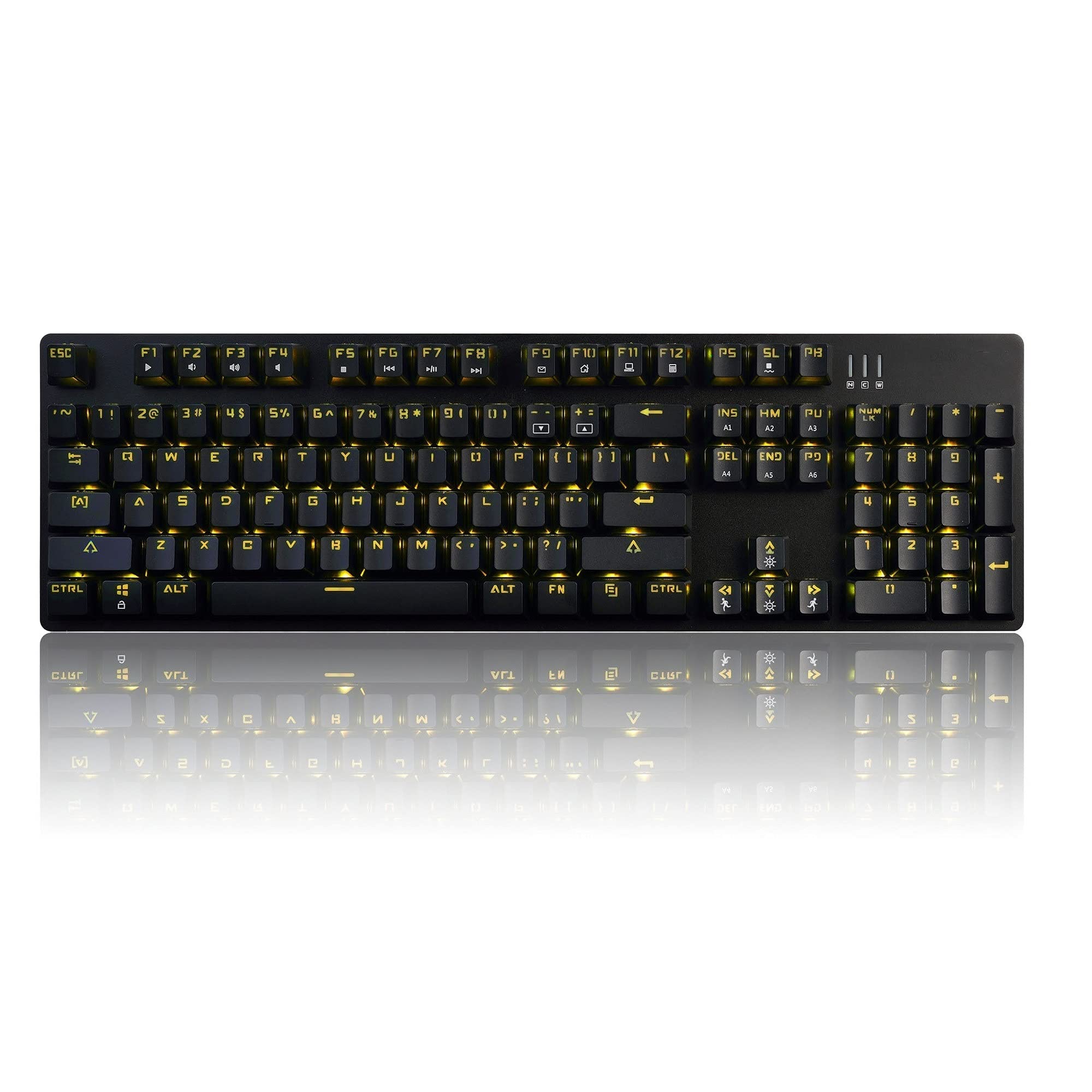
Image 1.1: The Ajazz AK50 Mechanical Keyboard, showcasing its full layout and yellow LED backlighting.
2. Contingut del paquet
Si us plau, verifiqueu que tots els elements siguin presents al vostre paquet:
- Ajazz AK50 Mechanical Keyboard
- Cable USB (adjunt)
- Manual d'usuari (aquest document)
3. Instruccions de configuració
- Connecteu el teclat: Locate an available USB 2.0 port on your computer. Insert the USB connector of the keyboard cable into the USB port.

Image 3.1: The Ajazz AK50 keyboard ready for connection to a computer via its USB cable.
- Instal·lació del controlador: The Ajazz AK50 is a plug-and-play device. Your operating system (Windows 10/8/7 XP Vista, Mac OS, Linux) will automatically detect and install the necessary drivers. No additional software installation is required for basic functionality.
- Col·locació: Position the keyboard comfortably on your desk. The keyboard features adjustable feet on the underside to change the typing angle if desired.
4. Instruccions de funcionament
4.1 Key Features and Layout
The Ajazz AK50 features a 104-key standard layout with Blue mechanical switches, providing tactile feedback and an audible click. The ergonomic R5 key design aims to reduce fatigue during extended use.

Imatge 4.1: Anglesa view of the keyboard, highlighting the keycap profile and layout.
The keyboard supports 100% anti-ghosting across all 104 keys, ensuring that every keystroke is registered accurately, even during rapid input.
4.2 Control de retroiluminació
The keyboard features yellow LED backlighting with multiple modes and customization options.
- Default Backlight Modes: The keyboard comes with 8 pre-set backlight modes. Use the FN + INS key combination to cycle through these modes.
- Custom Backlight Modes: 5 custom backlight modes are available for personalized lighting effects. Refer to the specific key combinations for programming these modes (usually involving FN + a specific key to enter programming mode, then selecting keys to light up, and FN + the same key to save).
- Ajust de brillantor: Adjust the backlight brightness using dedicated function keys or combinations (e.g., FN + Fletxa amunt/avall).
- Ajust de velocitat: Adjust the speed of dynamic backlight effects using dedicated function keys or combinations (e.g., FN + Left/Right Arrow).

Imatge 4.2: Un primer pla view of the keyboard's keys, illustrating the yellow LED backlighting and keycap design.
4.3 Tecles multimèdia i de funció
The F1-F12 keys, when combined with the FN key, provide access to various multimedia and system functions. Specific functions are typically indicated by icons on the keycaps.
| Combinació de tecles | Funció |
|---|---|
| FN + F1 | El meu ordinador |
| FN + F2 | Cerca |
| FN + F3 | Calculadora |
| FN + F4 | Reproductor multimèdia |
| FN + F5 | Pista anterior |
| FN + F6 | Pista següent |
| FN + F7 | Reproduir/Pausa |
| FN + F8 | Atureu-vos |
| FN + F9 | Silenciar |
| FN + F10 | Baixa el volum |
| FN + F11 | Puja el volum |
| FN + F12 | Bloquejar el teclat |
| FN + GUANYA | Bloquejar/Desbloquejar la clau de Windows |
5. Manteniment i cura
Proper maintenance ensures the longevity and performance of your Ajazz AK50 keyboard.
- Neteja del teclat:
- Desconnecteu el teclat de l'ordinador abans de netejar-lo.
- Utilitzeu un drap suau i sense pelusa lleugerament dampened with water or a mild cleaning solution to wipe the keycaps and frame. Avoid excessive moisture.
- Per a la pols i les restes entre les tecles, feu servir aire comprimit.
- The keyboard features a removable bezel cover, which can be detached for easier cleaning of the keyboard base and keycaps. Gently pry it off from the edges.
- Eviteu els vessaments: Keep liquids away from the keyboard to prevent damage to the internal components.
- Emmagatzematge: When not in use for extended periods, store the keyboard in a clean, dry environment.
6. Solució De Problemes
If you encounter issues with your Ajazz AK50 keyboard, refer to the following common solutions:
| Problema | Solucions possibles |
|---|---|
| El teclat no respon. |
|
| La retroiluminació no funciona o està enganxada. |
|
| Les claus no es registren ni s'escriuen dues vegades. |
|
7. Especificacions tècniques
| Característica | Detall |
|---|---|
| Marca | Ajazz (FIRSTBLOOD ONLY GAME.) |
| Model | AK50 Blue Switches |
| Tipus de teclat | Teclat de joc mecànic |
| Tipus de canvi | Blue Switches (50 million keystroke lifespan) |
| Disseny de claus | 104 claus estàndard |
| Anti-fantasma | 100% anti-ghosting |
| Il·luminació de fons | Yellow LED Backlit (8 default modes, 5 custom modes) |
| Connectivitat | USB 2.0 (Wired, 1.8m braided cable) |
| Compatibilitat de sistemes operatius | Windows 10/8/7 XP Vista, Mac OS, Linux |
| Dimensions (LxWxH) | 43.41 x 12.29 x 3.61 cm |
| Pes | 780 g |
| Material | Aluminum and ABS Construction |
| Característiques especials | Ergonomic R5 key design, Removable bezel |
8. Garantia i Suport
The Ajazz AK50 Mechanical Keyboard comes with a Garantia del fabricant de 1 anysA més, un Garantia de devolució de 30 dies is offered from the date of purchase.
For technical support, warranty claims, or any product-related inquiries, please contact your retailer or the manufacturer directly through their official support channels. Please retain your proof of purchase for warranty validation.


