1. Introducció
The Bewinner F920 is a versatile retractable Bluetooth earphone designed for business and sports use. It features a collar clip style, Bluetooth V4.1 connectivity, and a range of functions including call vibration, voice prompts, and an anti-lost alarm. This manual provides detailed instructions to help you get the most out of your device.
2. Contingut del paquet
Si us plau, comproveu el paquet per veure si hi ha els elements següents:
- 1 x Bewinner F920 Bluetooth Headset
- 1 x cable de càrrega USB
- 2 x Ear Caps (different sizes)
- 1 x corda de mà
- 1 x Manual d'usuari (aquest document)

Figura 2.1: Package contents including the F920 earphone, USB charging cable, and ear caps.
3. Configuració
3.1 Charging the Earphone
Before first use, fully charge the earphone. Connect the provided USB cable to the charging port on the earphone and to a DC 5V power source (e.g., a computer USB port or a USB wall adapter). The charging time is less than 2 hours. A full charge provides over 80 hours of standby time, over 5 hours of talk time, and over 4 hours of music playback.
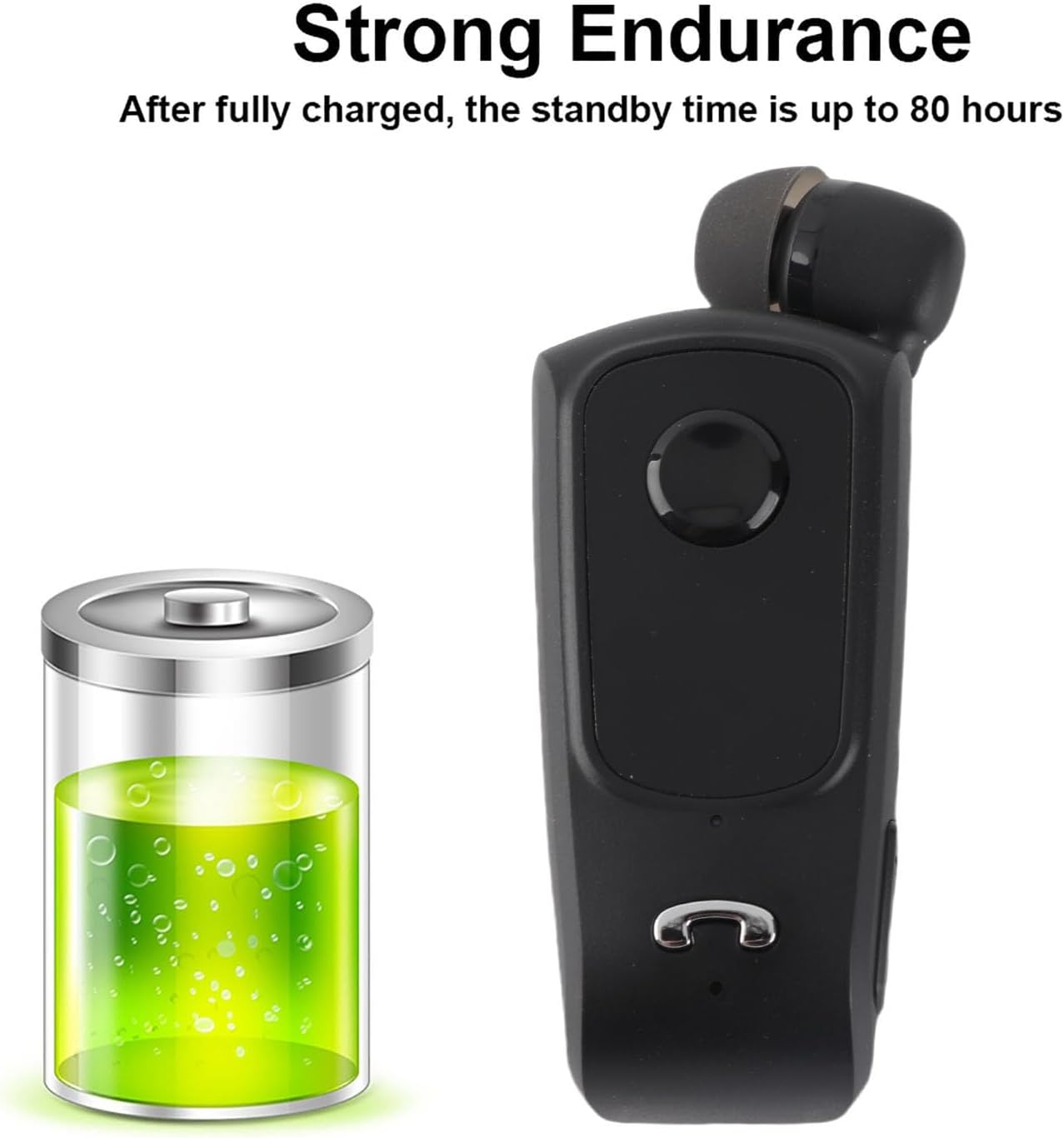
Figura 3.1: The F920 earphone offers extended battery life with up to 80 hours of standby time.
3.2 Engegada/apagada
- Per encendre: Press and hold the multi-function button until the indicator light flashes.
- Per apagar: Premeu i manteniu premut el botó multifunció fins que l'indicador lluminós s'apagui.
3.3 Vinculació Bluetooth
To connect your F920 earphone to a device:
- Ensure the earphone is fully charged and powered off.
- Premeu i manteniu premut el botó multifunció durant aproximadament 5-7 segons fins que el llum indicador parpellegi alternativament en vermell i blau, cosa que indica el mode d'emparellament.
- On your mobile phone or Bluetooth-enabled device, enable Bluetooth and search for available devices.
- Select "F920" from the list of found devices.
- Once connected, the indicator light will flash blue slowly, and you may hear a voice prompt confirming the connection.
The F920 supports connecting to two mobile phones simultaneously. After pairing with the first device, disable Bluetooth on the first device, then pair with the second device. Re-enable Bluetooth on the first device, and the earphone should connect to both.

Figura 3.2: The F920 earphone can be connected to two mobile phones at the same time.
4. Instruccions de funcionament
4.1 Funcions bàsiques
- Reproduir/pausar música: Premeu el botó multifunció una vegada.
- Pista següent: Mantingueu premut el botó Volum +.
- Pista anterior: Mantingueu premut el botó de volum -.
- Pujar el volum: Premeu el botó Volum +.
- Baixar el volum: Premeu el botó de volum -.
4.2 Gestió de trucades
- Respon a la trucada: Premeu el botó multifunció una vegada quan rebeu una trucada.
- Finalitzar la trucada: Premeu el botó multifunció una vegada durant una trucada.
- Rebutja la trucada: Premeu i manteniu premut el botó multifunció durant 2 segons quan rebeu una trucada.
- Torna a marcar l'últim número: Premeu dues vegades el botó multifunció.
The earphone features a call vibration function, ensuring you do not miss important calls. It also provides voice prompts for incoming calls.

Figura 4.1: The F920 earphone includes a call vibration function to alert you to incoming calls.
4.3 Retractable Earphone
The F920 features a retractable earphone cord. To extend the earphone, gently pull it out. To retract, press the dedicated retraction button on the side of the device, and the cord will automatically retract into the unit. This design prevents tangling and makes storage convenient.

Figura 4.2: Press the button to retract the earphone cord for tidy storage.
4.4 Anti-Lost Function
If your connected mobile phone exceeds the Bluetooth connection range (approximately 10 meters), the earphone will vibrate and sound an alarm to notify you, helping to prevent loss.
4.5 Canvi d'idioma
The earphone supports switching between Chinese and English voice prompts. Refer to the specific instructions in the quick start guide for the button combination to change the language setting.
5. Manteniment
- Neteja: Use a soft, dry cloth to clean the earphone. Do not use harsh chemicals or abrasive materials.
- Emmagatzematge: Store the earphone in a cool, dry place away from direct sunlight and extreme temperatures.
- Cura de la bateria: Per allargar la durada de la bateria, eviteu descarregar-la completament amb freqüència. Carregueu el dispositiu regularment, fins i tot si no l'utilitzeu durant períodes prolongats.
- Exposició a l'aigua: Aquest dispositiu no és impermeable. Eviteu l'exposició a l'aigua o a una humitat excessiva.
6. Solució De Problemes
If you encounter issues with your Bewinner F920 earphone, please refer to the following common solutions:
| Problema | Causa possible | Solució |
|---|---|---|
| Els auriculars no s'encén | Bateria baixa | Charge the earphone for at least 30 minutes. |
| No es pot emparellar amb el dispositiu | Earphone not in pairing mode; Bluetooth off on device; device too far | Ensure earphone is in pairing mode (red/blue flashing light). Turn on Bluetooth on your device. Move device closer to earphone (within 10m). |
| No sound during playback/calls | Volume too low; earphone not connected; incorrect audio output selected | Increase earphone and device volume. Verify earphone is connected. Check device audio settings to ensure F920 is selected as output. |
| Call vibration/anti-lost not working | Feature disabled; earphone out of range | Ensure earphone is connected. Check if the phone is within Bluetooth range for anti-lost function. |
Si el problema persisteix després de provar aquestes solucions, poseu-vos en contacte amb l'atenció al client.
7. Especificacions
| Característica | Especificació |
|---|---|
| Model de producte | F920 |
| Color del producte | Negre |
| Product Chip | RSE |
| Versió Bluetooth | V4.1 |
| Distància Bluetooth | Fins a 10 metres (33 peus) |
| Freqüència | 2.4 GHz |
| Vol. De càrregatage | DC 5V |
| Temps de càrrega | Menys de 2 hores |
| Temps de conversa | 5 hores o més |
| Temps de Música | 4 hores o més |
| Temps d'espera | 80 hores o més |
| Capacitat de la bateria | 80 mAh |
| Acords recolzats | Headset, Hands-Free, A2DP, AVRCP |
| Dimensions del producte | 6.89 x 2.95 x 1.18 polzades (17.5 x 7.5 x 3 cm) |
| Pes de l'article | 2.11 unces (60 grams) |
8. Informació de la garantia
Specific warranty details for the Bewinner F920 earphone are not provided in this manual. Please refer to the product packaging or contact Bewinner customer support for information regarding warranty coverage and terms.
9. Atenció al client
For any quality problems or questions regarding your Bewinner F920 Retractable Bluetooth Earphone, please contact our professional customer service team. We are committed to resolving your issues promptly.
You can visit the official Bewinner store for more information and support: Botiga Bewinner a Amazon