1. Introducció
Welcome to the user manual for your RugGear RG910 Rugged 8-inch Tablet. This document provides essential information for setting up, operating, maintaining, and troubleshooting your device. The RG910 is engineered for demanding environments, offering superior durability and connectivity for outdoor work and extreme conditions.
Please read this manual carefully to ensure proper use and to maximize the lifespan of your tablet.
2. Producte acabatview
The RugGear RG910 is a robust tablet featuring an 8-inch WUXGA touchscreen, designed to withstand harsh conditions. It incorporates advanced sealing technology for high water and dust resistance, and is built to endure drops and impacts.

Figura 2.1: Frontal view of the RugGear RG910 rugged tablet, showcasing its durable design and display.
Key features include Push-to-Talk (PTT) functionality, a long-lasting 6000 mAh battery, and an Android 8 (Oreo) operating system optimized for performance and power efficiency. The device is IP68 certified, allowing submersion in water up to 1.2 meters for 60 minutes, and is drop-resistant up to 1.5 meters.

Figure 2.2: Infographic highlighting the RG910's reliable performance, PTT capability, long battery life, Android 8 optimization, IP68 rating, and dual stereo speakers.
Connectivity options include 4G LTE, Wi-Fi 802.11b/g/n, and Bluetooth 4.0. It also features 8MP and 2MP cameras, GPS, A-GPS, GLONASS, and Beidou for navigation. The display is protected by Corning Gorilla Glass for enhanced durability and readability in sunlight.
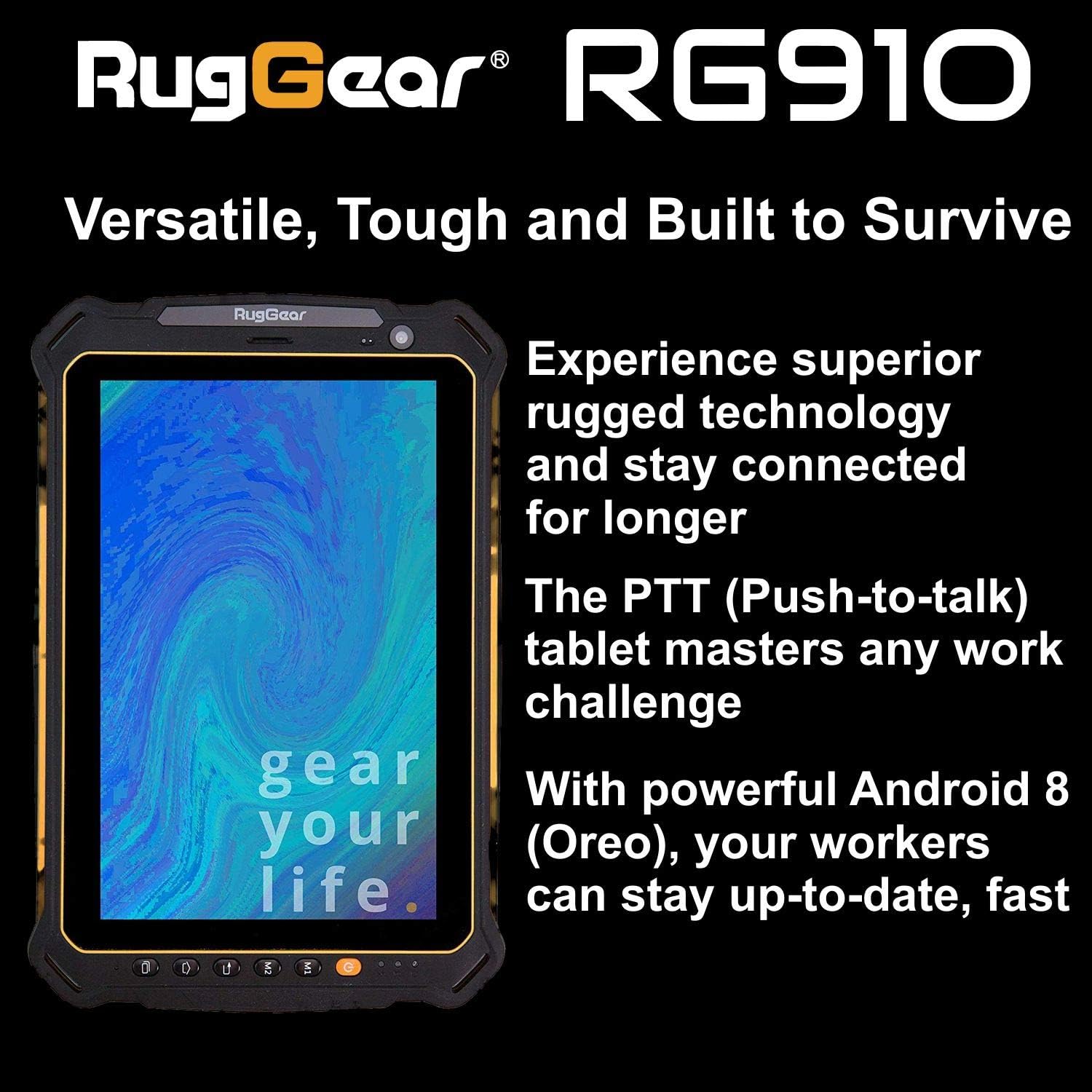
Figure 2.3: The RugGear RG910 tablet being used, illustrating its robust construction and suitability for various tasks.
3. Configuració
3.1 Càrrega del dispositiu
Before initial use, fully charge the tablet using the provided charger and USB cable. Connect the charger to a power outlet and the USB cable to the tablet's charging port. The charging indicator will show the charging status.
3.2 Inserting SIM and Micro-SD Cards
- Locate the SIM/Micro-SD card slot cover on the side of the tablet.
- Obriu la coberta amb cura.
- Insert the Nano-SIM card into the designated slot with the gold contacts facing down, ensuring it is correctly oriented.
- If using, insert a Micro-SD card (up to 64GB) into its dedicated slot.
- Close the cover securely to maintain the device's water and dust resistance.
3.3 Engegada i configuració inicials
Press and hold the Power button until the RugGear logo appears. Follow the on-screen instructions to complete the initial setup, which includes selecting your language, connecting to a Wi-Fi network, and setting up your Google account.
4. Instruccions de funcionament
4.1 Encès/Apagat
- Per encendre: Premeu i manteniu premut el botó d'engegada fins que la pantalla s'il·lumini.
- Per apagar: Press and hold the Power button until the power options appear, then select 'Power off'.
- Per reiniciar: Mantingueu premut el botó d'engegada fins que apareguin les opcions d'engegada i, a continuació, seleccioneu "Reiniciar".
4.2 Navegació bàsica
The RG910 uses a capacitive touchscreen. Use standard Android gestures:
- Toca: Seleccioneu un element o obriu una aplicació.
- Llisca: Desplaça't per les llistes o canvia entre les pantalles d'inici.
- Pessigar: Apropar o allunyar les imatges i web pàgines.
- Premsa llarga: Accedir a menús contextuals o moure icones.
4.3 Push-to-Talk (PTT) Functionality
The RG910 supports Push-to-Talk (PTT) communication. A dedicated PTT button may be present on the device. Consult your service provider or PTT application instructions for specific setup and usage details.
4.4 Funcionament de la càmera
To use the cameras:
- Obriu l'aplicació Càmera des de la pantalla d'inici o des del calaix d'aplicacions.
- Toca la pantalla per enfocar.
- Toqueu el botó de l'obturador per fer una foto o iniciar/aturar la gravació de vídeo.
- Canvia entre la càmera frontal i la posterior amb la icona de commutació de la càmera.
4.5 Connectivitat
- Wi-Fi: Vés a Configuració > Xarxa i Internet > Wi-Fi per connectar-se a les xarxes disponibles.
- 4G LTE: Ensure your SIM card is inserted and mobile data is enabled in Configuració > Xarxa i Internet > Xarxa mòbil.
- Bluetooth: Activa el Bluetooth a Configuració > Dispositius connectats > Bluetooth per emparellar-se amb altres dispositius.
5. Manteniment
5.1 Neteja del dispositiu
To clean your tablet, use a soft, damp cloth. Avoid using harsh chemicals, abrasive cleaners, or solvents, as these can damage the device's ruggedized coating and seals. Ensure all port covers are securely closed before cleaning with moisture.
5.2 Resistència a l'aigua i la pols (IP68)
The RG910 is IP68 certified, meaning it is protected against dust ingress and can withstand submersion in fresh water up to 1.2 meters for 60 minutes. To maintain this rating:
- Ensure all port covers (USB, SIM/Micro-SD slot) are firmly closed before exposure to water or dust.
- Do not expose the device to salt water, chlorinated water, or other liquids.
- If the device gets wet, dry it thoroughly with a clean cloth before opening any covers or charging.
5.3 Cura de la bateria
- Eviteu temperatures extremes, que poden degradar el rendiment de la bateria.
- Feu servir només el carregador i el cable originals o compatibles certificats.
- No perforeu, desmunteu ni modifiqueu la bateria.
5.4 Actualitzacions de programari
Comproveu i instal·leu regularment si hi ha actualitzacions de programari per garantir un rendiment òptim, seguretat i accés a noves funcions. Aneu a Configuració > Sistema > Actualització del sistema.
6. Solució De Problemes
This section addresses common issues you might encounter with your RugGear RG910 tablet.
| Problema | Possible solució |
|---|---|
| El dispositiu no s'encén | Assegureu-vos que la bateria estigui carregada. Connecteu el carregador i espereu uns minuts abans d'intentar tornar-lo a engegar. Si no respon, feu un reinici forçat mantenint premut el botó d'engegada durant 10-15 segons. |
| La pantalla no respon | Restart the device. If the issue persists, ensure the screen is clean and dry. |
| No es pot connectar a la Wi-Fi/4G | Check Wi-Fi settings and ensure the network password is correct. For 4G, verify SIM card insertion, mobile data is enabled, and you have network coverage. Restart the tablet. |
| La bateria s'esgota ràpidament | Reduce screen brightness, close unused applications, disable unnecessary connectivity features (Bluetooth, GPS), and check for background app activity in settings. |
| Device is slow or freezes | Close background applications. Clear cache for problematic apps. Restart the device. Consider a factory reset if the issue is persistent (back up data first). |
7. Especificacions
Detailed technical specifications for the RugGear RG910 tablet:
| Característica | Descripció |
|---|---|
| Marca | RugGear |
| Número de model | 98300000 |
| Sistema operatiu | Android 8 (Oreo) |
| Mostra | 8-inch WUXGA (1920 x 1200 pixels) with Corning Gorilla Glass |
| Processador | Qualcomm Snapdragon 625 |
| RAM | 3 GB |
| Emmagatzematge intern | 32 GB (expandable up to 64 GB via Micro-SD) |
| Bateria | 6000 mAh d'ions de liti |
| Connectivitat | 4G LTE, Wi-Fi 802.11b/g/n, Bluetooth 4.0, GPRS |
| Càmeres | Posterior: 8 MP, Frontal: 2 MP |
| Navegació | GPS, A-GPS, GLONASS, Beidou |
| Durabilitat | IP68 certified (water/dust resistant), Drop-resistant up to 1.5 meters |
| Dimensions (L x A x A) | 21.3 x 14.1 x 2 cm |
| Pes | 906 grams |
| Característiques especials | Ruggedized Construction, Push-to-Talk (PTT) functionality, Adjustable back strap |
| Any model | 2018 |
8. Garantia i Suport
Your RugGear RG910 tablet is covered by a manufacturer's warranty. Please refer to the warranty card included with your product packaging for specific terms and conditions, including warranty duration and coverage details. For technical support, service, or further assistance, please contact RugGear customer service or your authorized dealer.


