Introducció
Gràcies per la compraasing the Supersonic IQ-1525BT Wireless Bluetooth Speaker. This manual provides essential information for the safe and efficient operation of your device. Please read it thoroughly before use and retain it for future reference.

Figura 1: Frontal view of the Supersonic IQ-1525BT Wireless Bluetooth Speaker.
Contingut del paquet
Verifiqueu que tots els elements que s'enumeren a continuació s'inclouen al vostre paquet:
- Supersonic IQ-1525BT Wireless Bluetooth Speaker
- Cable USB
- Cable AUX
- Corretja de transport
- Manual d'instruccions (aquest document)
Producte acabatview
Tauler de control i ports

Figura 2: Detallada view of the control panel, showing input ports and control knobs.
The front panel of the speaker features the main controls and input ports:
- IQ Sound Display: Digital display for mode, frequency, and other indicators.
- Ranura per a targetes Micro SD: Per reproduir àudio des d'una targeta Micro SD.
- Port USB: Per reproduir àudio des d'una unitat flash USB.
- Entrada AUX: Jack de 3.5 mm per connectar dispositius d'àudio externs.
- Entrada MIC: Jack de 6.35 mm per connectar un micròfon.
- Entrada DC 5V: Entrada d'alimentació per carregar l'altaveu.
- Pom de baix: Ajusta el nivell de greus.
- Volume Knob (OFF/VOL/ON): Turns the speaker on/off and adjusts the master volume.
- Botó de mode (M): Switches between input modes (Bluetooth, FM, USB, Micro SD, AUX).
- Botó Anterior/Rebobinar: Skips to the previous track or rewinds.
- Botó Reproduir/Pausa: Reprodueix o posa en pausa l'àudio.
- Botó Següent/Avançament ràpid: Skips to the next track or fast forwards.
Speakers and LED Lighting
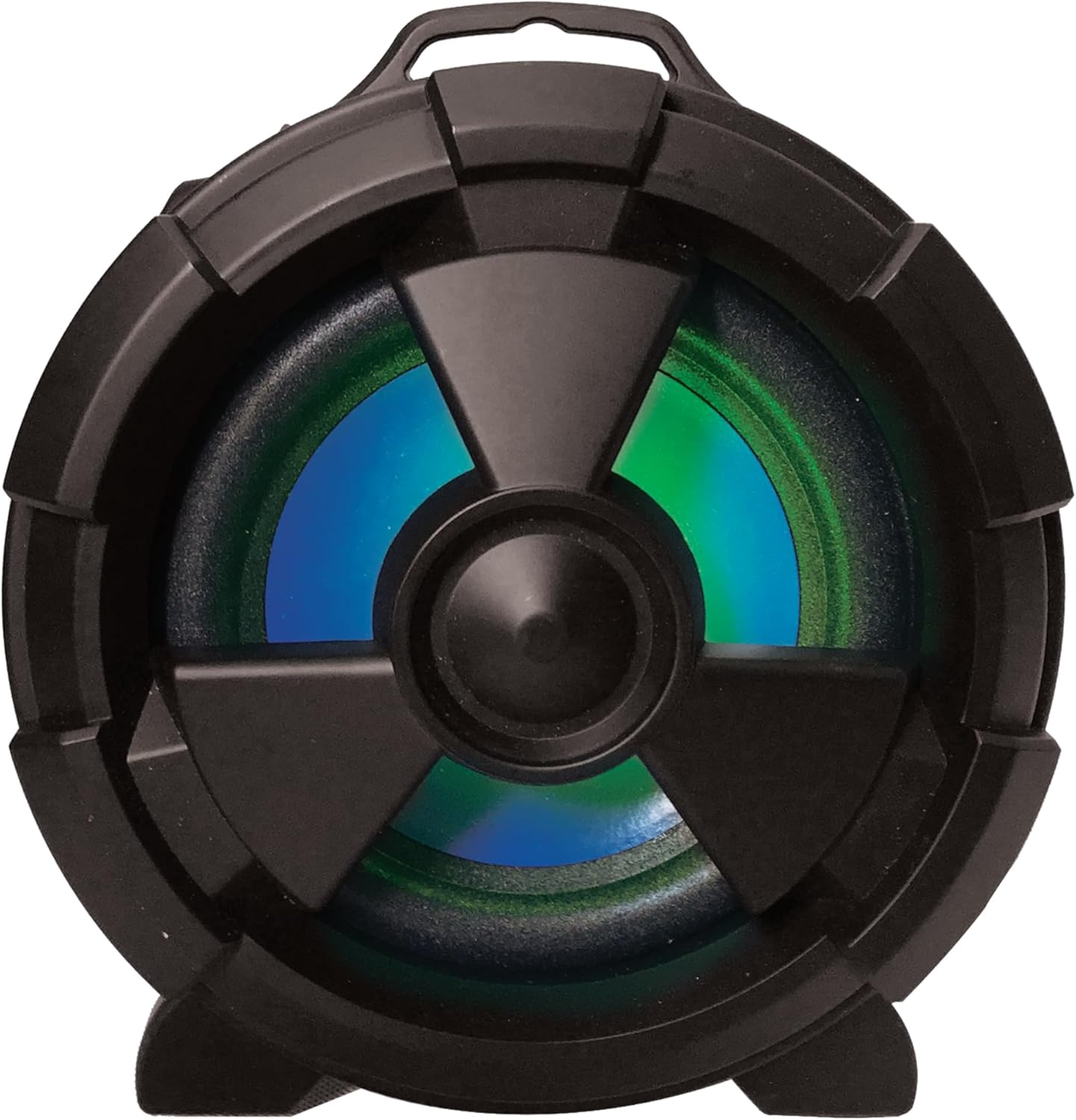
Figura 3: lateral view highlighting the main speaker and its integrated LED lighting.
The speaker features one 5-inch main speaker and two 2-inch built-in speakers for stereo sound. The main speaker on the side includes integrated LED lighting that changes colors during operation.
Característiques de portabilitat

Figure 4: The speaker's design allows for easy transport and use in various settings.
The IQ-1525BT is designed for portability, featuring a lightweight construction and a carrying strap for convenient transport.
Configuració
Carregant l'altaveu
- Connect the provided USB cable to the DC 5V input port on the speaker.
- Connect the other end of the USB cable to a compatible USB power adapter (not included) or a USB port on a computer.
- The charging indicator will illuminate. Allow sufficient time for a full charge before first use.
Encès/Apagat
- To turn on the speaker, rotate the Volume knob clockwise until it clicks and the display illuminates.
- To turn off the speaker, rotate the Volume knob counter-clockwise until it clicks and the display turns off.
Instruccions de funcionament
Emparellament Bluetooth

Figure 5: Illustrates connecting a device via Bluetooth to the speaker.
- Engegueu l'altaveu. Entrarà automàticament en mode d'emparellament Bluetooth, cosa que s'indicarà amb un "BLAU" intermitent a la pantalla i un missatge audible.
- Al dispositiu amb Bluetooth (per exemple, un telèfon intel·ligent o una tauleta), activeu el Bluetooth i cerqueu els dispositius disponibles.
- Seleccioneu "IQ-1525BT" de la llista de dispositius.
- Once paired, the speaker will emit an audible confirmation, and "BLUE" on the display will stop flashing.
- Ara pots reproduir àudio des del teu dispositiu a través de l'altaveu.
Funcionament de la ràdio FM
- Turn on the speaker. Press the "M" (Mode) button repeatedly until "FM" appears on the display.
- Premeu i manteniu premut el botó Reprodueix/Pausa per iniciar una cerca automàtica d'emissores FM. L'altaveu desarà totes les emissores trobades.
- Use the Previous/Rewind and Next/Fast Forward buttons to navigate between saved stations.
Reproducció USB/Micro SD
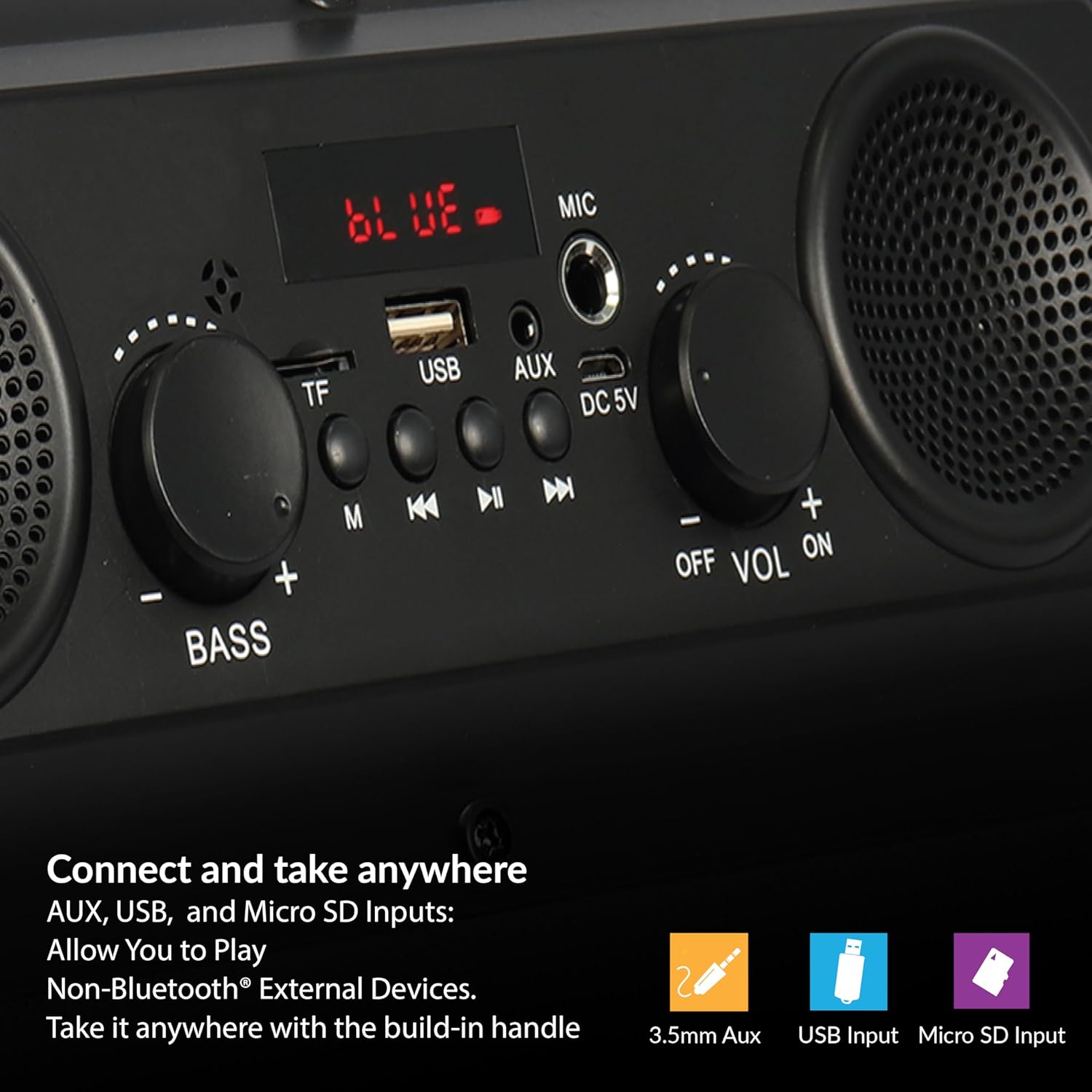
Figure 6: The speaker supports various input options for versatile audio playback.
- Insert a USB flash drive or Micro SD card (with pre-loaded audio files) al port corresponent.
- The speaker will automatically switch to USB or Micro SD mode and begin playback. If not, press the "M" (Mode) button to select the correct mode.
- Use the Play/Pause, Previous/Rewind, and Next/Fast Forward buttons to control playback.
Entrada AUX
- Connect one end of the provided AUX cable to the AUX input port on the speaker.
- Connect the other end of the AUX cable to the audio output jack of your external device.
- Premeu el botó "M" (Mode) fins que aparegui "AUX" a la pantalla.
- Controla la reproducció d'àudio des del teu dispositiu extern.
Ús del micròfon
- Connect a microphone (not included) to the MIC input port.
- Adjust the main volume using the Volume knob.
Adjusting Bass and Volume
- Gira el Volum knob to increase or decrease the overall sound level.
- Gira el Baix knob to adjust the low-frequency sound output.
Manteniment
- Neteja: Feu servir un drap suau i sec per netejar l'exterior de l'altaveu. No utilitzeu netejadors líquids ni materials abrasius.
- Emmagatzematge: Quan no l'utilitzeu durant períodes prolongats, guardeu l'altaveu en un lloc fresc i sec, allunyat de la llum solar directa i de temperatures extremes.
- Cura de la bateria: To prolong battery life, avoid fully discharging the battery frequently. Recharge the speaker regularly, even if not in active use.
- Exposició a l'aigua: Aquest altaveu no és impermeable. Eviteu l'exposició a l'aigua o a una humitat excessiva.
Resolució de problemes
| Problema | Causa possible | Solució |
|---|---|---|
| L'altaveu no s'encén. | La bateria està esgotada. | Carregueu l'altaveu amb el cable USB proporcionat. |
| Sense so. | El volum és massa baix o silenciat. Mode d'entrada incorrecte. | Increase the volume. Press the 'M' button to select the correct input mode. |
| El dispositiu Bluetooth no s'està emparellant. | Speaker not in pairing mode. Device too far. | Ensure speaker is in Bluetooth mode (flashing 'BLUE'). Move device closer (within 10 meters). |
| Recepció FM deficient. | Senyal feble. | Reposicioneu l'altaveu per millorar la recepció del senyal. |
| L'USB/Micro SD no es reprodueix. | Incorrecte file format. Suports corruptes. | Assegureu-vos l'àudio files are in a compatible format. Try a different USB drive or Micro SD card. |
Especificacions
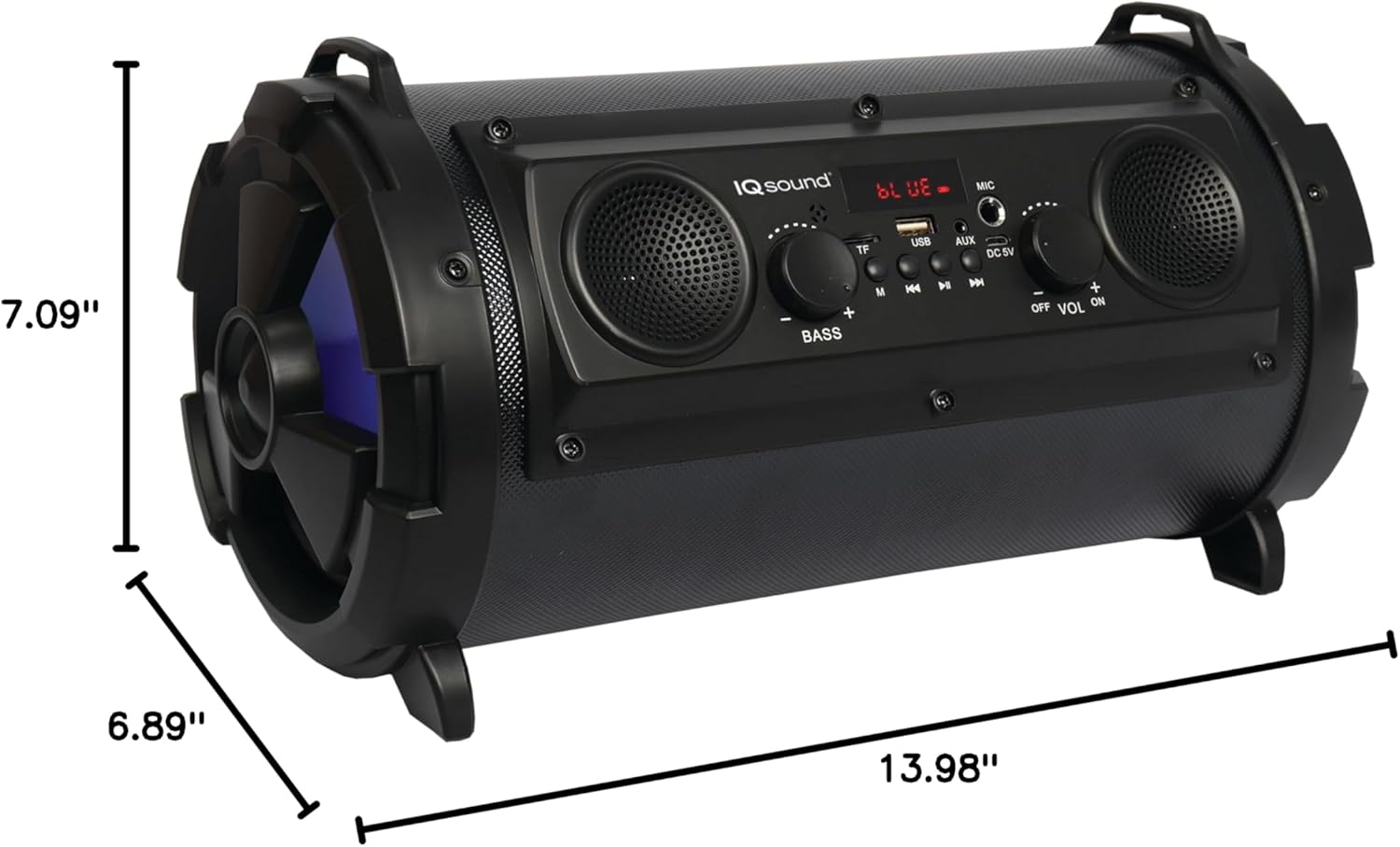
Figure 7: Product dimensions for the IQ-1525BT speaker.
| Característica | Detall |
|---|---|
| Nom del model | IQ-1525BT |
| Marca | Supersònic |
| Tipus d'altaveu | Altaveu Bluetooth portàtil |
| Potència de sortida | 16 watts |
| Configuració dels altaveus | One 5-inch, Two 2-inch built-in speakers |
| Versió Bluetooth | V4.0 |
| abast sense fils | Fins a 10 metres (32.8 peus) |
| Resposta de freqüència | 100 Hz a 20 kHz |
| Entrada Voltage | DC 5 volts |
| Bateria | 3.7-volt, 2,400 mAh rechargeable battery |
| Entrades | USB, Micro SD, AUX, Microphone |
| Característiques especials | FM Tuner (87.5 - 108.0MHz), Extra Bass (Passive Radiator), LED Lighting |
| Dimensions del producte (P x A x A) | 6.89" x 7.09" x 13.98" |
| Pes de l'article | 1 lliures |
| Material | Plàstic |
Informació de la garantia
This product comes with a Limited Warranty. For specific details regarding warranty coverage, terms, and conditions, please refer to the warranty card included in your product packaging or visit the official Supersonic weblloc web. Conserveu el comprovant de compra per a reclamacions de garantia.
Suport
If you encounter any issues or have questions not covered in this manual, please contact Supersonic customer support for assistance. Contact information can typically be found on the product packaging or the official Supersonic weblloc.


