1. Introducció
This manual provides instructions for the Altec Lansing Mini LifeJacket Jolt Bluetooth Speaker. This portable speaker features Bluetooth connectivity, Qi wireless charging, a built-in USB charging port, and a durable, waterproof design. Please read this manual thoroughly before using the device to ensure proper operation and longevity.

Figura 1: Frontal view of the Altec Lansing Mini LifeJacket Jolt Bluetooth Speaker.
2. Contingut del paquet
Verifiqueu que tots els elements siguin presents al vostre paquet:
- Altec Lansing Mini LifeJacket Jolt Bluetooth Speaker
- Cable de càrrega (USB-C a USB-A)
- Guia d'inici ràpid (no inclosa en aquest manual digital)
3. Producte acabatview
Familiaritzeu-vos amb els components i els controls de l'altaveu.

Figura 2: superior view of the speaker, highlighting control buttons and the Qi wireless charging pad.
3.1. Botons de control
- Botó d'encesa: Manteniu premut per encendre/apagar.
- Botó de vinculació Bluetooth: Inicia el mode d'emparellament Bluetooth.
- Puja el volum (+): Augmenta el volum.
- Baixar el volum (-): Disminueix el volum.
- Botó Reproduir/Pausa: Reprodueix o posa en pausa l'àudio. També respon/finalitza trucades.
- Botó d'assistent de veu: Activates your device's voice assistant (Siri, Google Assistant).
- House Party Pairing Button: Connects multiple Altec Lansing speakers.
3.2. Ports i indicadors

Figura 3: lateral view of the speaker, showing the protected charging port.
- Port de càrrega USB-C: Per carregar la bateria interna de l'altaveu.
- Port de sortida USB-A: Per carregar dispositius externs.
- Indicador LED: Mostra l'estat de l'energia, la càrrega i el Bluetooth.
- Coixinet de càrrega sense fil Qi: Located on the top surface for wireless charging compatible devices.
4. Configuració
4.1. Carregant l’altaveu
Before first use, fully charge the speaker. The speaker provides up to 16 hours of playback on a single charge.

Figure 4: The speaker offers up to 16 hours of play time.
- Open the protective flap on the side of the speaker to access the USB-C charging port.
- Connecteu el cable USB-C proporcionat al port de càrrega de l'altaveu.
- Connecteu l'altre extrem del cable USB-C a un adaptador de corrent USB (no inclòs) o al port USB d'un ordinador.
- L'indicador LED mostrarà l'estat de càrrega i s'apagarà quan estigui completament carregat.
4.2. Encès / apagat
- Per encendre, premeu i manteniu premut Botó d'engegada until you hear an audible prompt and the LED indicator illuminates.
- Per apagar-lo, manteniu premut el botó Botó d'engegada again until you hear an audible prompt and the LED indicator turns off.
4.3. Emparellament Bluetooth
The speaker can connect to your device via Bluetooth 4.2, offering a range of up to 100 feet.
- Ensure the speaker is powered on. The LED indicator will flash, indicating it is in pairing mode.
- Al telèfon intel·ligent, la tauleta o un altre dispositiu compatible amb Bluetooth, navegueu fins a la configuració de Bluetooth.
- Select "Mini LifeJacket Jolt" from the list of available devices.
- Once paired, the LED indicator will glow solid, and you will hear a confirmation tone.
- If pairing fails, turn off the speaker and your device's Bluetooth, then repeat the steps.
5. Instruccions de funcionament
5.1. Reproducció d'àudio
- Reproduir/pausa: Premeu el botó Botó Reproduir/Pausa una vegada.
- Control de volum: Premeu el botó Puja el volum (+) or Baixar el volum (-) botons.
- Omet la pista: Mantén premut Puja el volum (+) for next track, or Baixar el volum (-) per a la pista anterior.
5.2. Qi Wireless Charging
The speaker features a Qi wireless charging pad on its top surface to charge compatible devices.
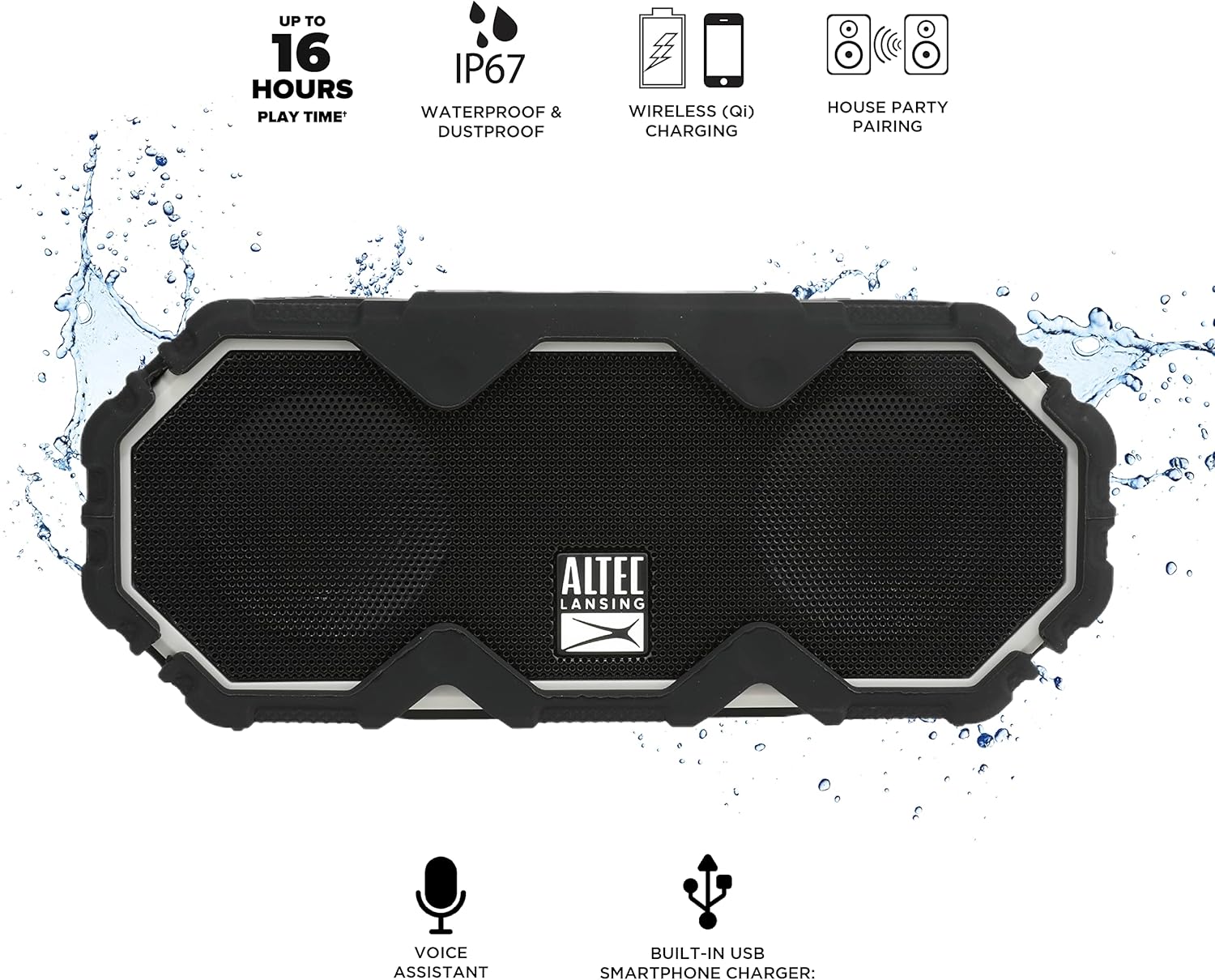
Figure 5: A smartphone being charged wirelessly on the speaker's Qi pad.
- Assegureu-vos que l'altaveu estigui encès.
- Place your Qi-enabled device directly on the charging pad located on the top of the speaker.
- The device should begin charging automatically. Adjust its position if charging does not start immediately.
5.3. USB Device Charging
Use the built-in USB-A port to charge other devices via a cable.

Figure 6: The speaker's USB-A port can charge external devices.
- Assegureu-vos que l'altaveu estigui encès.
- Open the protective flap on the side of the speaker.
- Connect your device's USB charging cable to the USB-A output port on the speaker.
- El vostre dispositiu començarà a carregar-se.
5.4. Integració de l'assistent de veu
Access your smartphone's voice assistant directly through the speaker.

Figure 7: The speaker supports voice assistant integration.
- Ensure the speaker is paired with your smartphone.
- Premeu el botó Botó de l'Assistent de veu a l'altaveu.
- Speak your command into the speaker's microphone.
5.5. House Party Pairing
Connect multiple Altec Lansing speakers for a synchronized audio experience.

Figure 8: Multiple speakers can be paired for a wider sound experience.
- Assegureu-vos que tots dos altaveus estiguin encesos i no connectats a cap dispositiu Bluetooth.
- On the first speaker, press the House Party Pairing Button. The LED indicator will flash.
- Al segon altaveu, premeu el botó House Party Pairing Button.
- The speakers will connect automatically. Once connected, the LED indicators will glow solid.
- Now, connect your device to one of the paired speakers via Bluetooth. Audio will play through both speakers.
6. Característiques de durabilitat
The Mini LifeJacket Jolt is designed for rugged use with an IP67 rating, making it waterproof, shockproof, snowproof, and dustproof.

Figure 9: The speaker is designed to withstand water exposure.
- Impermeable: Can be submerged in water up to 1 meter for 30 minutes. Ensure all port covers are securely closed before exposure to water.
- A prova de cops: Designed to withstand drops and impacts.
- Snowproof: Operates reliably in snowy conditions.
- A prova de pols: Protected against dust ingress.
Important: Always ensure the protective flap covering the charging ports is securely closed when using the speaker near water or in dusty environments.
7. Manteniment
- Neteja: Utilitzeu un suau, damp cloth to clean the speaker. Avoid abrasive cleaners or solvents.
- Emmagatzematge: Guardeu l'altaveu en un lloc fresc i sec, allunyat de la llum solar directa i de temperatures extremes.
- Cura de la bateria: Per allargar la durada de la bateria, eviteu descarregar-la completament amb freqüència. Carregueu l'altaveu regularment, fins i tot si no l'utilitzeu durant períodes prolongats.
8. Solució De Problemes
8.1. Speaker Not Powering On or Charging
If your speaker stops working or does not charge, a connection issue or a system freeze might be the cause. This procedure requires careful handling and may void your warranty if not performed correctly. Proceed with caution.
- Remove the Rubber Exterior: Gently pry off the rubberized outer casing. It is designed to snap off at the seams around the speaker mesh.
- Access Internal Components: Using a small flat-head tool, carefully insert it between the speaker mesh and the main body, particularly on the back of the speaker. Slowly work your way around to loosen the mesh.
- Locate and Remove Screws: You will find six small Phillips head screws deep inside the holes. Use a long, thin Phillips screwdriver to remove them. Keep track of these screws.
- Separate the Casing: Gently pull the front and back sections of the speaker apart along the seam that becomes visible after removing the rubber protector.
- Inspect Internal Connections: Inside, you will see the motherboard, buttons, wires, and the cylindrical battery. Locate the battery holder and remove any screw securing it.
- Reset Battery Connection: Carefully disconnect the battery's wiring connector from the motherboard. Ensure you pull the entire plastic insert, not just the wires, to avoid damage.
- Reconnecta i prova: Reconnect the battery connector firmly. Press the power button. If you hear the "Welcome to Altec Lansing!" prompt, the issue may be resolved.
- Torneu a muntar: If the speaker functions, carefully re-adjust any wires to ensure they have sufficient slack and are not pinched. Ensure the battery is centered and not clinging to speaker magnets. Re-secure the battery holder, then carefully align and re-screw the casing. Finally, reattach the speaker mesh and the rubber exterior.
This process can reset the motherboard and address issues caused by loose internal connections. If the problem persists after these steps, contact customer support.
8.2. Problemes de connexió Bluetooth
- Ensure the speaker is within the 100-foot Bluetooth range of your device.
- Verify that the speaker is in pairing mode (flashing LED).
- Forget the speaker from your device's Bluetooth settings and attempt to re-pair.
- Reinicieu tant l'altaveu com el dispositiu Bluetooth.
9. Especificacions

Figura 10: Dimensions del producte.
| Característica | Detall |
|---|---|
| Nom del model | Mini LifeJacket Jolt |
| Marca | Altec Lansing |
| Tecnologia de connectivitat | Bluetooth, USB |
| Comunicació sense fils | Bluetooth 4.2 |
| Interval Bluetooth | Fins a 100 peus |
| Font d'alimentació | Alimentat per bateria (1 bateria de ions de liti, inclosa) |
| Durada de la bateria | Fins a 16 hores |
| Característiques especials | Waterproof (IP67), Shockproof, Snowproof, Dustproof, Qi Wireless Charging, USB Charging Output, Voice Assistant Integration, House Party Pairing |
| Tipus d'altaveu | A l'aire lliure |
| Mode de sortida d'àudio | estèreo |
| Dimensions del producte | 7.2 "P x 3" W x 4.3" H |
| Pes de l'article | 1.52 lliures |
| Material | Rubber or Silicone |
10. Garantia i Suport
The Altec Lansing Mini LifeJacket Jolt Bluetooth Speaker comes with a Limited Warranty. For specific warranty terms and conditions, please refer to the documentation included with your product or visit the official Altec Lansing weblloc.
Per obtenir més ajuda o suport tècnic, visiteu el Altec Lansing Brand Store on Amazon o consultar l'oficial Manual d'usuari (PDF).


