Manual d'usuari dels auriculars de joc professionals Xtrfy H2
Model: H2 | Brand: Xtrfy
1. Producte acabatview
The Xtrfy H2 is a professional gaming headset engineered for esports, combining durable construction with optimized audio performance. It features extra-large ear cushions with memory foam for comfort during extended use and a detachable microphone for clear communication.
Les característiques clau inclouen:
- Competitive gaming headset: 53 mm drivers emphasize crucial in-game sounds.
- Comfort for intensive and long gaming sessions: Lightweight aluminum frame, extra-large memory foam ear cushions with breathable mesh fabric.
- Minimal sound leakage and maximum sound: PU leather inside ear pads minimizes noise leakage and maximizes audio quality.
- Convenient: Detachable microphone, braided cable, and easily accessible audio controls.
- Multi-platform compatible: PC, Mac (external sound card required), PS4, PS4 Pro, Xbox One & Xbox One S (adapter may be required), mobile devices, and VR systems with CTIA standard connection.

Figure 1: Xtrfy H2 Professional Gaming Headset with detachable microphone.
2. Contingut del paquet
Your Xtrfy H2 headset package should contain the following items:
- Auriculars per a jocs Xtrfy H2
- Micròfon desmuntable
- Braided Audio Cable (attached)
3. Informació de seguretat
Please read and follow these safety guidelines to ensure proper use and prevent damage to the headset or injury to yourself:
- Eviteu escoltar música durant molt de temps a volums alts per evitar danys auditius.
- No exposeu els auriculars a temperatures extremes, humitat ni líquids.
- Mantingueu els auriculars allunyats de camps magnètics forts.
- No intenteu desmuntar ni modificar els auriculars. Això anul·larà la garantia.
- Clean the headset with a soft, dry cloth only.
4. Configuració
The Xtrfy H2 headset is designed for easy plug-and-play functionality across multiple platforms.
4.1 Connexió dels auriculars
- Connecteu el micròfon: Locate the microphone input port on the left earcup. Align the microphone connector with the port and firmly push it in until it clicks into place.
- Connecta't al dispositiu: Plug the 3.5mm audio jack of the braided cable into the corresponding audio port on your PC, gaming console controller (PS4, PS4 Pro, Xbox One, Xbox One S - adapter may be required), mobile device, or VR system.
- Compatibilitat Mac: For Mac systems, an external sound card may be required for full functionality.
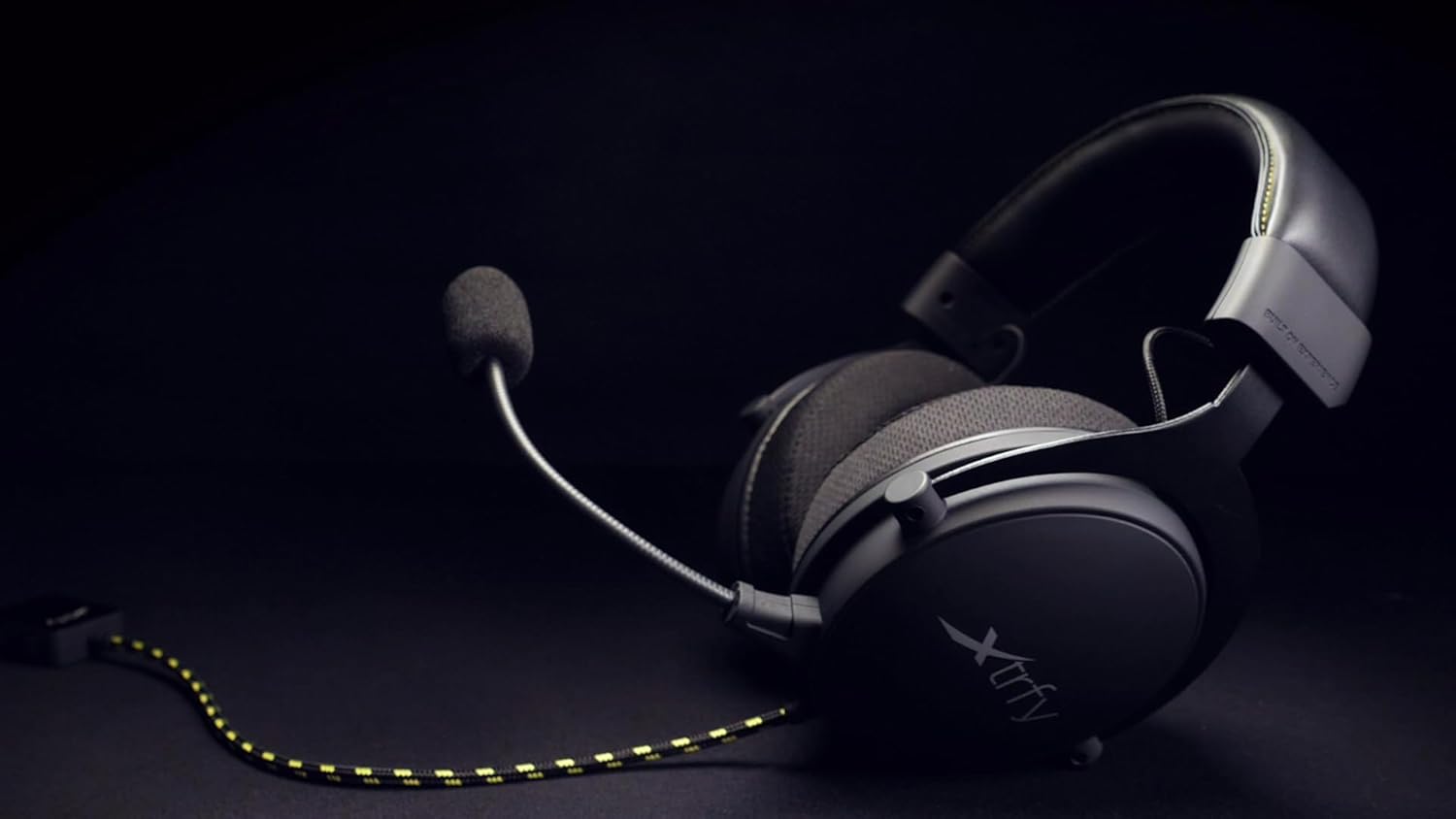
Figure 2: The Xtrfy H2 headset showing the braided cable and detachable microphone.
5. Funcionament dels auriculars
Once connected, the Xtrfy H2 headset is ready for use. Adjust settings as needed on your connected device.
5.1 Controls d'àudio
- Control de volum: Use the inline volume control located on the braided cable to adjust the audio output level.
- Silència del micròfon: The inline control also features a switch to mute or unmute the microphone.

Figure 3: A user wearing the Xtrfy H2 headset while engaged in gaming, demonstrating typical usage.
Video 1: Official Xtrfy H2 Pro gaming headset overview, espectacleasincaracterístiques i disseny de g.
6. Manteniment
Proper maintenance will extend the lifespan of your Xtrfy H2 headset.
- Neteja: Use a soft, dry, lint-free cloth to wipe down the earcups and headband. For the mesh fabric, a slightly damp cloth can be used, but ensure it is not saturated. Avoid harsh chemicals or abrasive materials.
- Emmagatzematge: Store the headset in a cool, dry place when not in use. Avoid tangling the cable.
- Coixinets per a les orelles: The extra-large memory foam ear cushions are designed for durability. If replacement is needed, contact Xtrfy support for genuine parts.

Figura 4: Primer pla view of the Xtrfy H2 headset's earcups, highlighting the breathable mesh fabric and design.

Figura 5: Detallada view of the Xtrfy H2 headset's headband, showing the stitching and material.
7. Solució De Problemes
If you encounter issues with your Xtrfy H2 headset, refer to the following common problems and solutions:
| Problema | Causa possible | Solució |
|---|---|---|
| No hi ha àudio dels auriculars | Incorrect connection, low volume, muted. | Ensure 3.5mm jack is fully inserted. Check inline volume control and device volume settings. Verify microphone mute switch is off. |
| El micròfon no funciona | Microphone not attached correctly, muted, or incorrect input settings. | Ensure microphone is firmly attached. Check inline mute switch. Verify microphone input settings on your device. |
| La qualitat del so és deficient | Loose connection, audio source issue, or incorrect device settings. | Check all connections. Test with a different audio source. Adjust audio settings on your device. |
If the issue persists after trying these solutions, please contact Xtrfy customer support.
8. Especificacions
| Característica | Detall |
|---|---|
| Nom del model | H2 |
| Tecnologia de connectivitat | Cablejat (connector de 3.5 mm) |
| Mida del controlador d'àudio | 53 mil·límetres |
| Interval de freqüència | 20 Hz - 25000 Hz |
| Forma de l'auricular | Sobre l'orella |
| Material | Alumini (marc) |
| Ear Cushion Material | Memory Foam with breathable mesh fabric and PU leather interior |
| Micròfon | Desmuntable |
| Característica del cable | Trenat |
| Tipus de control | Volume Control, Microphone Mute (inline) |
| Dispositius compatibles | Laptops, Desktops, Gaming Consoles (PS4, PS4 Pro, Xbox One, Xbox One S), Tablets, Cellphones, VR systems (with CTIA standard connection) |
| Pes de l'article | 0.38 quilograms (13.4 unces) |
| Dimensions del producte | 4.33 x 8.07 x 9.45 polzades |
| Fabricant | Xtrfy |
| Color | Negre/Acer |
9. Garantia i Suport
Xtrfy products are built to last. For information regarding warranty coverage, technical support, or replacement parts, please visit the official Xtrfy weblloc web o contacteu directament amb el seu servei d'atenció al client.
També podeu visitar el Xtrfy Store on Amazon per obtenir més informació sobre el producte i recursos.


