1. Introducció
Gràcies per la compraasing the astrum ST370 Wireless Barrel Speaker. This manual provides essential information for the safe and efficient operation of your device. Please read it thoroughly before use and retain it for future reference.
The astrum ST370 is a portable wireless speaker designed for outdoor use, offering robust sound with deep bass. It features multiple connectivity options including Bluetooth, FM radio, USB, Micro SD card, and AUX input, powered by a rechargeable battery.
2. Informació de seguretat
- No exposeu l'altaveu a l'aigua, la humitat ni a temperatures extremes.
- Eviteu deixar caure o sotmetre l'altaveu a forts impactes.
- No intenteu desmuntar, reparar o modificar el dispositiu. Això anul·larà la garantia.
- Keep the speaker away from heat sources, direct sunlight, and flammable materials.
- Feu servir només el cable de càrrega proporcionat o un equivalent certificat.
- Do not operate the speaker at excessively high volumes for prolonged periods to prevent hearing damage.
- Desfeu-vos del producte i de la bateria de manera responsable d'acord amb la normativa local.
3. Contingut del paquet
Marqueu la casella per als elements següents:
- 1 x astrum ST370 Wireless Speaker
- 1 x cable de càrrega
- 1 x cable AUX
- 1 x Manual d'usuari
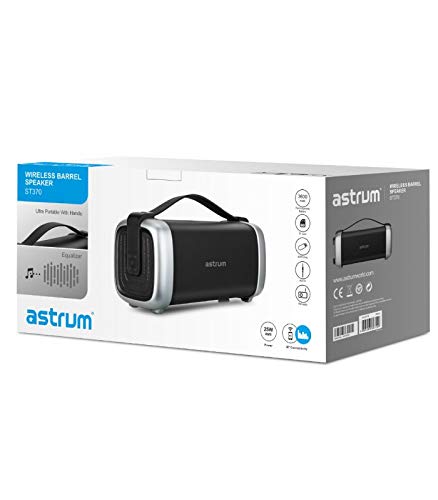
Image: The retail packaging for the astrum ST370 Wireless Barrel Speaker, showing the speaker and its key features.
4. Producte acabatview
Familiarize yourself with the components and controls of your astrum ST370 speaker.
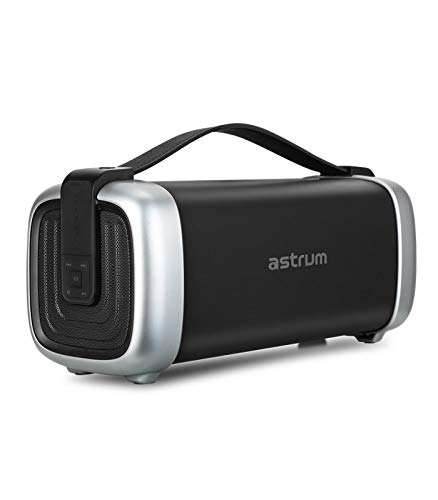
Imatge: Frontal view of the astrum ST370 Wireless Barrel Speaker, showcasing its black body, silver end caps, and integrated carrying handle.
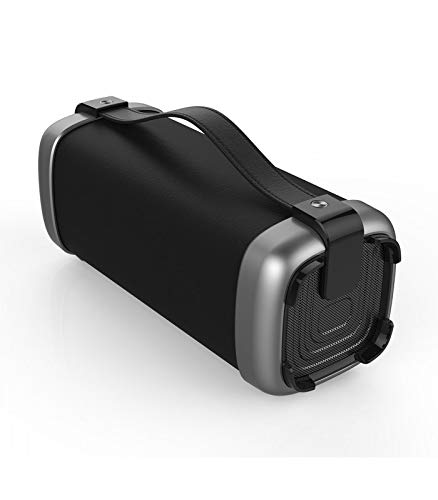
Imatge: Anglesa view of the astrum ST370 speaker, highlighting the textured side panel and the robust carrying handle.
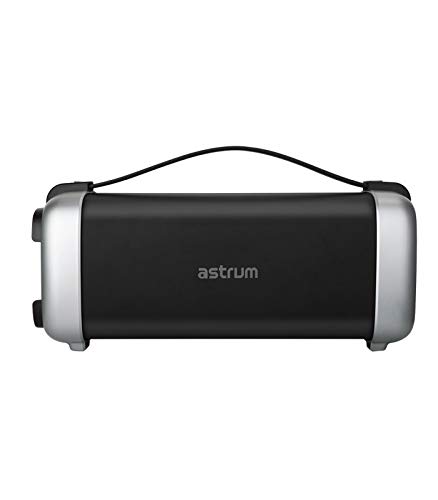
Imatge: Frontal view of the astrum ST370 speaker, displaying the control panel on the side with various buttons.
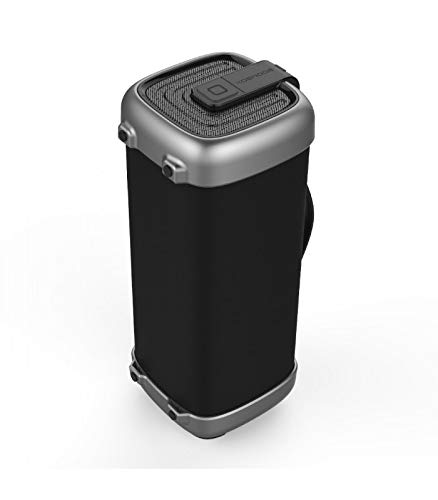
Imatge: Side profile of the astrum ST370 speaker, illustrating its compact barrel design and stable base.
Controls and Ports (Refer to images for location)
- Botó d'encesa: Activa o desactiva l'altaveu.
- Botó de mode: Switches between Bluetooth, FM, USB, Micro SD, and AUX modes.
- Botó Reproduir/Pausa: Reprodueix o posa en pausa l'àudio.
- Botó Pujar volum / Pista següent: Augmenta el volum o salta a la pista següent.
- Botó per baixar el volum / pista anterior: Disminueix el volum o torna a la pista anterior.
- Port USB: Per a la reproducció des d'una unitat USB.
- Ranura per a targetes Micro SD: Per a la reproducció de targetes Micro SD.
- Entrada AUX: For connecting external audio devices via 3.5mm cable.
- Port de càrrega: Per connectar el cable de càrrega.
5. Configuració
5.1 Càrrega de l'altaveu
- Connecteu el cable de càrrega proporcionat al port de càrrega de l'altaveu.
- Connecteu l'altre extrem del cable de càrrega a un adaptador de corrent USB (no inclòs) o al port USB d'un ordinador.
- The charging indicator light will illuminate, typically red, during charging.
- Once fully charged, the indicator light may change color or turn off. Disconnect the speaker from the power source.
Nota: Per a una durada òptima de la bateria, carregueu completament l'altaveu abans del primer ús.
5.2 Engegada/apagada
- Per encendre: Press and hold the Power Button for a few seconds until you hear an audible prompt or see an indicator light.
- Per apagar: Press and hold the Power Button again for a few seconds until the speaker powers down.
6. Instruccions de funcionament
6.1 Mode Bluetooth
- Engegueu l'altaveu. Entrarà automàticament en mode d'emparellament Bluetooth, cosa que s'indicarà amb un llum LED intermitent i un missatge audible.
- Activeu el Bluetooth al vostre telèfon intel·ligent, tauleta o altre dispositiu compatible amb Bluetooth.
- Cerca available devices and select "ST370" from the list.
- Once paired, the speaker will provide an audible confirmation, and the LED light will stop flashing.
- Ara pots reproduir àudio des del teu dispositiu a través de l'altaveu.
6.2 Mode de ràdio FM
- Press the Mode Button repeatedly until you enter FM Radio mode.
- To auto-scan for stations, press and hold the Play/Pause Button. The speaker will scan and save available FM stations.
- Use the Volume Up/Next Track and Volume Down/Previous Track buttons to navigate between saved stations.
6.3 USB / Micro SD Card Playback
- Insert a USB drive or a Micro SD card (with pre-loaded audio files) into the respective port/slot.
- The speaker will automatically detect the storage device and switch to USB or Micro SD mode, beginning playback. If not, press the Mode Button to select the correct mode.
- Feu servir els botons Reprodueix/Pausa, Pista següent i Pista anterior per controlar la reproducció.
6.4 Mode d'entrada AUX
- Connect one end of the provided 3.5mm AUX cable to the speaker's AUX input port.
- Connect the other end of the AUX cable to the audio output jack of your external device (e.g., MP3 player, laptop).
- Press the Mode Button until you enter AUX mode.
- Controla la reproducció i el volum directament des del dispositiu extern connectat.
6.5 Volume and Playback Control
- Ajust de volum: Premeu breument els botons de pujar el volum (+) o baixar el volum (-).
- Navegació per pista: Long press the Volume Up (+) button for the next track, and long press the Volume Down (-) button for the previous track (in Bluetooth, USB, or Micro SD modes).
- Reproduir/pausa: Premeu breument el botó Reproduir/Pausa.
7. Manteniment
7.1 Neteja
- Wipe the speaker's exterior with a soft, dry, lint-free cloth.
- Do not use abrasive cleaners, solvents, or chemical sprays.
- Eviteu que entri humitat a cap obertura.
7.2 Emmagatzematge
- Guardeu l'altaveu en un lloc fresc i sec, allunyat de la llum solar directa i de temperatures extremes.
- Si l'emmagatzemeu durant un període prolongat, carregueu la bateria aproximadament al 50% cada pocs mesos per mantenir-la en bon estat.
8. Solució De Problemes
| Problema | Causa possible | Solució |
|---|---|---|
| L'altaveu no s'encén. | Bateria baixa. | Carregueu l'altaveu completament. |
| No es pot emparellar per Bluetooth. | Speaker not in pairing mode; Bluetooth disabled on device; too far from speaker. | Ensure speaker is in Bluetooth mode; enable Bluetooth on your device; move device closer to speaker (within 10 meters). |
| Sense so. | Volume too low; incorrect mode selected; cable not connected properly (AUX). | Increase volume; press Mode button to select correct input; check AUX cable connection. |
| La recepció de ràdio FM és deficient. | Senyal feble. | Mou l'altaveu a un lloc amb millor recepció. |
9. Especificacions
| Nom del model | ST370 |
| Potència de sortida | 25 watts |
| Tecnologia de connectivitat | Bluetooth, Auxiliary, USB, Wireless |
| Característiques especials | Portable, Wireless, FM Radio, Micro SD Card Support |
| Font d'alimentació | Funciona amb bateria |
| Durada mitjana de la bateria | 8 hores |
| Mètode de control | Toca |
| Diàmetre del subwoofer | 4 polzades |
| Diàmetre del Tweeter | 1 polzades |
| Dimensions del producte (LxWxH) | 32.7 x 13 x 14.2 cm |
| Pes de l'article | 1.45 kg |
| Color | Negre |
| Usos recomanats | A l'aire lliure |
10. Garantia i Suport
The astrum ST370 Wireless Barrel Speaker comes with a 1 anys de garantia des de la data de compra. Si us plau, conserveu el comprovant de compra per a reclamacions de garantia.
For technical support, troubleshooting assistance beyond this manual, or warranty inquiries, please visit the official astrum website or contact their customer service department. Contact details can typically be found on the brand's official weblloc web o a l'embalatge del producte.
Fabricant: Astrum Holdings Ltd, Unit-1618, Asia Trade Centre, 79 Lei Muk Road, Kwai Chung, New Territories, Hong Kong
Importador: Astrum Electronics India Pvt Ltd, Plot No.80&81, Gajulamandyam, Renigunta Mandal, Chittoor, Tirupati, Andhra Pradesh-517547


