
1. Introducció
Thank you for choosing the Physionics ELTR01 Elliptical Trainer. This manual provides essential information for the safe assembly, operation, and maintenance of your fitness equipment. Please read it thoroughly before use and keep it for future reference.
The Physionics ELTR01 is designed to provide an effective full-body cardio workout in the comfort of your home, engaging various muscle groups while being gentle on your joints.

Image 1.1: Physionics ELTR01 Elliptical Trainer in use.
2. Informació de seguretat
- Consulta un metge abans de començar qualsevol nou programa d'exercicis.
- Mantingueu els nens i les mascotes lluny de l'equip durant l'ús.
- Place the trainer on a flat, stable surface with adequate clearance around it.
- Assegureu-vos que tots els cargols i femelles estiguin ben ajustats abans de cada ús.
- No supereu el pes màxim de l'usuari 120 kg (265 lliures).
- Porteu roba i calçat esportiu adequats.
- Deixa de fer exercici immediatament si et sents dèbil, marejat o tens dolor.
- The equipment is for home use only, not for commercial or therapeutic purposes.

Image 2.1: Maximum user weight capacity of 120 kg (265 lbs).
3. Contingut del paquet
Si us plau, comproveu que tots els components siguin presents i no estiguin danyats. Si hi ha alguna peça que falti o que estigui danyada, poseu-vos en contacte amb el servei d'atenció al client.
- Components del marc principal
- Pedals (2)
- Handlebars (2) with Pulse Sensors
- Monitor LCD
- Abdominal Support Pad
- Maquinari de muntatge (cargols, volanderes, femelles)
- Eines de muntatge (claus Allen, claus Allen)
- Manual d'usuari
4. Muntatge i muntatge
Assembly typically requires two people. Follow the numbered steps in the included assembly diagram. Ensure all connections are secure before use.
- Desembaleu tots els components i col·loqueu-los sobre una superfície neta i plana.
- Attach the front and rear stabilizers to the main frame using the provided bolts and washers.
- Mount the main upright post to the base frame.
- Connect the handlebars and pedal arms to the main frame, ensuring proper alignment.
- Install the abdominal support pad onto its adjustable post.
- Attach the LCD monitor to its bracket and connect the sensor wires (pulse and speed).
- Secure the pedals to the pedal arms.
- Double-check all bolts and nuts for tightness.

Imatge 4.1: Dimensions del producte per a la planificació de la col·locació.
5. Instruccions de funcionament
5.1 Primers passos
Step onto the pedals one foot at a time, holding onto the handlebars for balance. Begin a smooth, elliptical motion. The movement should feel natural and fluid.

Image 5.1: Key features of the elliptical trainer.
5.2 Funcions del monitor LCD
The digital LCD monitor tracks your workout progress. It typically displays the following functions:
- IMPULS: Your heart rate (when holding the pulse sensors).
- HORA: Durada del teu entrenament actual.
- TEMPS TOTAL: Cumulative workout time.
- CALORIES: Calories cremades estimades.
- RPM (Revolucions per minut): Speed of your pedal strokes.
- ESCANEAR: Passa automàticament per totes les funcions de la pantalla.
Use the 'MODE' button to select a specific function or 'SCAN' mode. The 'RESET' button clears all values.

Image 5.2: Close-up of the LCD monitor and its functions.
5.3 Adjustable Abdominal Support
The abdominal support pad can be adjusted for height and depth to provide comfort and stability during your workout. Loosen the adjustment knob, position the pad, and then tighten the knob securely.

Image 5.3: Detail of the two-way adjustable abdominal support.
5.4 Grip Pulse Monitor
To measure your heart rate, firmly grasp the pulse sensors on the handlebars. Your pulse will be displayed on the LCD monitor after a few seconds.

Image 5.4: How to use the grip pulse monitor.
5.5 Non-Slip Pedals
The textured, non-slip pedals are designed to ensure stability and safety during your exercise. Always ensure your feet are centered and secure on the pedals.
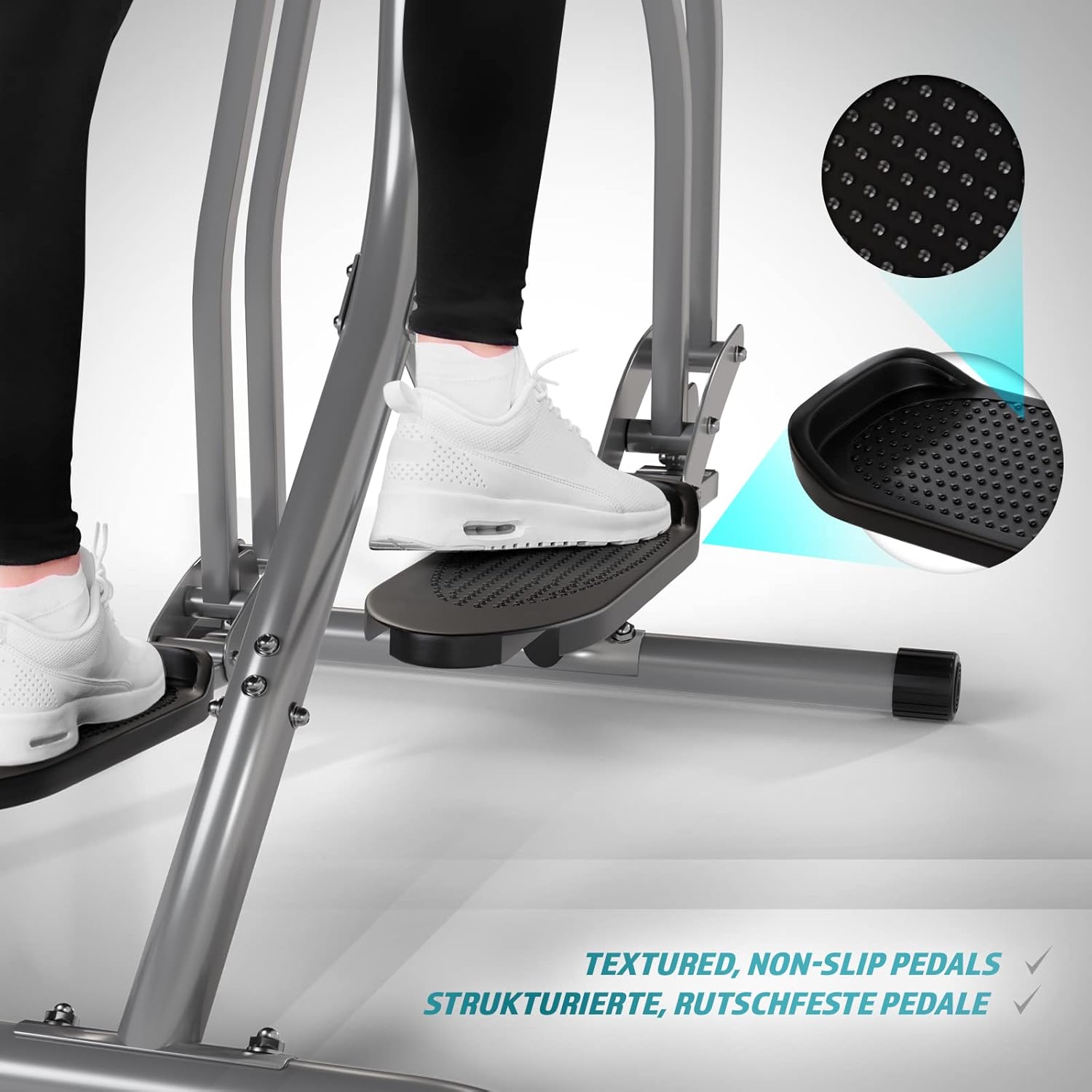
Image 5.5: Detail of the non-slip pedal surface.
5.6 Benefits of Elliptical Training
Elliptical training offers a low-impact workout that is beneficial for cardiovascular health, calorie burning, muscle toning, and improving balance and coordination. It is particularly gentle on joints compared to high-impact exercises.

Image 5.6: Elliptical training is gentle on joints.
6. Manteniment
- Neteja: Wipe down the trainer with a damp drap després de cada ús per eliminar la suor i la pols. No utilitzeu productes de neteja abrasius.
- Inspecció: Comproveu regularment tots els cargols, femelles i peces mòbils per assegurar-vos que estiguin ben ajustats i que estiguin desgastats. Estrenyeu qualsevol element de fixació solt.
- Lubricació: Apply a small amount of silicone-based lubricant to moving joints and pivot points every few months to ensure smooth operation and prevent squeaking.
- Emmagatzematge: Store the trainer in a dry, cool place away from direct sunlight and moisture.
7. Solució De Problemes
| Problema | Causa possible | Solució |
|---|---|---|
| El monitor LCD no mostra la pantalla | Dead batteries; Loose sensor connection | Replace batteries; Check and secure all sensor cables. |
| Soroll de grinyol o fregament | Loose bolts; Lack of lubrication; Worn parts | Tighten all bolts; Lubricate moving joints; Contact support if noise persists. |
| Lectura de pols inexacta | Hands not firmly on sensors; Dry hands | Ensure firm, consistent contact with sensors; Slightly moisten hands if too dry. |
| Unstable during use | Uneven surface; Loose frame connections | Move to a level surface; Check and tighten all frame bolts. |
8. Especificacions
| Característica | Detall |
|---|---|
| Nom del model | Air Walker |
| Número de model | ELTR01 |
| Marca | Física |
| Color | Plata/Negre |
| Dimensions del producte (L x A x A) | 97 x 60 x 144.5 cm |
| Pes de l'article | 17 quilos |
| Material principal | Steel, Plastic, Foam |
| Mecanisme de resistència | Air, Manual |
| Recomanació de pes màxim | 120 quilos |
| Maximum Step Length | 90 centímetres |
| Mida de la pantalla | 90 Centimeters (Note: This value from source data may refer to step length or a general display size, not the physical screen size of the LCD monitor.) |
| Fabricant | FF Europe |
9. Garantia i Suport
For warranty information, please refer to the documentation included with your purchase or contact your retailer. If you require technical assistance, have questions about assembly, or need replacement parts, please contact Physionics customer support through their official weblloc web o les dades de contacte proporcionades en el moment de la compra.
Please have your model number (ELTR01) and purchase date ready when contacting support.


