1. Introducció
The Soundmaster ICD2020 is a versatile Network Music Centre designed to provide a comprehensive audio experience. It integrates multiple audio sources including Internet Radio, DAB+ digital radio, FM RDS, CD player, and Bluetooth streaming. With its intuitive controls and robust sound output, it serves as a central hub for your home audio needs.
Les característiques clau inclouen:
- Internet WLAN radio with access to thousands of stations.
- DAB+ digital radio and FM RDS with 40 preset stations each.
- Integrated CD player supporting CD-MP3, CD-R, and CD-RW formats.
- Bluetooth function for wireless audio streaming from compatible devices.
- Dual alarm times for convenient scheduling.
- Powerful 2 x 15 Watt RMS audio output.
2. Contingut del paquet
Si us plau, comproveu que tots els articles estiguin presents i en bon estat en desempaquetar-los:
- Soundmaster ICD2020 Network Music Centre Unit
- Control remot
- Adaptador d'alimentació
- Manual d'usuari (aquest document)
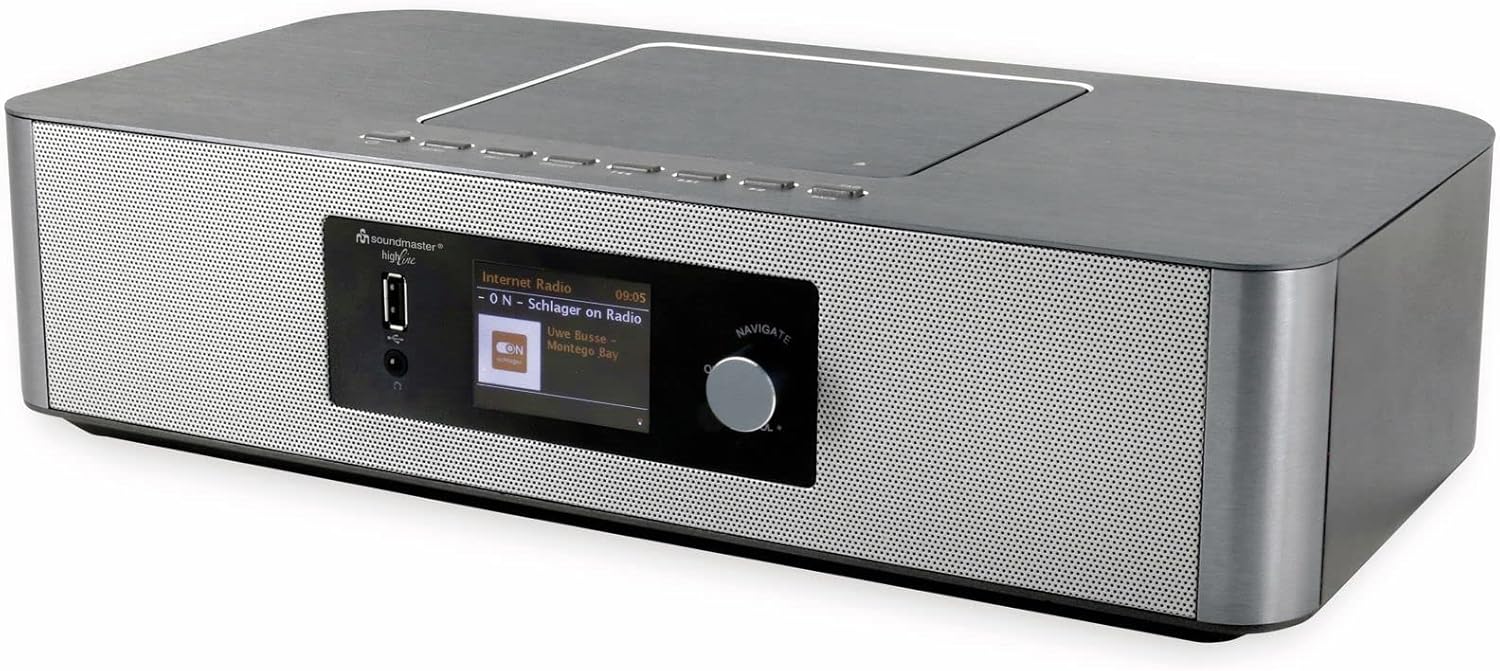
Image: The Soundmaster ICD2020 Network Music Centre, showing its sleek silver design and front display.
3. Producte acabatview i Controls
Familiarize yourself with the main components and controls of your ICD2020 unit.

Imatge: Frontal view of the Soundmaster ICD2020, highlighting the central display and control knob.
Panell frontal
- Pantalla de visualització: Shows current mode, station information, track details, and menu options.
- Port USB: Per reproduir àudio files de dispositius d'emmagatzematge USB.
- Auriculars Jack: Per a una escolta privada.
- Navigate/Select Knob: Rotate to browse menus and press to confirm selections.
- Botons de control (panell superior): Power, Mode, Play/Pause, Skip, Volume.

Image: The remote control for the Soundmaster ICD2020, showing various function buttons for easy operation.
Control remot
The included remote control provides full functionality for operating the unit from a distance. It requires 2 AAA batteries (not included).
- Botó d'encesa: Encén/apaga la unitat.
- Botó de mode: Switches between different audio sources (Internet Radio, DAB, FM, CD, Bluetooth, USB, AUX).
- Botons de navegació: Up, Down, Left, Right, Enter for menu navigation.
- Volum +/-: Ajusta el nivell de sortida d'àudio.
- Controls de reproducció: Play/Pause, Stop, Skip Forward/Backward for CD and USB playback.
- Botons preestablerts: Access stored radio stations.
4. Guia de configuració
4.1 Connexió d'alimentació
- Connect the power adapter to the DC IN port on the rear of the ICD2020.
- Connecteu l'adaptador de corrent a una presa de corrent.
- The unit will enter standby mode. Press the Power button on the unit or remote to turn it on.
4.2 Configuració de l'antena
For optimal DAB+ and FM radio reception, extend the telescopic antenna fully and adjust its position.

Image: The Soundmaster ICD2020 with its telescopic antenna extended for improved radio signal reception.
4.3 Connexió de xarxa (Wi-Fi)
To access Internet Radio and other network features, connect the unit to your Wi-Fi network.
- From the main menu, navigate to "Settings" or "Network".
- Select "Wi-Fi Network" or "Network Wizard".
- The unit will scan for available networks. Select your network from the list.
- Enter your Wi-Fi password (WPA/WPA2 key) using the navigation knob and display.
- Confirm the connection. Once connected, the Wi-Fi icon will appear on the display.
5. Instruccions de funcionament
5.1 Ràdio per Internet
Accedeix a milers d'emissores de ràdio d'arreu del món a través de la teva connexió a Internet.
- Press the "Mode" button until "Internet Radio" is selected.
- Use the "Navigate" knob to browse categories (e.g., Location, Genre, Popular Stations).
- Press the knob to select a category and then a station.
- To save a station as a preset, refer to the "Saving Presets" section.
5.2 DAB+ Digital Radio
Gaudeix d'emissions de ràdio digital d'alta qualitat.
- Press the "Mode" button until "DAB Radio" is selected.
- The unit will automatically scan for available DAB stations on first use or if a scan is initiated from the menu.
- Use the "Navigate" knob to scroll through the list of available stations.
- Premeu el botó per seleccionar una emissora.
Ràdio RDS 5.3 FM
Sintonitza les emissores de ràdio FM tradicionals.
- Press the "Mode" button until "FM Radio" is selected.
- Rotate the "Navigate" knob to manually tune to a frequency, or press and hold to auto-scan for the next available station.
- RDS (Radio Data System) information, such as station name, will be displayed if available.
5.4 Reproductor de CD
Play audio CDs, CD-R/RW, and MP3 CDs.

Image: The Soundmaster ICD2020 with its top-loading CD player lid open, revealing the disc tray.
- Obriu suaument la tapa del compartiment de CD a la part superior de la unitat.
- Col·loqueu un CD amb l'etiqueta cap amunt a l'eix.
- Tanqueu la tapa del compartiment del CD.
- Press the "Mode" button until "CD" is selected. The unit will begin playing automatically.
- Use the playback control buttons (Play/Pause, Skip) on the unit or remote to manage playback.
5.5 Transmissió per Bluetooth
Reprodueix àudio sense fil des del teu telèfon intel·ligent, tauleta o altres dispositius amb Bluetooth.
- Press the "Mode" button until "Bluetooth" is selected. The unit will enter pairing mode, indicated on the display.
- On your Bluetooth device, enable Bluetooth and search for "Soundmaster ICD2020".
- Select "Soundmaster ICD2020" from the list of found devices to pair.
- Once paired, you can play audio from your device, and it will be output through the ICD2020.
Reproducció USB 5.6
Reprodueix àudio files directament des d'una unitat flash USB.
- Inseriu una unitat flaix USB al port USB de la part frontal de la unitat.
- Press the "Mode" button until "USB" is selected.
- The unit will read the files on the USB drive. Use the "Navigate" knob to browse folders and tracks.
- Press the knob to select and play a track.
5.7 Funció de despertador
Configura fins a dues alarmes independents.
- From the main menu, navigate to "Alarm" or "Clock Settings".
- Seleccioneu "Alarma 1" o "Alarma 2".
- Set the desired alarm time, source (Buzzer, Internet Radio, DAB, FM), and volume.
- Choose the alarm frequency (Daily, Once, Weekdays, Weekends).
- Assegureu-vos que l'alarma estigui activada.
6. Manteniment
To ensure the longevity and optimal performance of your Soundmaster ICD2020, follow these maintenance guidelines:
- Neteja: Feu servir un drap suau i sec per netejar l'exterior de la unitat. No utilitzeu productes de neteja abrasius, ceres ni dissolvents, ja que poden danyar l'acabat.
- Cura del reproductor de CD: Handle CDs by their edges to avoid fingerprints and scratches. If the CD lens needs cleaning, use a specialized CD lens cleaner disc.
- Ventilació: Ensure the unit has adequate ventilation. Do not block any ventilation openings.
- Col·locació: Place the unit on a stable, flat surface away from direct sunlight, heat sources, and excessive dust or moisture.
- Apagar: Si no heu d'utilitzar la unitat durant un període prolongat, desendolleu-la de la presa de corrent.
7. Solució De Problemes
If you encounter issues with your Soundmaster ICD2020, please refer to the following common problems and solutions before seeking professional assistance.
| Problema | Causa possible | Solució |
|---|---|---|
| Sense poder | Cable d'alimentació no connectat; Presa de corrent defectuosa. | Assegureu-vos que el cable d'alimentació estigui ben connectat. Proveu una altra presa de corrent. |
| Sense so | Volum massa baix; Funció de silenci activa; Font incorrecta seleccionada. | Increase volume. Check if mute is active. Select the correct audio source (CD, Bluetooth, Radio). |
| Mala recepció de ràdio (DAB/FM) | Antenna not extended/positioned correctly; Weak signal area. | Fully extend and adjust the telescopic antenna. Try relocating the unit to an area with better signal. |
| La ràdio per Internet no es connecta | Incorrect Wi-Fi password; Router issues; Unit too far from router. | Verifiqueu la contrasenya del Wi-Fi. Reinicieu el vostre encaminador Wi-Fi. Acosteu la unitat al encaminador. |
| El CD no es reprodueix | CD inserit incorrectament; Disc brut o ratllat; Format de disc no compatible. | Ensure CD is inserted correctly (label side up). Clean the disc. Check if the disc format is supported (audio CD, CD-R/RW, MP3 CD). |
| S'ha produït un error en l'aparellament de Bluetooth | Bluetooth no habilitat al dispositiu; La unitat no està en mode d'emparellament; El dispositiu ja està emparellat amb una altra unitat. | Ensure Bluetooth is enabled on your device. Put the ICD2020 into Bluetooth pairing mode. Disconnect from other Bluetooth devices. |
8. Especificacions tècniques
Detailed specifications for the Soundmaster ICD2020 Network Music Centre.
- Model: ICD2020
- Marca: Mestre de so
- Dimensions del producte (L x A x A): 37 x 23 x 10 cm
- Pes: 3.5 kg
- Potència de sortida: 2 x 15 watts RMS
- Connectivitat: Wi-Fi, Bluetooth, USB
- Radio Tuners: Internet Radio, DAB+, FM RDS
- Reproductor de CD: Supports CD-MP3, CD-R, CD-RW
- Funció d'alarma: Dual alarm times
- Visualització: Digital display (Visible screen diagonal: 3" / 6 cm)
- Accessoris inclosos: Comandament a distància
- Batteries for Remote: 2 x AAA (no inclòs)
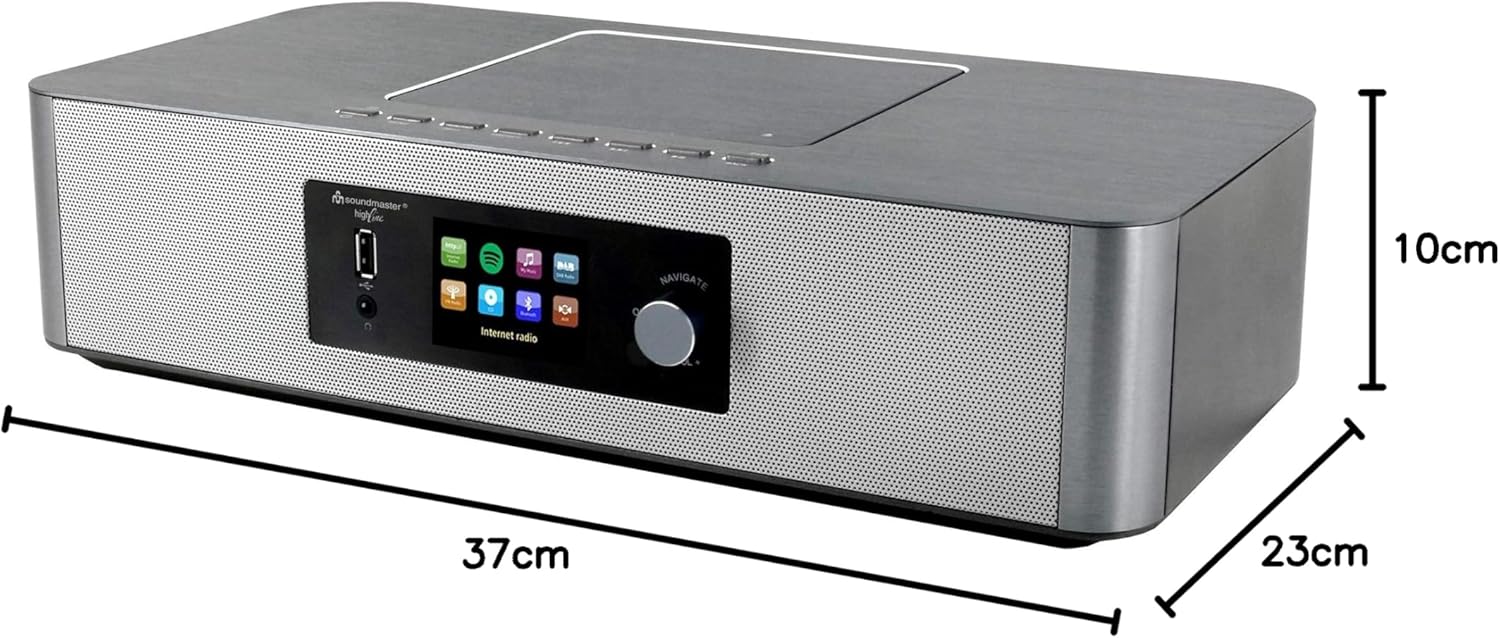
Image: The Soundmaster ICD2020 unit with its dimensions clearly marked: 37cm length, 23cm width, and 10cm height.
9. Garantia i Suport
Soundmaster products are manufactured to high quality standards. For information regarding warranty coverage and customer support, please refer to the warranty card included with your product or visit the official Soundmaster weblloc web. Conserveu el comprovant de compra per a qualsevol reclamació de garantia.
For further assistance, please contact Soundmaster customer service.


