Introducció
This manual provides instructions for the Calvas USARMT LTV-914 Universal Remote Control, designed for use with various LG TV models, including AKB73715634, AKB73715679, and 3D Smart TV LN577S. This remote operates via infrared (IR) technology and is intended as a direct replacement, requiring no programming for most compatible LG televisions.
Contingut del paquet
- 1 x USARMT LTV-914 Universal Remote Control
Especificacions
- Número de model: LTV-914
- Marca: Calbes
- Tipus: Comandament a distància del televisor
- Comunicació: Infrarojos (IR)
- Freqüència: 433 MHz
- Canals: 1
- Font d'alimentació: 2 piles alcalines AAA (no incloses)
- Material: ABS
- Dispositius compatibles: LG Televisions (e.g., AKB73715634, AKB73715679, 3D Smart TV LN577S)
- Característica especial: Compatibilitat universal
Configuració
Instal·lació de bateries
- Localitzeu el compartiment de la bateria a la part posterior del comandament a distància.
- Feu lliscar la tapa del compartiment de la bateria cap avall o premeu el pestell i aixequeu-lo per obrir-lo.
- Inseriu dues (2) piles alcalines AAA, assegurant-vos que els terminals positiu (+) i negatiu (-) s'alineïn correctament amb les marques de l'interior del compartiment.
- Torneu a col·locar la tapa del compartiment de la bateria fent-la lliscar fins que faci clic de manera segura.

Image: Back of the remote control with the battery compartment open, illustrating battery insertion.
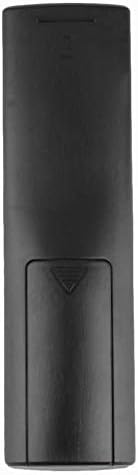
Imatge: Part posterior view of the remote control with the battery cover closed.
Instruccions de funcionament
Ús inicial
The Calvas USARMT LTV-914 remote control is designed to work directly with most compatible LG TV models without requiring any programming. Simply insert the batteries and point the remote towards your television.
Direct Use and Basic Functions
Most functions, such as power on/off, volume control, channel selection, and navigation, should operate immediately upon pointing the remote at your LG TV.

Imatge: Frontal view of the remote control, displaying the button layout.
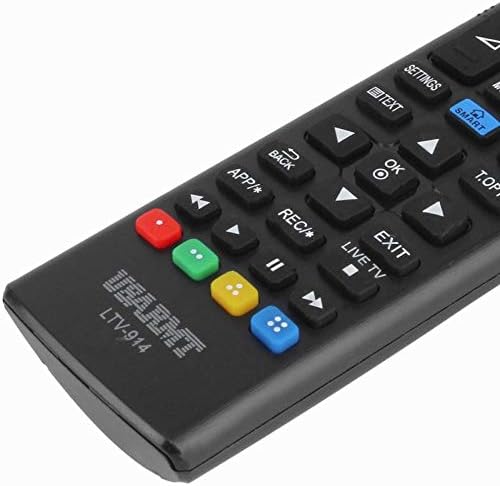
Image: Close-up of the remote's buttons, showing details of the control interface.
Factory Reset / Reconfiguration (If direct use fails)
In rare cases, if the remote does not operate your TV directly, you may need to perform a factory reset or attempt a reconfiguration.
- To reset to factory settings: Press and hold the PODER button and the number 0 botó simultàniament durant uns segons.
- To attempt re-pairing (if applicable, though typically not required for this universal remote): Press and hold the PODER button and the number 1 botó simultàniament durant uns segons.
After performing either of these steps, release the buttons and test the remote's functionality with your TV.
Resolució de problemes
- El comandament a distància no respon:
- Comproveu si les piles estan inserides correctament amb la polaritat correcta.
- Replace old or depleted batteries with new AAA alkaline batteries.
- Assegureu-vos que no hi hagi obstacles entre el comandament a distància i el receptor d'infrarojos del televisor.
- Make sure you are within the effective range of the TV's IR receiver.
- Algunes funcions no funcionen:
- While this is a universal remote, some advanced or specific smart TV functions might not be fully supported on all LG models.
- Try the factory reset/reconfiguration steps mentioned in the "Operating Instructions" section.
- Remote LED indicator not lighting up:
- Això normalment indica piles gastades o una inserció incorrecta de les piles. Substituïu les piles.
Manteniment
- Mantingueu el comandament a distància sec. Eviteu l'exposició a líquids.
- No deixeu caure el comandament a distància ni el sotmeteu a impactes forts.
- Netegeu el comandament a distància amb un drap suau i sec. No utilitzeu productes de neteja abrasius ni dissolvents.
- Si no feu servir el comandament a distància durant un període prolongat, traieu-ne les piles per evitar fuites.
Garantia i Suport
Specific warranty information for this product is not provided in the available data. For support or warranty inquiries, please contact your retailer or the manufacturer, Calvas.


