1. Introducció
Gràcies per la compraasing the WamGra BY28 P Bluetooth Speaker Night Light Alarm Clock. This device combines a high-quality Bluetooth speaker, a versatile night light with touch control, a digital alarm clock, and an MP3 player, offering multiple functionalities in one compact unit. Please read this manual carefully to ensure proper use and optimal performance.

Imatge 1.1: The WamGra BY28 P Bluetooth Speaker Night Light Alarm Clock, showcasing its main design and available color variations.
2. Contingut del paquet
Si us plau, comproveu el paquet per veure si hi ha els elements següents:
- WamGra BY28 P Bluetooth Speaker Night Light Alarm Clock x 1
- Manual d'usuari x 1
3. Producte acabatview
Familiarize yourself with the various parts and controls of your device.

Imatge 3.1: Acabatview of the device's features, including the control panel, Bluetooth connectivity, hands-free call function, and various input ports.
Tauler de control (superior)
- Touch Mesh Net: Controls light modes and brightness.
- Botó d'encesa: Turns the device on/off, displays time when light is off.
- Botó de mode: Switches between Bluetooth, MP3, AUX, and Clock modes.
- Botó Pujar volum/Pista següent: Augmenta el volum, salta a la pista següent.
- Botó per baixar el volum/pista anterior: Decreases volume, skips to previous track.
- Botó Reproduir/Pausa/Trucada: Reprodueix/pausa música, respon/finalitza trucades.
Ports posteriors
- Ranura per a targetes Micro SD: Per reproduir MP3 files from a micro SD card.
- Port d'amfitrió USB: Per reproduir MP3 files d'una unitat flash USB.
- Port AUX-IN: Per connectar dispositius d'àudio externs mitjançant un cable d'àudio de 3.5 mm.
- USB DC 5V Charging Port: Per carregar el dispositiu.
- Interruptor ON / OFF: Interruptor d'alimentació principal.
4. Configuració inicial
4.1 Càrrega del dispositiu
- Abans del primer ús, carregueu completament el dispositiu.
- Connect the provided USB charging cable to the USB DC 5V charging port on the back of the speaker.
- Connecteu l'altre extrem del cable a un adaptador de corrent USB (no inclòs) o a un port USB de l'ordinador.
- L'indicador lluminós de càrrega s'il·luminarà. Una càrrega completa triga aproximadament 6 hores.
- Once fully charged, the indicator light will turn off or change color.
The built-in rechargeable battery provides approximately 8 hours of operation, depending on usage (volume, light brightness).
4.2 Encès/Apagat
- To power on, slide the ON/OFF switch on the back of the device to the 'ON' position. The display will light up.
- Per apagar-lo, feu lliscar l'interruptor ON/OFF a la posició 'OFF'.
5. Modes de funcionament
Mode d'altaveu Bluetooth 5.1
The device functions as a Bluetooth 4.0 speaker, allowing wireless audio streaming from compatible devices up to 10 meters (32.81 feet).
- Assegureu-vos que el dispositiu estigui encès.
- Premeu el botó Mode button until you hear a voice prompt indicating Bluetooth mode. The Bluetooth indicator will flash.
- Al telèfon intel·ligent, la tauleta o un altre dispositiu amb Bluetooth, activeu el Bluetooth i cerqueu els dispositius disponibles.
- Select "BY28 P" from the list to pair. Once paired, you will hear a confirmation sound, and the Bluetooth indicator will stop flashing.
- You can now play audio from your connected device.
Trucades mans lliures
- When a call comes in during Bluetooth mode, press the Reprodueix / Pausa / Truca botó per respondre.
- Premeu el botó Reprodueix / Pausa / Truca de nou per finalitzar la trucada.
- Manteniu premut el botó Reprodueix / Pausa / Truca botó per rebutjar una trucada entrant.
5.2 Mode de llum nocturna
The device features a touch-activated lamp with warm white and color-changing light options.
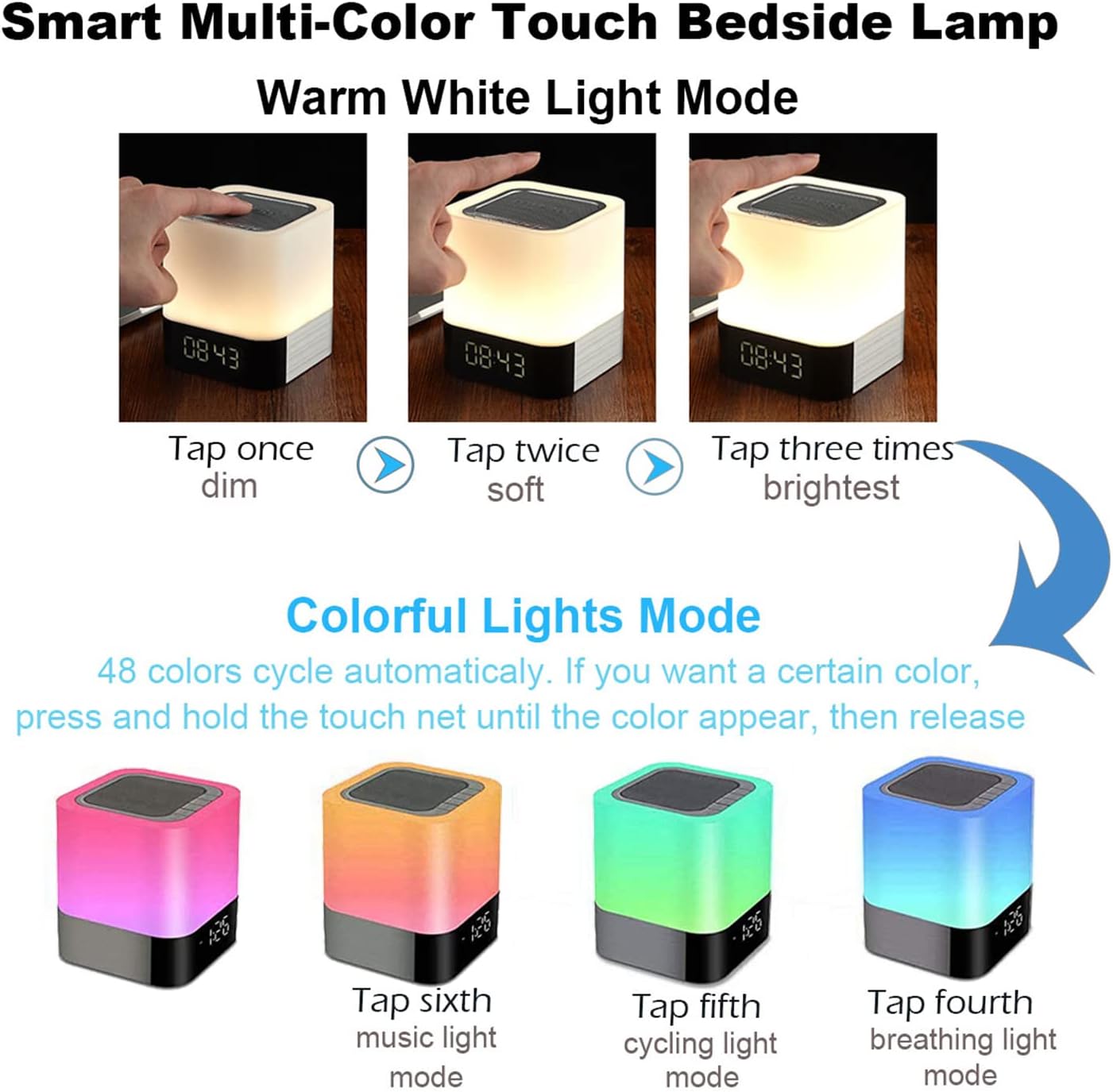
Imatge 5.1: Visual guide for controlling the warm white and colorful light modes using the touch mesh net.
Mode de llum blanca càlida
- Tap the top mesh net once to turn on the dim warm white light.
- Tap a second time for soft warm white light.
- Tap a third time for the brightest warm white light.
- Tap a fourth time to turn off the warm white light.
Colorful Lights Mode (48 Colors)
- From any warm white light setting, press and hold the top mesh net until the light switches to the colorful mode.
- The colors will cycle automatically.
- To select a specific color, press and hold the touch net again when your desired color appears, then release. The light will stay on that color.
- To switch back to automatic color cycling, tap the mesh net.
- To turn off the colorful light, tap the mesh net until the light turns off.
5.3 Mode de despertador
The device features a digital alarm clock with snooze function and the ability to set custom alarm sounds.
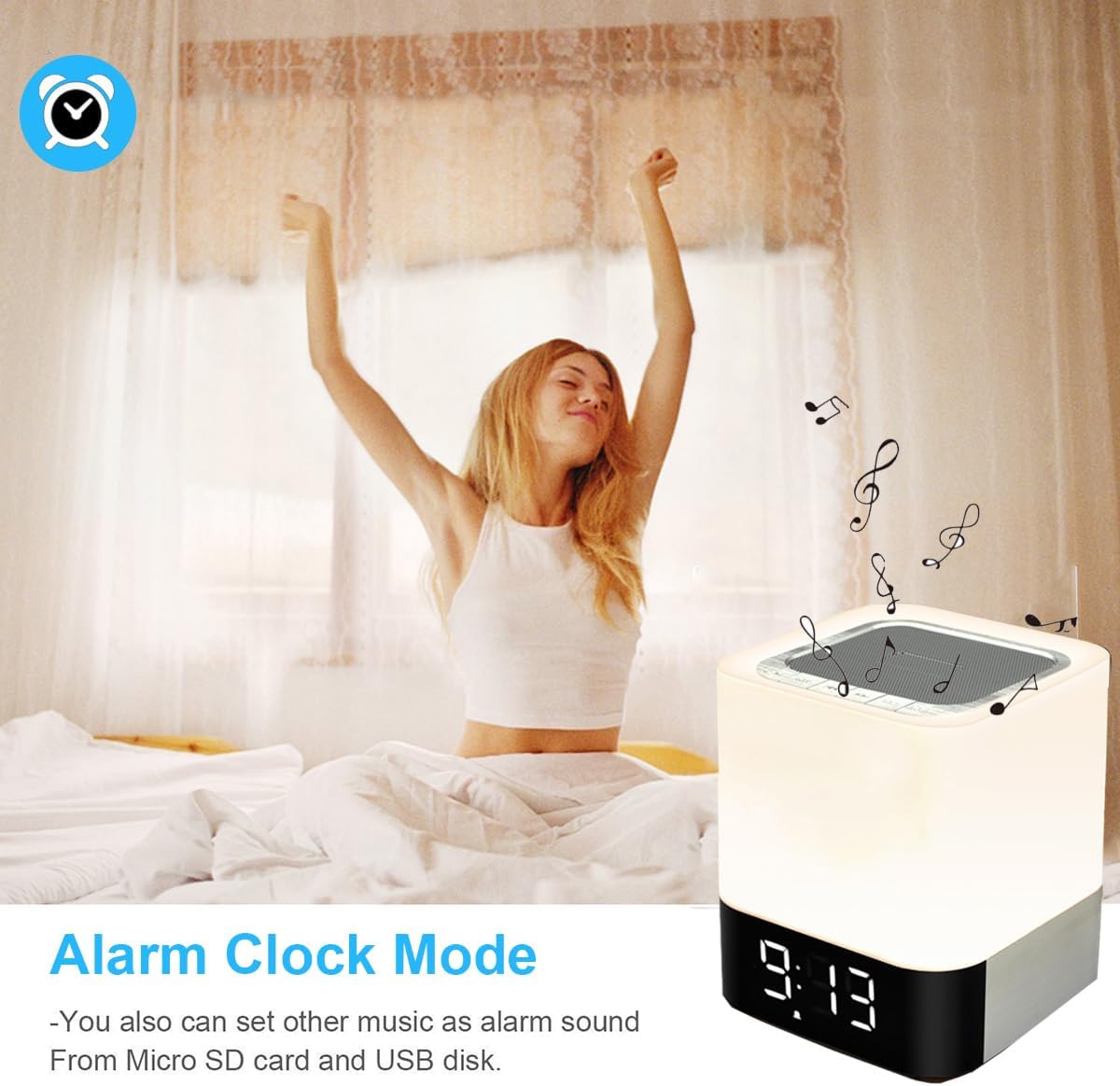
Imatge 5.2: The alarm clock mode, highlighting the option to use custom MP3 songs as alarm sounds.
Establiment de l'hora
- Premeu el botó Mode button until the clock display is active.
- Manteniu premut el botó Mode button until the hour digits start flashing.
- Utilitza el Augment de volum / següent pista i Baixada de volum / pista anterior botons per ajustar l'hora.
- Premeu el botó Mode button again to switch to minute adjustment. Adjust minutes using the volume buttons.
- Premeu el botó Mode button a third time to confirm the time setting.
Configuració de l'Alarma
- In clock display mode, press the Rellotge despertador button (usually indicated by an alarm icon, or a long press of the Mode button after time setting).
- Els dígits de l'hora de l'alarma parpellejaran. Feu servir la tecla Augment de volum / següent pista i Baixada de volum / pista anterior botons per configurar l'hora de l'alarma.
- Premeu el botó Rellotge despertador button again to switch to minute adjustment. Adjust minutes using the volume buttons.
- Premeu el botó Rellotge despertador button a third time to confirm the alarm setting. The alarm icon will appear on the display.
Custom Alarm Sound (MP3)
- To use your favorite song as an alarm, save an MP3 file to a micro SD card or USB flash drive.
- Create a folder named "ALARM" on the root directory of your micro SD card or USB flash drive and place your desired MP3 file(s) inside.
- Insert the micro SD card or USB flash drive into the corresponding port on the device.
- The device will automatically use the MP3 file(s) in the "ALARM" folder as the alarm sound.
Funció de posposar
- When the alarm rings, tap the top mesh net once to activate the snooze function. The alarm will ring again after 5 minutes.
- To stop the alarm completely, quickly tap the top mesh net twice.
5.4 MP3 Player Mode
Play music directly from a micro SD card or USB flash drive.
- Insert a micro SD card or USB flash drive containing MP3 files al port corresponent.
- Premeu el botó Mode button until you hear a voice prompt indicating MP3 mode (or card/USB mode).
- The device will automatically start playing the MP3 files.
- Utilitza el Augment de volum / següent pista i Baixada de volum / pista anterior botons per navegar per pistes.
- Utilitza el Reproduir/Pausa botó per aturar o reprendre la reproducció.
5.5 Mode AUX-IN
Connecteu dispositius d'àudio externs amb un cable d'àudio de 3.5 mm.
- Connect one end of a 3.5mm audio cable (not included) to the AUX-IN port on the back of the speaker.
- Connecteu l'altre extrem a la sortida d'àudio del vostre dispositiu extern (per exemple, reproductor MP3, ordinador portàtil).
- Premeu el botó Mode button until you hear a voice prompt indicating AUX mode.
- Play audio from your external device. Volume can be controlled via both the speaker and the external device.
6. Manteniment
- Netegeu el dispositiu amb un drap suau i sec. No utilitzeu productes de neteja abrasius ni dissolvents.
- Keep the device away from water and excessive moisture. Although it has some water resistance, it is not fully waterproof.
- Eviteu exposar el dispositiu a temperatures extremes o a la llum solar directa.
- If not used for a long period, charge the battery at least once every three months to prolong its lifespan.
7. Solució De Problemes
| Problema | Possible solució |
|---|---|
| El dispositiu no s'encén. | Ensure the ON/OFF switch is in the 'ON' position. Check battery level and charge the device if necessary. |
| No hi ha so de l'altaveu. | Check volume levels on both the speaker and the connected device. Ensure the correct mode (Bluetooth, MP3, AUX) is selected. For Bluetooth, ensure successful pairing. |
| L'aparellament de Bluetooth falla. | Ensure the speaker is in Bluetooth mode and discoverable. Turn off and on Bluetooth on your device. Move the speaker closer to your device. |
| Light does not respond to touch. | Ensure the device is powered on. Try tapping the mesh net firmly. |
| L'alarma no sona. | Verify the alarm time is set correctly and the alarm function is activated (alarm icon visible). Ensure MP3 files for custom alarms are correctly placed in an "ALARM" folder on the root directory of the storage device. |
8. Especificacions
| Característica | Detall |
|---|---|
| Nom del model | BY28 P |
| Marca | WamGra |
| Dimensions del producte | 10 cm de profunditat x 10 cm d'amplada x 11.2 cm d'alçada |
| Pes de l'article | 1.35 lliures (0.61 kg) |
| Tipus d'altaveu | Altaveu Bluetooth portàtil |
| Potència de sortida màxima dels altaveus | 5 watts |
| Tecnologia de comunicació sense fils | Bluetooth 4.0 |
| Interval Bluetooth | 10 metres (32.81 peus) |
| Tecnologia de connectivitat | Bluetooth, Auxiliar (3.5 mm), USB |
| Mètode de control | Toca |
| Font d'alimentació | Funciona amb bateria (1 bateria d'ions de liti inclosa) |
| Capacitat de la bateria | 4400 mAh |
| Temps de càrrega | Aproximadament 6 hores |
| Característiques especials | Color Changing Light, Dimmable Light, Rechargeable, MP3 Player, Hands-Free Call |
9. Garantia i Suport
This product comes with a limited warranty. Please refer to the warranty information provided at the time of purchase for details regarding coverage and duration.
For technical support, troubleshooting assistance, or warranty claims, please contact your retailer or the manufacturer directly. Contact information can typically be found on the product packaging or the brand's official weblloc.


