1. Introducció
The NERF Bulls-Eye Digital Target is designed to enhance your dart-blasting skills and provide engaging gameplay. Featuring 6 flip-back targets, a high-scoring bullseye, and an LCD screen for score tracking, this free-standing target offers solo and multiplayer game modes. Improve your aim and precision with this exciting addition to your Nerf collection.

Figura 1: Frontal view of the NERF Bulls-Eye Digital Target.
2. Què hi ha a la caixa
- One Digital Target Unit
3. Configuració
- Instal·lació de la bateria: Locate the battery compartment on the base of the target. Insert the required AA batteries (not included) according to the polarity indicators. Securely close the battery compartment.
- Assemble Top Piece: The target comes mostly pre-assembled. Attach the top section of the target to the main pole by aligning the connectors and pressing firmly until it clicks into place.
- Col·locació: Place the free-standing target on a flat, stable surface. Ensure there is ample space around the target for safe play and dart retrieval.
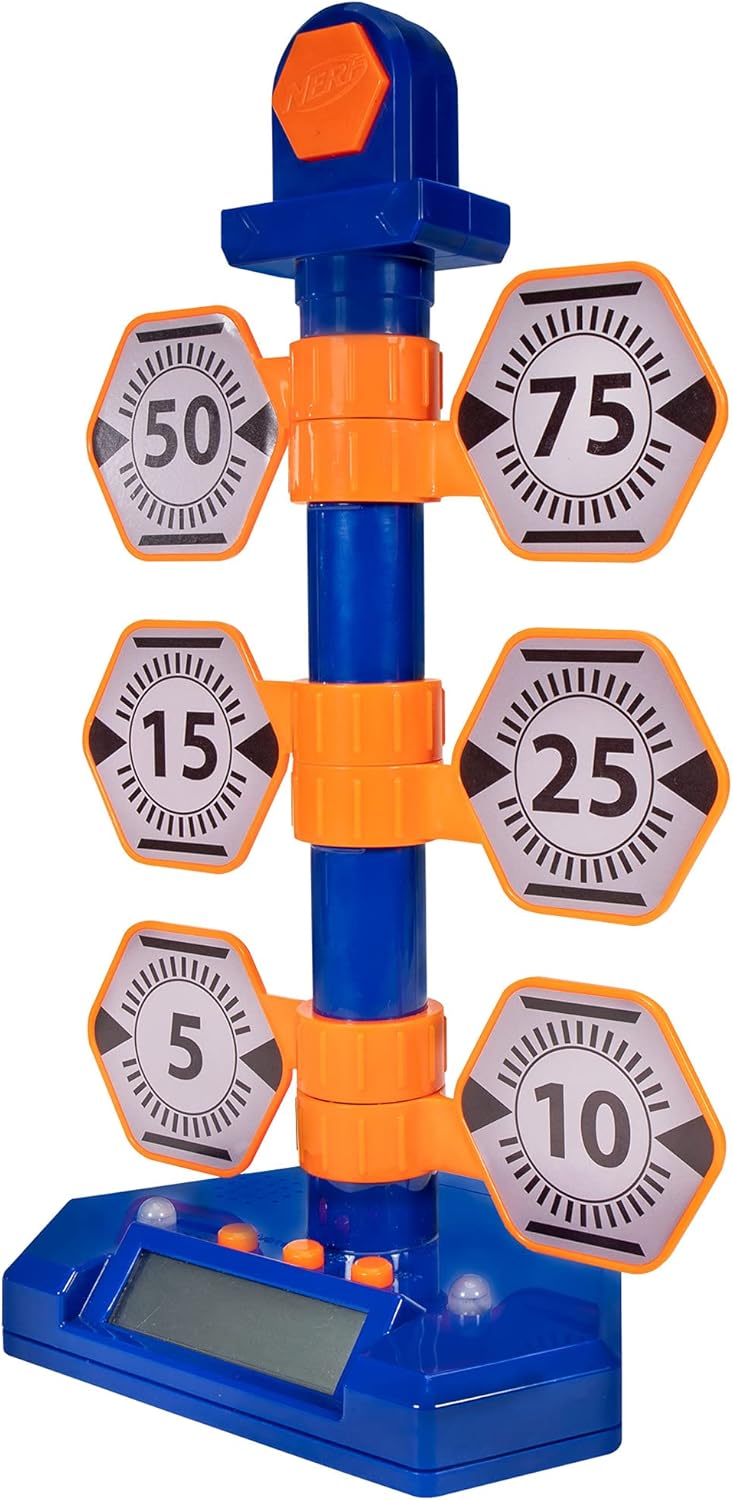
Figure 2: The fully assembled NERF Bulls-Eye Digital Target.
4. Instruccions de funcionament
The NERF Bulls-Eye Digital Target features an LCD screen for score tracking and multiple game modes to challenge your skills.
4.1 modes de joc
- Point Counter: Track your total score as you hit the various targets. Each target has a designated point value (e.g., 5, 10, 15, 25, 50, 75), and the bullseye awards 100 points.
- Stack 'Em: A game mode designed to test your speed and accuracy.
- Accuracy Test: Focus on hitting specific targets to improve your precision.
The target allows for both solo and multiplayer gameplay, making it versatile for individual practice or competitive fun.

Figure 3: Key features of the Digital Target, including game modes and LCD screen.

Figura 4: Detallada view of the LCD screen and control buttons.
4.2 Target Mechanism
The target features 6 flip-back targets that reset manually after being hit. The high-scoring bullseye at the top lights up upon impact, providing visual feedback.

Figure 5: The swinging action of the targets upon impact.
4.3 Vídeo oficial del producte
Video 1: Official product demonstration of the NERF Bulls-Eye Digital Target, showcasing its features and gameplay.
5. Manteniment
- Neteja: Netegeu la superfície objectiu amb un drap suau i sec. No utilitzeu productes de neteja abrasius ni submergiu la unitat en aigua.
- Substitució de la bateria: If the target's lights, sounds, or LCD screen begin to malfunction, replace the AA batteries. Ensure proper polarity during installation.
- Emmagatzematge: Guardeu l'objectiu en un lloc fresc i sec, allunyat de la llum solar directa i de temperatures extremes quan no l'utilitzeu.
6. Solució De Problemes
- Target Not Responding: Check if the batteries are correctly installed and have sufficient charge. Replace batteries if necessary. Ensure targets are manually reset after being hit.
- Sense so/llums: Verify battery power. If issues persist, ensure no debris is obstructing the sensors or speakers.
- Inaccurate Scoring: Ensure darts are hitting the targets directly and with sufficient force to register. Check for any physical obstructions or damage to the target mechanisms.
- Control de volum: Please note that this model does not feature a dedicated volume control.
7. Especificacions
| Característica | Detall |
|---|---|
| Dimensions del producte | 9 x 13 x 20 polzades |
| Pes de l'article | 1.17 lliures |
| País d'origen | Xina |
| ASIN | B07PMLJ57D |
| Número de model de l'article | NER0226 |
| Edat recomanada pel fabricant | 8 anys i més |
| Fabricant | Hasbro |
| Data de llançament | 15 d'agost de 2019 |
8. Garantia i Suport
For detailed warranty information and customer support, please refer to the official NERF website or contact Hasbro customer service. You can also visit the Botiga NERF a Amazon per a més informació sobre el producte i accessoris.