Introducció
This manual provides essential information for the safe and efficient use of your Anker PowerPort Strip 3. Please read these instructions carefully before using the product and retain them for future reference.

Image: The Anker PowerPort Strip 3, a white power strip featuring three standard AC outlets and three blue USB-A ports, with its 5-foot extension cord and flat plug.
Producte acabatview
The Anker PowerPort Strip 3 is designed to expand your power options, offering multiple outlets and USB charging ports in a compact form factor. It includes:
- 3 AC Outlets (1250W at 125V / 10A)
- 3 PowerIQ USB-A Charging Ports (18W total max output, 12W max per port)
- 5-foot long extension cord with a flat plug
- Integrated safety features including surge and overload protection

Imatge: Vista de dalt a baix view of the Anker PowerPort Strip 3, highlighting its three AC outlets and three USB ports, with text indicating "6-in-1" functionality.
Vídeo: Un breu producte acabatview demonstrating the features and compact design of the Anker PowerPort Strip 3.
Configuració
- Col·locació: Position the power strip on a flat, stable surface or mount it securely if desired. Ensure it is away from water, heat sources, and flammable materials.
- Connecteu-vos a la presa de corrent: Plug the power strip's flat plug into a standard 125V AC wall outlet. The flat design minimizes obstruction, allowing furniture to be placed closer to the wall.
- Encès: Press the power switch located on the side of the power strip to turn it on. A blue indicator light will illuminate to confirm power is active.
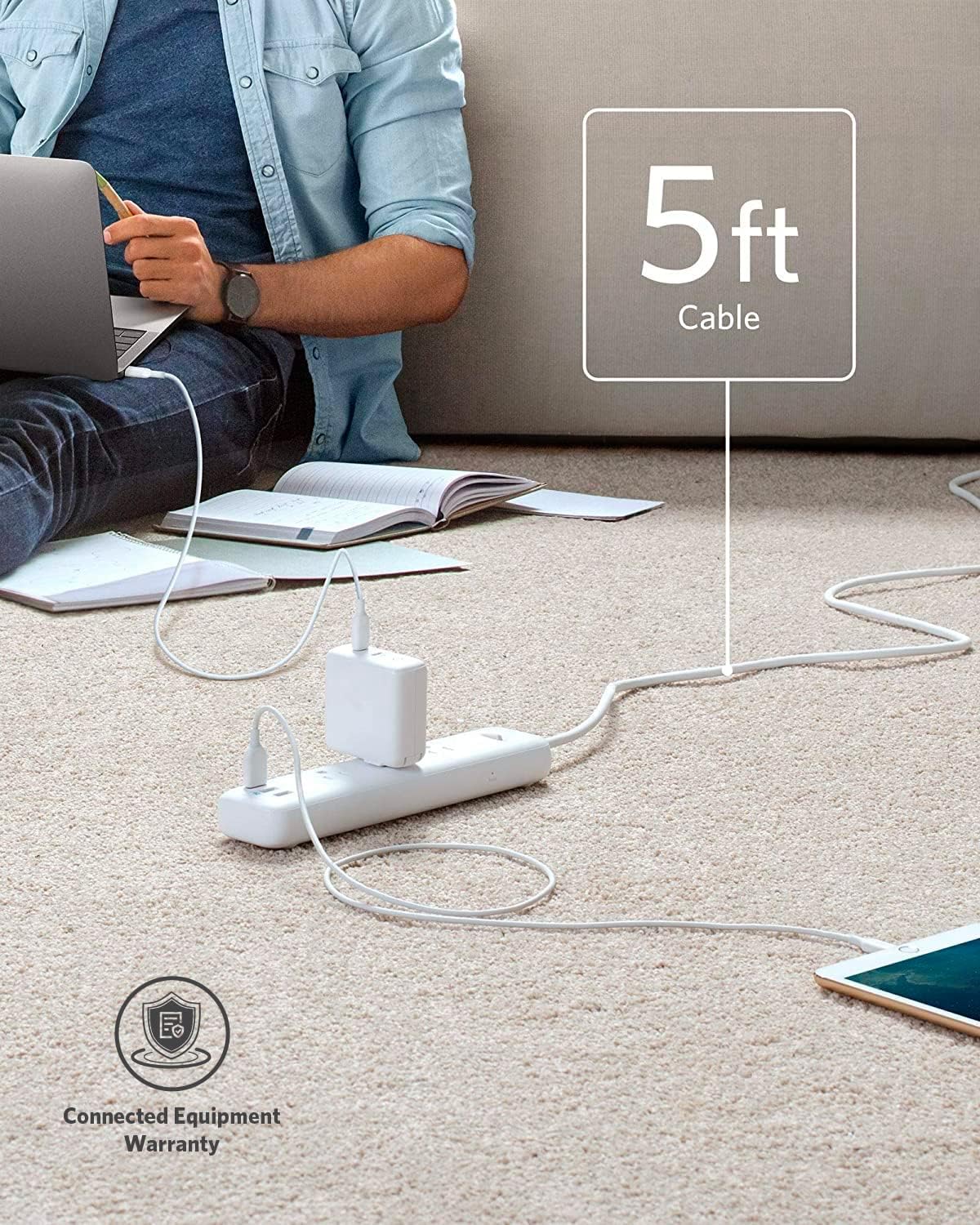
Image: The Anker PowerPort Strip 3 positioned on a carpeted floor, illustrating the length of its 5-foot cable and its connection to a wall outlet.
Instruccions de funcionament
Ús de preses de corrent altern
Plug your devices directly into the three AC outlets. The outlets are spaced to accommodate larger power adapters without blocking adjacent ports.

Image: A close-up of the Anker PowerPort Strip 3 demonstrating its spacious outlet layout, allowing multiple large power adapters to be plugged in simultaneously.
Ús de ports de càrrega USB
Connect your USB-powered devices (e.g., smartphones, tablets, smartwatches) to the three PowerIQ USB-A ports. PowerIQ technology automatically detects your device and delivers an optimized, high-speed charge. Note that this power strip does not support Qualcomm Quick Charge.

Image: An illustration comparing the charging speed of the Anker PowerPort Strip 3 with a standard charger, showing the PowerPort Strip 3 charging an iPhone XS Max faster.
Característiques de seguretat
Your Anker PowerPort Strip 3 is equipped with a 7-point safety system to protect your devices and ensure safe operation:
- Protecció contra sobretensions: Guards against sudden power spikes.
- Protecció de sobrecàrrega: Evita danys per un consum excessiu de corrent.
- Fire-Retardant Casing: Constructed with materials designed to resist fire.
- Child-Friendly Safety Shutters: Prevents foreign objects from being inserted into AC outlets.
- Protecció contra sobretemperatura: Monitors and regulates internal temperature.
- Protecció a terra: Ensures a safe electrical path.
- Interruptor de seguretat: Manual control for power on/off.

Image: A visual representation of the Anker PowerPort Strip 3's internal components and its 7-point safety system, including short-circuit, grounded, over-temperature, overload, fire-resistance, internal safety shutters, and safety switch protections.
Compatibilitat
The PowerPort Strip 3 is compatible with a wide range of devices, including but not limited to:
- iPhone XS / XS Max / XR / X / 8 / 8 Plus / 7 / 7 Plus / 6S / 6S Plus / 6 / 5S / 5
- iPad Pro / Air series / mini series
- Samsung Galaxy S10+ / S10 / S10e / S9+ / S9 / S8+ / S8 / S7 edge / S7 / S6+ / S6 / S5
- AirPods, Apple Watch, GoPro, other smartwatches, USB speakers, and more.
Especificacions
| Dimensions del producte | 9.06 x 2.17 x 1.18 polzades |
| Pes de l'article | 14.4 unces |
| Número de model de l'article | A9131 |
| Marca | Anker |
| Preses de corrent total | 3 endolls de CA, 3 ports USB-A |
| Potència de sortida de CA | 1250W at 125V / 10A |
| Sortida d'alimentació USB-A | 18W total for 3 USB-A ports (max 12W per port) |
| Longitud del cable | 5 peus |
| Voltage | 100-240V (international support) |
| Característica especial | Regleta amb USB, disseny ampli per a tots els tipus d'endoll |
Resolució de problemes
- Sense energia: Ensure the power strip is securely plugged into a functioning wall outlet and the power switch is in the "on" position. Check if the wall outlet itself is receiving power.
- Dispositius que no es carreguen per USB: Verify that the USB cables are properly connected to both the device and the power strip. Ensure the device is compatible with USB charging. Note that total USB output is 18W, and individual ports have a 12W max.
- Indicador de protecció contra sobretensions apagat: If the surge protection indicator light is off, it may mean the surge protection has been compromised after a significant power surge. The power strip may still function as an extension cord, but its surge protection capabilities are no longer active. Consider replacing the unit.
- Sobrecàrrega: If too many high-power devices are connected, the overload protection may trip, cutting power. Unplug some devices and reset the power strip by cycling the power switch.
Garantia i Suport
This Anker PowerPort Strip 3 comes with a worry-free 18-month warranty. Additionally, it includes a lifetime* $50,000 connected equipment warranty. For technical support or warranty claims, please contact Anker customer service.
*For the purpose of this connected equipment warranty, "lifetime" is defined as the lifetime of the product.


