1. Introducció
The Atomos Shogun 7 is a versatile 7-inch HDR monitor, recorder, and switcher designed for professional video production. It offers advanced capabilities for monitoring, recording, and live switching, making it an ideal tool for various applications including events, documentaries, and TV/film productions. This manual provides essential information for setting up, operating, and maintaining your Shogun 7 device.

Figura 1.1: Frontal view of the Atomos Shogun 7 displaying a vibrant sunset scene.
2. Configuració
2.1. Alimentació del dispositiu
The Shogun 7 requires 12V batteries for operation. Ensure batteries are fully charged before use. Connect the appropriate power source to the device's DC input port.
2.2. Connexió de fonts de vídeo
The Shogun 7 supports both HDMI and SDI inputs. Connect your camera or video source to the corresponding HDMI or SDI input ports on the device. The device features four SDI inputs for multi-camera setups.
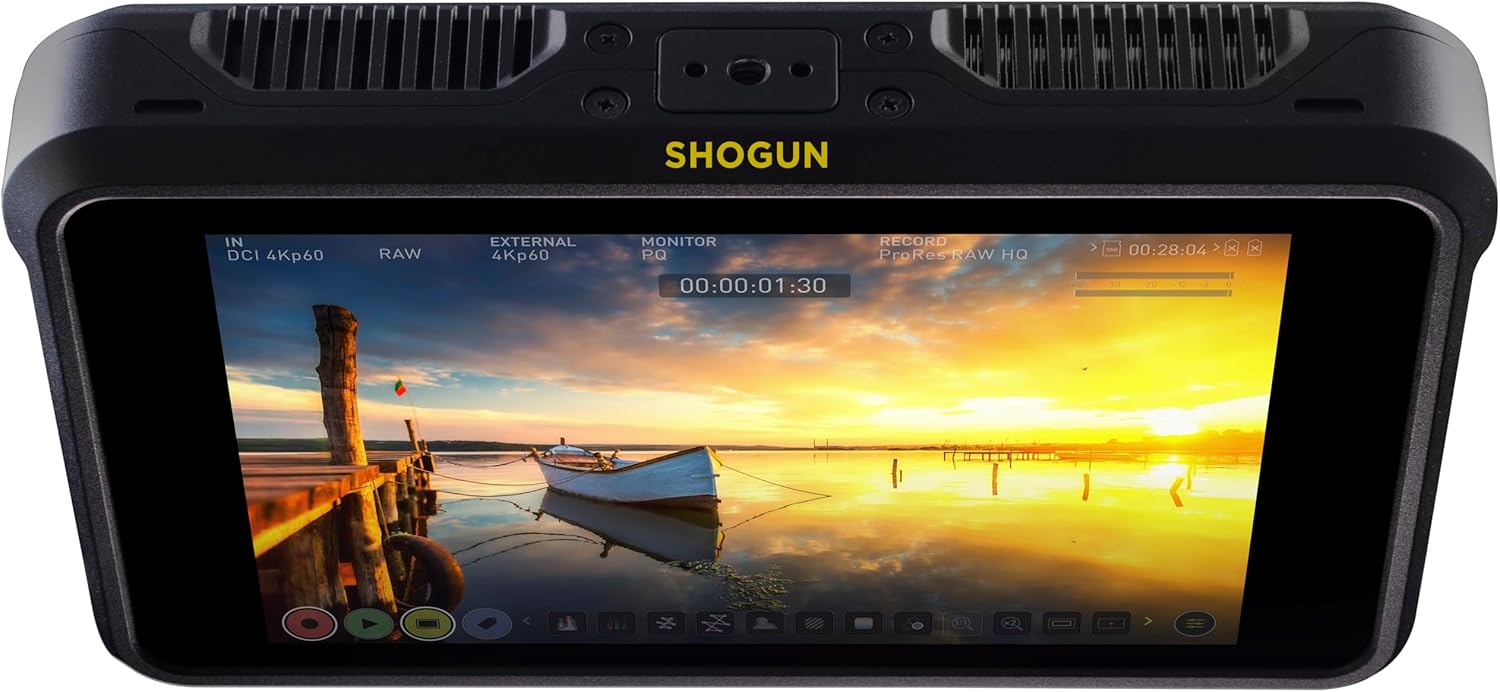
Figura 2.1: lateral view of the Atomos Shogun 7 highlighting HDMI input/output and remote ports.
2.3. Connexió d'àudio
For balanced audio input, connect a 48V stereo microphone via an XLR breakout cable. The device supports up to 12 channels of digital audio from HDMI or SDI sources. A 3.5mm headphone jack is available for monitoring recorded stereo audio.
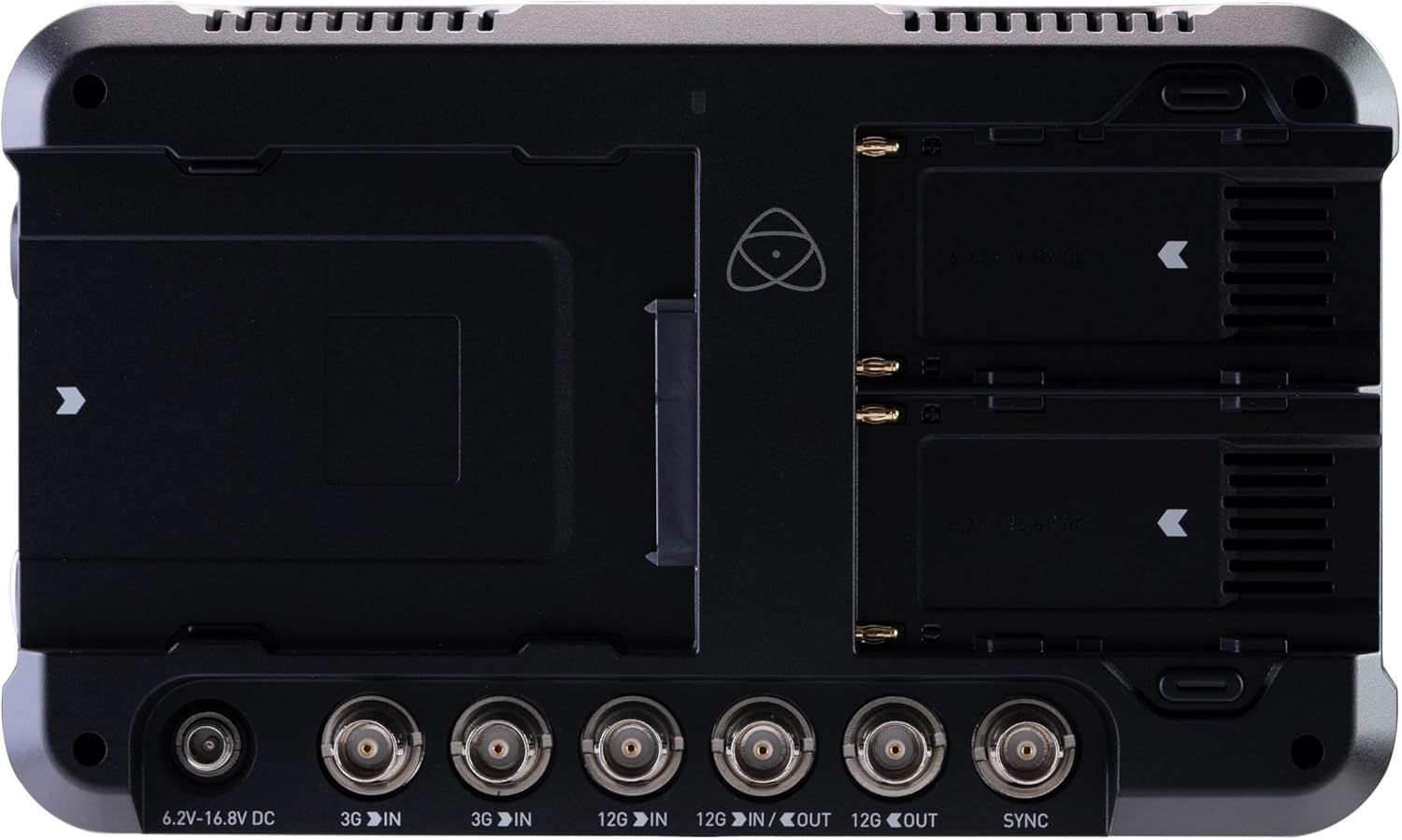
Figura 2.2: Esquena view of the Atomos Shogun 7 with battery slots and various SDI connections.
3. Operating the Shogun 7
3.1. Característiques de la pantalla
The Shogun 7 features a 7-inch HDR display with 15+ stops of dynamic range, a 1,000,000:1 contrast ratio, and 3000nit brightness. It covers 105% of the DCI-P3 color space, ensuring accurate and vibrant image representation. The AtomOS 10 touch user interface provides easy access to all settings and functions.
3.2. Gravació
Record in ProRes RAW up to 4Kp60 and 2K 240p for high-quality, flexible post-production. The device also supports ProRes, CinemaDNG (up to 30p), and DNxHD formats. ProRes RAW offers maximum dynamic range, color accuracy, and detail.
3.3. Multi-Cam Switching
The Shogun 7 allows live switching between up to four HD SDI video streams and a program stream. It supports HDp60 SDI ISOs x 4 recording. After recording, the Atomos XML file can be loaded into your Non-Linear Editor (NLE) for immediate timeline integration of all edits.

Figure 3.1: Multi-camera view on the Shogun 7, illustrating live switching capabilities.
3.4. Dolby Vision HDR Output
Utilize Dolby Vision to transfer images in real-time from an SDI or HDMI HDR camera to any Dolby Vision-enabled TV or monitor. AtomOS automatically adjusts the color profile and brightness for optimal HDR viewing.
4. Especificacions
| Característica | Detall |
|---|---|
| Dimensions del producte | 1.77 x 8.43 x 5 polzades |
| Pes de l'article | 0.005 unces |
| Número de model | ATOMSHG7 |
| Mida de la pantalla | 7 polzades |
| Resolució | 1920 x 1080 |
| Brillantor | 3000nit |
| Interval dinàmic | 15+ stops |
| Formats de gravació | ProRes RAW (up to 4Kp60, 2K 240p), ProRes, CinemaDNG (up to 30p), DNxHD |
| Entrades de vídeo | HDMI, 4x SDI |
| Entrades d'àudio | XLR (via breakout cable), HDMI, SDI |
| Poder | Necessites piles de 12 V |
| Color | Negre |
5. Manteniment
To ensure the longevity and optimal performance of your Atomos Shogun 7, follow these general maintenance guidelines:
- Neteja: Feu servir un drap suau i sense borrissol per netejar la pantalla i la carcassa. Eviteu materials abrasius o productes químics agressius.
- Emmagatzematge: Store the device in a cool, dry place away from direct sunlight and extreme temperatures. Use the provided carry bag for protection during transport.
- Cura de la bateria: Follow battery manufacturer guidelines for charging and storage. Remove batteries if the device will not be used for an extended period.
6. Solució De Problemes
If you encounter issues with your Shogun 7, consider the following common troubleshooting steps:
- Sense senyal: Ensure all HDMI/SDI cables are securely connected and that the camera/source is powered on and outputting a signal. Check the input settings on the Shogun 7.
- Sobreescalfament: Ensure proper ventilation around the device. Avoid operating in direct sunlight for extended periods.
- Problemes de firmware: Regularly check the Atomos website for the latest firmware updates. Firmware updates can resolve bugs and introduce new features.
- Pantalla de color incorrecta: If the display shows incorrect colors (e.g., pink or orange tint), check the color settings in AtomOS. A factory reset may also help.


