1. Introducció
Gràcies per la compraasing the ELEPHAS RD-606 Mini Projector. This compact and portable projector is designed to provide a versatile home theater experience with features like Wi-Fi connectivity, 3D support, and a built-in battery. This manual provides essential information for setting up, operating, and maintaining your projector to ensure optimal performance and longevity.
The RD-606 utilizes advanced DLP technology to deliver clear images with a 1000:1 contrast ratio and up to 1080P resolution. Its lightweight design and integrated battery allow for flexible use in various environments.

Image: High-Definition Display Comparison. The ELEPHAS projector delivers superior image clarity and color reproduction.
2. Informació de seguretat
Please read all safety instructions carefully before using the projector. Keep this manual for future reference.
- No mireu directament a la lent del projector quan estigui encès.amp està encès, ja que la llum brillant pot causar lesions oculars.
- Assegureu-vos que hi hagi una ventilació adequada al voltant del projector. No bloquegeu les obertures de ventilació.
- Feu servir només l'adaptador de corrent que s'inclou amb el projector.
- No exposeu el projector a la pluja, la humitat ni a temperatures extremes.
- Eviteu col·locar el projector sobre superfícies inestables.
- No intenteu desmuntar ni modificar el projector. Encarregueu totes les tasques de manteniment a personal qualificat.
3. Contingut del paquet
Verifiqueu que tots els elements siguin presents al vostre paquet:
- ELEPHAS Mini Projector (RD-606) x1
- Adaptador d'alimentació x1
- Control remot x1
- Micro USB Wire x1
- Free Tripod x1
- Bossa de transport x1
- Manual d'usuari x1
4. Configuració
4.1 Engegada/apagada
- Connect the power adapter to the projector's charging port (DC 5V) and then to a power outlet.
- Slide the Power Switch to the 'ON' position. The projector will power on.
- Per apagar-lo, feu lliscar l'interruptor d'alimentació a la posició "OFF".
4.2 Ajust del focus
Rotate the focus ring on the side of the projector until the projected image appears clear and sharp.
4.3 Correcció trapezoidal automàtica
The RD-606 features an automatic keystone correction function. The projected image will adjust automatically to optimize the angle, correcting distortion up to ±40 degrees. No manual adjustment is typically required for this feature.
4.4 Connectivitat
El projector admet diverses fonts d'entrada:
- HDMI: Connect devices like laptops, gaming consoles (PS4), or streaming sticks (Fire TV, Roku Stick, Apple TV) using an HDMI cable.
- USB: Inseriu una unitat flash USB per reproduir contingut multimèdia files directament.
- Micro USB: For charging or connecting compatible devices.
- Àudio de 3.5 mm: Connecteu altaveus externs o auriculars.
- Wi-Fi: Connect to your wireless network for online content and screen mirroring.

Image: Projector Ports and Compatible Devices. This image illustrates the various input ports and devices that can be connected to the RD-606 projector.
5. Instruccions de funcionament
5.1 Navegació bàsica
Use the included remote control to navigate the projector's on-screen menu. The directional buttons allow you to move through options, and the 'OK' or 'Enter' button confirms selections. 'Back' or 'Return' buttons typically exit menus.
5.2 Connexió Wi-Fi
- Access the projector's settings menu.
- Seleccioneu "Xarxa" o "Configuració de Wi-Fi".
- Trieu la xarxa Wi-Fi que vulgueu de la llista.
- Introduïu la contrasenya de la Wi-Fi amb el teclat en pantalla.
- Once connected, you can access built-in apps like YouTube and Koala (if available) for online content.
5.3 Wireless Screen Mirroring (Airplay/Miracast)
The projector supports wireless mirroring from compatible smartphones and tablets via Airplay (for iOS devices) or Miracast (for Android devices).
- Assegureu-vos que el projector i el dispositiu intel·ligent estiguin connectats a la mateixa xarxa Wi-Fi.
- On the projector, select the 'Screen Mirroring' or 'Wireless Display' option from the main menu.
- On your smart device, activate its screen mirroring feature (e.g., 'Screen Mirroring', 'Smart View', 'Airplay', 'Cast').
- Select the projector's name from the list of available devices on your smart device.
- The device's screen content will now be projected.

Image: Screen Mirroring with Phone/Tablet. This image demonstrates how to wirelessly share content from mobile devices to the projector.
5.4 3D Mode Operation
The RD-606 Series supports multiple 3D modes. To experience 3D content:
- You will need a pair of active DLP Link 3D glasses (sold separately).
- Play 3D content from a compatible source.
- Turn on your DLP Link 3D glasses. They should automatically synchronize with the projected image.
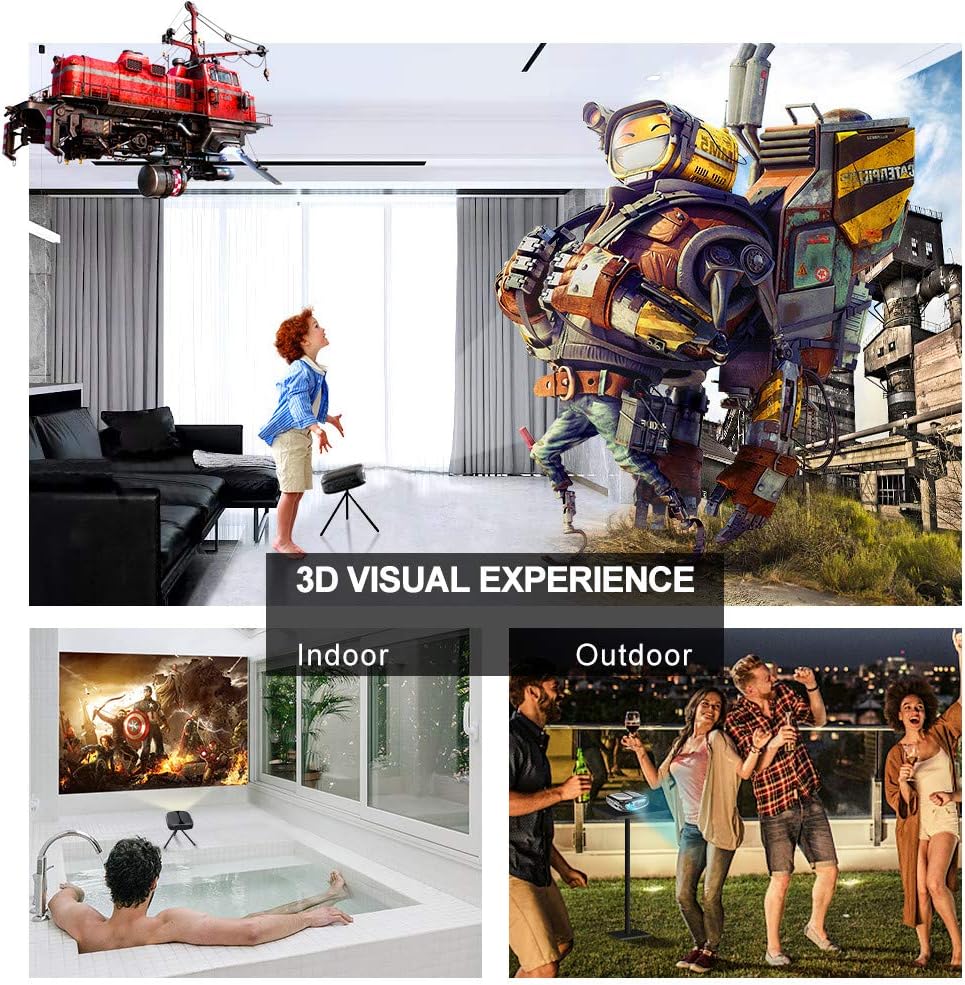
Image: 3D Visual Experience. The projector offers immersive 3D viewing for both indoor and outdoor settings.
5.5 Battery Operation and Portability
The built-in battery provides approximately two hours of continuous video playback, offering flexibility for use without a constant power source. For extended use, the projector can also be charged via a power bank.

Image: Embedded Battery for Portable Use. The projector's battery allows for convenient outdoor entertainment.

Image: Pocket Size and Lightweight Design. The projector's compact form factor makes it highly portable.
6. Manteniment
6.1 Neteja de la lent
Gently wipe the projector lens with a soft, lint-free cloth specifically designed for optical surfaces. Do not use abrasive cleaners or harsh chemicals.
6.2 Neteja general
Feu servir un drap suau i sec per netejar la part frontal del projector.asing. For stubborn dirt, a slightly damp es pot fer servir un drap, seguit d'un drap sec. Assegureu-vos que no entri líquid al dispositiu.
6.3 Emmagatzematge
When not in use for extended periods, store the projector in a cool, dry place, away from direct sunlight and extreme temperatures. Use the provided carrying bag for protection against dust and physical damage.
7. Solució De Problemes
- Sense energia:
- Assegureu-vos que l'adaptador de corrent estigui connectat correctament tant al projector com a una presa de corrent que funcioni.
- Comproveu si l'interruptor d'alimentació està en la posició "ON".
- Comproveu que la presa de corrent funcioni.
- Sense imatge:
- Check the input source selection on the projector to ensure it matches your connected device (e.g., HDMI, USB).
- Verify that the connected device is powered on and outputting a signal.
- Assegureu-vos que tots els cables estiguin ben connectats.
- Imatge borrosa:
- Adjust the focus ring on the projector until the image is sharp.
- Assegureu-vos que la superfície de projecció sigui plana i que el projector estigui a una distància adequada.
- Sense so:
- Comproveu la configuració de volum tant al projector com al dispositiu font connectat.
- Si feu servir altaveus externs, assegureu-vos que estiguin connectats i encesos correctament.
- Verify that the audio output settings on your source device are correct.
- Wi-Fi/Screen Mirroring Issues:
- Ensure both the projector and your smart device are connected to the same Wi-Fi network.
- Comproveu si el senyal Wi-Fi és fort.
- Restart both the projector and your smart device.
- Ensure your smart device's operating system is up to date.
8. Especificacions
| Característica | Especificació |
|---|---|
| Model | RD-606 |
| Tecnologia de visualització | DLP |
| Brillantor de la imatge | 2600 lumens |
| Relació de contrast de la imatge | 1000:1 |
| Resolució nativa | 1920 x 1080 (Supports 1080P) |
| Característiques especials | Auto Keystone, HDMI Connectivity, Portable, Built-in Wi-Fi, 3D Ready |
| Tecnologia de connectivitat | HDMI, USB, Wi-Fi |
| Dispositius compatibles | Laptops, Smartphones, Media Players |
| Tipus de bateria | Ió de liti (1 inclosa) |
| Durada de la bateria | Approx. 2 hours video playback |
| Dimensions del producte | 9.91 x 10.67 x 4.06 cm |
| Pes de l'article | 793.79 g (0.66 lliures) |
| Tipus de muntatge | Muntatge de taula |
9. Garantia i Suport
ELEPHAS provides lifetime professional customer service and technical support for the RD-606 Mini Projector. If you encounter any issues or have questions regarding your product, please do not hesitate to contact our support team.
Informació de contacte:
- Correu electrònic: support@elephas.com.hk
Please have your product model number (RD-606) and purchase details ready when contacting support to facilitate a quicker resolution.


