Introducció
Welcome to the Hoco CW13 Wireless Charger user manual. This guide provides detailed instructions on how to set up, operate, maintain, and troubleshoot your new wireless charger. Please read this manual carefully before using the product to ensure optimal performance and safety.
Producte acabatview
The Hoco CW13 is a universal portable wireless charger designed for fast charging of mobile devices. Its compact and lightweight design makes it an ideal companion for home and travel.
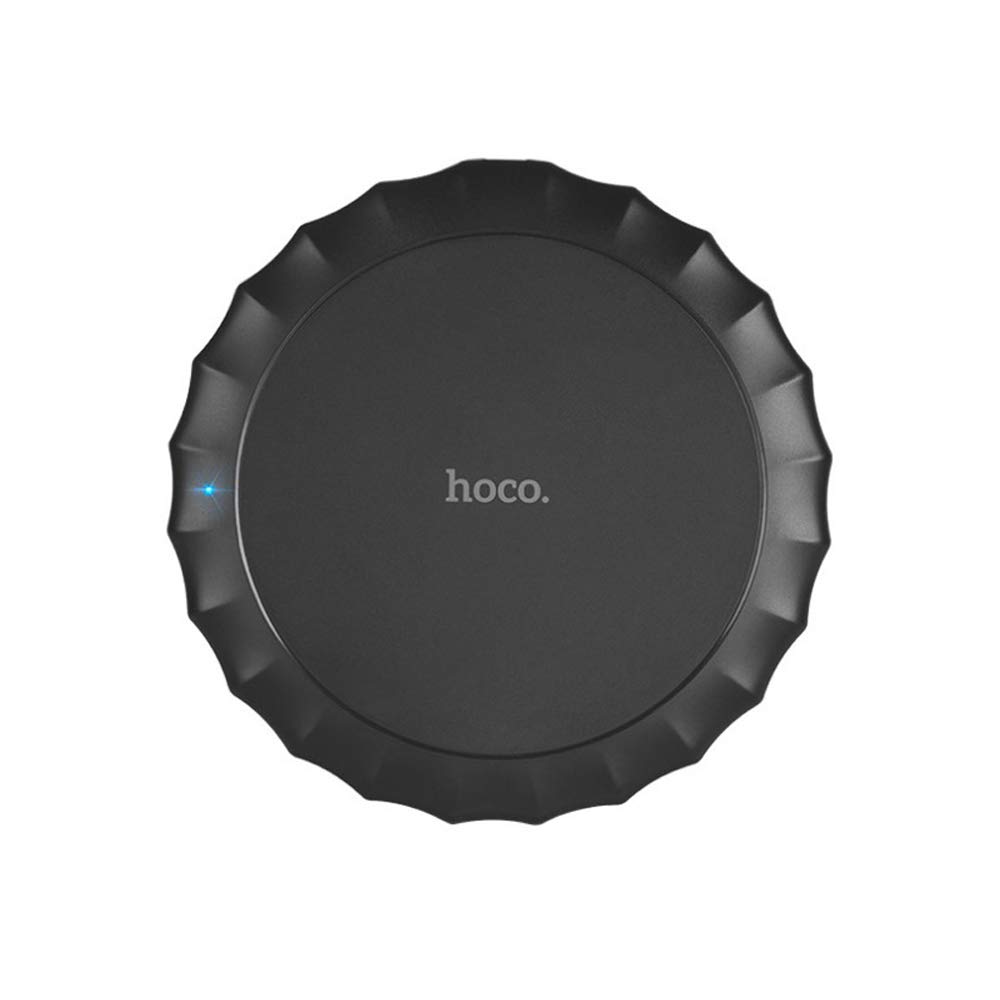
Aquesta imatge mostra la part superior view of the Hoco CW13 wireless charger. It features a sleek, black circular design with a corrugated edge, resembling a bottle cap. The "hoco." logo is prominently displayed in the center, and a small blue LED indicator light is visible on the left side, indicating power or charging status.
Característiques
- Marca: Hoco
- Model: CW13
- Color: Negre
- Tipus: Carregador sense fil
- Sortida sense fil: 5W
- Distància de transmissió: 5-8 mm
- Mida compacta: Diàmetre 100 mm, gruix 10 mm
- Pes lleuger: 62 grams
- Càrrega ràpida capacitat
- Portàtil disseny
Guia de configuració
Contingut del paquet
Abans de començar, assegureu-vos que tots els elements estiguin presents al paquet:
- Hoco CW13 Wireless Charger
- Cable de càrrega USB
- Manual d'usuari (aquest document)
Connexió del carregador
- Connect the USB cable to the charging port on the Hoco CW13 wireless charger.
- Plug the other end of the USB cable into a compatible power adapter (e.g., wall charger, computer USB port) with a 5V input.
- The indicator light on the charger will illuminate, indicating it is powered on and ready for use.
Instruccions de funcionament
Carregant el teu dispositiu
- Ensure your mobile device is compatible with Qi wireless charging.
- Place your Qi-enabled device directly onto the center of the Hoco CW13 wireless charger.
- The indicator light on the charger may change color or blink to confirm that charging has begun. Your device's screen will also show a charging icon.
- For optimal charging, ensure the device is centered on the charging pad. Misalignment may reduce charging efficiency or prevent charging.
- Un cop el dispositiu estigui completament carregat, traieu-lo de la plataforma de càrrega.
Notes importants
- Do not place metal objects, credit cards, or other foreign objects between the device and the charging pad, as this may interfere with charging or cause damage.
- Avoid using thick phone cases (over 3mm) as they might hinder wireless charging.
- The charger may become slightly warm during charging; this is normal.
Manteniment
Neteja
To clean the charger, disconnect it from the power source. Use a soft, dry cloth to wipe the surface. Do not use harsh chemicals or abrasive cleaners.
Emmagatzematge
Guardeu el carregador en un lloc fresc i sec, allunyat de la llum solar directa i de temperatures extremes quan no l'utilitzeu.
Resolució de problemes
| Problema | Causa possible | Solució |
|---|---|---|
| El dispositiu no es carrega | El dispositiu no està ben alineat | Torneu a col·locar el dispositiu al centre de la plataforma de càrrega. |
| Phone case is too thick | Traieu la funda del telèfon i torneu-ho a provar. | |
| Charger not powered on | Ensure the USB cable is securely connected to a working power source and the indicator light is on. | |
| Càrrega lenta | Using a non-fast charging adapter | Use a Quick Charge (QC) 2.0/3.0 or Power Delivery (PD) compatible adapter for faster charging. |
| Background apps running on device | Tanca les aplicacions innecessàries del dispositiu. | |
| Charger getting hot | Funcionament normal | Slight warmth is normal. If it becomes excessively hot, disconnect immediately and contact support. |
Especificacions
| Característica | Detall |
|---|---|
| Marca | Hoco |
| Model | CW13 |
| Color | Negre |
| Entrada Voltage | 5V |
| Sortida sense fil | 5W |
| Distància de transmissió | 5-8 mm |
| Dimensions (Diàmetre x Gruix) | 100 mm x 10 mm |
| Pes | 62 grams |
| Dispositius compatibles | Mobile Phones (Qi-enabled) |
| Característiques especials | Fast Charging, Lightweight Design |
| Components inclosos | Carregador |
| Ports USB totals | 1 (for power input) |
Garantia i Suport
Informació de la garantia
This Hoco CW13 Wireless Charger comes with a standard manufacturer's warranty. Please refer to the warranty card included in your product packaging for specific terms and conditions, or visit the official Hoco weblloc per a més detalls.
Atenció al client
If you encounter any issues or have questions regarding your Hoco CW13 Wireless Charger, please contact your retailer or the manufacturer's customer support. Contact information can typically be found on the product packaging or the official Hoco weblloc.
For online support, you may visit the Hoco official weblloc web o la pàgina d'assistència del minorista.


