Introducció
This manual provides essential information for the setup, operation, and maintenance of your BenQ W5700 DLP Projector. Please read this manual thoroughly before using the projector to ensure proper and safe operation.
The BenQ W5700 is a high-performance 4K UHD DLP projector designed for home cinema environments, offering exceptional color accuracy and image quality.
Informació de seguretat
Observeu sempre les precaucions de seguretat següents:
- No bloquejar les obertures de ventilació.
- No exposeu el projector a la pluja ni a la humitat.
- No obriu el projector casing; demaneu totes les tasques de manteniment a personal qualificat.
- Eviteu l'exposició directa dels ulls a la lent del projector quan elamp està activat.
- Assegureu-vos que la font d'alimentació adequada voltage tal com s'especifica a l'etiqueta del producte.
Què hi ha a la caixa
En obrir el paquet, comproveu que hi hagi tots els elements:
- BenQ W5700 DLP Projector
- Control remot
- Cable HDMI
- Cable d'alimentació
- Piles AAA (2)
- Manual d'usuari (aquest document)

Image: The BenQ W5700 projector's included accessories, showing the power cord and remote control.
Configuració
1. Col·locació física
The BenQ W5700 projector can be placed on a flat surface or mounted to the ceiling. Ensure adequate ventilation around the unit.
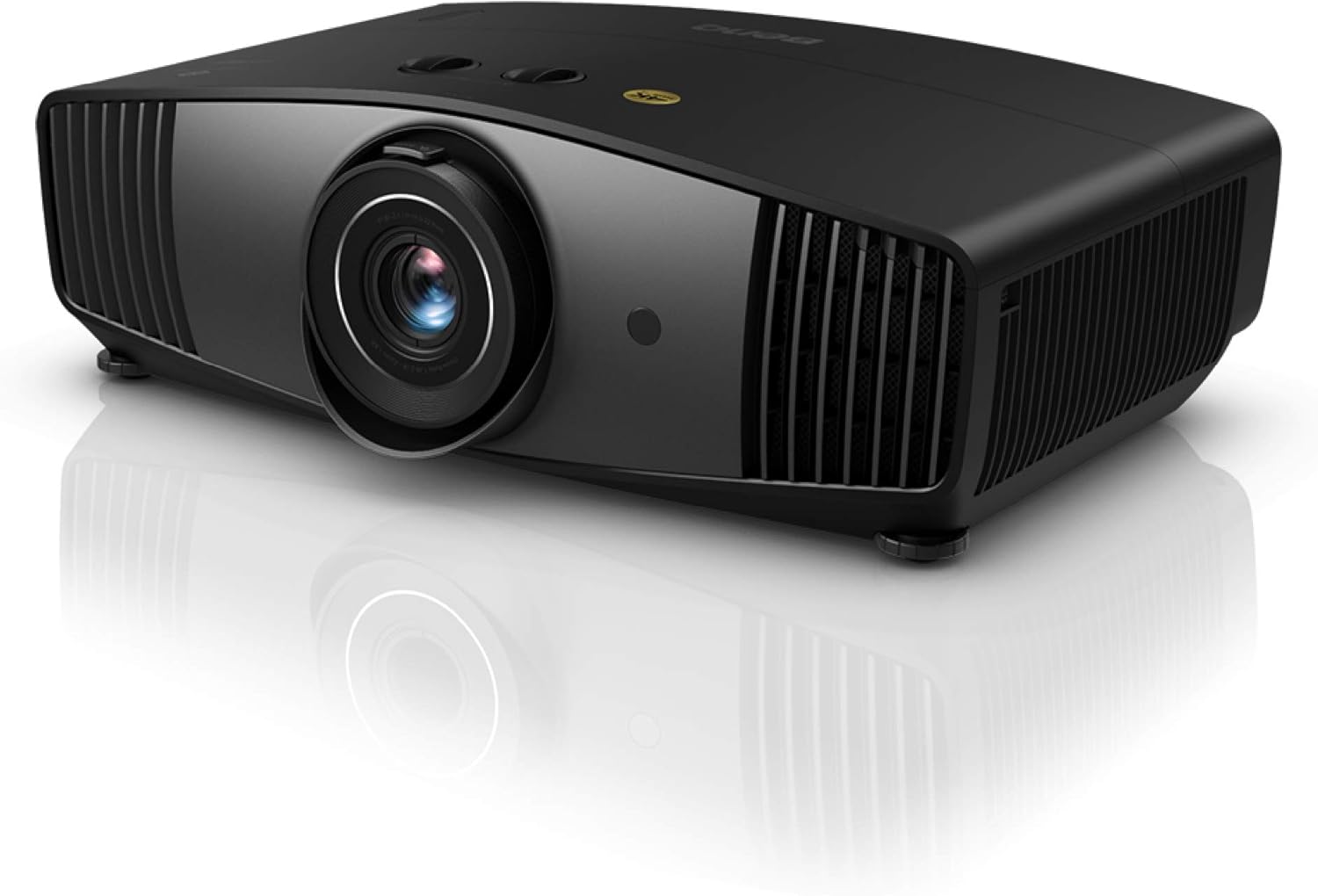
Imatge: Anvers view of the BenQ W5700 DLP Projector, showcasing el seu disseny compacte.
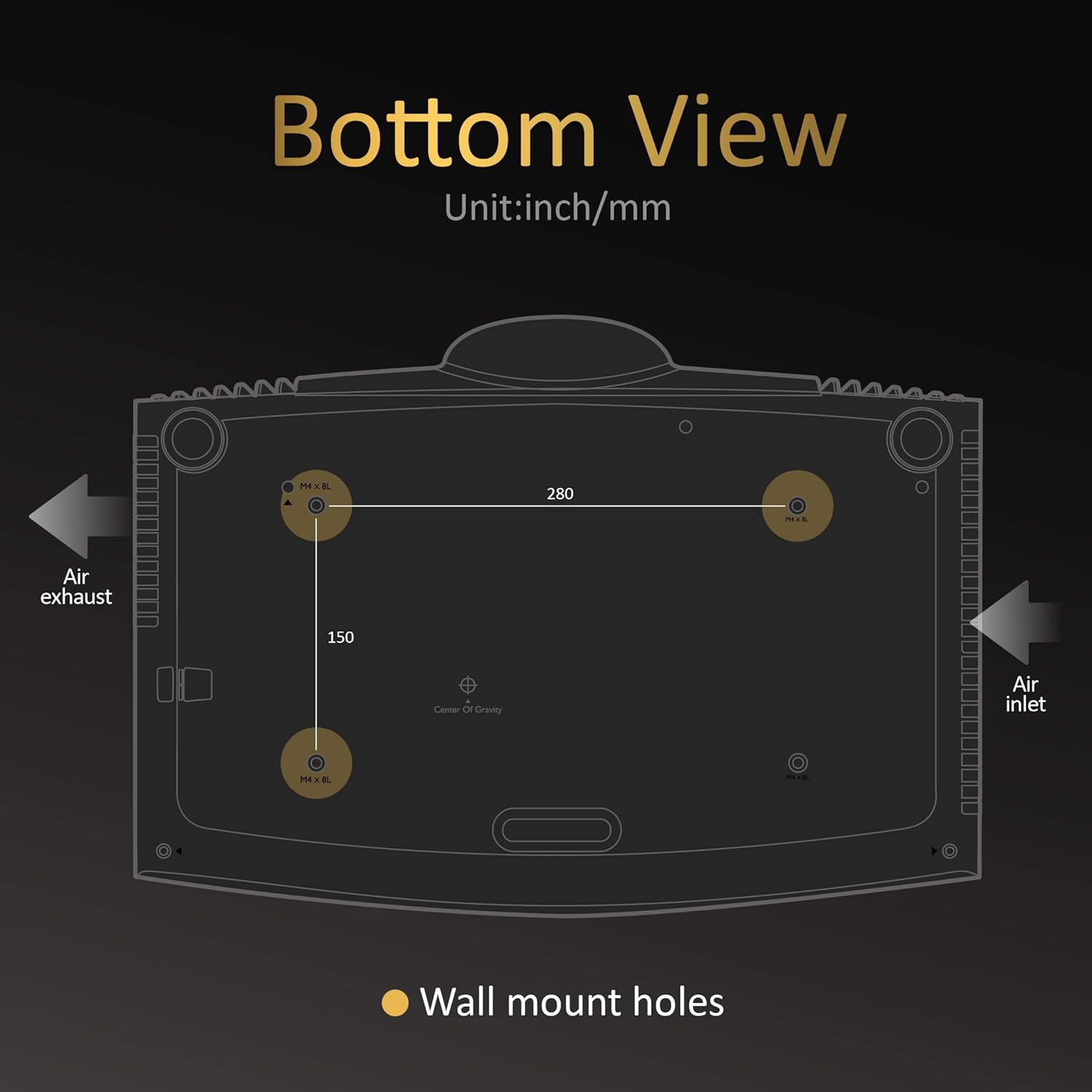
Imatge: Part inferior view of the BenQ W5700 Projector, indicating the location of wall mount holes and air intake/exhaust vents. Dimensions for mounting are also shown.
For ceiling mounting, use compatible mounting hardware. The projector features standard wall mount holes (M4 x 8L) with a spacing of 280mm x 150mm.
2. Dispositius de connexió
Connect your source devices (e.g., Blu-ray player, gaming console, streaming device) to the projector's input ports.

Image: Diagram of the BenQ W5700 Projector's I/O ports, including LAN, SPDIF, 12V Trigger, USB 3.0, HDMI 1 (HDCP 2.2), HDMI 2 (HDCP 2.2), Service USB, RS-232, USB (Media), and Audio Out.
- Ports HDMI: The projector features two HDMI inputs (HDMI 1 and HDMI 2), both supporting HDCP 2.2 for 4K content. Use the provided HDMI cable for optimal performance.
- Ports USB: USB 3.0 for media playback and a service USB port.
- Sortida d'àudio: Connect external audio systems via the Audio Out port.
- LAN: Per a la connectivitat de xarxa.
- EL-232: Per a la integració del sistema de control.
3. Encès
After connecting all necessary cables, plug the power cord into the projector and then into a wall outlet. Press the power button on the projector or the remote control to turn on the unit.
Instruccions de funcionament
1. Funcions de control remot
The included remote control provides full functionality for navigating the projector's settings and features.
Image: Layout of the BenQ W5700 Projector's remote control, showing buttons for power, menu, source selection, HDR, Cinema Master, color settings, and more.
- Power (Light On/Off): Encén o apaga el projector.
- Menú: Accedeix al menú de visualització en pantalla (OSD).
- Font: Selecciona la font d'entrada (HDMI 1, HDMI 2, etc.).
- Botons de navegació (amunt/avall/esquerra/dreta/d'acord): Navega per les opcions del menú.
- HDR: Activates or deactivates HDR mode.
- Cinema Master: Accesses advanced image processing settings.
- Color/Gamma/Sharpness: Direct access to picture adjustment settings.
2. Ajust de la imatge
Adjust the projected image for optimal viewexperiència.
- Anell de focus: Rotate the lens focus ring to sharpen the image.
- Anell de zoom: Adjust the image size without moving the projector.
- Desplaçament de la lent: Use the lens shift controls (if available on your model) to vertically or horizontally adjust the image position without tilting the projector.
- Correcció Keystone: If the image appears trapezoidal, use keystone correction in the OSD menu to square it.
3. Característiques clau
The BenQ W5700 offers advanced features for a superior viewExperiència:
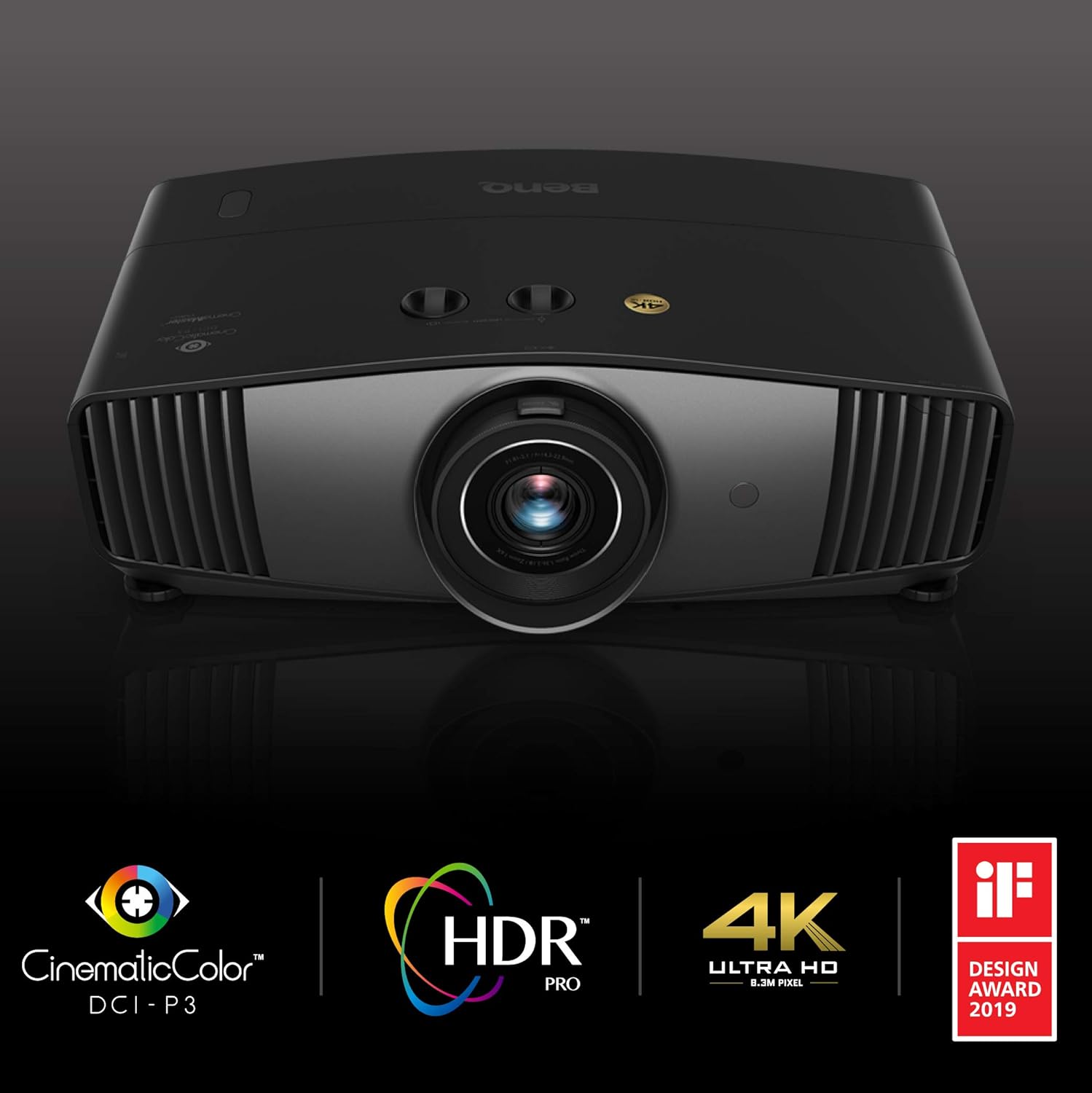
Image: Promotional image highlighting key features of the BenQ W5700 Projector: CinematicColor DCI-P3, HDR PRO, 4K Ultra HD (8.3M Pixel), and its recognition with a Design Award 2019.
- Resolució 4K UHD: Delivers stunning clarity and detail with 3840 x 2160 pixels.
- HDR (alt rang dinàmic): Supports HDR10 and HLG for enhanced contrast and color depth.
- 100% DCI-P3 CinematicColor: Provides accurate and vibrant colors, meeting professional cinema standards.
- 3D Blu-Ray Ready: Compatible with 3D Blu-ray content (requires separate 3D glasses).
Manteniment
1. Neteja del projector
- Casing: Utilitzeu un drap suau i sense pelusa lleugerament dampened with water or a mild cleaner. Avoid abrasive cleaners.
- Lent: Use a professional lens cleaning kit. Gently wipe the lens in a circular motion from the center outwards.

Imatge: Primer pla view of the BenQ W5700 Projector's lens area, highlighting the "Anti-Dust Lens Hood" feature designed to protect the lens.
The projector features an Anti-Dust Lens Hood to help protect the lens from dust accumulation. Keep it clean for optimal image quality.
2. Lamp Substitució
El projector lamp té una vida útil finita. Quan la lamp life is nearing its end, a warning message will appear on the screen. Refer to the full user manual for detailed instructions on lamp replacement. Always use genuine BenQ replacement lamps.
3. Neteja del filtre d'aire
Regularly clean the air filters to ensure proper ventilation and prevent overheating. Refer to the full user manual for instructions on accessing and cleaning the air filters.
Resolució de problemes
Si teniu problemes amb el projector, consulteu els problemes i solucions més comuns següents:
| Problema | Possible causa/solució |
|---|---|
| No hi ha imatge a la pantalla |
|
| La imatge és borrosa |
|
| El comandament a distància no funciona |
|
| El projector s'sobreescalfa o s'apaga |
|
Per a una resolució de problemes més detallada, consulteu el manual d'usuari complet disponible al servei d'assistència de BenQ. weblloc.
Especificacions
| Característica | Detall |
|---|---|
| Marca | BenQ |
| Número de model | 9H.JKV77.1HE |
| Resolució de visualització | 3840 x 2160 (4K UHD) |
| Brillantor | 1800 lúmens ANSI |
| Relació de contrast | 100,000:1 |
| Tecnologia de connectivitat | HDMI (x2), USB 3.0, LAN, RS-232 |
| Característiques especials | 3D-Ready, Portable, HDR, 100% DCI-P3 |
| Pes de l'article | 14.33 lliures |
| Dimensions del producte | 23.62 x 19.69 x 11.81 polzades |
| Piles necessàries | 2 AAA (inclosos) |
| Color | Negre |
Garantia i Suport
BenQ provides a limited warranty for its products. For specific warranty terms and conditions, please refer to the warranty card included with your product or visit the official BenQ support weblloc.
For technical assistance, troubleshooting, or service inquiries, please contact BenQ Customer Support. You can find contact information on the BenQ weblloc web o a la documentació del producte.
Optional protection plans are available for extended coverage. Please refer to the product listing or contact your retailer for details on 2-Year or 3-Year protection plans.


