Introducció
This manual provides detailed instructions for the assembly, operation, and maintenance of your Vamvo 100-inch Portable Projector Screen with Stand (Model M2100). Designed for versatility, this screen is suitable for both indoor and outdoor projection, offering a clear and stable viewing experience. Please read these instructions carefully before setting up and using your projector screen to ensure optimal performance and longevity.
Contingut del paquet
Before assembly, please verify that all components listed below are included in your package:
- 1 x Projector Screen Fabric (100-inch diagonal, 16:9 aspect ratio)
- 1 x Foldable Frame Set
- 2 x Tripod Stands
- 4 x Ropes (for outdoor stability)
- 9 x Ground Stakes (for outdoor stability)
- 1 x bossa de transport

Image: All components included in the Vamvo 100-inch projector screen package.
Instruccions de configuració
The Vamvo projector screen is designed for quick and easy assembly, typically taking less than 5 minutes.
- Muntar el marc: Unfold the frame components. The poles are connected by elastic cords, similar to tent poles. Connect them securely to form the rectangular frame.
- Attach the Screen Fabric: Lay the screen fabric flat. Attach the screen to the assembled frame using the integrated fasteners (e.g., Velcro straps or clips) around the edges. Ensure the screen is taut and evenly stretched to prevent wrinkles.
- Set up the Tripod Stands: Extend the legs of the two tripod stands and adjust them to the desired height. Secure the height adjustment mechanisms.
- Mount the Screen to Stands: Attach the assembled screen frame to the top of the tripod stands. Ensure the frame is securely seated on both stands.
- Segur per a ús a l'aire lliure (opcional): For outdoor use or in windy conditions, utilize the provided ropes and ground stakes. Attach the ropes to the designated points on the screen frame and secure them to the ground with the stakes to enhance stability.

Image: Visual guide for assembling the Vamvo projector screen, detailing frame and stand setup.
Instruccions de funcionament
Once assembled, your Vamvo projector screen is ready for use. Position your projector at an appropriate distance and angle to fill the screen evenly. The screen offers a wide 160-degree viewing angle, ensuring a good picture from various positions.
- Ús interior: Ideal for home theater setups, presentations, or gaming. Ensure the room lighting is controlled for the best image quality.
- Ús exterior: Perfect for backyard movie nights or outdoor events. Always secure the screen with the ropes and stakes provided, especially in breezy conditions.
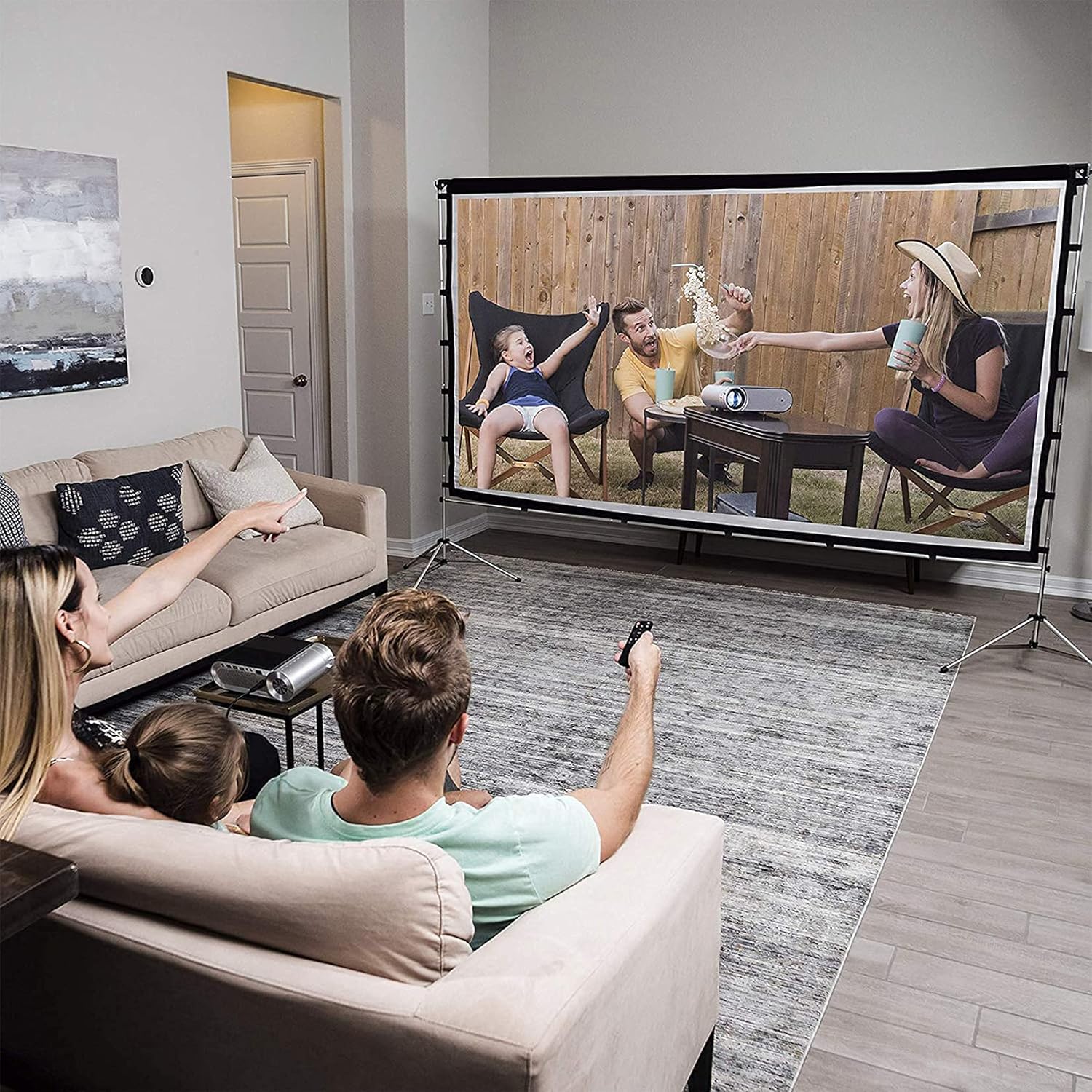
Imatge: Example of the Vamvo projector screen in use for a family movie night.
Manteniment
Proper care will extend the life of your projector screen.
- Neteja: The screen fabric can be cleaned with mild soap and water. Gently wipe the surface with a soft cloth. Avoid harsh chemicals or abrasive materials that could damage the screen.
- Wrinkle Removal: Due to its foldable design, the screen may develop creases. These can typically be removed by ironing the screen fabric at a baixa temperatura. Place a cloth between the iron and the screen to protect the surface.
- Emmagatzematge: When not in use, disassemble the screen and store all components in the provided carrying bag. Store in a cool, dry place away from direct sunlight.

Image: The Vamvo projector screen components neatly packed in its carrying bag for easy transport and storage.
Resolució de problemes
Aquí teniu solucions a problemes comuns que podeu trobar:
- Problem: Screen has visible creases.
Solució: Iron the screen fabric at a low temperature. Place a protective cloth between the iron and the screen. Ensure the screen is stretched taut during assembly. - Problem: Screen is unstable, especially outdoors.
Solució: Ensure the tripod stands are fully extended and locked. For outdoor use, always utilize the provided ropes and ground stakes to anchor the screen securely against wind. - Problem: Image quality is poor or distorted.
Solució: Check your projector's focus and keystone correction settings. Ensure the projector is aligned directly with the screen. Verify that the screen fabric is clean and free from obstructions.
Especificacions
| Atribut | Detall |
|---|---|
| Marca | Vamvo |
| Número de model | M2100 (100 inch with Stand) |
| Mida de la pantalla (diagonal) | 100 polzades |
| Relació d'aspecte | 16:9 |
| Dimensions del producte (muntat) | Approx. 228.6 cm (90.5 inches) width x 167.64 cm (66 inches) height |
| Stand Depth | Aprox. 55.88 cm (22 polzades) |
| Pes de l'article | 3.28 quilos |
| Viewangle ing | 160 graus |
| Material | Aluminum (frame), Polyester (screen) |
| Tipus d'instal·lació | Stand Mount (also compatible with wall mount) |

Image: Detailed dimensions of the Vamvo 100-inch projector screen.
Informació de la garantia
Vamvo products are manufactured to high-quality standards. For specific warranty details, including coverage period and terms, please refer to the warranty card included with your purchase or visit the official Vamvo weblloc web. Si us plau, conserveu el comprovant de compra per a qualsevol reclamació de garantia.
Atenció al client
If you have any questions, require assistance with assembly, or encounter any issues not covered in this manual, please contact Vamvo customer support. You can typically find contact information on the official Vamvo weblloc web o a través del venedor on vau comprar el producte.
Per obtenir la informació d'assistència més actualitzada, visiteu: Vamvo Official Store on Amazon


