1. Producte acabatview
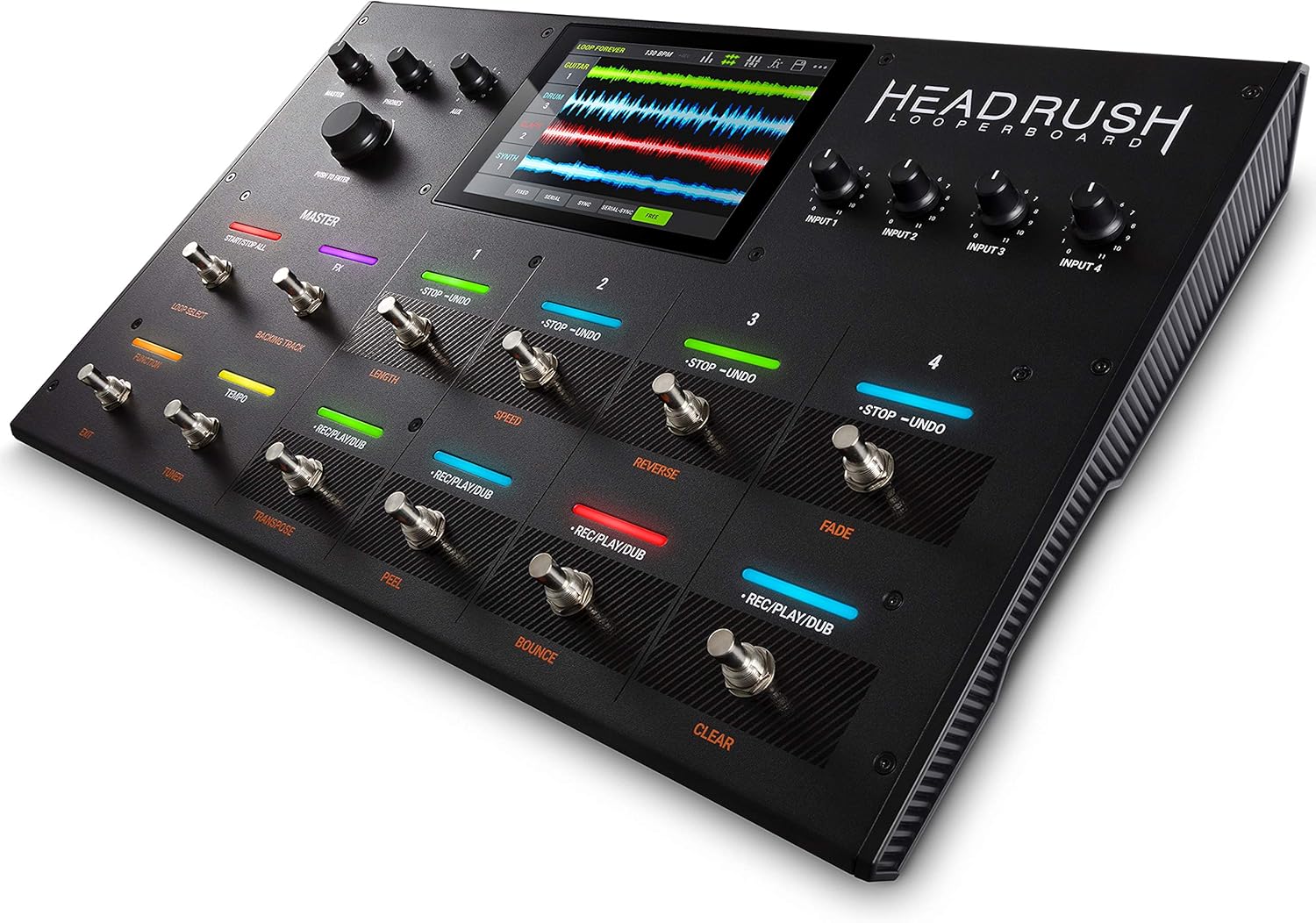
The HEADRUSH LOOPERBOARD is a state-of-the-art standalone looper pedal designed for musicians seeking unparalleled control and flexibility in live audio looping. It integrates a powerful quad-core DSP system with a responsive 7-inch touchscreen, offering an intuitive interface for creating and manipulating loops.
With extensive audio inputs and outputs, premium circuitry, and over eight hours of internal recording time, the LOOPERBOARD ensures high-fidelity audio capture and playback. Its intelligent time-stretch, built-in effects, and versatile track modes provide a comprehensive platform for dynamic performances.
Característiques principals:
- 7-inch High-Resolution Touchscreen: Intuitive display for dynamic feedback and workflow customization.
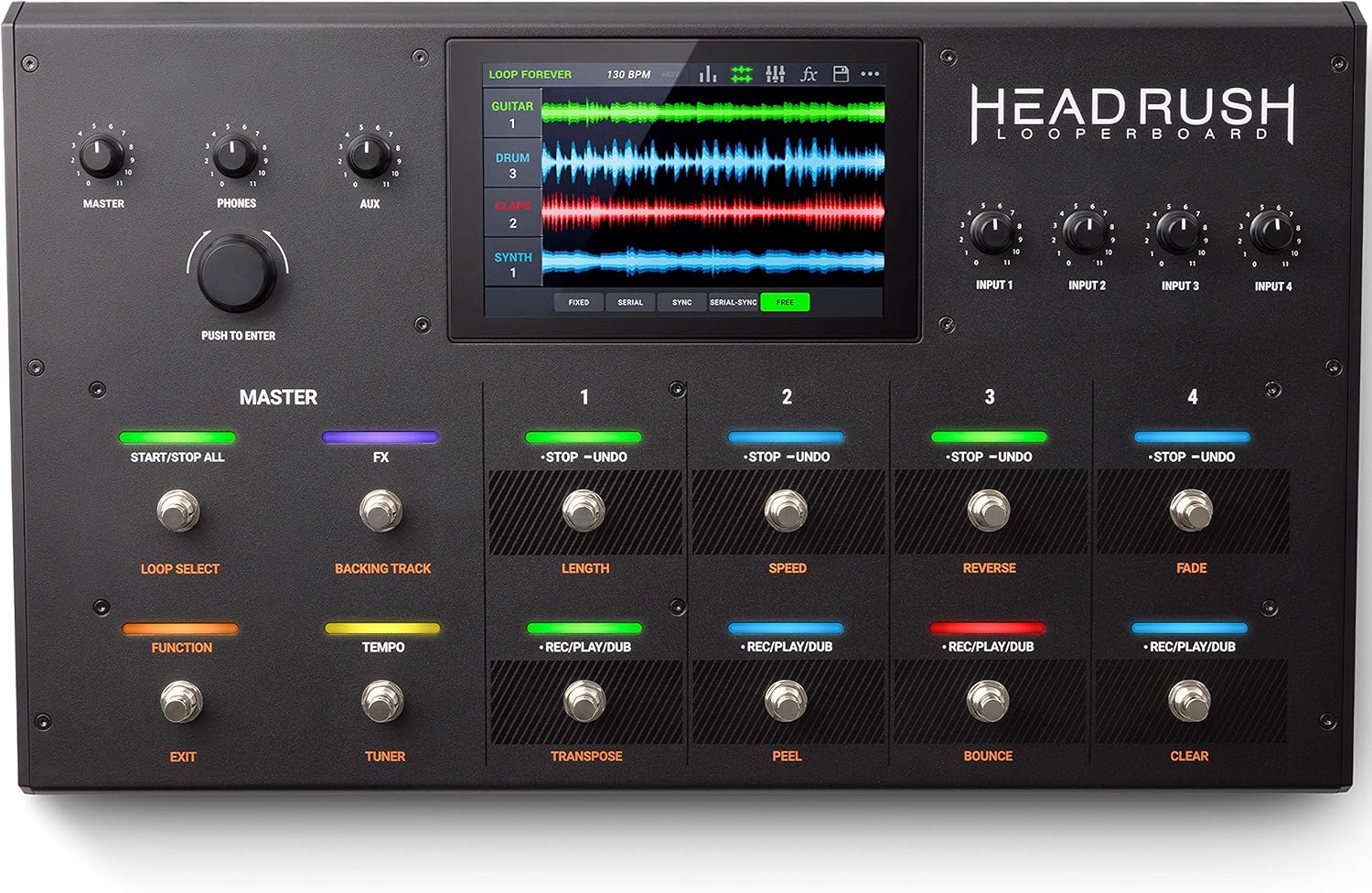
- 12 Built-in Footswitches: With RGB LEDs for quick loop creation and transformation.
- Àmplia connectivitat: Four combo XLR+1/4-inch inputs with phantom power, assignable XLR and 1/4-inch outputs, and headphone outputs.
- Emmagatzematge massiu: Over 8 hours of internal recording time, plus SD and USB storage inputs.
- Studio-Grade Audio: Record and re-amp via USB at up to 24-bit/96kHz quality.
- Intelligent Time-Stretch: Change loop tempo while retaining pitch without audio quality loss.
- Premium Built-in FX: Versatile suite of effects for guitars, vocals, percussion, and more.
2. Configuració
2.1 Connexions físiques
The LOOPERBOARD offers comprehensive connectivity for various instruments and audio sources. Connect your microphones, guitars, or other instruments to the four combo XLR+1/4-inch inputs. These inputs feature dedicated gain controls and switchable +48V phantom power for condenser microphones.
For output, utilize the two XLR outputs (with switchable ground-lift) or the two 1/4-inch outputs (switchable between amp or line level) to connect to your PA system, amplifier, or recording interface. A 1/4-inch stereo headphone output with a dedicated volume knob is available for monitoring. Additionally, an 1/8-inch stereo aux input allows for direct routing of auxiliary sources like phones or tablets to the outputs.

2.2 Engegada inicial
Connect the included power adapter to the LOOPERBOARD and a power outlet. Press the power button to turn on the unit. The 7-inch touchscreen will illuminate, guiding you through the initial setup process. Ensure all audio connections are secure before beginning your session.

3. Operating the LOOPERBOARD
3.1 Interfície de pantalla tàctil
The 7-inch touchscreen is the central control hub. You can touch, swipe, and drag-and-drop elements to customize your workflow. The display provides dynamic feedback on loop status, track levels, and effect parameters.
3.2 Looping Functions
The LOOPERBOARD features 12 footswitches with individual RGB LEDs for intuitive control over your loops. Each loop can contain four mono or stereo tracks. Five track modes are available: Fixed, Serial, Sync, Serial/Sync, and Free, allowing adaptation to various looping styles.
3.3 Built-in Effects (FX)
A versatile suite of built-in effects is available for guitars, vocals, percussion, and other instruments. These effects can be applied directly to inputs or individual looper tracks, enhancing your sound. Access and customize FX via the touchscreen interface.
3.4 Intelligent Time-Stretch & Quantization
The intelligent time-stretch feature allows you to instantly change the tempo of your loop by tapping a footswitch, all while retaining pitch and avoiding audio quality loss. Quantization settings ensure your loops remain perfectly in sync.
3.5 Storage and Backing Tracks
The LOOPERBOARD offers over eight hours of internal recording time. You can also export loops using the SD and USB storage inputs for later use or backup. A built-in backing track player allows you to integrate pre-recorded tracks into your live performance.
3.6 Vídeos oficials de productes
Looperboard Main Video
Aquest vídeo ofereix una descripció completaview of the HEADRUSH LOOPERBOARD in action, demonstrating its live looping capabilities and performance features.
Introducing the World's Most Powerful Looper
Discover the innovative features and powerful performance of the HEADRUSH LOOPERBOARD, highlighting its advanced looping functionalities and user interface.
4. Manteniment
To ensure the longevity and optimal performance of your HEADRUSH LOOPERBOARD, regular maintenance is recommended:
- Neteja: Use a soft, dry cloth to clean the exterior of the unit. For the touchscreen, use a microfiber cloth specifically designed for electronic displays. Avoid abrasive cleaners or solvents.
- Actualitzacions de firmware: Periodically check the official HEADRUSH website for firmware updates. Updates can introduce new features, improve performance, and resolve potential issues. Follow the instructions provided with each update carefully.
- Emmagatzematge: When not in use, store the LOOPERBOARD in a cool, dry place, away from direct sunlight and extreme temperatures. Consider using a protective case for transport.
5. Solució De Problemes
If you encounter issues with your HEADRUSH LOOPERBOARD, try the following steps:
- Sense energia: Ensure the power adapter is securely connected to both the unit and a working power outlet. Verify the power button is pressed.
- Sense sortida d'àudio: Check all audio cables and connections. Verify that input and output levels are set correctly on the LOOPERBOARD and connected devices. Confirm audio routing settings on the touchscreen.
- Looping Issues: Ensure correct track modes are selected for your desired looping style. Check quantization settings if loops are not syncing properly.
- Pantalla tàctil que no respon: Try restarting the unit. If the issue persists, consult the official HEADRUSH support resources.
- Errors de programari: Perform a firmware update if available. As a last resort, a factory reset may resolve persistent software issues (note: this will erase user data, so back up your loops first).
6. Especificacions
| Característica | Detall |
|---|---|
| Marca | HEADRUSH |
| Número de model | LOOPERBOARD |
| Pes de l'article | 12.1 lliures (5.5 quilograms) |
| Dimensions del producte | 12.13 x 20.16 x 31.8 polzades |
| Mida de la pantalla | 7 polzades |
| Interfície del maquinari | USB |
| Format del senyal | Analògic |
| Font d'alimentació | Elèctric amb cable |
| Primera data disponible | 17 d'abril de 2019 |
7. Garantia i assistència
For detailed warranty information and technical support, please refer to the official HEADRUSH website or the included User Guide (PDF).
A comprehensive User Guide in PDF format is available for download: HEADRUSH LOOPERBOARD User Guide (PDF).
For further assistance, contact HEADRUSH customer support through their official channels.


