1. Introducció
This manual provides essential information for the safe and efficient operation of your DJI Inspire 2 Series Part 89 CINESSD Station, UG2 Version. Please read this manual thoroughly before using the product and retain it for future reference.
The CINESSD Station is designed to facilitate high-speed data transfer from DJI CINESSD storage devices, primarily used with the DJI Inspire 2 drone, to a computer via a USB 3.0 interface.
2. Informació de seguretat
- No exposeu el dispositiu a l'aigua ni a la humitat.
- Eviteu temperatures extremes. Feu funcionar i emmagatzemeu el dispositiu dins de les condicions ambientals recomanades.
- Do not attempt to disassemble or modify the device. Unauthorized modifications can void the warranty and pose safety risks.
- Feu servir només accessoris i cables aprovats.
- Mantenir fora de l'abast dels nens.
3. Contingut del paquet
Verifiqueu que tots els elements siguin presents al vostre paquet:
- DJI CINESSD Station (UG2 Version)
- Cable USB 3.0

Figure 3.1: The DJI CINESSD Station (UG2 Version) shown alongside its included USB 3.0 cable. The station is a compact, dark gray rectangular device, and the cable is black with a blue USB 3.0 connector.
4. Producte acabatview
The DJI CINESSD Station UG2 is a dedicated device for transferring data from DJI CINESSD cards to a computer. It features a robust design and high-speed connectivity.
4.1 Davant View
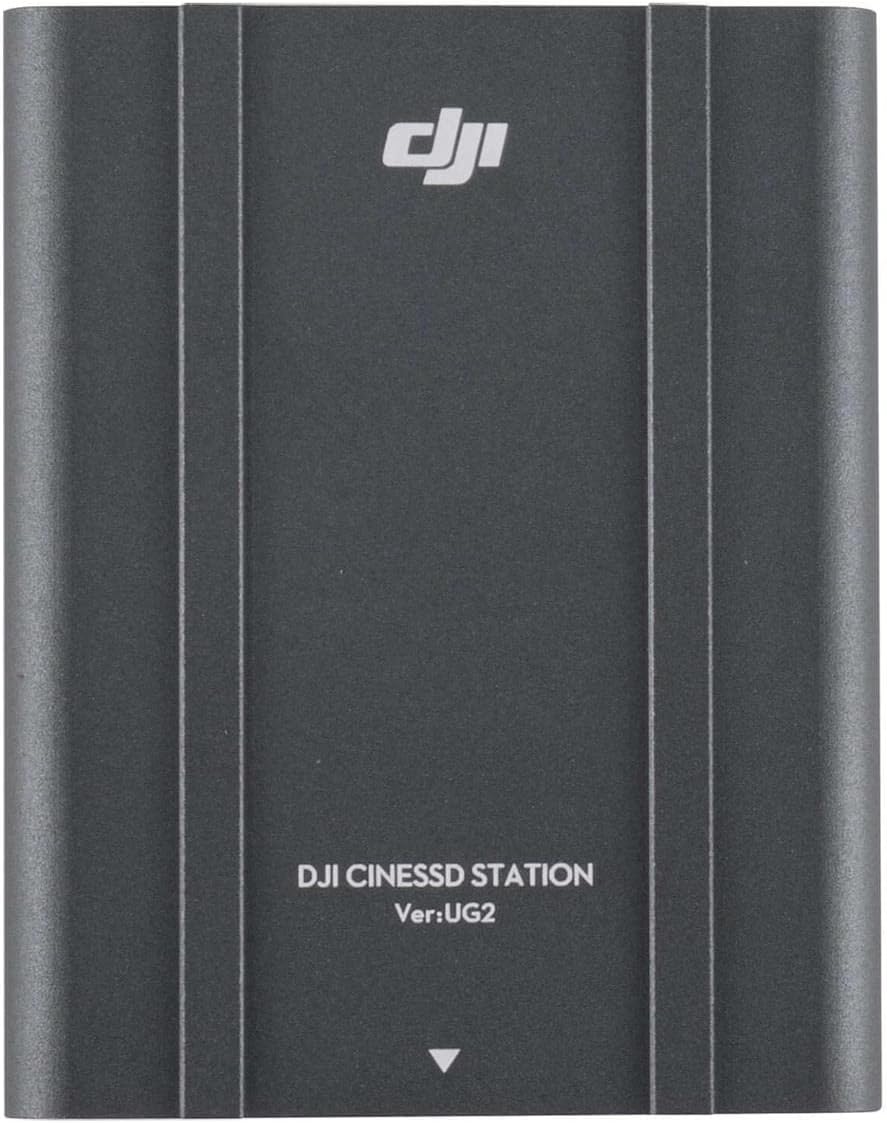
Figura 4.1: Frontal view of the DJI CINESSD Station UG2. The device is dark gray with the DJI logo and "DJI CINESSD STATION Ver:UG2" printed on its surface.
4.2 CINESSD Slot
The CINESSD slot is located on one end of the station, designed for secure insertion of DJI CINESSD cards.

Figura 4.2: lateral view of the DJI CINESSD Station UG2, highlighting the rectangular slot for inserting a CINESSD card. The slot is surrounded by a textured, gridded surface.
4.3 Ports USB
The station is equipped with a USB 3.0 port for high-speed data transfer to your computer.

Figura 4.3: lateral view of the DJI CINESSD Station UG2, displaying the USB 3.0 port (blue interior) and a smaller micro-USB port. These ports are used for connecting the station to a computer.
5. Configuració
Follow these steps to set up your CINESSD Station:
- Insert CINESSD: Gently insert the DJI CINESSD card into the CINESSD slot on the station until it clicks into place. Ensure the card is oriented correctly.
- Connexió a l'ordinador: Connect one end of the provided USB 3.0 cable to the USB 3.0 port on the CINESSD Station and the other end to an available USB 3.0 port on your computer.
- Encès: The station typically draws power directly from the USB connection. No external power adapter is usually required.
- Instal·lació del controlador (si cal): Your operating system should automatically recognize the device. If prompted, follow the on-screen instructions to install any necessary drivers.
6. Operating the CINESSD Station
Once connected, the CINESSD Station will appear as an external drive on your computer, allowing you to access the data stored on the CINESSD card.
- Dades d'accés: Navigate to 'My Computer' (Windows) or 'Finder' (macOS) and locate the newly mounted drive.
- Transferència Files: You can now copy, paste, or move files from the CINESSD card to your computer's storage. For optimal performance, use drag-and-drop or copy-paste functions.
- Eject Safely: Before disconnecting the CINESSD Station, always safely eject the drive from your operating system to prevent data corruption.
- Remove CINESSD: After safely ejecting the drive, gently press the CINESSD card to release it from the slot, then pull it out.
Nota: Data transfer speeds may vary depending on your computer's specifications and the type of USB port used.
7. Manteniment
- Neteja: Use a soft, dry cloth to clean the exterior of the station. Do not use liquid cleaners or solvents.
- Emmagatzematge: Store the CINESSD Station in a cool, dry place away from direct sunlight and extreme temperatures when not in use.
- Manipulació: Manipuleu el dispositiu amb cura per evitar danys físics.
8. Solució De Problemes
| Problema | Causa possible | Solució |
|---|---|---|
| Station not recognized by computer | Loose USB connection, faulty cable, CINESSD not inserted correctly, driver issue. |
|
| Velocitats de transferència de dades lentes | Using a USB 2.0 port, background processes, fragmented CINESSD. |
|
| CINESSD card not reading | Improper insertion, damaged CINESSD card. |
|
9. Especificacions
| Característica | Detall |
|---|---|
| Model | CINESSD Station (UG2 Version) |
| Marca | DJI |
| Dispositius compatibles | DJI CINESSD, DJI Inspire 2 drone |
| Interfície del maquinari | Internal with removable media (CINESSD slot), USB 3.0 |
| Dimensions del producte | 6.5 x 5.1 x 2.6 polzades |
| Pes de l'article | 1.35 lliures |
| Ports USB totals | 3 |
| ASIN | B07R54XW6Z |

Figura 9.1: A baix view of the DJI CINESSD Station UG2, displaying regulatory markings, model number (PRIOGU3), and "MADE IN CHINA". This side also features heat dissipation fins.
10. Garantia i Suport
Per obtenir informació sobre la garantia i assistència tècnica, consulteu la pàgina oficial de DJI. weblloc web o contacteu directament amb el servei d'atenció al client de DJI. Conserveu el comprovant de compra per a reclamacions de garantia.
Assistència en línia: Visita www.dji.com/support per a preguntes freqüents, descàrregues i informació de contacte.


