1. Introducció
The Bewinner Fixed Wireless Terminal (FWT) is designed to provide voice services using a GSM mobile phone SIM card, eliminating the need for traditional ground wire lines. This device allows you to use standard telephone landline operations with the flexibility of a mobile network. It supports international and domestic, local, fixed/mobile voice services and is suitable for various applications including telephone landlines, alarm systems, and recording boxes.
This manual provides detailed instructions for the proper installation, operation, and maintenance of your Bewinner FWT.
2. Informació de seguretat
- Llegiu atentament totes les instruccions abans d'utilitzar el dispositiu.
- No exposeu el dispositiu a l'aigua, la humitat ni a temperatures extremes.
- Feu servir només l'adaptador de corrent proporcionat. L'ús d'un adaptador incorrecte pot fer malbé el dispositiu i anul·lar la garantia.
- Mantingueu el dispositiu allunyat de la llum solar directa i de les fonts de calor.
- No intenteu obrir ni reparar el dispositiu vosaltres mateixos. Encarregueu totes les tasques de manteniment a personal qualificat.
- Assegureu-vos una ventilació adequada al voltant del dispositiu per evitar el sobreescalfament.
3. Contingut del paquet
Si us plau, comproveu el paquet per veure si hi ha els elements següents:
- Bewinner Fixed Wireless Terminal Main Unit
- Adaptador d'alimentació (DC 12V)
- Antena GSM
- Telephone Line Cables (RJ11)

Imatge 3.1: Contents of the Bewinner Fixed Wireless Terminal package, including the main unit, power adapter, antenna, and telephone cables.
4. Producte acabatview
4.1 Indicadors del panell frontal
The front panel of the Bewinner FWT features several LED indicators that display the device's status:
- POTÈNCIA: Indica que el dispositiu està encès.
- INUSE: Indicates the telephone line is in use.
- PARLAR: Indicates an active call.
- MÒDUL: Indicates the GSM module status.
- SIM: Indicates the SIM card status.
- Indicadors de força del senyal: Multiple LEDs to show the strength of the GSM signal.

Imatge 4.1: Davant view of the Bewinner FWT, highlighting the LED indicators for power, usage, call status, module, SIM, and signal strength.
4.2 Ports del panell posterior
El panell posterior proporciona tots els ports de connexió necessaris:
- CC 12V: Port d'entrada d'alimentació.
- ON/OFF: Interruptor d'alimentació.
- PHONE1 / PHONE2: RJ11 ports for connecting standard telephones or alarm systems.
- USB: Micro USB port (for potential data/configuration, typically not user-accessible for basic operation).
- RST: Botó de restabliment.
- FORMIGA: SMA connector for the external GSM antenna.
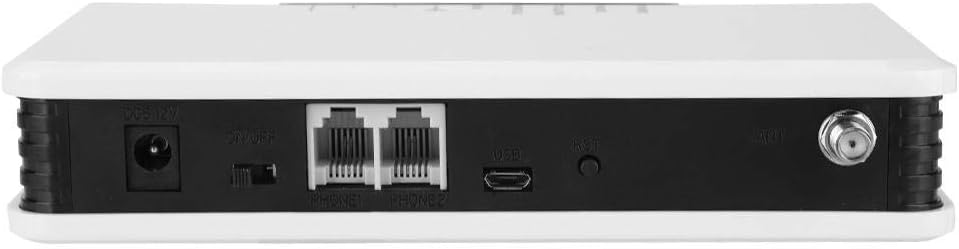
Imatge 4.2: posterior view of the Bewinner FWT, showing the DC power input, ON/OFF switch, PHONE1/PHONE2 ports, USB port, Reset button, and antenna connector.
5. Instruccions de configuració
Follow these steps to set up your Bewinner Fixed Wireless Terminal:
5.1 Instal·lació de la targeta SIM
- Ensure the device is powered off using the ON/OFF switch on the rear panel.
- Locate the SIM card slot on the bottom of the device. It is usually covered by a small flap or a swing-up mechanism.
- Carefully insert your activated GSM SIM card into the slot. Ensure the SIM card is correctly oriented according to the diagram near the slot. The SIM card slot typically swings up to allow insertion.
- Close the SIM card slot securely.

Imatge 5.1: A baix view of the Bewinner FWT, indicating the location of the SIM card slot. Ensure the SIM card is activated by your mobile carrier before insertion.
5.2 Connexió de l'antena
- Locate the ANT connector on the rear panel of the device.
- Screw the provided GSM antenna onto the ANT connector clockwise until it is finger-tight.
- Position the antenna vertically for optimal signal reception.
5.3 Connexió d'alimentació
- Connect the power adapter to the DC 12V input port on the rear panel.
- Connecteu l'adaptador d'alimentació a una presa de corrent estàndard.
5.4 Connecting a Telephone
- Using a standard RJ11 telephone cable, connect your telephone or alarm system to either the PHONE1 or PHONE2 port on the rear panel of the FWT.
5.5 Encès
- Gireu l'interruptor ON/OFF del panell posterior a la posició 'ON'.
- Observe the LED indicators on the front panel. The POWER LED should illuminate. The SIM and MODULE LEDs should also light up, and the signal strength indicators should show the network signal. This process may take a few moments as the device registers with the GSM network.
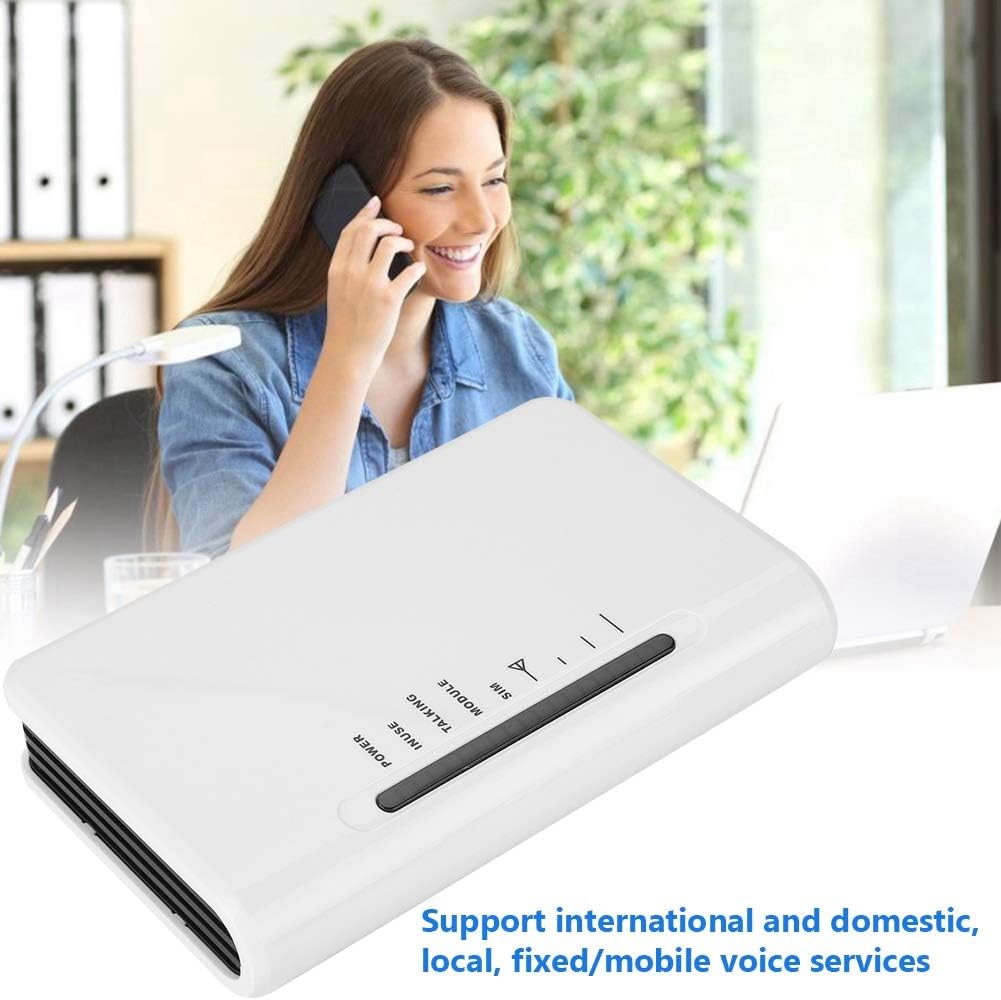
Imatge 5.2: The Bewinner FWT in an operational setting, demonstrating its use for making calls via a connected telephone.
6. Instruccions de funcionament
6.1 Fer una trucada
- Pick up the handset of the connected telephone. You should hear a dial tone.
- Marqueu el número de telèfon desitjat.
- The TALKING LED will illuminate during an active call.
6.2 Recepció d'una trucada
- When an incoming call is received, the connected telephone will ring.
- Agafa l'auricular per contestar la trucada.
6.3 LED Indicator Meanings
| Indicador | Estat | Descripció |
|---|---|---|
| PODER | On | El dispositiu està encès. |
| INUSE | On | Telephone line is active (off-hook). |
| PARLANT | On | An active call is in progress. |
| MÒDUL | Encès/Parpellejant | Indicates GSM module status (e.g., searching for network, registered). |
| SIM | Encès/Parpellejant | Indicates SIM card status (e.g., detected, error). |
| Força del senyal | Varying LEDs | Indicates the strength of the GSM network signal. More LEDs lit means stronger signal. |
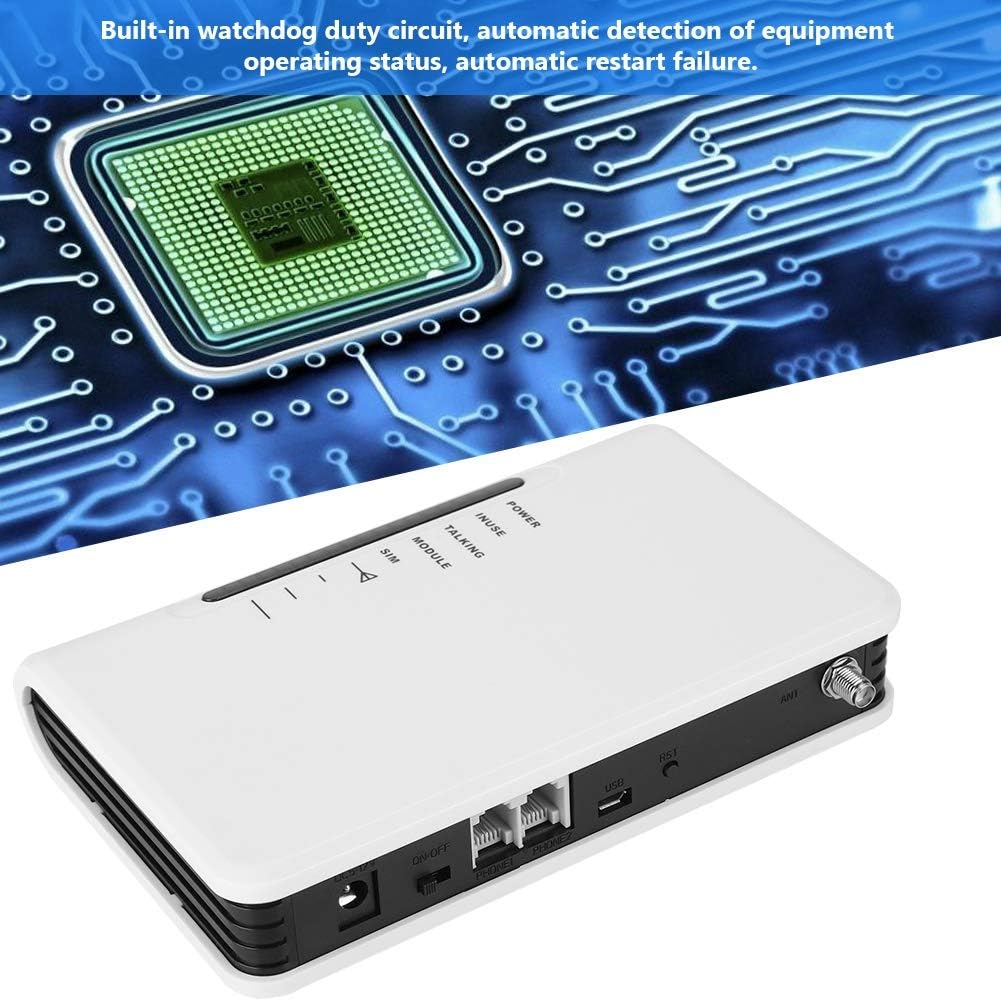
Imatge 6.1: The Bewinner FWT displaying various LED statuses, including signal, standby, and working status.
7. Manteniment
- Neteja: Feu servir un drap suau i sec per netejar l'exterior del dispositiu. No utilitzeu netejadors líquids ni aerosols.
- Emmagatzematge: Si guardeu el dispositiu durant un període prolongat, desconnecteu-lo de l'alimentació i guardeu-lo en un lloc fresc i sec.
- Watchdog Circuit: The device includes a built-in watchdog duty circuit for automatic detection of operating status and automatic restart in case of failure, minimizing the need for manual intervention.
8. Solució De Problemes
| Problema | Causa possible | Solució |
|---|---|---|
| Sense poder | Power adapter not connected; Power switch off; Faulty adapter/outlet. | Ensure power adapter is securely connected and plugged into a working outlet. Turn the ON/OFF switch to 'ON'. |
| Sense to de marcatge | SIM card not inserted or activated; Poor GSM signal; Telephone not connected properly. | Check SIM card insertion and activation status. Ensure antenna is connected and positioned for best signal. Verify telephone cable connection to PHONE1/PHONE2 port. |
| Poor Call Quality / Cannot Hear | Weak GSM signal; Network congestion; Device compatibility issues with specific network bands. | Relocate the FWT to an area with better signal strength (check signal LEDs). Ensure your SIM card's network provider supports the device's GSM bands (850/900/1800/1900Mhz). Note that some networks (e.g., in the US) may no longer support 2G devices. |
| No puc fer/rebre trucades | SIM card not activated; SIM card balance low; Network issues; Device not registered on network. | Verify SIM card activation and account balance with your mobile carrier. Check signal strength. Restart the device. |
| Device restarts automatically | Normal operation of watchdog circuit; Temporary system error. | This may be the built-in watchdog circuit functioning. If restarts are frequent and disruptive, contact support. |
9. Especificacions
| Característica | Detall |
|---|---|
| Marca | Guanyador |
| Número de model | Bewinner42sg1ohuke-01 |
| GSM Frequency Bands | Quad-Band GSM 850/900/1800/1900Mhz |
| Font d'alimentació | DC |
| Voltage | 12 Volts, 5 Volts (Input/Output) |
| Wattage | 2 watts |
| Dimensions del producte | 10L x 10W x 10H millimetres (approx. 1 x 1 x 1 cm) |
| Pes de l'article | 399 g |
| Dispositius compatibles | PC (for potential configuration, not typical user operation), Standard Telephones, Alarm Systems |
| Nivell de soroll | 104 decibels |
| UPC | 753874206541 |

Imatge 9.1: Bottom label of the Bewinner FWT, displaying the model number, serial number, and checkboxes for supported network technologies (GSM, CDMA, WCDMA, 4G).
Nota: Specifications are subject to change without notice. The "Noise level" specification of 104 Decibels may be a general specification for a component within the device or a misinterpretation; the device itself is not expected to produce such high noise during normal operation.
10. Garantia i Suport
Per obtenir informació sobre la garantia i assistència tècnica, consulteu la documentació que s'inclou amb la compra o poseu-vos en contacte amb el vostre distribuïdor. Conserveu el comprovant de compra per a reclamacions de garantia.


