Introducció
The TENMIYA A200 Portable Bluetooth Speaker is designed to provide high-quality audio with versatile connectivity options. Featuring Bluetooth 5.0, FM radio, TF card, USB, and AUX input, this speaker offers a comprehensive audio experience for various environments, from home to outdoor gatherings. Its compact design and remote control functionality ensure ease of use and portability.

Image: The TENMIYA A200 speaker in beech color, showcasing its front panel with a large speaker grille, digital display, control buttons, and a remote control placed in front.
Què hi ha a la caixa
Si us plau, comproveu el contingut del paquet per assegurar-vos que tots els articles hi són i estan en bon estat:
- 1 x TENMIYA A200 Bluetooth Speaker
- 1 x comandament a distància
- 1 x cable AUX (3.5 mm)
- 1 x cable de càrrega USB
- 1 x Manual d'usuari (aquest document)
Configuració
1. Carregant l’altaveu
Before first use, fully charge the speaker. Connect the provided USB charging cable to the speaker's DC 5V input port and the other end to a USB power adapter (not included) or a computer USB port. The charging indicator will show the charging status. A full charge typically takes about 3-4 hours.
2. Encendre/apagar
Locate the power switch on the side of the speaker. Slide it to the "ON" position to power on the speaker. Slide it to the "OFF" position to power off.
3. Connexió Bluetooth
- Power on the speaker. It will automatically enter Bluetooth pairing mode, indicated by a flashing Bluetooth icon on the digital display.
- Al dispositiu (telèfon intel·ligent, tauleta, ordinador portàtil), activeu el Bluetooth i cerqueu els dispositius disponibles.
- Select "TENMIYA A200" from the list of devices.
- Once connected, the speaker will emit a confirmation sound, and the Bluetooth icon on the display will stop flashing.

Image: The TENMIYA A200 speaker displaying "Bluetooth 4.1" (note: product specs state 5.0, this image might be older) and a smartphone screen showing music playback, illustrating Bluetooth connectivity.
4. Connexió d'entrada AUX
For devices without Bluetooth, use the provided 3.5mm AUX cable. Connect one end to the speaker's AUX input port and the other end to the audio output jack of your device (e.g., MP3 player, computer, TV). The speaker will automatically switch to AUX mode.
5. TF Card and USB Playback
Insert a TF (MicroSD) card or a USB flash drive containing MP3 music files into the respective slots on the side of the speaker. The speaker will automatically detect the storage device and begin playing music.
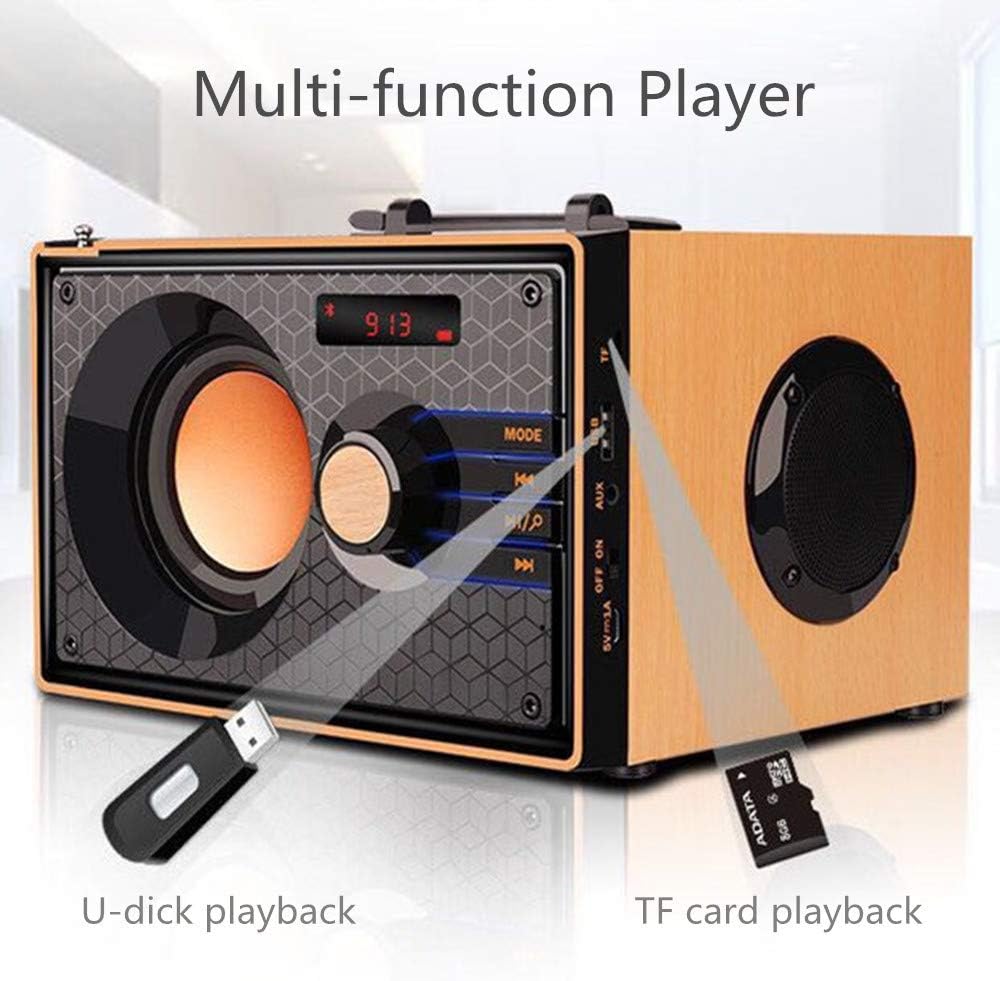
Image: A close-up of the side panel of the TENMIYA A200 speaker, highlighting the USB and TF card input slots with a USB drive and TF card inserted, demonstrating multi-function playback.
Instruccions de funcionament
1. Selecció de mode
Premeu el botó MODE button on the speaker's front panel or the remote control to cycle through available modes: Bluetooth, FM Radio, AUX, TF Card, and USB.
2. Control de volum
Rotate the large knob on the front panel clockwise to increase volume and counter-clockwise to decrease volume. Alternatively, use the VOL+ i VOL- botons del comandament a distància.
3. Playback Control (Bluetooth, TF Card, USB)
- Premeu el botó Reproduir/Pausa botó (▶▶) to play or pause the current track.
- Premeu el botó Pista anterior botó (◀◀) to go to the beginning of the current track or the previous track.
- Premeu el botó Pista següent botó (▶▶) per saltar a la pista següent.
4. Funcionament de la ràdio FM
- Canvieu al mode FM utilitzant el botó MODE botó.
- To automatically scan and save available stations, press and hold the Reproduir/Pausa button. The speaker will scan and store stations with strong signals.
- To manually tune or navigate through saved stations, use the Pista anterior i Pista següent botons.
- Extend the telescopic antenna on the back of the speaker for improved FM reception.

Image: A man relaxing on a couch, listening to the TENMIYA A200 speaker which has its telescopic antenna extended, indicating FM radio functionality.
5. Ús del control remot
The included remote control provides convenient access to all speaker functions from a distance of up to 10 feet. Functions include power on/off, mode selection, volume control, track navigation, play/pause, and direct station input for FM radio (if supported by the remote's number pad).
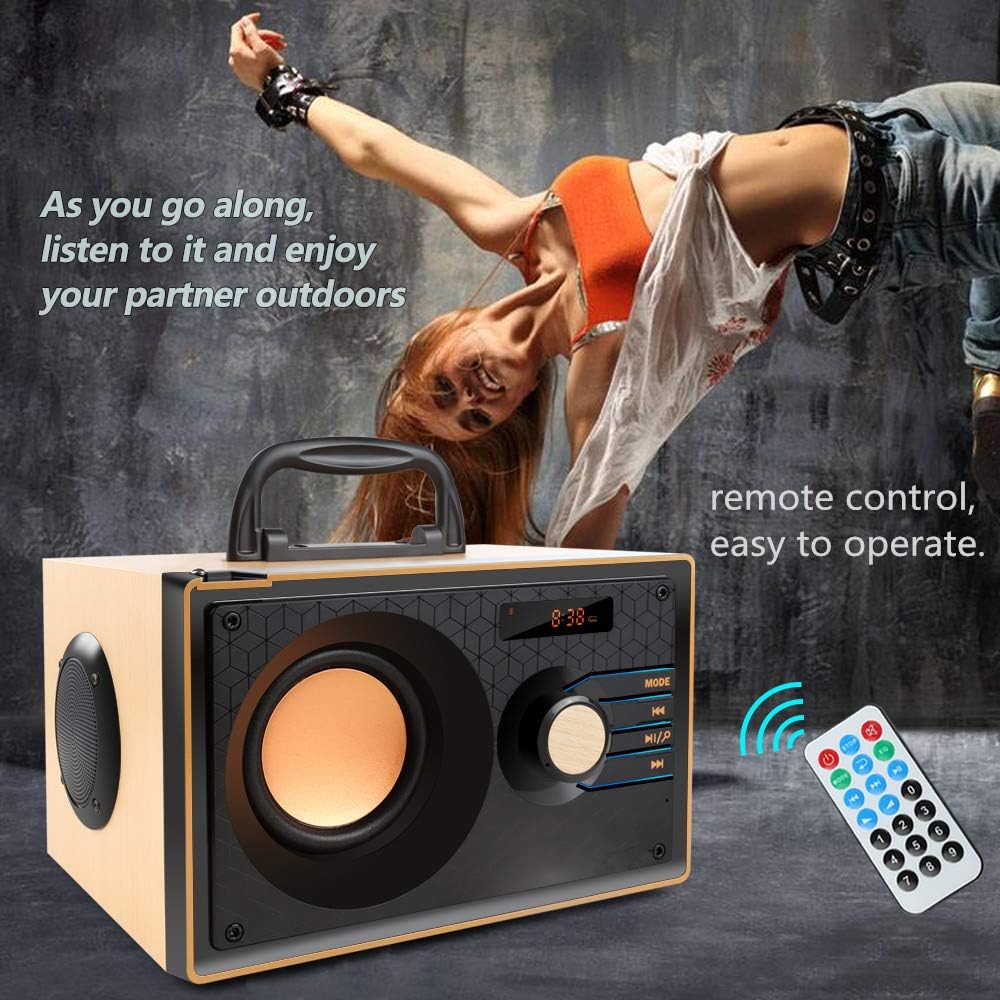
Image: The TENMIYA A200 speaker with its remote control, emphasizing the ease of operation from a distance.
Manteniment
- Mantingueu l'altaveu allunyat de l'aigua, la humitat i la llum solar directa.
- Netegeu l'altaveu amb un drap suau i sec. No utilitzeu productes de neteja abrasius ni dissolvents.
- Eviteu deixar caure l'altaveu o sotmetre'l a impactes forts.
- Guardeu l'altaveu en un lloc fresc i sec quan no l'utilitzeu durant períodes prolongats.
Resolució de problemes
| Problema | Causa possible | Solució |
|---|---|---|
| L'altaveu no s'encén. | Low battery; Power switch is off. | Carregueu l'altaveu; assegureu-vos que l'interruptor d'alimentació estigui a la posició "ON". |
| Sense so. | Volum massa baix; Mode incorrecte seleccionat; Dispositiu no connectat correctament. | Augmenta el volum; prem el botó MODE per seleccionar l'entrada correcta; torna a connectar el dispositiu. |
| La connexió Bluetooth falla. | L'altaveu no està en mode d'emparellament; el Bluetooth del dispositiu està desactivat; massa lluny de l'altaveu. | Ensure speaker is in Bluetooth mode and flashing; Turn on device Bluetooth; Move device closer (within 10 meters/33 feet). |
| Mala recepció de ràdio FM. | Antena no estesa; Zona amb senyal feble. | Fully extend the telescopic antenna; Try repositioning the speaker for better signal. |
| El comandament a distància no funciona. | Battery depleted; Obstruction between remote and speaker; Too far from speaker. | Replace remote battery; Remove obstructions; Move closer to speaker (within 10 feet). |
Especificacions
| Característica | Detall |
|---|---|
| Marca | TENMIYA |
| Model | A200 |
| Potència de sortida dels altaveus | 10W (5W + 2.5W x 2) |
| Unitat d'altaveus | 3" + 2" x 2 |
| Resposta de freqüència | 60Hz - 20KHz |
| Versió Bluetooth | 5.0 |
| Interval Bluetooth | Fins a 10 metres (33 peus) |
| Capacitat de la bateria | 2200 mAh |
| Temps de càrrega | Aprox. 3-4 hores |
| Temps de joc | Aprox. 8 hores (al 40% del volum) |
| Potència d'entrada | DC 5V |
| Dimensions (L x A x A) | 7.5 x 6.1 x 4.7 polzades (190 x 155 x 120 mm) |
| Pes de l'article | 2.91 lliures |
| Funcions suportades | Bluetooth, FM Radio, TF Card, USB, AUX Input |
| Mètode de control | Manual buttons, Remote Control |

Image: The TENMIYA A200 speaker with its dimensions labeled (190mm length, 155mm depth, 120mm height), illustrating its compact size.
Garantia i Suport
The TENMIYA A200 Portable Bluetooth Speaker comes with a worry-free 12-month warranty. If you encounter any issues or have questions regarding your product, please contact our customer service team. We are committed to providing the best customer service and will respond to your inquiries within 24 hours.
Per obtenir assistència, consulteu la informació de contacte que apareix a l'embalatge del producte o a la pàgina del venedor on vau comprar l'article.


