Introducció
This manual provides comprehensive instructions for the iTOMA CKS512 Alarm Clock Radio. It covers setup, operation, maintenance, and troubleshooting to ensure optimal performance and user experience. Please read this manual thoroughly before using the device.
Informació de seguretat
- No exposeu la unitat a degoteigs o esquitxades d'aigua.
- No col·loqueu objectes plens de líquids, com ara gerros, a la unitat.
- Assegureu-vos que la ventilació sigui adequada; no obstruïu les obertures de ventilació.
- Keep the unit away from direct sunlight, heat sources, and open flames.
- Utilitzeu només l'adaptador d'alimentació subministrat amb la unitat.
- No intenteu desmuntar ni modificar la unitat. Encarregueu tot el manteniment a personal qualificat.
- Netegeu la unitat amb un drap suau i sec. No utilitzeu netejadors líquids ni aerosols.
Contingut del paquet
Verifiqueu que tots els elements siguin presents al paquet:
- iTOMA CKS512 Ràdio despertador
- Adaptador d'alimentació
- Manual d'usuari (aquest document)
Producte acabatview
Familiarize yourself with the main components and controls of your iTOMA CKS512.

Figura 1: Frontal view of the iTOMA CKS512 Alarm Clock Radio, highlighting key features such as volume, snooze, dual alarm, wireless charging, dimmer, and FM radio capabilities.
Controls del tauler superior

Figure 2: Top panel of the alarm clock radio, displaying buttons for various functions including alarm settings, radio controls, and time adjustment.
- Botó SNOOZE/DIMMER: Press to snooze an active alarm or adjust display brightness.
- Botons AL1/AL2: Activate/deactivate and set Alarm 1 and Alarm 2.
- Botó AJUSTAMENT DE TEMPORADA: Entra al mode de configuració de l'hora.
- TUNER +/- Buttons: Adjust radio frequency or navigate menu options.
- Botons VOL +/-: Ajustar el volum.
- FM/BT Button: Switch between FM radio and Bluetooth modes.
- Botons ON/OFF: Power on/off the radio or Bluetooth.
- Coixinet de càrrega sense fil: Situat a la superfície superior per a dispositius compatibles.
Ports del panell posterior

Figure 3: Rear panel of the alarm clock radio, showing the DC power input, USB charging port, and the FM antenna connection.
- Presa DC IN: Connecteu l'adaptador de corrent aquí.
- Port de càrrega USB: Per carregar dispositius externs.
- Antena FM: Allarga per a una millor recepció d'FM.
Configuració
1. Connexió d'alimentació
- Plug the provided power adapter into the DC IN jack on the rear of the unit.
- Connecteu l'altre extrem de l'adaptador a una presa de corrent estàndard.
- The display will light up, indicating the unit is powered on.
2. Configuració inicial de l'hora
Upon initial power-up, the clock may automatically set the time. If not, or if adjustment is needed:
- Manteniu premut el botó HORA CONFIGURADA fins que els dígits de les hores parpellegin.
- Utilitza el TUNER +/- botons per ajustar l'hora. Premeu HORA CONFIGURADA per confirmar.
- Els dígits dels minuts parpellejaran. Feu servir la tecla TUNER +/- botons per ajustar els minuts. Premeu HORA CONFIGURADA per confirmar.
- Continue this process to set the year, month, and day if applicable.
Instruccions de funcionament
1. Configuració d'alarmes (alarma dual)
The unit supports two independent alarms (AL1 and AL2).
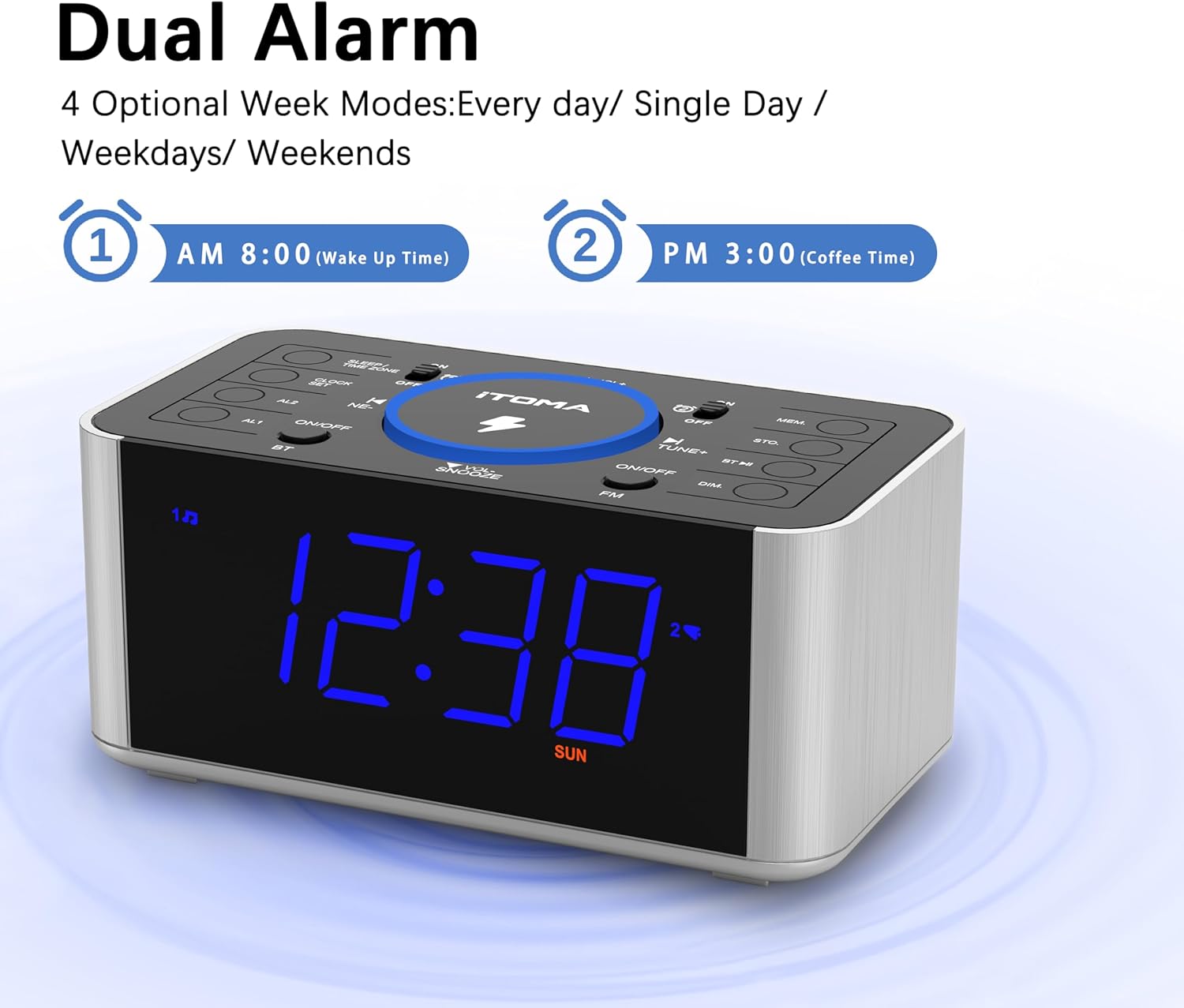
Figure 4: The alarm clock display showing options for setting two distinct alarms and selecting alarm modes (daily, single day, weekdays, weekends).
- Manteniu premut el botó AL1 or AL2 fins que els dígits de l'hora de l'alarma parpellegin.
- Utilitza el TUNER +/- buttons to adjust the hour. Press the respective AL botó per confirmar.
- Adjust the minutes using TUNER +/- i confirmar amb el AL botó.
- Select the alarm source (FM Radio or Buzzer) using TUNER +/- i confirmar.
- Select the alarm mode (Every day, Single Day, Weekdays, Weekends) using TUNER +/- i confirmar.
- Per activar/desactivar una alarma, premeu breument la tecla AL1 or AL2 botó. Apareixerà/desapareixerà una icona d'alarma a la pantalla.
Funció de posposar
Quan soni una alarma, premeu el botó SNOOZE / DIMMER button to temporarily silence it for approximately 9 minutes. The alarm will sound again after the snooze period.
Aturar una alarma
To stop an alarm completely, press the corresponding AL1 or AL2 ENCÈS/APAGAT botó del panell superior.
2. Funcionament de la ràdio FM
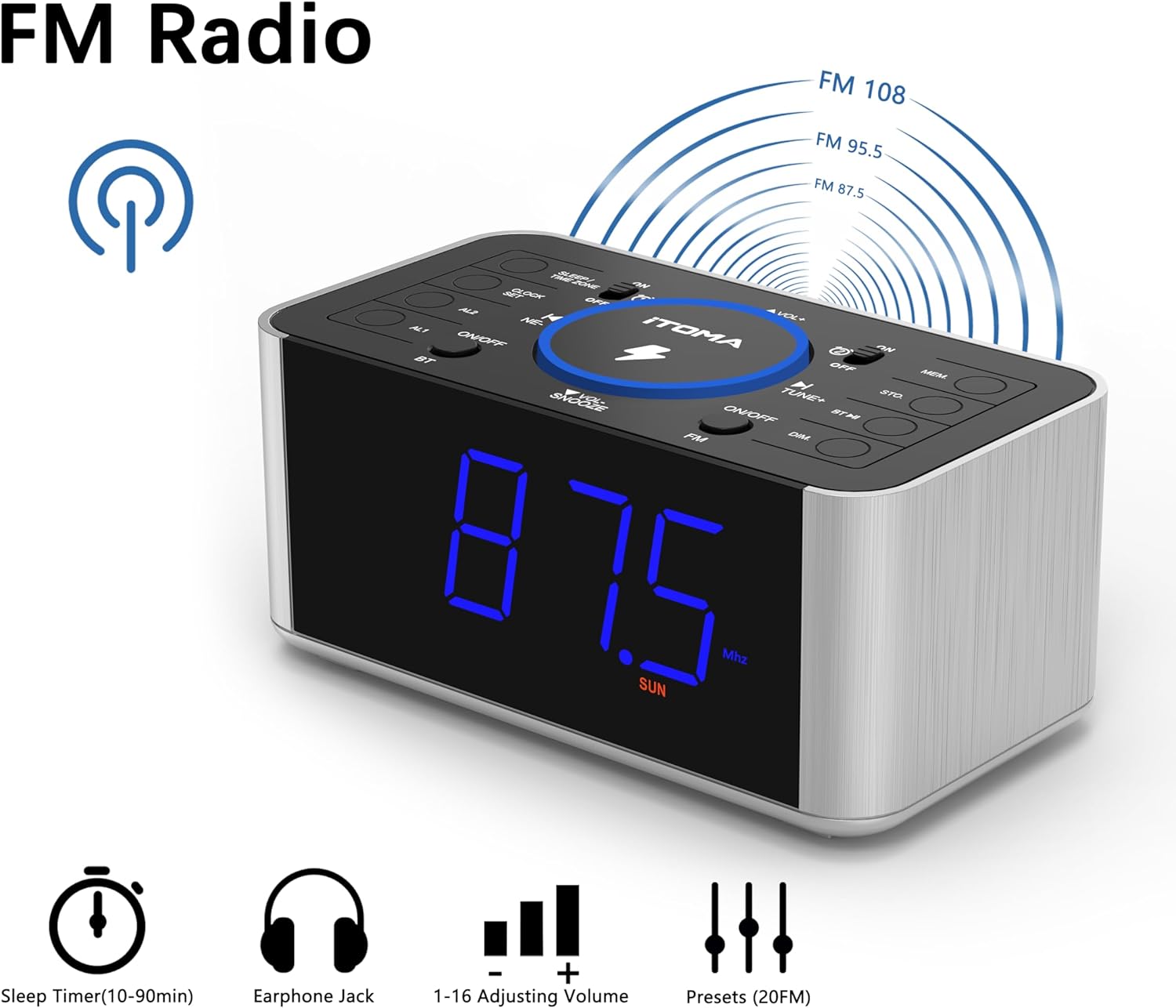
Figure 5: The alarm clock display showing FM radio mode, with indicators for sleep timer, earphone jack, volume control, and preset stations.
- Premeu el botó FM/BT botó per canviar al mode de ràdio FM.
- Escaneig automàtic: Manteniu premut el botó TUNER +/- button to automatically scan and save available FM stations. The unit can store up to 20 preset stations.
- Sintonització manual: Premeu breument TUNER +/- botons per ajustar manualment la freqüència pas a pas.
- Recuperació de presets: Premeu el botó MEM per anar passant per les emissores predefinides desades.
- Ajust de volum: Utilitza el VOL +/- buttons to adjust the radio volume (16 levels).
- Antena FM: Extend the wire antenna on the rear panel for improved reception.
3. Emparellament Bluetooth
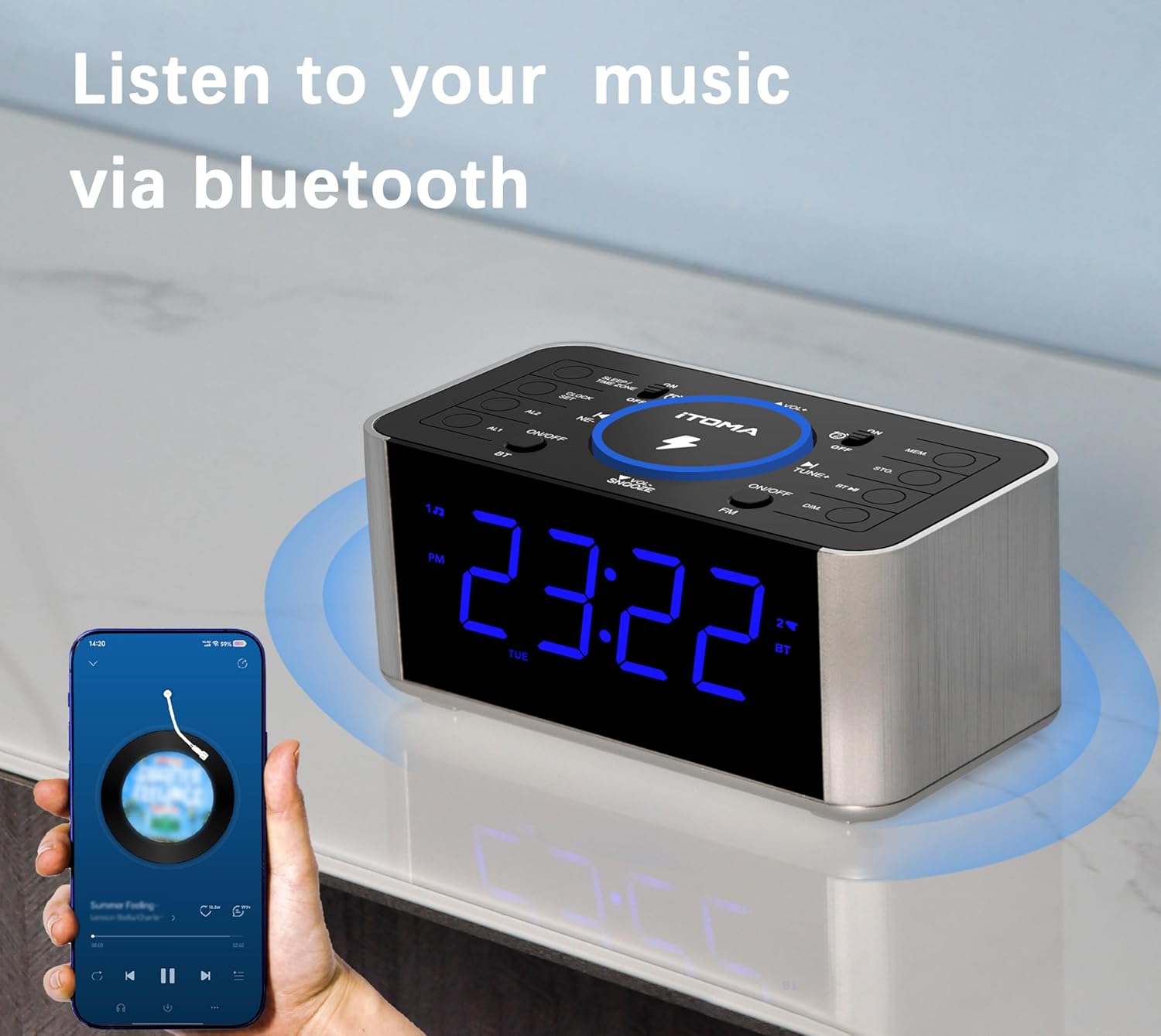
Figure 6: The alarm clock radio in Bluetooth mode, wirelessly streaming music from a connected smartphone.
- Premeu el botó FM/BT button to switch to Bluetooth mode. The display will show "BT" and flash, indicating it's ready for pairing.
- Al dispositiu mòbil, activeu el Bluetooth i cerqueu els dispositius disponibles.
- Select "iTOMA CKS512" from the list.
- Once paired, the "BT" indicator on the clock display will stop flashing. You can now play audio from your device through the clock radio.
- Utilitza el VOL +/- buttons on the clock or your device to adjust the volume.
4. Càrrega sense fil

Figure 7: The alarm clock radio simultaneously charging a smartphone wirelessly on its top pad and a smartwatch via its rear USB port.
- Place your Qi-compatible smartphone directly on the wireless charging pad located on the top of the unit.
- Ensure the phone is centered on the charging pad for optimal contact.
- A charging indicator (e.g., an icon on the clock display or on your phone) will confirm that charging has begun.
- Remove any metal objects or thick cases from your phone that may interfere with wireless charging.
5. Càrrega USB
The unit features a 5V/1A USB charging port on the rear panel.
- Connect your device's USB charging cable to the USB port on the back of the alarm clock.
- Connecteu l’altre extrem del cable al dispositiu.
- La càrrega començarà automàticament.
6. Regulador d'intensitat de la pantalla

Figure 8: The alarm clock display illustrating the four adjustable brightness levels, from brightest (L-3) to completely off.
Premeu el botó SNOOZE / DIMMER button (when no alarm is active) to cycle through the 4 brightness levels (L3, L2, L1, OFF) for the LED display.
Manteniment
- Neteja: Wipe the unit with a soft, dry, lint-free cloth. Do not use abrasive cleaners, waxes, or solvents.
- Emmagatzematge: Si guardeu la unitat durant un període prolongat, desconnecteu-la de la presa de corrent i guardeu-la en un lloc fresc i sec.
Resolució de problemes
| Problema | Possible causa/solució |
|---|---|
| La unitat no s'encén. | Assegureu-vos que l'adaptador de corrent estigui connectat correctament tant a la unitat com a una presa de corrent que funcioni. |
| L'alarma no sona. | Verify that the alarm is activated (alarm icon visible). Check alarm volume. Ensure the alarm time is set correctly. |
| Mala recepció de ràdio FM. | Fully extend the FM wire antenna. Try repositioning the unit. Scan for stations again. |
| El dispositiu Bluetooth no es pot emparellar. | Ensure the clock is in Bluetooth pairing mode ("BT" flashing). Make sure your device's Bluetooth is enabled and within range. Forget previous pairings on your device and try again. |
| La càrrega sense fil no funciona. | Ensure your device is Qi-compatible and centered on the charging pad. Remove any thick cases or metal objects from your phone. |
| La càrrega USB no funciona. | Check the USB cable connection. Ensure the cable is not damaged. |
Especificacions
- Marca: iTOMA
- Model: CKS 512
- Color: Pantalla LED blava
- Dimensions del producte: 16.51 x 8.89 x 7.62 cm (6.5 x 3.5 x 3 polzades)
- Pes: 381 g (0.84 lliures)
- Material: Plàstic
- Tipus de visualització: LED digital (1.4 polzades)
- Sortida de càrrega sense fils: 5W
- Sortida de càrrega USB: 5V/1A
- Rang de freqüència de FM: 87.5 MHz - 108.0 MHz
- Font d'alimentació: Elèctric amb cable
- Característiques especials: Wireless Charging, Snooze, Bluetooth, Dual Alarm, Dimmer, USB Charging Port
Garantia i Suport
For warranty information or technical support, please refer to the contact details provided on the iTOMA official weblloc web o la documentació de compra. Conserveu el comprovant de compra per a reclamacions de garantia.


