1. Producte acabatview
The myCharge HubMax HBLC10V is a portable power bank designed to charge various mobile devices. It features an internal 10050mAh battery, built-in Lightning and USB-C cables, and an integrated foldable wall plug for convenient recharging.

Image 1.1: The myCharge HubMax HBLC10V portable charger, showcasing its compact design with integrated Lightning and USB-C cables, and a foldable wall plug.
2. Contingut del paquet
- myCharge HubMax HBLC10V Portable Charger
- Cable Lightning integrat
- Cable USB-C integrat
- Integrated Wall Plug
3. Configuració i càrrega inicial
Before first use, it is recommended to fully charge your myCharge HubMax HBLC10V.
- Locate the Wall Plug: Extend the foldable wall prongs located on the side of the device.
- Connecteu-vos a l'alimentació: Plug the device directly into a standard AC wall outlet.
- Càrrega del monitor: The LED indicator lights on the device will illuminate to show the charging status. A full charge typically takes approximately 4.6 hours. All indicator lights will be solid when fully charged.
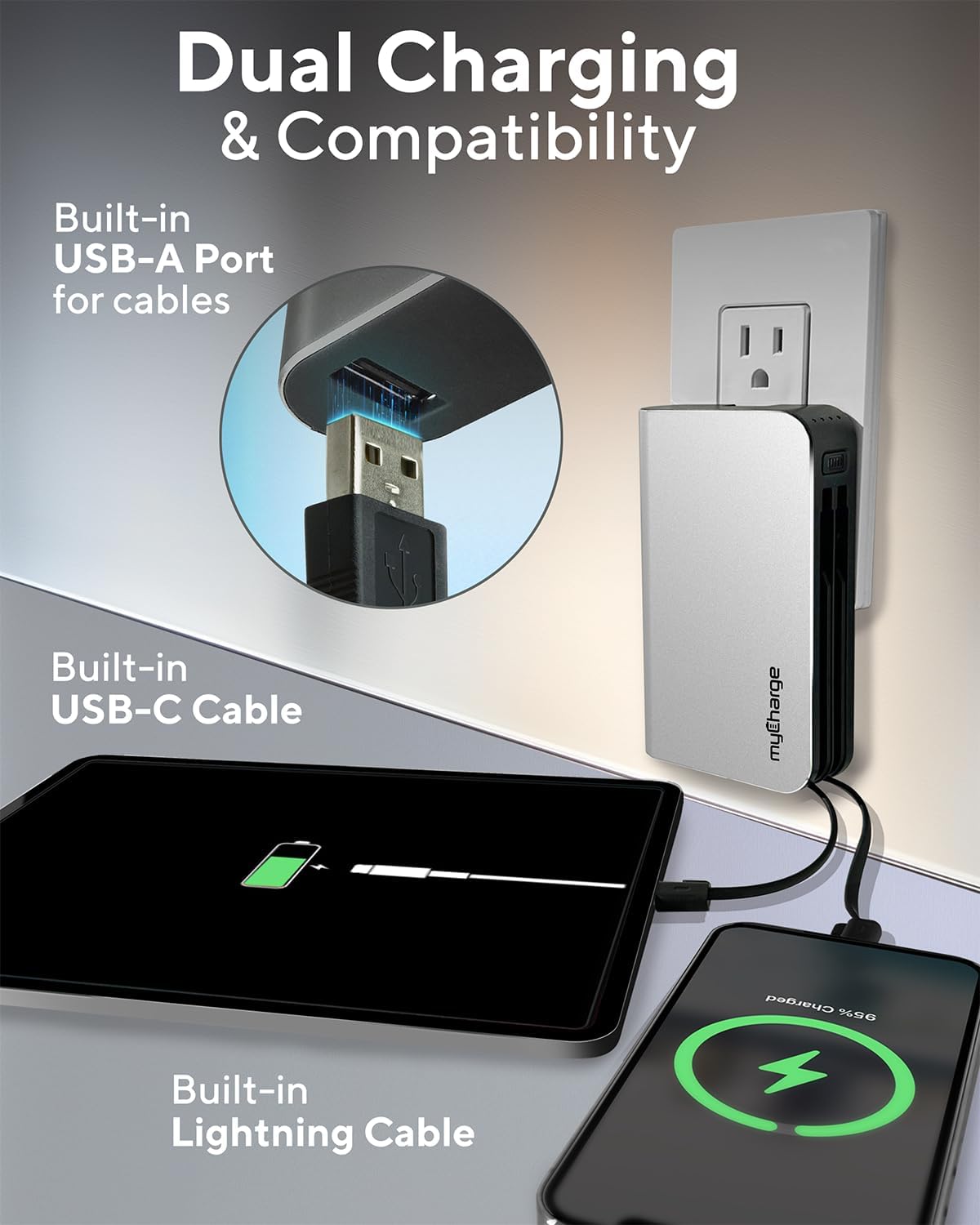
Image 3.1: The myCharge HubMax HBLC10V connected to a wall outlet for recharging, illustrating its integrated wall plug and multiple charging outputs.
4. Instruccions de funcionament
The myCharge HubMax HBLC10V allows you to charge up to three devices simultaneously.
4.1 Charging Devices with Built-in Cables
- Identify Cable: Select the appropriate built-in cable for your device (Lightning for Apple devices, USB-C for compatible Android and other devices).
- Connectar el dispositiu: Plug the selected cable directly into your mobile device's charging port.
- Comença a carregar: The myCharge HubMax will automatically begin charging your device. The LED indicator lights will show the remaining battery level of the power bank.
4.2 Charging a Third Device via USB-A Port
For devices requiring a standard USB-A connection, use the integrated USB-A port.
- Connect Your Cable: Plug your device's USB-A charging cable (not included) into the USB-A port on the myCharge HubMax.
- Connectar el dispositiu: Plug the other end of your cable into your mobile device.
- Comença a carregar: La càrrega començarà automàticament.

Imatge 4.1: Una imatge detallada view of the myCharge HubMax HBLC10V, emphasizing its all-in-one design with built-in wall prongs, Lightning and USB-C cables, and an additional USB-A port for charging up to three devices.
4.3 Capacitats de càrrega ràpida
The HubMax supports Power Delivery and Quick Charge 3.0 via its USB-C cable, enabling faster charging for compatible devices. This can charge devices up to 2.4 times faster than standard chargers.
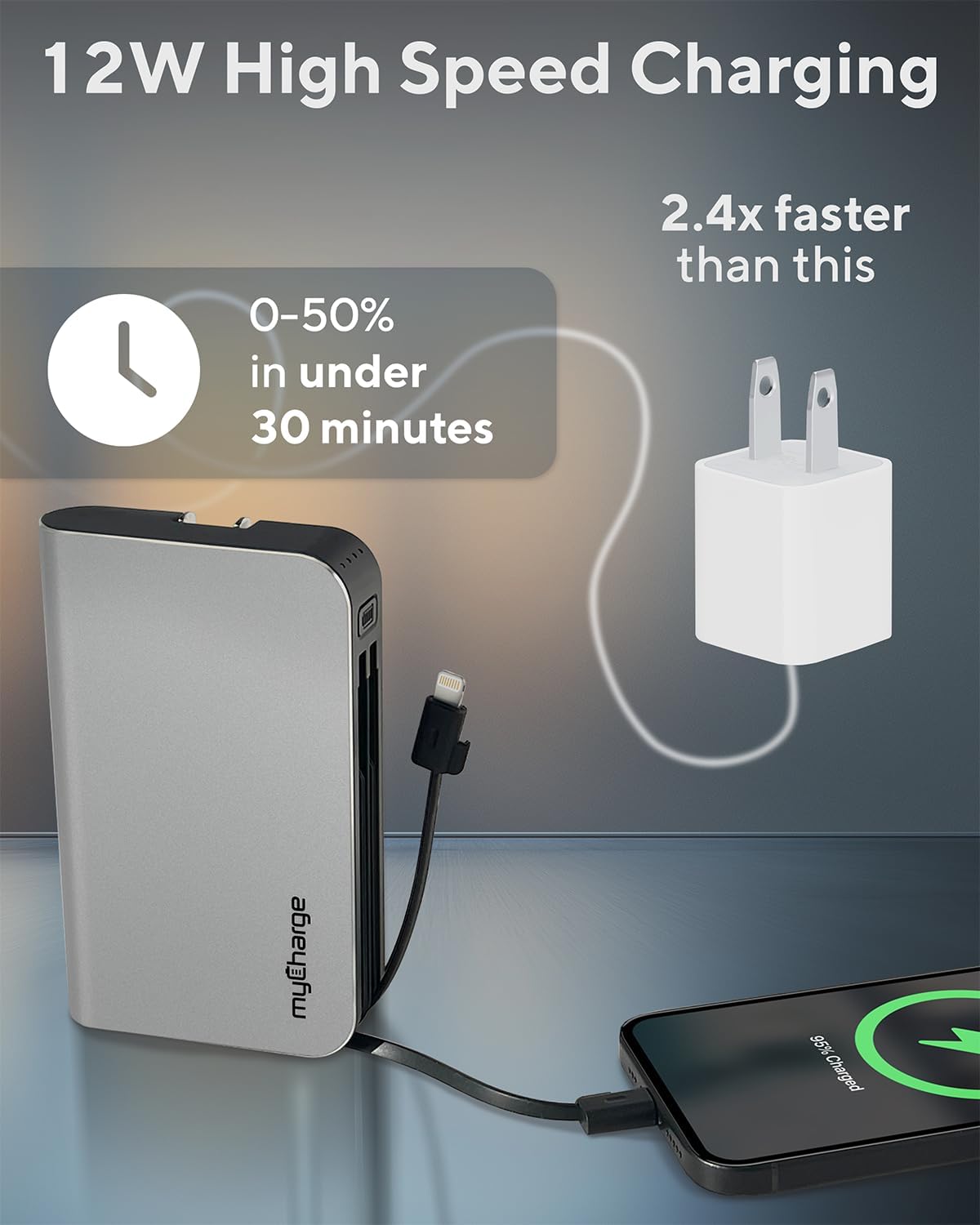
Image 4.2: The myCharge HubMax HBLC10V demonstrating its 12W high-speed charging capability, capable of charging a device from 0% to 50% in under 30 minutes.
5. Manteniment i cura
- Emmagatzematge: Guardeu el banc d'energia en un lloc fresc i sec, allunyat de la llum solar directa i de temperatures extremes.
- Neteja: Utilitzeu un drap suau i sec per netejar l'exterior del dispositiu. Eviteu utilitzar productes químics o materials abrasius.
- Manipulació: Handle the device with care. Avoid dropping it or subjecting it to strong impacts, as this can damage internal components and shorten its lifespan.
- Durada de la bateria: Per a un funcionament òptim de la bateria, evita esgotar-la completament amb freqüència. Torna-la a carregar quan el nivell de bateria sigui baix.
6. Solució De Problemes
If you encounter issues with your myCharge HubMax HBLC10V, refer to the following common solutions:
- El dispositiu no es carrega:
- Ensure the myCharge HubMax itself is sufficiently charged. Check the LED indicators.
- Verify that the built-in cable or your external USB-A cable is securely connected to both the power bank and your device.
- Try a different device or cable to rule out issues with the connected device or cable.
- Càrrega lenta:
- Ensure your device supports fast charging protocols (Power Delivery, Quick Charge 3.0) to benefit from the HubMax's fast charging capabilities.
- Carregar diversos dispositius simultàniament pot reduir la velocitat de càrrega de dispositius individuals.
- Comproveu si el cable de càrrega està danyat.
- El banc d'energia no es recarrega:
- Ensure the wall plug is fully extended and securely inserted into a working AC wall outlet.
- Prova una altra presa de corrent.
If problems persist, please contact myCharge customer support for further assistance.
7. Especificacions
| Característica | Detall |
|---|---|
| Número de model | HBLC10V |
| Capacitat de la bateria | 10050 mAh (ió de liti) |
| Dimensions del producte | 2.8 x 0.9 x 4.6 polzades |
| Pes de l'article | 10.2 unces |
| Cables integrats | Lightning, USB-C |
| Additional Port | USB-A |
| Temps de recàrrega | Approx. 4.6 hours (via integrated wall plug) |
| Característiques especials | Integrated Wall Plug, Fast Charging (PD, QC 3.0) |
| Fabricant | myCharge |
8. Garantia i Suport
myCharge products are typically covered by a manufacturer's warranty. For specific warranty details, registration, or to initiate a warranty claim, please refer to the official myCharge weblloc web o contacteu directament amb el seu servei d'atenció al client.
For technical assistance, troubleshooting not covered in this manual, or general inquiries, please visit the myCharge support page or contact their customer service department.
Note: Warranty terms and support availability may vary. Always refer to the latest information provided by the manufacturer.


