Producte acabatview
This manual provides detailed instructions for the setup, operation, and maintenance of your JOYACCESS 2.4Ghz Wireless Keyboard and Mouse combo. Designed for efficiency and comfort, this set offers a compact, full-size AZERTY keyboard and an ergonomic, silent mouse, ideal for various computing environments.

Image: The JOYACCESS wireless keyboard and mouse set, featuring a compact AZERTY keyboard and an ergonomic mouse, alongside the small USB nano-receiver.
Instruccions de configuració
Follow these steps to quickly set up your wireless keyboard and mouse.
- Insereix les piles:
- For the keyboard: Insert 2 AAA alkaline batteries (not included) into the battery compartment on the underside.
- For the mouse: Insert 1 AA alkaline battery (not included) into the battery compartment on the underside.
- Locate the USB Nano-Receiver: The nano-receiver is conveniently stored inside the mouse's battery compartment. Gently remove it.
- Connecteu el receptor: Plug the USB nano-receiver into an available USB port on your computer, laptop, or Smart TV.
- Encès: Ensure the power switch on both the keyboard and mouse (usually on the underside) is in the "ON" position.
- Connexió automàtica: El teclat i el ratolí s'haurien de connectar automàticament al dispositiu. Normalment no calen controladors addicionals per a la majoria de sistemes operatius.

Image: A laptop demonstrating the 2.4G wireless connection between the computer and the keyboard and mouse, highlighting the USB nano-receiver.
Instruccions de funcionament
Ús del teclat
The keyboard features a full-size AZERTY layout with a numeric keypad and multimedia shortcut keys for enhanced productivity.
- Dreceres multimèdia: Access common functions like volume control, play/pause, and web browser shortcuts directly from the keyboard. Note: Some quick access keys may not be fully compatible with Mac systems.
- Llums indicadores:
- Indicador NUM: Lights up when Num Lock is active.
- Indicador CAPS: Lights up when Caps Lock is active.
- Indicador d'alimentació: Indica l'estat de la bateria.
- Disseny ergonòmic: The keyboard has an optimal tilt angle for comfortable typing.
- Silent and Responsive Keys: El low-profile scissor-switch keys provide a quiet and tactile typing experience.

Imatge: Una imatge detallada view of the JOYACCESS keyboard's upper right section, highlighting the NUM, CAPS, and Power indicator lights, as well as the grey and black color scheme and responsive tactile keys.
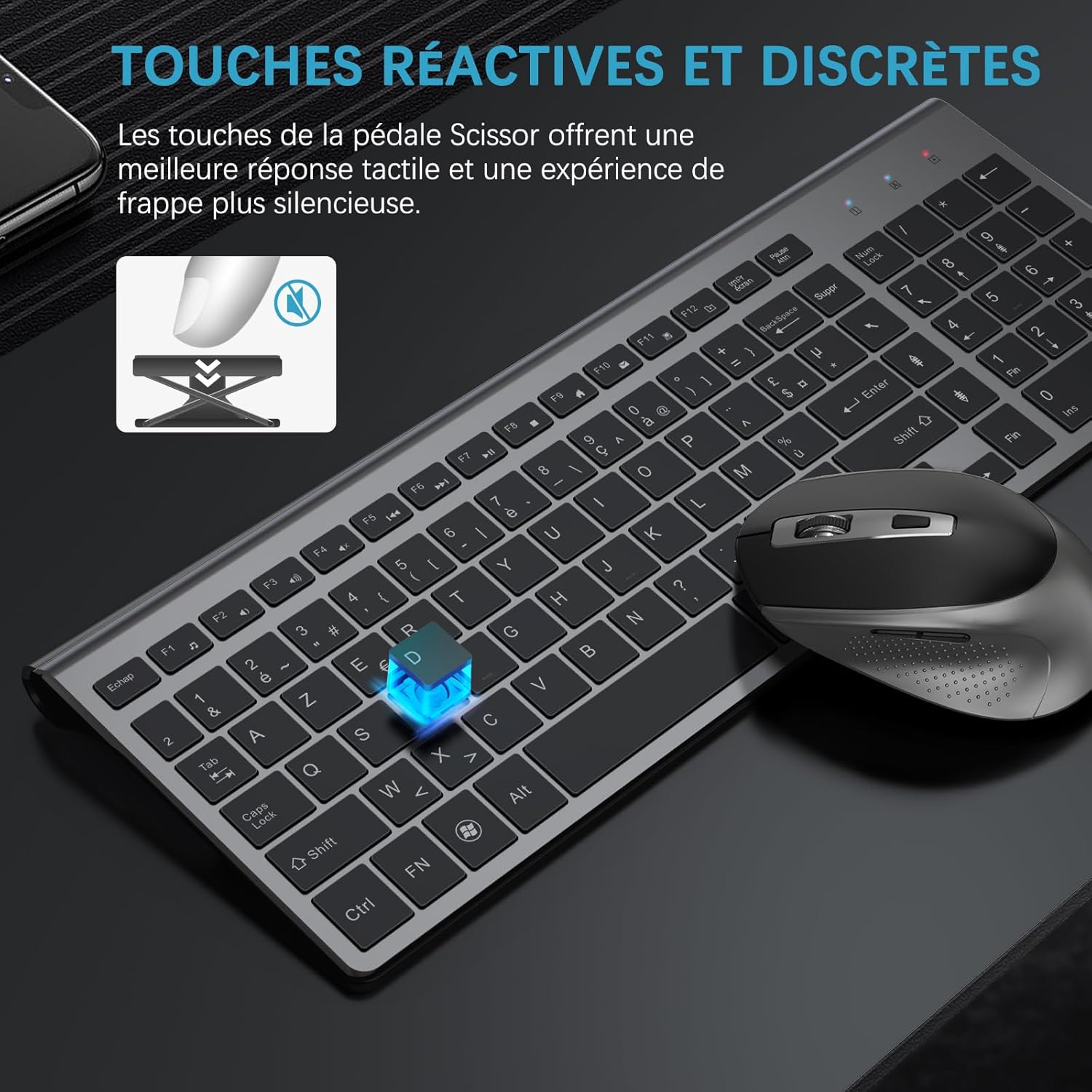
Image: A close-up illustrating the scissor-switch mechanism beneath a keyboard key, emphasizing the reactive and discreet key presses for a quieter typing experience.
Ús del ratolí
The ergonomic mouse is designed for comfortable, silent operation.
- Ajust de DPI: Easily change cursor sensitivity with 5 adjustable DPI levels (up to 2400 DPI) to suit your activity.
- 1600 DPI: Recommended for desktop use.
- 2000-2400 DPI: Suitable for 4K monitors or gaming.
- Ajust de la taxa de sondeig: Switch between 125 Hz and 250 Hz polling rates by pressing the right button and scroll wheel simultaneously for 3 seconds.
- Botons Endavant/Enrere: The mouse is equipped with convenient forward and backward buttons for web browsing and navigation.
- Clics silenciosos: Enjoy a quiet working environment with silent mouse clicks.
- Disseny ergonòmic: The contoured shape and soft, sweat-resistant finish ensure comfortable use for extended periods.

Image: The ergonomic design of the JOYACCESS mouse, highlighting its anti-slip scroll and silent click functionality for comfortable and quiet operation.
Manteniment
Proper maintenance ensures the longevity and optimal performance of your JOYACCESS wireless set.
- Substitució de la bateria:
- Replace keyboard batteries when the power indicator light flashes or performance degrades.
- Replace mouse battery when cursor movement becomes erratic or unresponsive.
- Always use new alkaline batteries for best performance.
- Neteja:
- Feu servir un drap suau i sec per netejar les superfícies del teclat i del ratolí.
- Per a la brutícia persistent, lleugerament dampNetegeu el drap amb aigua o un netejador suau i no abrasiu. Eviteu la humitat excessiva.
- No utilitzeu productes químics agressius ni materials abrasius, ja que poden danyar l'acabat.
- Emmagatzematge: When not in use for extended periods, turn off both the keyboard and mouse to conserve battery life. Store the USB nano-receiver inside the mouse.
Resolució de problemes
If you encounter issues with your JOYACCESS wireless keyboard and mouse, refer to the following common solutions:
| Problema | Possible causa/solució |
|---|---|
| El teclat o el ratolí no responen. |
|
| Erratic mouse cursor movement. |
|
| Multimedia keys not working on Mac. | Some quick access keys may have limited or no functionality on macOS due to system-specific configurations. This is a known compatibility limitation. |
| Durada de la bateria curta. |
|
Especificacions
| Característica | Detall |
|---|---|
| Marca | JOIA ACCÉS |
| Número de model | XK2BFR |
| Tecnologia de connectivitat | 2.4 GHz Radio Frequency Wireless |
| Disposició del teclat | AZERTY (French) |
| Dimensions del teclat | Aprox. 35.5 x 12.7 x 2 cm (14.5 x 5.6 x 0.8 polzades) |
| Nivells de DPI del ratolí | Adjustable: 1600, 2000, 2400 DPI |
| Taxa de sondeig del ratolí | Adjustable: 125 Hz, 250 Hz |
| Font d'alimentació | Funciona amb bateria |
| Piles necessàries | Keyboard: 2 x AAA (not included), Mouse: 1 x AA (not included) |
| Sistemes operatius compatibles | Windows (All versions from 2000 onwards), PC, Laptop, Smart TV (functionality may vary) |
| Característiques especials | Wireless, Portable, Compact, Ergonomic Design, Silent Click Mouse, Multimedia Hotkeys, Long Battery Life, Lightweight, Mouse Forward/Backward Buttons. |

Image: The compact design of the keyboard, illustrating its reduced footprint compared to a standard keyboard while retaining full functionality, including a numeric keypad.

Image: The JOYACCESS wireless keyboard and mouse setup shown in use with a desktop PC, a laptop, and a smart TV, demonstrating its broad compatibility.
Garantia i Suport
For warranty information and technical support, please refer to the official JOYACCESS weblloc web o contacteu directament amb el servei d'atenció al client. Conserveu el rebut de compra per a reclamacions de garantia.
Per obtenir més ajuda, podeu visitar la pàgina del producte a Amazon:
