1. Introducció
Thank you for choosing the YESIDO C23 Mobile Phone Car Holder. This manual provides detailed instructions for the proper installation, operation, and maintenance of your device. Please read this manual thoroughly before use to ensure optimal performance and safety.
2. Producte acabatview
The YESIDO C23 is a versatile car holder designed to securely mount your mobile phone in your vehicle. It features a 360-degree rotation capability, an automatic clip mechanism, and a strong suction cup for dashboard mounting. Its adjustable design accommodates various phone sizes and viewangles d'ajust.
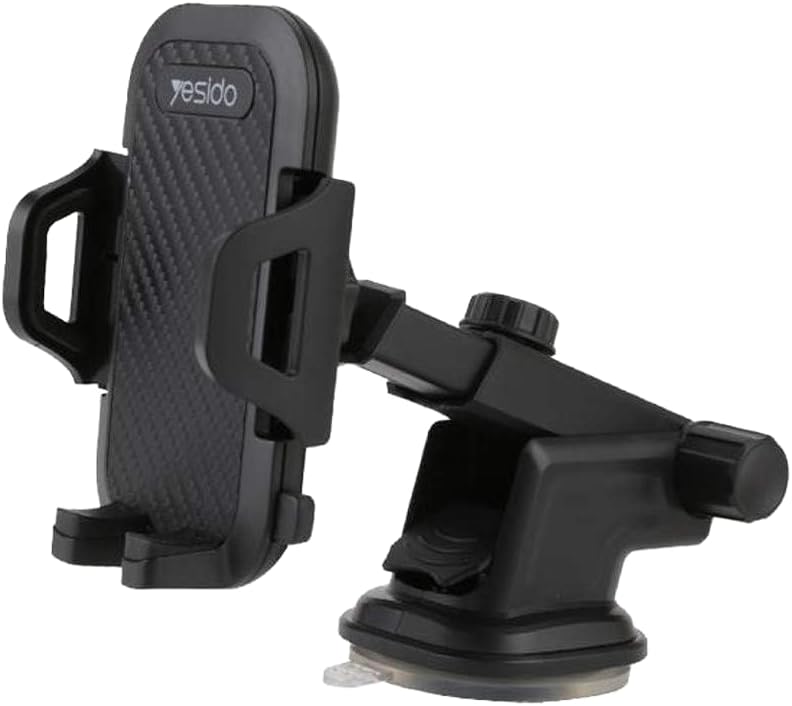
Figura 2.1: Principal view of the YESIDO C23 Mobile Phone Car Holder, showcasing its black finish and robust design.

Figura 2.2: A mobile phone securely held in the C23 car holder, mounted on a car dashboard, demonstrating easy access for charging.

Figura 2.3: Illustrative diagrams detailing the holder's adjustable features: a 210-degree angle range, a maximum 20cm adjustable clamp extension, and full 360-degree tridimensional rotation.
3. Instruccions de configuració
- Trieu la ubicació de muntatge: Select a clean, flat, and smooth surface on your car's dashboard or windshield. Ensure the location does not obstruct your view o interferir amb els airbags.
- Netegeu la superfície: Wipe the chosen surface with a clean cloth to remove any dust or grease. This ensures maximum adhesion for the suction cup.
- Enganxeu el suport:

Figura 3.1: Visual guide for attaching the holder, showing the suction cup and the lever for locking it into place.
- Place the suction cup firmly onto the cleaned surface.
- Press down the locking lever located at the base of the holder to create a vacuum seal. Ensure it is securely locked.
- Adjust the Arm and Angle: Loosen the adjustment knobs on the holder's arm to set the desired length and angle. Tighten the knobs once the position is satisfactory. The holder offers a 210-degree adjustable angle range and a 360-degree rotation for optimal viewing.
- Inseriu el vostre telèfon: Gently press the side arms of the holder to open the clip. Place your phone into the holder, and the automatic clip will secure it.
4. Instruccions de funcionament
- Placing Your Mobile Phone:
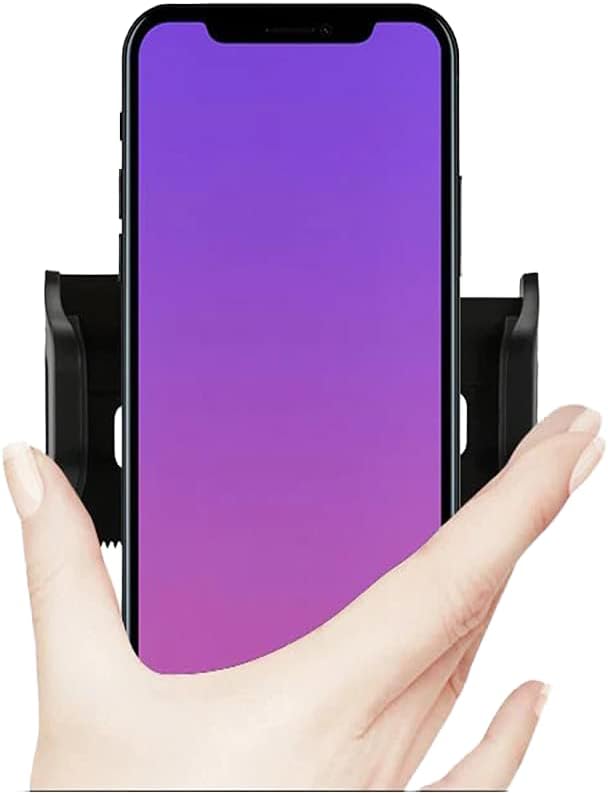
Figura 4.1: A hand demonstrating how to place a mobile phone into the holder, which automatically grips the device.
- With one hand, gently push your phone against the back plate of the holder. The side arms will automatically open and then close to securely grip your phone.
- Removing Your Mobile Phone:

Figura 4.2: A finger pressing the release button on the side of the holder to disengage the automatic clip and release the phone.
- Locate the release button on the side or bottom of the holder. Press this button to release the side arms and retrieve your phone.
- Ajustant Viewangle: The holder allows for 360-degree rotation. Simply rotate your phone to switch between portrait and landscape orientations as needed. The arm can also be adjusted for height and distance.
5. Manteniment
- Neteja de la ventosa: If the suction cup loses its grip, it may be due to dust or debris. Rinse the suction cup with lukewarm water and let it air dry completely. Do not use harsh chemicals or abrasive materials.
Figura 5.1: Illustration demonstrating the washability of the nano silicon glue suction cup, indicating it can be cleaned with water to restore adhesion.
- Neteja general: Wipe the holder's body with a soft, damp cloth. Avoid using solvents or strong cleaning agents.
- Emmagatzematge: When not in use for extended periods, detach the holder from the dashboard and store it in a cool, dry place away from direct sunlight.
6. Solució De Problemes
- Holder not sticking to dashboard:
- Ensure the dashboard surface is clean and dry.
- Rinse the suction cup with water and let it air dry to restore stickiness (refer to Maintenance section).
- Make sure the locking lever is fully engaged after placing the suction cup.
- Phone not held securely:
- Ensure your phone is centered in the holder when inserting it.
- Check that the automatic clip mechanism is not obstructed.
- Verify your phone's dimensions are within the compatible range (see Specifications).
- Holder feels loose or wobbly:
- Tighten all adjustment knobs on the arm and base.
- Re-attach the suction cup if it feels loose.
7. Especificacions
| Característica | Especificació |
|---|---|
| Nom de marca | YESIDO |
| Model | C23 |
| Color | Multi (typically Black) |
| Dispositius compatibles | Multi (various smartphones) |
| Models de telèfon compatibles | Huawei, iPhone, Xiaomi (and similar sized phones) |
| Tipus de muntatge | Tauler de control |
| Característiques especials | Rotatable, Automatic Clip, Free Stretch |
| Dimensions de l'article (L x A x A) | 11.5 x 14.1 x 6.7 centímetres |
| Pes de l'article | 168 grams |
| Nivell de resistència a l'aigua | Resistent a l'aigua |
8. Informació de la garantia
This product is covered by the standard manufacturer's warranty. Please refer to the retailer's return policy or contact YESIDO customer support for specific warranty terms and conditions. Keep your purchase receipt as proof of purchase.
9. Suport
For further assistance, technical support, or inquiries regarding your YESIDO C23 Mobile Phone Car Holder, please contact your point of purchase or visit the official YESIDO weblloc web per obtenir informació de contacte del servei d'atenció al client.


