Introducció
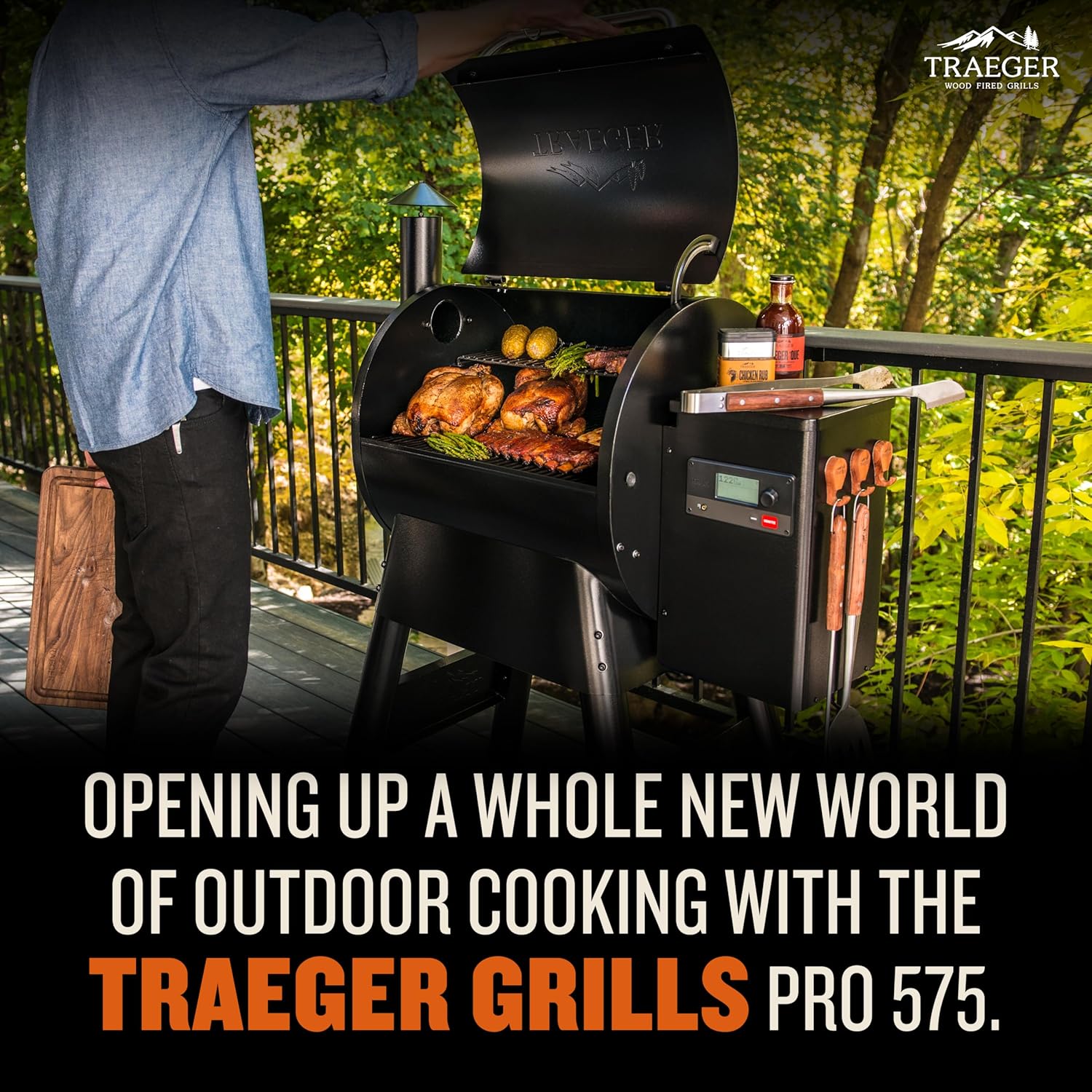
The Traeger Pro 575 Wood Pellet Grill & Smoker is designed to deliver authentic wood-fired flavor with modern convenience. This app-enabled grill allows for precise temperature control and versatile cooking options, from slow-smoking to high-heat grilling. Its robust construction ensures durability and consistent performance for all your outdoor cooking needs.
Les característiques clau inclouen:
- WiFIRE Technology for remote control via the Traeger App.
- D2 Direct Drive drivetrain for fast ignition and consistent heat.
- Included meat probe for precise internal temperature monitoring.
- Generous 575 sq. in. of grilling space.
- 6-in-1 versatility: grill, smoke, bake, roast, braise, and BBQ.
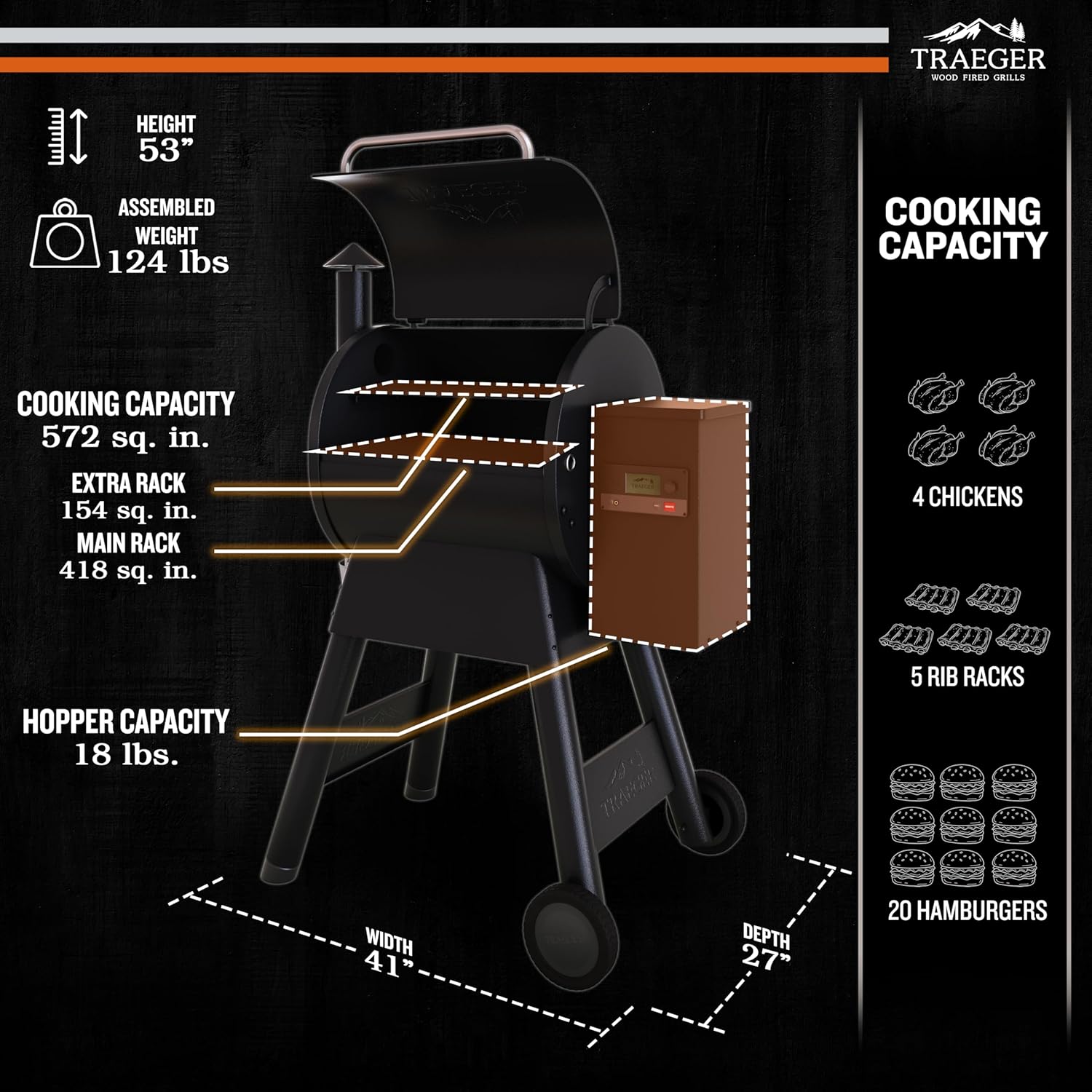
- 18-lb hopper with clean-out system for easy pellet changes.
- Heavy-duty steel construction with powder-coated finish and all-terrain wheels.

Configuració
Proper setup is crucial for optimal performance and safety. Follow these steps to prepare your Traeger Pro 575 for its first use.
- Muntatge: The grill requires assembly upon arrival. Most users report assembly takes approximately one hour. Refer to the detailed User Manual (PDF) for step-by-step instructions.
- Pellet Loading: Open the hopper lid located on the side of the grill. Ensure the hopper is free of debris. Pour your desired Traeger wood pellets into the hopper. The 18-lb capacity allows for extended cooking sessions.
- Initial Seasoning: Before cooking any food, it is essential to season your grill. This process burns off manufacturing oils and prepares the cooking surfaces. Follow the seasoning instructions provided in your user manual or via the Traeger App.
- WiFIRE Technology Setup:
- Download the Traeger App to your smartphone.
- Ensure your grill is powered on and within range of your Wi-Fi network.
- Follow the in-app instructions to connect your grill to your home Wi-Fi. Some users have noted that connecting to a 2.4GHz Wi-Fi band is often more stable than 5GHz.


Instruccions de funcionament
The Traeger Pro 575 offers intuitive controls and smart features for a seamless cooking experience.
- Encès: Locate the power switch on the back of the control panel and flip it to the ON position. The digital display will illuminate.
- Temperatura establerta: Use the control dial on the right-hand side of the panel to select your desired cooking temperature. The grill supports temperatures up to 500°F, allowing for both low-and-slow smoking and high-heat searing. Press the dial to confirm the temperature setting.
- Encendre: Press the "Ignite" button to start the grill. The D2 Direct Drive drivetrain will begin feeding pellets to the fire pot and initiate the ignition process.
- Meat Probe Usage: Insert the included meat probe into the thickest part of your food. Plug the probe into the designated port on the control panel. Monitor the internal temperature of your food directly on the grill's display or via the Traeger App. You can set alarms to notify you when your food reaches the target temperature.
- WiFIRE App Control: Once connected to WiFIRE, you can:
- Monitor grill temperature and meat probe readings remotely.
- Adjust grill temperature from your phone.
- Set timers and receive notifications.
- Access a vast library of recipes and cooking guides.
- Versatilitat de cuina: The Pro 575 is a 6-in-1 cooker. Experiment with different cooking methods:
- Grill: For direct heat cooking and searing.
- Fum: For infusing deep wood-fired flavor at lower temperatures.
- Enfornar: Ideal for wood-fired pizzas, breads, and desserts.
- rostit: Perfect for whole chickens, turkeys, or vegetables.
- Braise: For tender, fall-off-the-bone meats.
- Barbacoa: Classic barbecue dishes with authentic smoke.
- Capacitat de cocció: The 575 sq. in. grilling area can accommodate up to 24 burgers, 5 racks of ribs, or 4 whole chickens, making it suitable for family meals and entertaining.

Official Product Video: Traeger "The Original Reinvented"
This video from Traeger Pellet Grills, LLC highlights the core features and versatility of the Traeger grill, emphasizing its wood-fired flavor and modern technology.
Manteniment
Regular maintenance ensures your Traeger Pro 575 continues to perform optimally and extends its lifespan.
- Hopper Clean-Out: The hopper features a clean-out system, allowing you to easily empty unused pellets or switch between different wood pellet flavors. This prevents moisture absorption and maintains pellet quality.
- Gestió de greixos: The grill is designed with a drip tray to collect grease. Regularly clean the drip tray to prevent grease fires and maintain hygiene. Some users recommend lining the drip tray with aluminum foil for easier cleanup.
- Grill Grate Cleaning: The porcelain-coated grill grates are easy to clean. After each use, allow the grates to cool, then scrape off any food residue with a grill brush. For deeper cleaning, remove the grates and wash with warm, soapy water.
- Eliminació de cendres: Periodically remove ash from the fire pot and the bottom of the grill. Excessive ash can impede airflow and affect heating performance. A shop vacuum can be used for efficient ash removal.
Resolució de problemes
Here are some common issues and their potential solutions for your Traeger Pro 575.
| Problema | Causa possible | Solució |
|---|---|---|
| Problemes de connectivitat Wi-Fi | Grill too far from router, interference, incorrect Wi-Fi band (5GHz vs. 2.4GHz). | Ensure grill is within Wi-Fi range. Try connecting to a 2.4GHz network if available. Restart your router and grill. Check the Traeger App for troubleshooting guides. |
| Inconsistent Temperature / Heating Issues | Excessive ash build-up in the fire pot or grill interior. | Perform a thorough ash clean-out as described in the Maintenance section. Ensure the fire pot is clear of obstructions. |
| Lid Warping / Not Sealing Properly | Over time, heat exposure can cause slight warping. | Ensure the lid is properly aligned. For minor warping, some users have found success with aftermarket clamps to improve the seal. |
| Excessive Smoke During Startup | Normal during the initial ignition (off-gassing) phase. | This is normal. Do not place food on the grill until the heavy white smoke subsides and the grill reaches its set temperature. |
Especificacions
- Marca: Traeger
- Nom del model: Sèrie Pro 575
- Número de model: TFB57GLEO
- Font d'alimentació: Elèctric
- Color: Negre
- Material exterior: Acer d'aliatge
- Material interior: Acer
- Tipus de combustible: Pellet de fusta
- Pes de l'article: 124 lliures
- Dimensions del producte: 27 "P x 41" W x 53" H
- Factor de forma: Vertical Barrel
- UPC: 634868931888, 634868928949
- País d'origen: Xina
Garantia i Suport
Traeger offers various protection plans for your grill. For detailed warranty information, refer to the official User Manual (PDF) available aquí. Additional protection plans are available for purchase, including 3-Year and 4-Year options, as well as a Complete Protect plan.
For customer support, please visit the official Traeger website or contact their support line as listed in your product documentation.


