Introducció
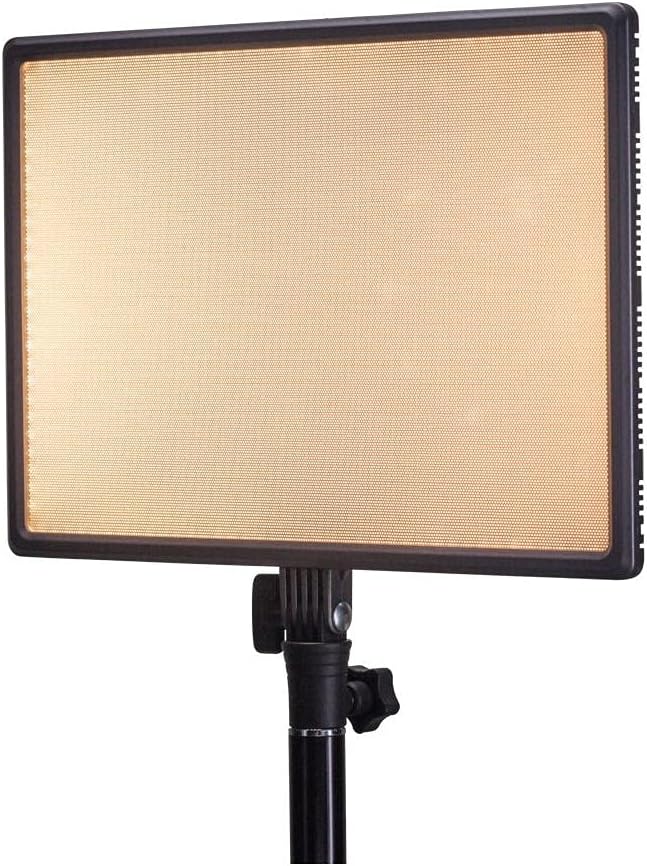
Thank you for choosing the Nanlite LumiPad 25 LED Panel. This manual provides essential information for the safe and effective operation of your device. Please read it thoroughly before use and retain it for future reference.
Precaucions de seguretat
- Do not expose the device to water or high humidity.
- Eviteu l'exposició directa dels ulls a la llum LED.
- Use only approved power adapters and batteries.
- No intenteu desmuntar ni modificar la unitat.
- Mantenir fora de l'abast dels nens.
Contingut del paquet
Si us plau, verifiqueu que tots els elements siguin presents al vostre paquet:
- Nanlite LumiPad 25 LED Panel
- Adaptador de muntatge
- AC Power Adapter (may be sold separately)
- Manual d'usuari
Configuració
1. Mounting the Light Panel
- Attach the included mounting adapter to the 1/4-inch screw thread located at the bottom of the LumiPad 25.
- Secure the mounting adapter to a compatible light stand or tripod.
- Adjust the angle of the LED panel using the tilt mechanism on the mounting adapter.

2. Alimentació del dispositiu
The LumiPad 25 offers multiple power options:
- Alimentació CA: Connect the AC power adapter to the DC IN port on the back of the panel, then plug the adapter into a wall outlet.
- Potència de la bateria: Insert two compatible NP-F style batteries (sold separately) into the battery slots on the back of the panel. Ensure correct polarity.


Funcionament
1. Encendre/apagar
Locate the power switch on the back of the panel. Flip the switch to the 'ON' position to power on the light. Flip it to 'OFF' to power off.
2. Ajust de brillantor
Use the 'DIMMER' control knob on the back of the panel to adjust the light output from 0% to 100% brightness. Rotate clockwise to increase brightness and counter-clockwise to decrease.
3. Ajust de la temperatura del color
Use the '5600K' control knob on the back of the panel to adjust the color temperature from warm (3200K) to cool (5600K). Rotate clockwise for cooler temperatures and counter-clockwise for warmer temperatures.

Manteniment
Neteja
To clean the LED panel, use a soft, dry cloth. For stubborn marks, a slightly damp Es pot fer servir un drap amb detergent suau, assegurant-vos que no entri líquid al dispositiu. No utilitzeu productes de neteja abrasius ni dissolvents.
Emmagatzematge
When not in use, store the LumiPad 25 in a cool, dry place, away from direct sunlight and extreme temperatures. If storing for extended periods, remove batteries.
Resolució de problemes
| Problema | Causa possible | Solució |
|---|---|---|
| La llum no s’encén. | No power, faulty connection, or depleted batteries. | Check power adapter connection or replace/recharge batteries. Ensure power switch is ON. |
| Brightness not adjusting. | Dimmer knob not functioning or at minimum/maximum setting. | Rotate the dimmer knob fully in both directions. If issue persists, contact support. |
| Color temperature not changing. | Color temperature knob not functioning or at minimum/maximum setting. | Rotate the color temperature knob fully in both directions. If issue persists, contact support. |
Especificacions
| Característica | Detall |
|---|---|
| Número de model | 11-2002 |
| Dimensions del producte | 13.58 x 37 x 9 inches (overall packaging) / 1.2"L x 1.2"W x 1.2"H (unit) |
| Pes de l'article | 7.1 unces |
| Brillantor | 2140 lúmens (màx.) |
| Temperatura de color | 3200K - 5600K |
| Opcions d'energia | AC Adapter, NP-F style batteries, DC via D-tap cable |
Garantia i Suport
Nanlite products are covered by a limited warranty. For detailed warranty information, technical support, or service inquiries, please visit the official Nanlite weblloc web o poseu-vos en contacte amb el vostre distribuïdor local.
Official Nanlite Weblloc: www.nanlite.com


