1. Introducció
This manual provides instructions for the proper use and care of your TCL SOCL300 In-Ear Headphones. These headphones are designed to deliver clear, balanced audio with effective noise isolation, featuring an integrated microphone and remote for convenient control of music and calls.
2. Contingut del paquet
Verifiqueu que tots els elements siguin presents al paquet:
- TCL SOCL300 In-Ear Headphones
- Three pairs of ear tips (Small, Medium, Large)
- Guia d'inici ràpid (consulteu aquest manual per obtenir instruccions detallades)

Image: The TCL SOCL300 In-Ear Headphones, including the main unit, the 3.5mm audio jack, and three different sizes of silicone ear tips (small, medium, and large) for a customized fit.
3. Configuració
3.1 Triar i col·locar els tacs per a les orelles
Selecting the correct size of ear tips is crucial for optimal sound quality and comfort. Experiment with the three provided sizes (Small, Medium, Large) to find the best fit for your ears. A proper seal will enhance bass response and noise isolation.
- Gently remove the pre-installed ear tips by pulling them off the earbud nozzle.
- Seleccioneu un nou parell de puntes per a les orelles.
- Push the new ear tips onto the earbud nozzle until they are securely attached.
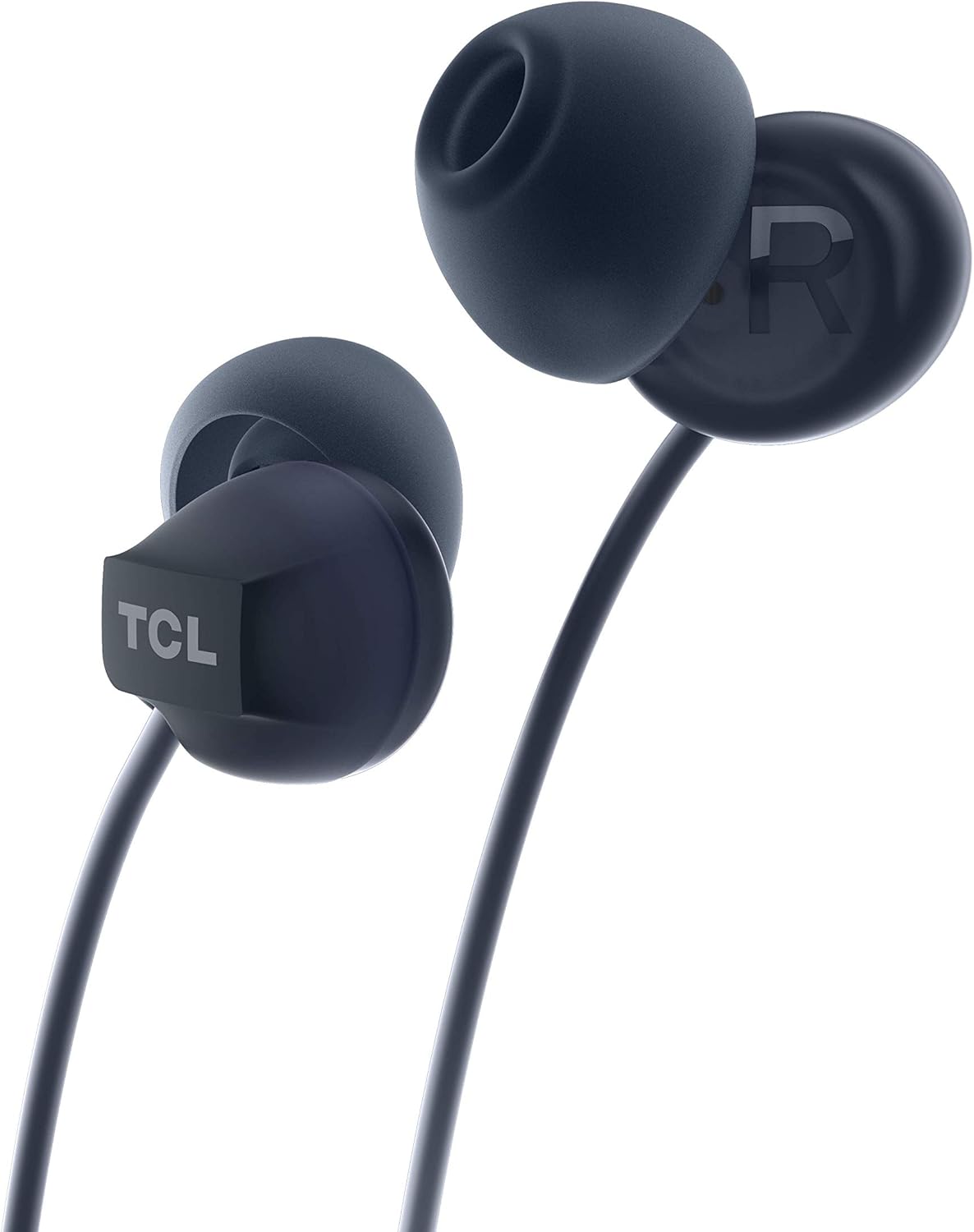
Imatge: Un primer pla view of one TCL SOCL300 earbud, highlighting the ear tip and the TCL brand logo on the earbud housing. This illustrates where the ear tips attach.
3.2 Connexió al dispositiu
The TCL SOCL300 headphones use a standard 3.5mm audio jack for universal compatibility.
- Localitza el port d'àudio de 3.5 mm al teu telèfon intel·ligent, tauleta, ordinador portàtil o altre dispositiu d'àudio.
- Introduïu fermament el connector de 3.5 mm dels auriculars al port d'àudio del dispositiu.
- Ensure the connection is secure for uninterrupted audio playback.

Imatge: Una imatge detallada view of the TCL SOCL300 headphones, showcasing both earbuds, the in-line remote control, and the 3.5mm audio jack, ready for connection to a device.
3.3 Com posar-se els auriculars
Insert the earbuds into your ears, ensuring a snug and comfortable fit. The ergonomic design and secure grip are intended for extended listening comfort. The right earbud is marked with an 'R' and the left with an 'L'.

Image: A person wearing one of the TCL SOCL300 earbuds, demonstrating the proper in-ear placement for a secure and comfortable fit.
4. Instruccions de funcionament
The in-line remote provides convenient control over your audio and calls without needing to access your connected device.
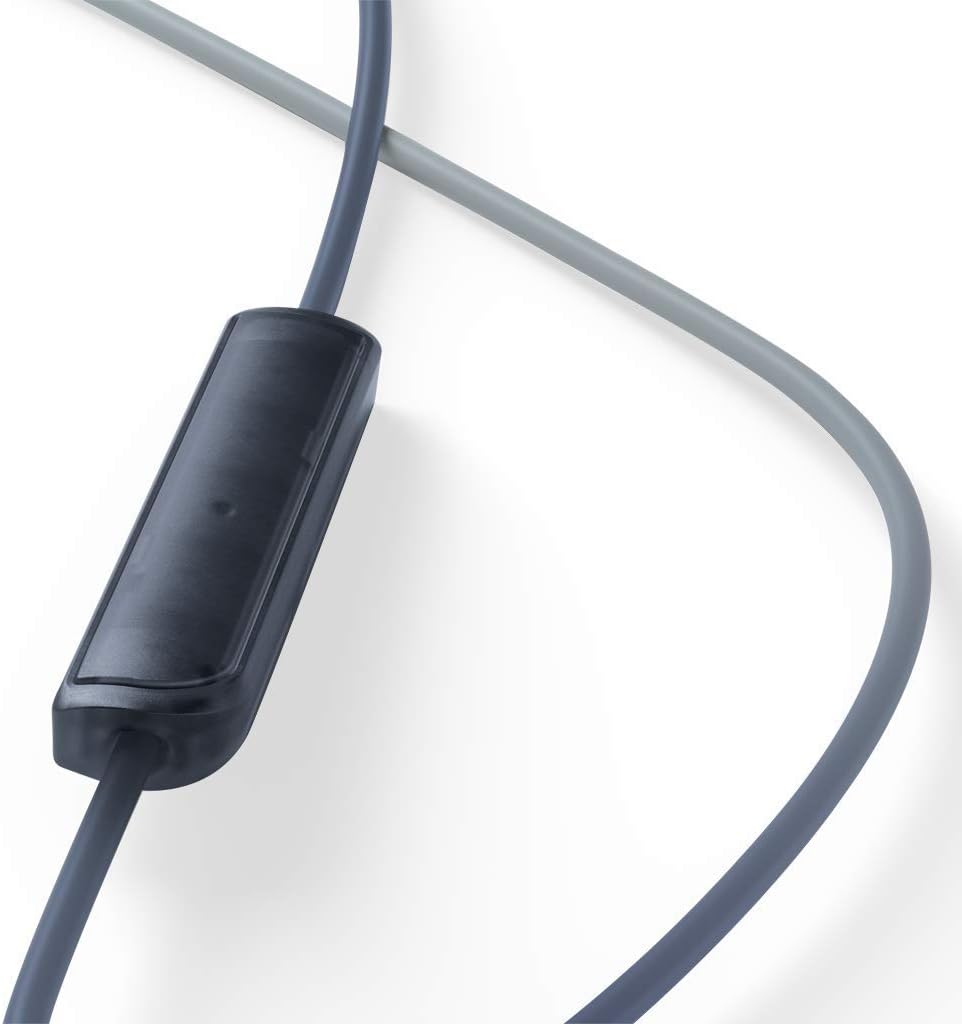
Imatge: Un primer pla view of the in-line remote control, which houses the microphone and control button for managing music playback and phone calls.
4.1 Control de música
- Reproduir/pausa: Premeu el botó central una vegada.
- Pista següent: Premeu el botó central dues vegades ràpidament.
- Pista anterior: Premeu el botó central tres vegades ràpidament.
4.2 Control de trucades
- Respondre/Finalitzar la trucada: Premeu el botó central una vegada durant una trucada entrant o una trucada activa.
- Rebutja la trucada: Press and hold the center button for approximately 2 seconds during an incoming call.
4.3 Ús del micròfon
The integrated in-line microphone allows for hands-free communication during calls or voice commands. Ensure the microphone is positioned appropriately for clear voice capture.
5. Manteniment
5.1 Neteja
- Netegeu regularment les puntes de les orelles amb un drap suau i sec per eliminar el cerumen i les restes.
- For deeper cleaning, ear tips can be gently washed with mild soap and water, then thoroughly dried before reattaching.
- Wipe the headphone cables and earbuds with a soft, slightly damp tela. Eviteu utilitzar productes químics o materials abrasius.
5.2 Emmagatzematge
- When not in use, store the headphones in a clean, dry place, away from extreme temperatures and direct sunlight.
- Avoid tangling the cable by coiling it loosely.
6. Solució De Problemes
| Problema | Causa possible | Solució |
|---|---|---|
| Sense so ni volum baix |
|
|
| El micròfon no funciona |
|
|
| Distorsió del so |
|
|
7. Especificacions
| Nom del model | SOCL300BK |
| Tecnologia de connectivitat | Amb cable |
| Connector d'auriculars | 3.5 mm Jack |
| Control de soroll | Aïllament acústic |
| Factor de forma del micròfon | En línia |
| Impedància | 28 ohms |
| Nivell de resistència a l'aigua | Resistent a l'aigua |
| Material | Synthetic Leather (for certain components like cable coating) |
| Dimensions | 2.5 x 5 x 17.3 cm |
| Pes | 20 g |
| Dispositius compatibles | Many desktops, laptops, tablets, and smartphones with a 3.5mm audio jack. |
8. Informació de seguretat
- Seguretat auditiva: Eviteu escoltar música durant molt de temps a volums alts per evitar danys auditius.
- Seguretat de conducció: Do not use headphones while driving or cycling, as it may distract you and create a hazard.
- Perill d'asfixia: Keep small parts, such as ear tips, away from children and pets to prevent choking.
- Exposició a l'aigua: While water resistant, avoid submerging the headphones in water. Dry thoroughly if exposed to moisture.
- Temperatura: Do not expose the headphones to extreme temperatures (hot or cold) or high humidity.
9. Garantia i Suport
For warranty information and customer support, please refer to the warranty card included in your product packaging or visit the official TCL support website. You can also find additional support resources and FAQs on the TCL brand store page on Amazon.
Oficial de TCL Weblloc: www.tcl.com
TCL Amazon Store: Visit TCL Store on Amazon


