1. Introducció
Thank you for choosing the XIAOMI Mi Smart Bedside Lamp 2. This smart lamp offers versatile lighting options with 16 million colors, adjustable brightness, and smart control features. This manual provides essential information for setting up, operating, and maintaining your device to ensure optimal performance and longevity.

Figure 1: XIAOMI Mi Smart Bedside Lamp 2
The Mi Smart Bedside Lamp 2 is designed to enhance your living space with customizable ambient lighting, controlled conveniently via touch, a dedicated mobile application, or voice commands through compatible smart home platforms.
2. Producte acabatview
2.1 Contingut del paquet
- XIAOMI Mi Smart Bedside Lamp 2
- Adaptador d'alimentació
- Manual d'usuari
2.2 Lamp Característiques
- Control tàctil: Intuitive touch panel on the lamp for power, brightness, and color adjustments.
- Control intel·ligent d'aplicacions: Full control and customization via the Mi Home App (available for iOS and Android).
- Control de veu: Compatible with Apple HomeKit, Google Assistant, and Amazon Alexa for hands-free operation.
- Il·luminació vibrant: Offers 16 million colors and adjustable brightness up to 400 lumens.
- Disseny elegant: Minimalist aesthetic suitable for various home decors.

Figure 2: Key lighting features of the Mi Smart Bedside Lamp 2
3. Configuració
3.1 Col·locació inicial i connexió d'alimentació
- Col·loca la lamp sobre una superfície plana i estable.
- Connecteu l'adaptador d'alimentació a lampPort d'entrada d'alimentació.
- Plug the power adapter into a suitable electrical outlet. The lamp s'encendrà automàticament.
Instal·lació i emparellament de l'aplicació Home de 3.2 Mi
The Mi Home App is required for full smart functionality.
- Download the Mi Home App from the Apple App Store or Google Play Store.
- Open the Mi Home App and sign in or create a new account.
- Toqueu la icona "+" a la cantonada superior dreta per afegir un dispositiu nou.
- Select the "Mi Smart Bedside Lamp 2" from the list of available devices.
- Follow the on-screen instructions to connect the lamp to your 2.4 GHz Wi-Fi network. Nota: aquest lamp requires a 2.4 GHz Wi-Fi network for initial setup and smart home integration. Ensure your router is configured to support this frequency.
- Once connected, you can rename the lamp and assign it to a specific room within the app.
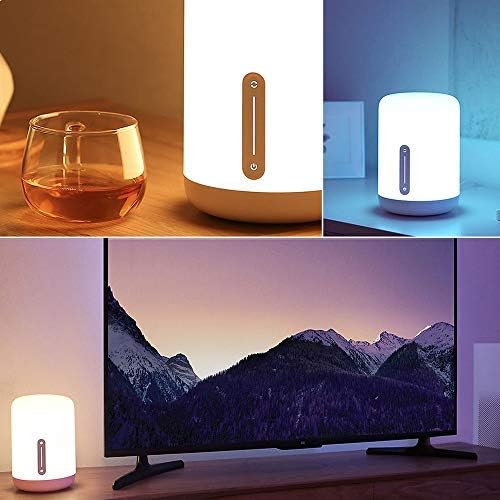
Figure 3: Controlling the lamp via the Mi Home App
3.3 Integració de l'assistent de veu
To integrate with voice assistants, follow the instructions within their respective apps:
- Apple HomeKit: Open the Home app on your iOS device, tap "Add Accessory," and scan the HomeKit code (usually found on the lamp or its packaging).
- Assistent de Google: In the Google Home app, go to "Set up device" > "Works with Google" and link your Mi Home account.
- Amazon Alexa: In the Alexa app, enable the "Mi Home" skill and link your Mi Home account.
4. Instruccions de funcionament
4.1 Controls tàctils
El lamp features an intuitive touch panel on its front surface:
- Botó d'encesa: Press once to turn the lamp encès o apagat.
- Control lliscant de brillantor: Slide your finger up or down the vertical bar to adjust brightness.
- Color/Mode Button: Press and hold the power button, then slide your finger along the vertical bar to cycle through different colors or preset modes.
Control d'aplicacions per a la llar de 4.2 milions
The Mi Home App provides comprehensive control over your lamp:
- Encès/apagat: Commuta la lamp's power.
- Ajust de brillantor: Precisely adjust the light intensity.
- Selecció de color: Choose from 16 million colors using a color wheel.
- Temperatura de color: Adjust the white light from warm to cool.
- Scenes and Presets: Select from various pre-programmed lighting scenes or create your own custom scenes.
- Horaris i temporitzadors: Establir horaris per a la lamp to turn on/off or change modes automatically.
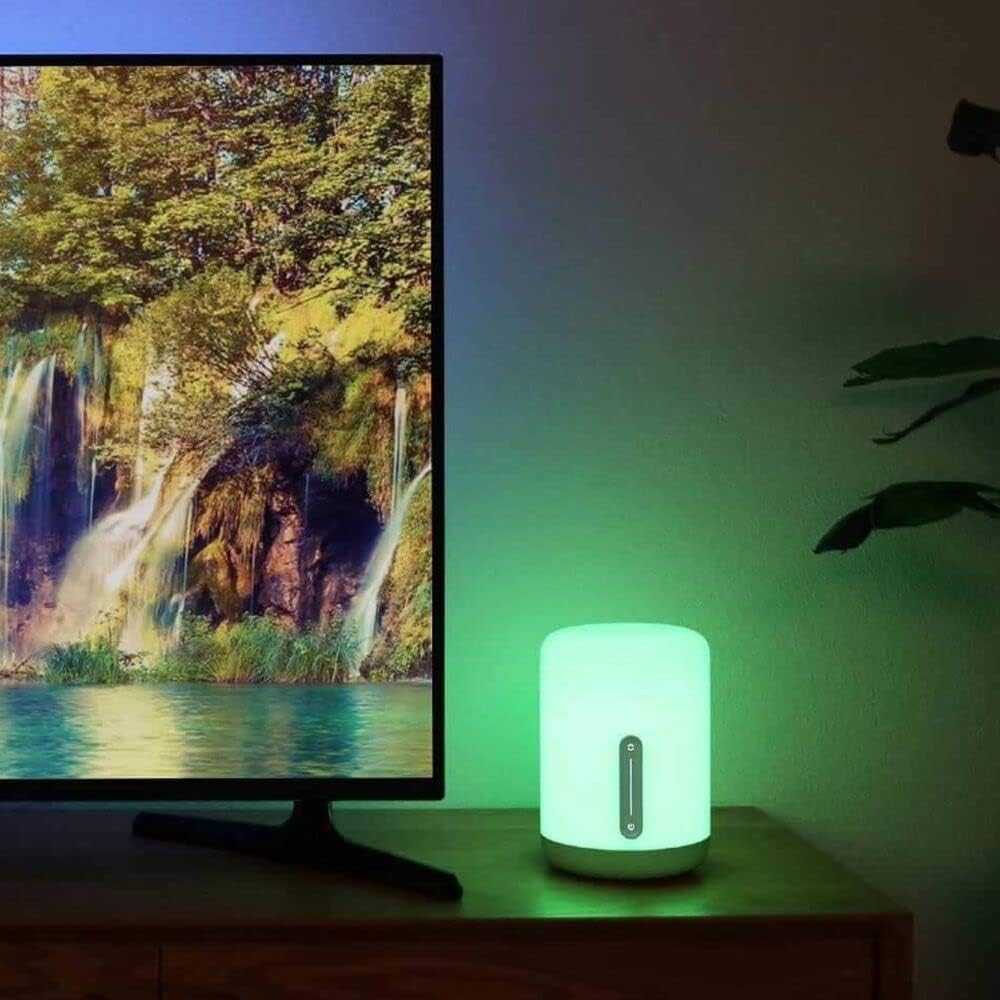
Figura 4: La lamp displaying various color options
4.3 Ordres de veu
Once integrated with a voice assistant, use commands such as:
- "Hey Google, turn on the bedside lamp."
- "Alexa, set the bedside lamp al blau."
- "Siri, dim the bedside lamp al 50%".
- "Hey Google, change the bedside lamp a blanc càlid."
5. Manteniment
To ensure the longevity and optimal performance of your XIAOMI Mi Smart Bedside Lamp 2, follow these maintenance guidelines:
- Neteja: Desconnecteu la lamp from power before cleaning. Use a soft, dry, or slightly damp cloth to wipe the surface. Avoid abrasive cleaners, solvents, or harsh chemicals that could damage the lampacabat.
- Col·locació: Eviteu col·locar la lamp in direct sunlight, high humidity, or extreme temperatures. Keep it away from water and other liquids.
- Manipulació: Manejar la lamp with care. Do not drop it or subject it to strong impacts.
- Adaptador d'alimentació: Use only the original power adapter provided with the lamp. Ensure the adapter is suitable for your region's electrical standards.
6. Solució De Problemes
If you encounter issues with your Mi Smart Bedside Lamp 2, refer to the following common solutions:
| Problema | Causa possible | Solució |
|---|---|---|
| Lamp no s'encén. | Sense connexió elèctrica. | Assegureu-vos que l'adaptador de corrent estigui ben connectat a la presa de correntamp i una presa de corrent que funcioni. |
| Cannot connect to Wi-Fi or Mi Home App. | Incorrect Wi-Fi frequency; poor signal; incorrect password. | Verify your Wi-Fi network is 2.4 GHz. Move the lamp closer to the router. Double-check your Wi-Fi password. Reset the lamp (refer to app for reset instructions, usually involves power cycling or holding a button). |
| El control per veu no funciona. | Incorrect integration; lamp offline; incorrect commands. | Assegureu-vos que lamp is connected to the Mi Home App and the respective voice assistant (Apple HomeKit, Google Assistant, Alexa) is properly linked. Use correct voice commands. Check if the lamp is online in the Mi Home App. |
| Lamp is dim or not bright enough. | La configuració de brillantor és baixa. | Adjust the brightness using the touch controls or the Mi Home App. The lamp té una brillantor màxima de 400 lúmens. |
| Power adapter appears non-standard for my region. | Regional power adapter incompatibility. | Ensure you are using the correct power adapter for your region. If an incorrect adapter was supplied, contact your retailer or XIAOMI support for a suitable replacement. Do not use incompatible adapters. |
7. Especificacions
Detailed technical specifications for the XIAOMI Mi Smart Bedside Lamp 2 (Model MUE4093GL):
| Característica | Especificació |
|---|---|
| Número de model | MUE4093GL |
| Dimensions (P x A x A) | 5.91" x 5.91" x 9.84" (15 cm x 15 cm x 25 cm) |
| Pes de l'article | 2.2 lliures (1 kg) |
| Material | Plàstic |
| Brillantor | Fins a 400 lúmens |
| Wattage | 9 watts |
| Voltage | 12 Volts |
| Font d'alimentació | Elèctric amb cable |
| Mètode de control | Touch, App (Mi Home), Voice (Apple HomeKit, Google Assistant, Alexa) |
| Connectivitat | Bluetooth, Wi-Fi (2.4 GHz) |
| Opcions de color | 16 milions de colors |
| Ús interior/exterior | Només interior |
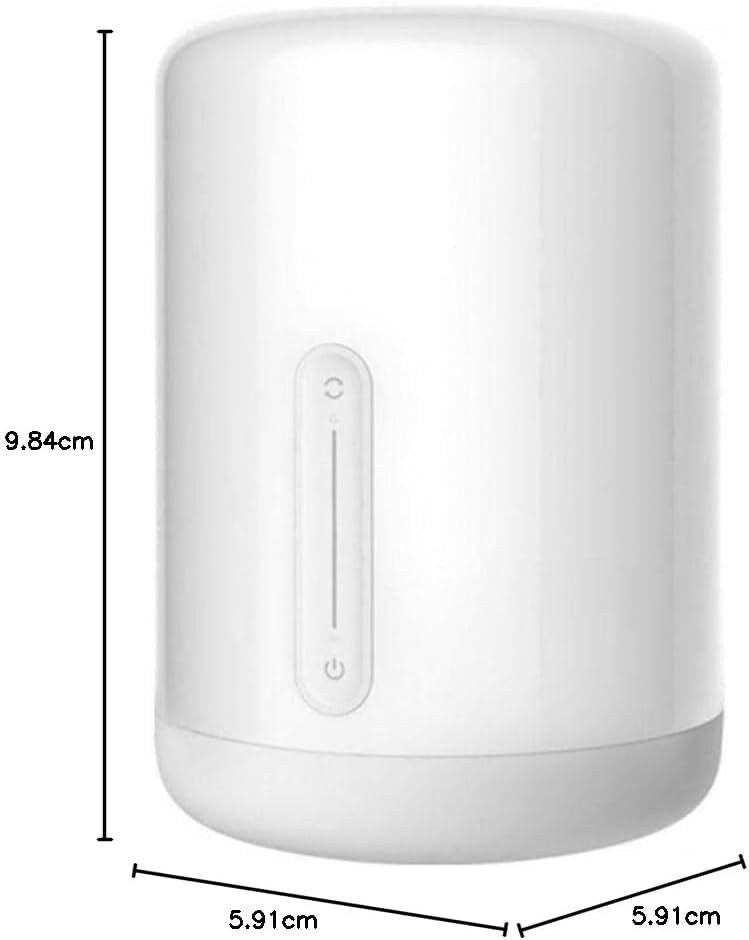
Figura 5: Dimensions del producte
8. Garantia i Suport
Per obtenir informació sobre la garantia, consulteu la targeta de garantia inclosa amb el producte o visiteu el lloc web oficial de XIAOMI. website. If you require technical assistance or have questions not covered in this manual, please contact XIAOMI customer support through their official channels.
Podeu trobar més informació i recursos de suport a la pàgina oficial Botiga XIAOMI.


