1. Introducció
This manual provides essential information for the safe and effective use of your Laser Tools 7600 Inspection Tool Set. This set includes a magnetic parts tray, a magnetic pick-up tool, and an inspection mirror. Please read these instructions carefully before using the tools and retain this manual for future reference.
2. Producte acabatview
The Laser Tools 7600 Inspection Tool Set is designed to assist in tasks requiring close inspection and retrieval of small metallic items in hard-to-reach areas. It is suitable for various applications, including automotive, electrical, and general workshop use.

Figure 1: Components of the Laser Tools 7600 Inspection Tool Set.
Components:
- Magnetic Parts Tray: A stainless steel tray with a magnetic base to securely hold small metal parts, fasteners, and tools. Dimensions: 64mm x 93mm.
- Magnetic Pick-up Tool: A telescopic tool with a magnetic tip for retrieving dropped metallic objects. Features a 1.5lbs capacity and a 630mm telescopic reach. Includes a pocket clip for convenience.
- Inspection Mirror: A telescopic mirror for viewing hidden areas. Features a 32mm diameter mirror and a 500mm telescopic reach. Includes a pocket clip for convenience.
3. Informació de seguretat
- Always wear appropriate personal protective equipment (PPE) when working, such as safety glasses.
- Keep tools clean and free from oil or grease to ensure a secure grip.
- Do not use the tools for purposes other than their intended design.
- Mantenir fora de l'abast dels nens.
- Avoid placing the magnetic parts tray near sensitive electronic devices or magnetic storage media, as strong magnets can cause interference or damage.
- Do not apply excessive force to the telescopic shafts of the pick-up tool or mirror to prevent bending or breakage.
4. Configuració
Magnetic Parts Tray:
The magnetic parts tray is ready for immediate use. Simply place it on any ferrous metal surface (e.g., a vehicle fender, toolbox, or engine block) where its magnetic base will secure it. Ensure the surface is clean and stable to prevent the tray from sliding or falling.

Figure 2: Magnetic parts tray securely holding small components during work.
Magnetic Pick-up Tool & Inspection Mirror:
Both the magnetic pick-up tool and the inspection mirror are telescopic. To extend them, gently pull the shaft until it reaches the desired length. To retract, push the shaft back into the handle. The inspection mirror head can be articulated to various angles for optimal viewing.

Figure 3: Magnetic pick-up tool and inspection mirror in their extended positions.
5. Instruccions de funcionament
Using the Magnetic Parts Tray:
- Identify a clean, stable, ferrous metal surface near your work area.
- Place the magnetic parts tray onto this surface. The magnetic base will hold it in place.
- Place small metal parts, screws, nuts, or other fasteners into the tray to keep them organized and prevent loss.
Using the Magnetic Pick-up Tool:
- Extend the telescopic shaft to the required length to reach the dropped item.
- Carefully maneuver the magnetic tip towards the metallic object you wish to retrieve.
- Once the magnet makes contact, the object will adhere to the tip.
- Gently withdraw the tool with the attached object.
- Per alliberar l'objecte, simplement estireu-lo de la punta magnètica.
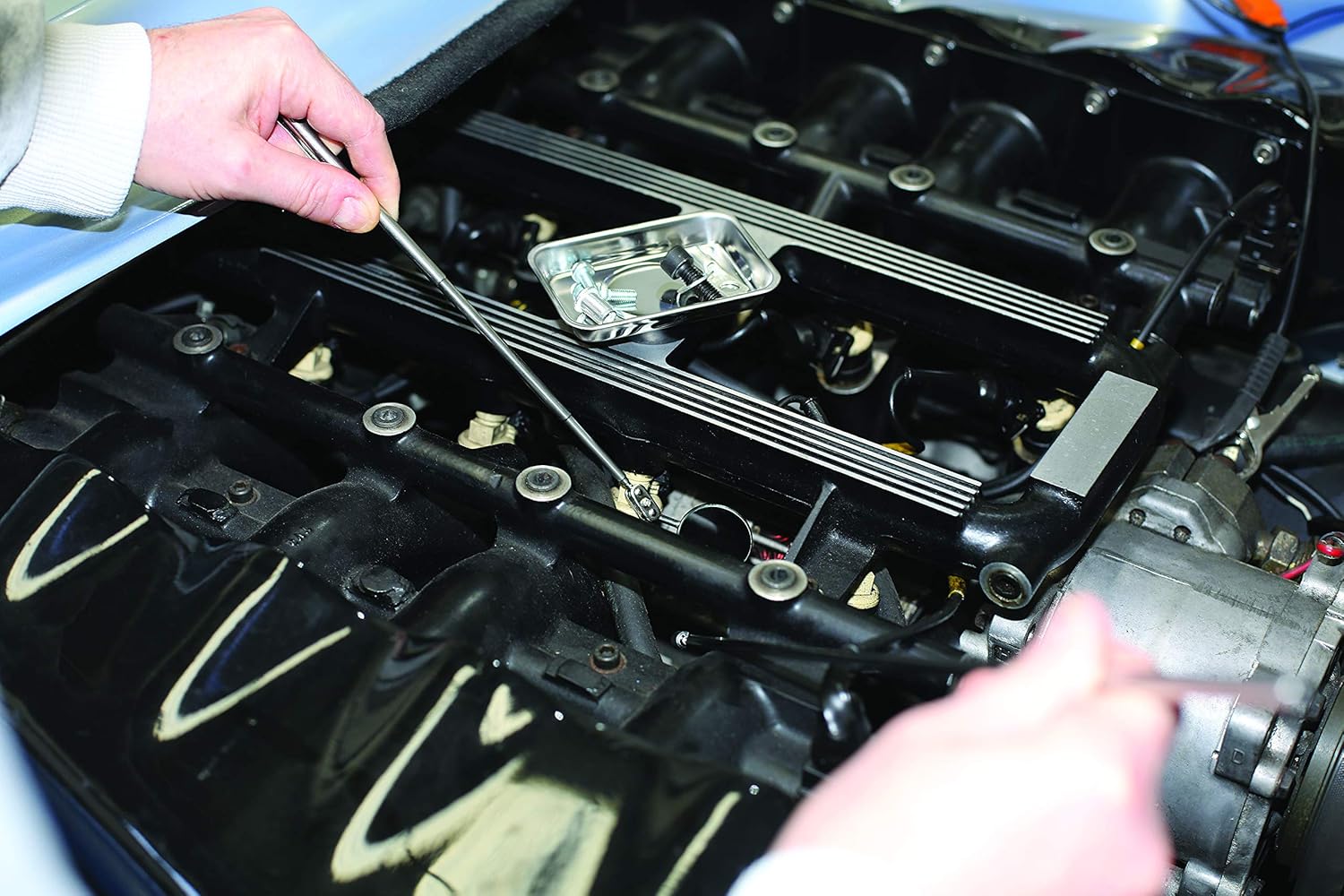
Figure 4: Retrieving a small metal part with the magnetic pick-up tool.
Using the Inspection Mirror:
- Estireu l'eix telescòpic a la longitud desitjada.
- Adjust the angle of the mirror head to provide the best view of the area you need to inspect.
- Carefully insert the mirror into the confined space.
- Use the mirror to visually inspect components, check for leaks, or identify part numbers in inaccessible locations.
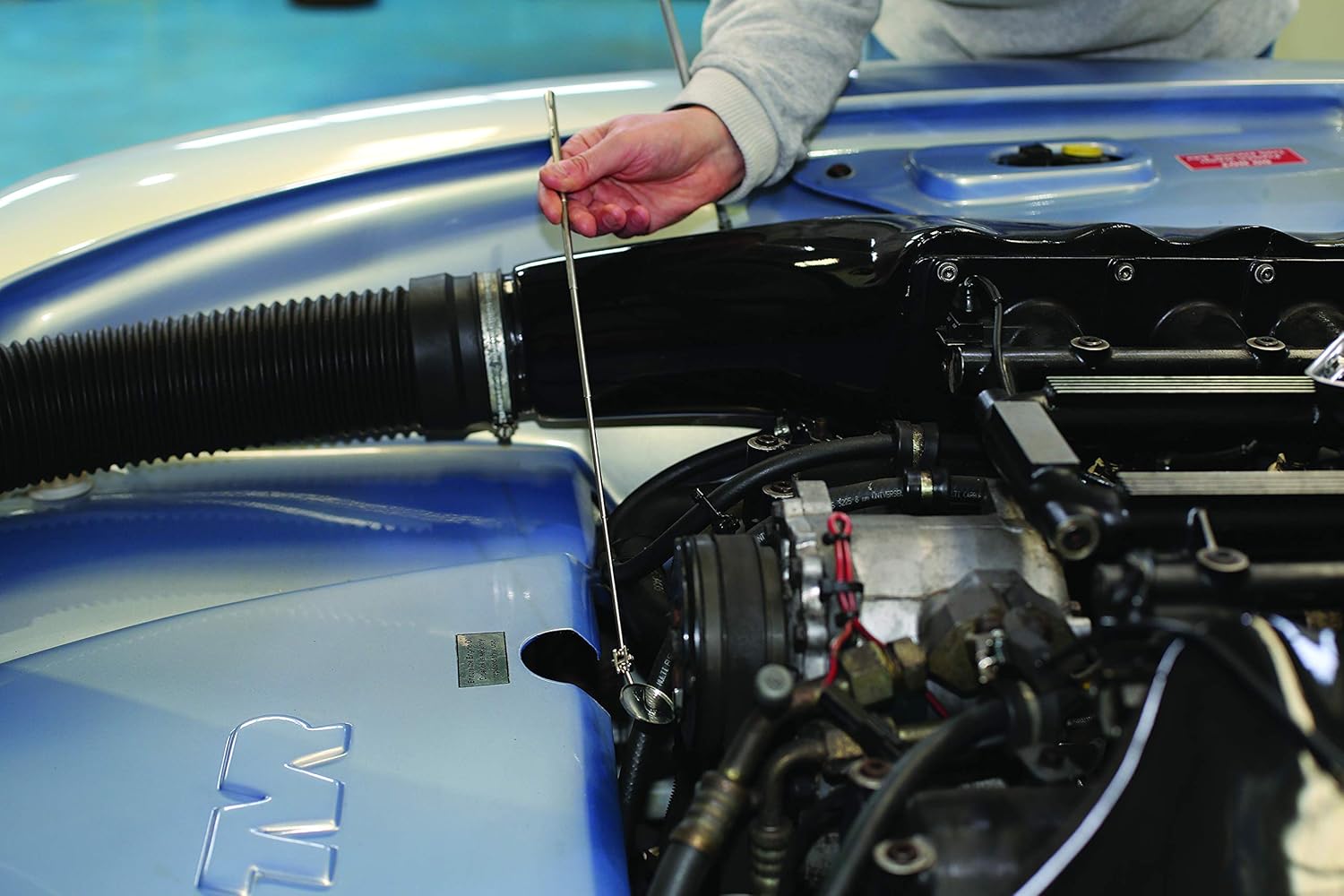
Figure 5: Using the inspection mirror to examine a hidden engine component.

Figura 6: Detallada view provided by the inspection mirror.
6. Manteniment
- Neteja: Wipe all tools with a clean, dry cloth after each use to remove dirt, oil, and debris. For stubborn grime, a mild detergent solution can be used, followed by thorough drying.
- Emmagatzematge: Store the tools in a clean, dry environment, away from extreme temperatures and corrosive substances. Retract the telescopic shafts before storage to protect them from damage.
- Inspecció: Periodically inspect the tools for any signs of wear, damage, or corrosion. Ensure the magnetic strength of the pick-up tool and tray remains adequate.
7. Solució De Problemes
- Weak Magnetism: If the magnetic pick-up tool or tray seems to have reduced magnetic strength, ensure there is no debris or non-magnetic material interfering with the magnetic surface. Magnets can lose strength over time if exposed to high heat or strong opposing magnetic fields.
- Stiff Telescopic Shaft: If the telescopic shaft becomes stiff, ensure it is clean and free from dirt. A very small amount of silicone lubricant can be applied, but avoid excessive lubrication which can attract dust.
- Blurred Mirror View: Clean the mirror surface with a soft, lint-free cloth and a glass cleaner if necessary. Ensure the mirror is not scratched or damaged.
8. Especificacions
| Característica | Especificació |
|---|---|
| Número de model | 7600 |
| Magnetic Parts Tray Dimensions | 64 mm x 93 mm |
| Magnetic Pick-up Tool Capacity | 1.5 lliures |
| Magnetic Pick-up Tool Reach | 630mm (telescopic) |
| Inspection Mirror Diameter | 32 mm |
| Inspection Mirror Reach | 500mm (telescopic) |
| Pes de l'article | 4.9 ounces (total set) |
| Dimensions del producte | 0.98 x 5.31 x 7.44 polzades (embalatge) |
9. Garantia i Suport
For warranty information or technical support regarding your Laser Tools 7600 Inspection Tool Set, please refer to the manufacturer's official weblloc web o poseu-vos en contacte amb el seu departament d'atenció al client. Conserveu el comprovant de compra per a qualsevol reclamació de garantia.
Fabricant: Eines làser
Weblloc: www.lasertools.co.uk


