
1. Introducció
The LaCie Mobile Drive is a high-capacity external hard drive designed for reliable data storage and portability. It offers seamless compatibility with Mac, PC, iPad, and iPhone devices via its USB-C interface. This manual provides essential information for setting up, operating, maintaining, and troubleshooting your device.
Què hi ha a la caixa
- LaCie Mobile Drive 2TB
- Cable USB-C
- Guia d'inici ràpid (no inclosa en aquest manual digital)

Imatge 1.1: Part superior view of the LaCie Mobile Drive. This image displays the sleek, space grey finish of the portable hard drive.
2. Configuració
Follow these steps to set up your LaCie Mobile Drive for first-time use.
2.1 Connexió de la unitat
- Locate the USB-C port on your LaCie Mobile Drive.
- Connect one end of the provided USB-C cable to the drive's USB-C port.
- Connect the other end of the USB-C cable to an available USB-C port on your computer (PC, Mac), iPad, or iPhone.

Imatge 2.1: Lateral view of the LaCie Mobile Drive, highlighting the USB-C port for connection.

Image 2.2: The LaCie Mobile Drive connected to a laptop via its USB-C cable, ready for use.
2.2 Inicialització de la unitat
The LaCie Mobile Drive is pre-formatted for compatibility with both Mac and Windows operating systems, allowing immediate use without reformatting. If you wish to optimize the drive for a specific operating system or partition it, you may use your system's disk utility software (e.g., Disk Utility on macOS, Disk Management on Windows).
2.3 Installing LaCie Toolkit Software
The LaCie Toolkit software provides features such as one-click backups, scheduled automatic backups, and folder mirroring. It is recommended to install this software for enhanced functionality.
- Upon connecting the drive, an installer for LaCie Toolkit may appear automatically. If not, navigate to the drive in your file explorer and launch the installer.
- Seguiu les instruccions a la pantalla per completar la instal·lació.
- Register your product through the LaCie Toolkit for warranty and support purposes.
3. Funcionament de l'accionament
Once connected and initialized, your LaCie Mobile Drive functions like any other external storage device.
3.1 Transferència Files
Per transferir files, simply drag and drop them to and from the LaCie Mobile Drive icon or folder in your operating system's file gerent.
3.2 Using LaCie Toolkit for Backups
Launch the LaCie Toolkit application to access its features:
- Còpia de seguretat: Create one-click backups of selected files o carpetes.
- Horari: Set up automatic backup routines to ensure your data is regularly saved.
- Mirall: Synchronize folders across multiple devices, keeping them identical.
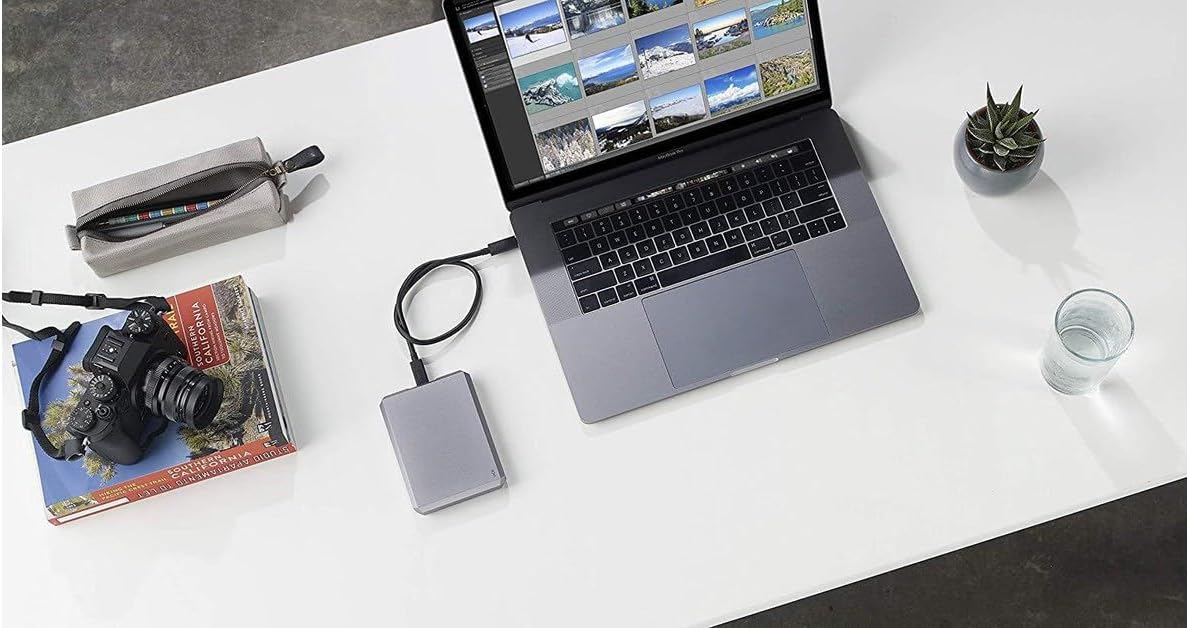
Image 3.1: The LaCie Mobile Drive positioned next to a laptop, demonstrating a typical setup for data management and creative work.
4. Manteniment
Proper maintenance ensures the longevity and optimal performance of your LaCie Mobile Drive.
4.1 Expulsió segura
Always safely eject the drive from your computer or device before disconnecting the USB-C cable. This prevents data corruption and potential damage to the drive.
- macOS: Drag the drive icon to the Trash, or right-click the drive icon and select 'Eject'.
- Windows: Click the 'Safely Remove Hardware and Eject Media' icon in the system tray and select your drive.
4.2 Atenció física
- Mantingueu el disc dur en un entorn net i sec.
- Avoid exposing the drive to extreme temperatures or direct sunlight.
- Protect the drive from drops and impacts, as it contains sensitive internal components.
4.3 Actualitzacions de programari
Periodically check for updates to the LaCie Toolkit software and your operating system to ensure compatibility and access to the latest features and security enhancements.
5. Solució De Problemes
If you encounter issues with your LaCie Mobile Drive, refer to the following common troubleshooting steps.
5.1 Unitat no reconeguda
- Comproveu la connexió del cable: Ensure the USB-C cable is securely connected to both the drive and your device. Try a different USB-C port if available.
- Reinicieu el dispositiu: Restart your computer, iPad, or iPhone and reconnect the drive.
- Prova en un altre dispositiu: If possible, connect the drive to another compatible device to determine if the issue is with the drive or the original device.
- Check Disk Utility/Management: On macOS, open Disk Utility. On Windows, open Disk Management. See if the drive is listed, even if it's not mounted. You may need to initialize or format it if it's a new drive or has become corrupted.
5.2 Velocitats de transferència lentes
- Port USB: Ensure you are using a USB 3.0 or USB 3.1 (USB-C) port on your device for optimal speeds. Older USB 2.0 ports will result in significantly slower transfers.
- Qualitat del cable: Use the provided high-quality USB-C cable. Damaged or low-quality cables can affect performance.
- Processos de fons: Close any unnecessary applications or background processes that might be consuming system resources.
- Drive Fragmentation: Over time, hard drives can become fragmented, which may reduce performance. Consider defragmenting the drive (Windows only) or reformatting it after backing up your data.
6. Especificacions
| Nom del model | LaCie STHG2000402 |
| Capacitat d'emmagatzematge digital | 2000 GB (2 TB) |
| Interfície de disc dur | USB 3.1 |
| Tecnologia de connectivitat | USB |
| Factor de forma del disc dur | 2.5 polzades |
| Velocitat de lectura | Fins a 120 megabytes per segon |
| Velocitat de rotació del disc dur | 7200 RPM |
| Color | Gris espacial |
| Pes de l'article | 200 grams |
| Dispositius compatibles | PC, Mac, iPad, iPhone (with appropriate USB-C connection) |
7. Garantia i Suport
Your LaCie Mobile Drive comes with a comprehensive warranty and support services.
7.1 Garantia limitada
El producte inclou a garantia limitada de dos anys des de la data de compra. Aquesta garantia cobreix els defectes de materials i de fabricació en condicions d'ús normal. Conserveu el comprovant de compra per a reclamacions de garantia.
7.2 Rescue Data Recovery Services
Included with your purchase are two years of Rescue Data Recovery Services. In the event of unexpected data loss due to accidental damage or mechanical failure, this service provides professional data recovery attempts. For more details and to initiate a recovery case, please refer to the LaCie support weblloc.
7.3 Suport tècnic
For further assistance, technical support, or to access detailed FAQs and drivers, please visit the official LaCie support website. Ensure you have your product model number (STHG2000402) and serial number ready when contacting support.