Introducció
This manual provides detailed instructions for the safe and effective use of your SIMOLIO JH-712 Bluetooth Kids Headphones. Please read this manual thoroughly before operating the device and retain it for future reference.
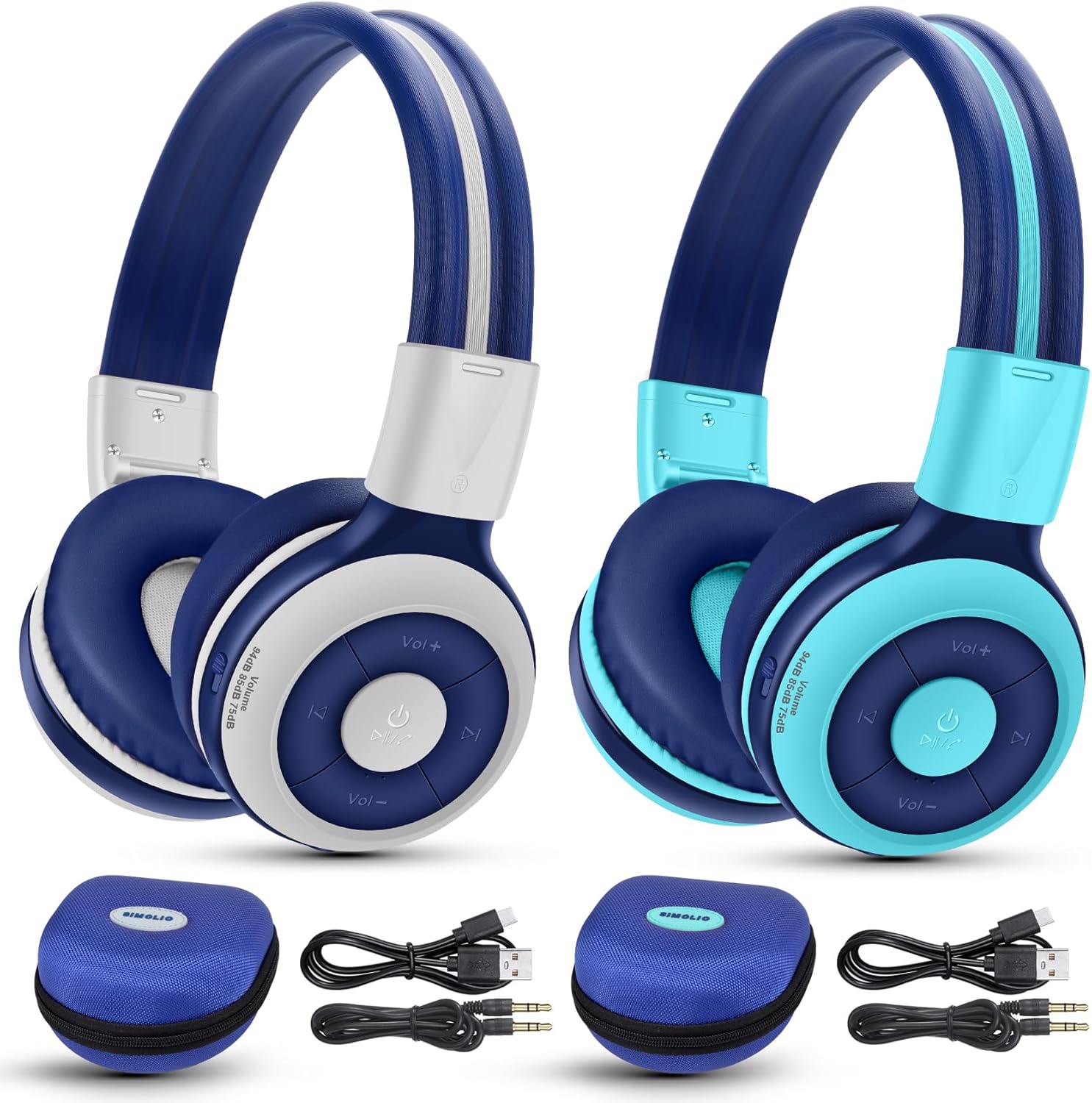
Image: The SIMOLIO JH-712 Bluetooth Kids Headphones, showcasing the mint and grey color options, complete with accessories.
Contingut del paquet
Verifiqueu que tots els elements siguin presents al vostre paquet:
- SIMOLIO JH-712 Bluetooth Kids Headphones (2 units)
- Cable de càrrega (USB-C)
- Cable AUX (cable d'àudio de 3.5 mm)
- Manual d'usuari (aquest document)
- Carrying EVA Case (2 units)
Producte acabatview
Familiarize yourself with the components of your headphones.
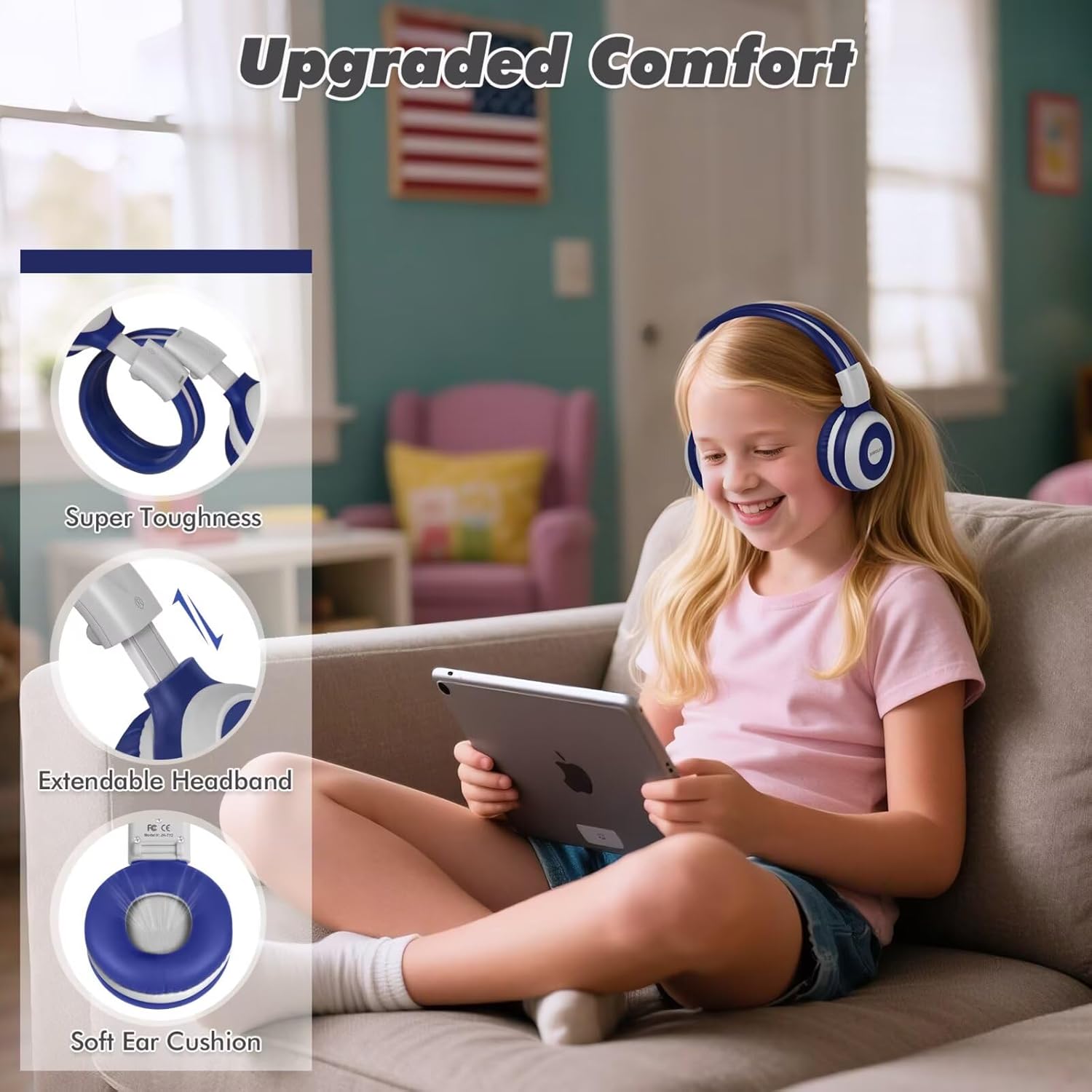
Image: Key features of the headphones, including super toughness, extendable headband, and soft ear cushions.
- Botó d'engegada/Botó multifunció: S'utilitza per encendre/apagar, reproduir/pausar i respondre/finalitzar trucades.
- Botó Pujar volum/Pista següent: Premeu curt per pujar el volum, premeu llargament per passar a la següent pista.
- Botó per baixar el volum/pista anterior: Premeu curt per baixar el volum, premeu llargament per anar a la pista anterior.
- Indicador LED: Mostra l'estat de l'emparellament, l'estat de la càrrega i l'alimentació.
- Micròfon: Per trucades mans lliures.
- Conector d'àudio de 3.5 mm: Per a connexió amb cable.
- Port de càrrega (USB-C): Per carregar els auriculars.
- Port de compartició: Allows another wired headphone to connect and share audio.
- Diadema ajustable: Per a un ajustament còmode.
- Coixins tous per a les orelles: Designed for comfort and noise isolation.
Configuració
1. Càrrega dels auriculars
Abans del primer ús, carregueu completament els auriculars.
- Connecteu el cable de càrrega USB-C proporcionat al port de càrrega dels auriculars.
- Connecteu l'altre extrem del cable a un adaptador de corrent USB (no inclòs) o al port USB d'un ordinador.
- The LED indicator will show a red light during charging and turn off when fully charged.
- Una càrrega completa triga aproximadament 3 hores i proporciona fins a 15 hores de reproducció.
2. Emparellament Bluetooth (mode sense fil)
- Assegureu-vos que els auriculars estiguin apagats.
- Press and hold the Power Button for approximately 5 seconds until the LED indicator flashes blue and red alternately. This indicates pairing mode.
- Al dispositiu (telèfon intel·ligent, tauleta, ordinador portàtil), activeu el Bluetooth i cerqueu els dispositius disponibles.
- Select "SIMOLIO JH-712" from the list of devices.
- Un cop connectat, l'indicador LED parpellejarà blau lentament.
- If a passcode is requested, enter "0000".

Image: Illustration of wireless and wired usage modes for the headphones.
3. Connexió per cable (mode AUX)
Use the wired connection when Bluetooth is not available or the battery is depleted.
- Connect one end of the provided 3.5mm AUX cable to the 3.5mm audio jack on the headphones.
- Connecteu l'altre extrem del cable a la presa de sortida d'àudio del vostre dispositiu.
- The headphones will automatically switch to wired mode. The microphone functions only in Bluetooth mode.
Instruccions de funcionament
Encès/Apagat
- Encès: Press and hold the Power Button for 2-3 seconds until the LED indicator flashes blue.
- Apagar: Press and hold the Power Button for 3-4 seconds until the LED indicator turns red and then off.
Volume Control and Limiting Modes
The headphones feature three distinct volume limiting modes for hearing protection.

Image: Visual representation of the three volume limiting modes: 75dB (Toddler Mode), 85dB (Study Mode), and 94dB (Travel Mode).
- Ajustar el volum: Premeu breument els botons de pujar el volum (+) o baixar el volum (-).
- Change Volume Limiting Mode: The headphones automatically adjust to 75dB, 85dB, or 94dB based on the environment. Specific manual control for these modes is typically managed by the device's volume settings within these limits.
Reproducció de música
- Reproduir/pausa: Premeu breument el botó d'engegada.
- Pista següent: Premeu llargament el botó d'apujar el volum (+).
- Pista anterior: Premeu llargament el botó per baixar el volum (-).
Call Functions (Bluetooth Mode Only)
- Respondre/Finalitzar la trucada: Premeu breument el botó d'engegada.
- Rebutja la trucada: Premeu llargament el botó d'engegada.
- Torna a marcar l'últim número: Premeu dues vegades el botó d'engegada.

Image: Children engaged in online learning and video chats using the headphones' built-in microphone.
Funció de port compartit
The Share Port allows two users to listen to the same audio source simultaneously.
- Connect the primary SIMOLIO headphone to your device via Bluetooth.
- Connect one end of the 3.5mm AUX cable to the Share Port of the primary SIMOLIO headphone.
- Connect the other end of the AUX cable to the 3.5mm audio jack of a second headphone (can be another SIMOLIO headphone or any compatible wired headphone).
- Both headphones will now receive audio from the primary device.

Image: Two children sharing audio from a single device using the headphone's share port.
Manteniment
- Netegeu els auriculars amb un drap suau i sec. No utilitzeu productes de neteja abrasius ni dissolvents.
- Eviteu exposar els auriculars a temperatures extremes, humitat o llum solar directa.
- Store the headphones in the provided EVA case when not in use to protect them from damage.
- No intenteu desmuntar ni reparar els auriculars vosaltres mateixos. Poseu-vos en contacte amb el servei d'atenció al client per obtenir ajuda.
Resolució de problemes
| Problema | Causa possible | Solució |
|---|---|---|
| Els auriculars no s'engeguen. | Bateria baixa. | Carregueu els auriculars completament. |
| No es pot emparellar per Bluetooth. | Auriculars no en mode d'emparellament; Bluetooth del dispositiu desactivat; massa lluny del dispositiu. | Assegureu-vos que els auriculars estiguin en mode d'emparellament (parpellejant en blau/vermell). Activeu el Bluetooth del dispositiu. Acosteu els auriculars al dispositiu (a menys de 10 metres). |
| No hi ha so en mode sense fil. | Volum massa baix; auriculars no connectats; sortida d'àudio incorrecta seleccionada al dispositiu. | Augmenta el volum dels auriculars i del dispositiu. Torna a emparellar els auriculars. Comprova la configuració de sortida d'àudio del dispositiu. |
| No hi ha so en mode amb cable. | AUX cable not fully inserted; cable damaged; device volume too low. | Ensure AUX cable is fully inserted into both headphone and device. Try a different AUX cable. Increase device volume. |
| El micròfon no funciona. | Using wired mode; device microphone settings. | The microphone only works in Bluetooth mode. Check your device's microphone input settings. |
Especificacions
- Nom del model: JH-712
- Tecnologia de connectivitat: Sense fil (Bluetooth 5.0), amb cable (connector de 3.5 mm)
- Rang Bluetooth: 10 metres
- Tipus de controlador d'àudio: Controlador dinàmic (40 mm)
- Interval de freqüència: 200 Hz - 10,000 Hz
- Limitació de volum: 3 levels (75dB/85dB/94dB)
- Durada de la bateria: Up to 15 Hours (wireless mode)
- Temps de càrrega: Aproximadament 3 hores
- Components inclosos: Charging Cable, AUX Cable, User Manual, Carrying EVA Case
- Material: Stainless Steel (headband strips)
- Pes de l'article: 184 Grams (per headphone)
- Característiques especials: Foldable, Built-in Microphone, Volume Control, Share Port
- Franja d'edat: Toddlers-Kids-Teens

Imatge: Detallada view of the 40mm dynamic driver, emphasizing extraordinary sound quality.
Garantia i Suport
SIMOLIO provides a 12-month hassle-free warranty for this product. For warranty claims, technical support, or any inquiries, please contact SIMOLIO customer service through the retailer where the product was purchased or visit the official SIMOLIO weblloc.
Assistència en línia: Visita la botiga SIMOLIO a Amazon