1. Introducció
This manual provides comprehensive instructions for the installation, operation, and maintenance of your BirdDog Eyes P200 Full NDI PTZ Camera. Please read this manual thoroughly before using the product to ensure proper and safe operation.
The BirdDog Eyes P200 is a high-performance 1080p60 PTZ camera featuring BirdDog's custom NDI silicon chip, a 30x optical zoom, and a Sony backlit sensor and image module. It is designed for professional video production environments, offering visually lossless full NDI for high-quality video transmission.
2. Informació de seguretat
Always observe the following safety precautions to prevent damage to the product or injury to yourself and others.
- Font d'alimentació: Use only the specified power adapter. Ensure the power source matches the camera's requirements.
- Medi ambient: Do not expose the camera to rain, moisture, or extreme temperatures. Operate within the recommended temperature and humidity ranges.
- Manipulació: Handle the camera with care. Avoid dropping or subjecting it to strong vibrations.
- Neteja: Desconnecteu l'alimentació abans de netejar. Feu servir un drap suau i sec. No utilitzeu netejadors líquids ni en aerosol.
- Manteniment: No intenteu obrir ni reparar la càmera vosaltres mateixos. Encarregueu totes les tasques de manteniment a personal qualificat.
3. Contingut del paquet
Verifiqueu que tots els elements que s'enumeren a continuació s'inclouen al vostre paquet:
- BirdDog Eyes P200 PTZ Camera (White)
- Adaptador d'alimentació
- Comandament a distància IR
- Suport de muntatge (si escau)
- Guia d'inici ràpid
4. Configuració
4.1 Càmera acabadaview
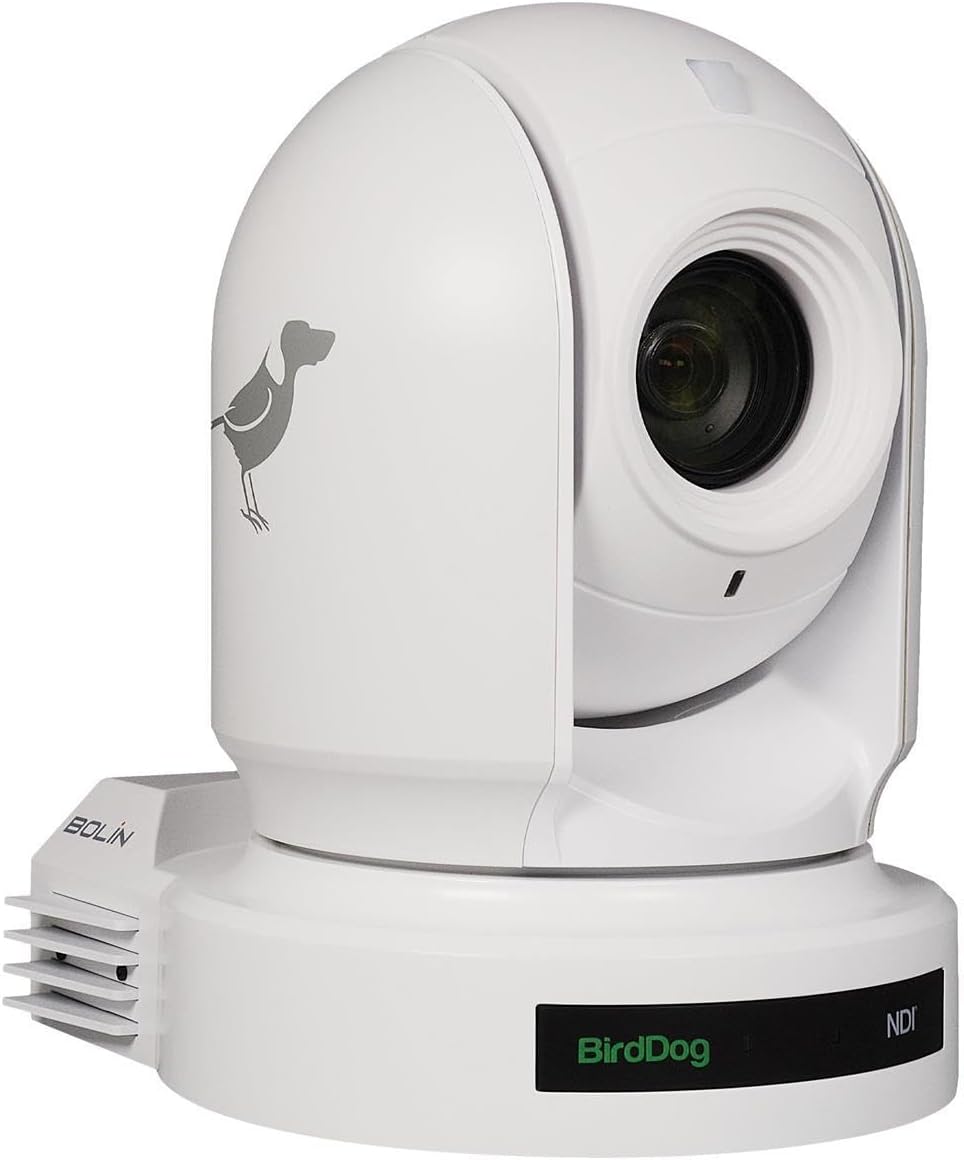
Figura 4.1: Davant view of the BirdDog Eyes P200 PTZ Camera, showing the lens and the BirdDog logo on the base.

Figura 4.2: posterior view of the BirdDog Eyes P200 PTZ Camera, detailing the various connectivity ports including DC 12V, RS232, RS422, NDI Video/PoE Network, HDMI, and 3G-SDI.
4.2 Instal·lació física
- Muntatge: Securely mount the camera on a stable surface using the provided mounting bracket (if applicable). Ensure the camera is level and has a clear line of sight to the desired area.
- Connexió d'alimentació: Connect the supplied power adapter to the DC 12V input port on the rear of the camera (refer to Figure 4.2). Plug the adapter into a suitable power outlet. Alternatively, if using Power over Ethernet (PoE), connect an Ethernet cable from a PoE-enabled switch to the NDI Video/PoE Network port.
- Sortida de vídeo: Connect your video display or capture device to the camera using either the HDMI or 3G-SDI output ports. For NDI workflows, connect an Ethernet cable from the NDI Video/PoE Network port to your network.
- Connexions de control: For external control, connect RS232 or RS422 cables to compatible control devices as needed.
4.3 Network Configuration (NDI)
The BirdDog P200 supports Full NDI for high-quality, low-latency video over IP. Upon connecting to a network, the camera will typically acquire an IP address via DHCP. You can access the camera's web interface for advanced settings.
- Discovering the Camera: Use BirdDog Central Lite or a similar NDI discovery tool on your network to find the camera's IP address.
- Accedint Web Interfície: Obre a web browser and enter the camera's IP address. Log in using the default credentials (refer to the Quick Start Guide for details).
- Configuració de la xarxa: Dins del web interface, you can configure network settings, including static IP address, NDI stream settings, and video parameters.
5. Funcionament de la càmera
5.1 Funcionament bàsic
- Encès: Once connected to power, the camera will automatically power on. The status indicator will illuminate.
- Control de panoràmica/inclinació/zoom (PTZ): Use the IR remote control or a compatible NDI controller to adjust the camera's pan, tilt, and zoom.
- Focus: The P200 features auto-focus. Manual focus adjustments can be made via the web interface or compatible control software.
- Presets: Save and recall camera positions (pan, tilt, zoom, focus) as presets for quick scene changes. Refer to your controller's manual for preset management.
5.2 Advanced Settings (Web Interfície)
The camera's web interface provides access to a wide range of advanced settings:
- Configuració del vídeo: Adjust resolution, frame rate, exposure, white balance, and color settings.
- Configuració d'àudio: Configure audio input levels and embedding options.
- NDI Settings: Manage NDI stream name, group, and bandwidth.
- Configuració de la xarxa: Configure IP address, DNS, and other network parameters.
- Configuració del sistema: Update firmware, reset to factory defaults, and manage user accounts.
6. Manteniment
- Neteja de la lent: Feu servir un drap suau i sense borrissol dissenyat específicament per a lents òptiques. No utilitzeu materials abrasius ni productes químics agressius.
- Actualitzacions de firmware: Periodically check the BirdDog website for firmware updates. Keeping your camera's firmware up-to-date ensures optimal performance and access to new features. Follow the instructions provided with the firmware update package carefully.
- Condicions ambientals: Ensure the camera is operated and stored in a clean, dry environment within the specified temperature and humidity ranges to prevent damage.
7. Solució De Problemes
| Problema | Causa possible | Solució |
|---|---|---|
| Sense poder | Power adapter not connected; Power outlet faulty; PoE not active. | Check power connections. Test power outlet. Ensure PoE switch is active and providing power. |
| Sense sortida de vídeo | Incorrect cable connection; Incorrect input selected on display; NDI stream not active. | Verify HDMI/SDI cable connections. Select correct input on monitor. Check NDI settings in web interfície. |
| Camera Not Responding to Control | IR remote battery low; Incorrect control protocol; Network issue. | Replace IR remote batteries. Verify control protocol (RS232/RS422/NDI) settings. Check network connectivity. |
| Poor Image Quality | Lens dirty; Lighting conditions; Incorrect video settings. | Clean the lens. Adjust lighting. Configure exposure, white balance, and other video settings in the web interfície. |
8. Especificacions
| Característica | Detall |
|---|---|
| Model | BDP200W |
| Resolució de captura de vídeo | 1080p |
| Zoom òptic | 30x |
| Tecnologia de connectivitat | HDMI, 3G-SDI, NDI (Ethernet), RS232, RS422 |
| Font d'alimentació | AC/DC, PoE |
| Color | Blanc |
| Dimensions (L x A x A) | 12.3 x 12.3 x 9.9 polzades |
| Pes de l'article | 7.09 lliures |
| Tecnologia del sensor fotogràfic | CMOS |
| Classificació de protecció internacional | IP54 |
| Usos recomanats | Indoor Security, Professional Video Production |
9. Garantia i Suport
For warranty information and technical support, please refer to the official BirdDog website or contact your authorized BirdDog dealer. Keep your proof of purchase for warranty claims.
Official BirdDog Weblloc: www.birddog.tv


