1. Introducció
The VR Shinecon 3D VR Glasses SC-G04E are designed to provide an immersive virtual reality experience for smartphone users. This headset allows you to enjoy 360-degree panoramic videos, 3D movies, and VR games by simply inserting your compatible smartphone. It features high-definition optical resin lenses, adjustable pupil and focal distances, and a comfortable design for extended use.

Figura 1.1: Davant view of the VR Shinecon 3D VR Glasses SC-G04E, showcasing its sleek design and integrated headphones.
2. Contingut del paquet
Si us plau, verifiqueu que tots els elements que s'enumeren a continuació estiguin inclosos al vostre paquet:
- 1 x VR Shinecon 3D VR Glasses SC-G04E
- 1 x Manual d'usuari
- 1 x Glasses Cleaning Cloth
3. Característiques del producte
- High-Definition Optical Resin Lenses: Provides incredible visual fidelity and an immersive feeling.
- Adjustable Pupil and Focal Distance: Allows individual focus for different shortsightedness and comfortable viewing.
- Comfortable Wearing: Made with soft and healthy PU material for extended comfort.
- Disseny ergonòmic: Straps balance stress and reduce pressure around eyes, face, and head.
- Àmplia compatibilitat: Supports 4.7-6.0 inch smartphones (iOS and Android).
- Auriculars integrats: Enhances the immersive audio experience.
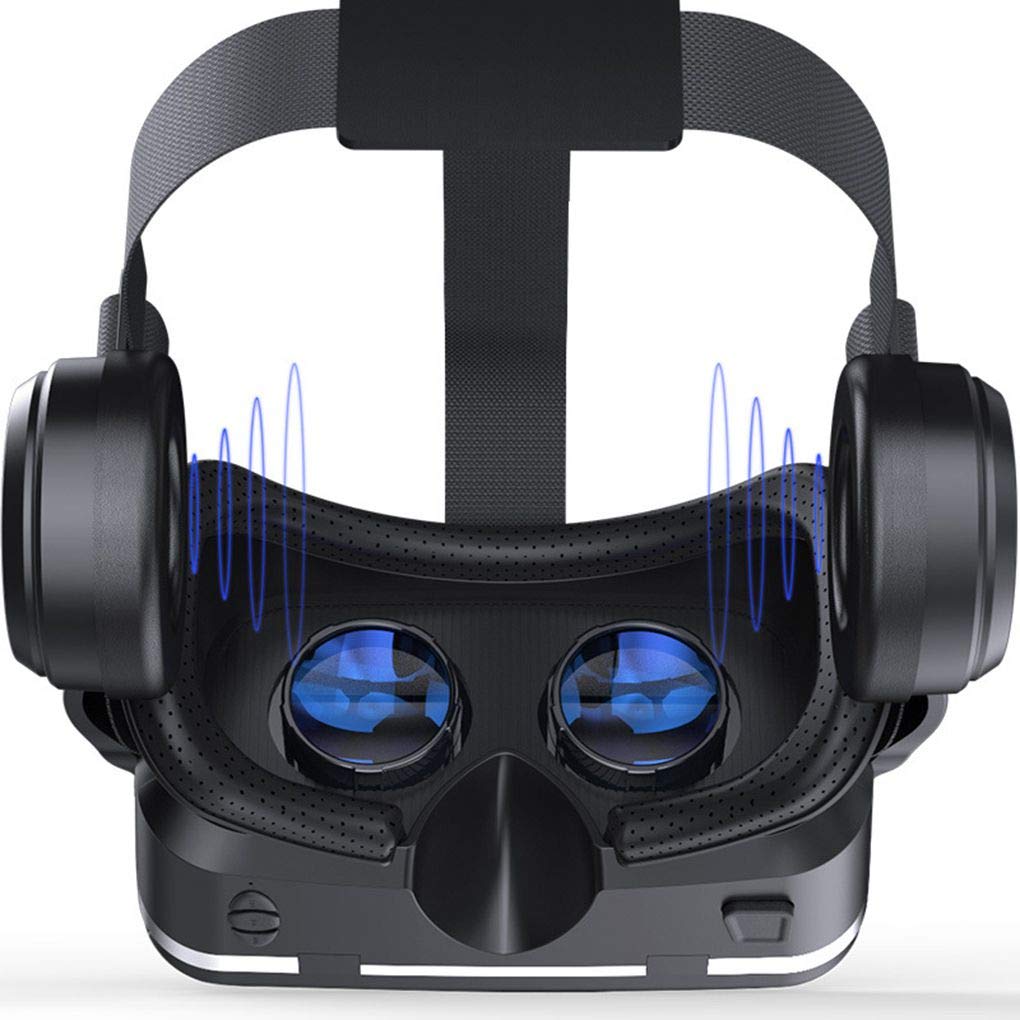
Figura 3.1: View of the VR headset's lenses and integrated headphones, illustrating the audio immersion feature.

Figura 3.2: Detail of the soft PU leather face mask, designed for comfort during prolonged use.
4. Guia de configuració
4.1. Inserció del telèfon intel·ligent
- Open the front cover of the VR headset.
- Place your smartphone securely into the phone holder. Ensure the screen is centered and facing the lenses.
- Connect your smartphone's 3.5mm audio jack to the headset's audio port if you wish to use the integrated headphones.
- Close the front cover, ensuring your phone is firmly held in place.

Figura 4.1: Illustration of how to open the front cover and insert a smartphone into the VR headset.
4.2. Adjusting the Headstrap
The headstrap is adjustable to fit various head sizes for both adults and children. Adjust the straps on the top and sides to ensure a snug yet comfortable fit. The headset should feel secure without applying excessive pressure.

Figura 4.2: Diagram showing the adjustable headstrap and how to achieve a comfortable fit.
4.3. Adjusting Lenses for Optimal View
For the best visual experience, adjust the lenses to match your individual eye characteristics:
- Pupil Distance (IPD) Adjustment: Use the slider on the top of the headset to adjust the distance between the lenses until the image appears clear and unified. The interpupillary distance can be adjusted between 60-67mm.
- Myopia/Remote Vision Adjustment: Each eye can be focused individually. Rotate the lens adjustment dials (usually located on the sides or bottom of the headset) to compensate for myopia (0-600°) or remote vision (0-500°), ensuring a sharp image without glasses.

Figura 4.3: Interna view of the headset, highlighting the adjustable lenses for pupil and focal distance settings.
5. Instruccions de funcionament
5.1. Using the Headset
- Once your smartphone is inserted and lenses are adjusted, launch your preferred VR application, 3D video, or panoramic content on your phone.
- Put on the headset and adjust the headstrap for comfort.
- Enjoy the immersive virtual reality experience.
5.2. Key Operations
The headset features basic controls for interaction:
- Control de volum: Use the integrated buttons on the headset (if available) or your smartphone's volume controls to adjust audio levels.
- Botó d'acció: A physical button (often on the bottom or side) may be present for basic interactions within VR apps, such as selecting items. Refer to your specific VR application's instructions for its use.

Figura 5.1: Acabatview of the key operation buttons located on the headset for volume and interaction.
6. Manteniment
Proper maintenance ensures the longevity and optimal performance of your VR headset:
- Neteja de lents: Use the provided glasses cleaning cloth or a soft, dry microfiber cloth to gently wipe the lenses. Do not use liquid cleaners or abrasive materials, as they can damage the lens coating.
- Neteja del cos dels auriculars: Netegeu l'exterior dels auriculars amb un drap suau i lleugeramentamp drap. Eviteu que entri humitat a les obertures.
- Cleaning Face Mask: The PU leather mask can be gently wiped with a damp cloth. Allow it to air dry completely before storage.
- Emmagatzematge: Store the headset in a cool, dry place away from direct sunlight and extreme temperatures. Keep it free from dust and scratches.
7. Solució De Problemes
If you encounter issues with your VR Shinecon headset, refer to the following common problems and solutions:
| Problema | Causa possible | Solució |
|---|---|---|
| Blurred or Double Vision | Incorrect lens adjustment (pupil distance or focal length). | Adjust the pupil distance and individual lens focus dials until the image is clear. Ensure your smartphone is centered. |
| Smartphone not fitting or falling out | Incorrect phone size or improper insertion. | Ensure your smartphone is between 4.7-6.0 inches. Re-insert the phone, making sure it is securely clamped and centered. |
| No hi ha àudio dels auriculars | 3.5mm audio jack not fully connected or phone volume too low. | Check if the 3.5mm audio jack is fully inserted into your smartphone. Increase the volume on your smartphone. |
| Molèstia durant l'ús | Headstrap too tight or loose; face mask not positioned correctly. | Adjust the headstrap for a balanced and comfortable fit. Ensure the face mask sits evenly on your face. Take breaks during extended use. |
8. Especificacions
| Característica | Detall |
|---|---|
| Model | SC-G04E |
| Material | Resin lens, Plastic, PU |
| Dimensions | 222 x 205 x 99 mm |
| Diàmetre de la lent | 40 mm |
| Camp de View (FOV) | Limit 100° (dependent on cell phone size and headband elasticity) |
| Optical Correction | Aspheric design |
| Ajust de la miopia | 0-600° |
| Remote Vision Adjustment | 0-500° |
| Ajust de la distància interpupilar (IPD). | 60-67 mm |
| Impedància dels auriculars | 32 ohms |
| Plataformes compatibles | iOS / Android |
| Mida de pantalla compatible | 4.7-6.0 inch smartphones |
| Port d'àudio | Port d'auriculars de 3.5 mm |
9. Informació de la garantia
This product is covered by a standard manufacturer's warranty. For detailed information regarding warranty terms, conditions, and duration, please refer to the warranty policy provided at the point of purchase or contact your retailer. Keep your purchase receipt as proof of purchase for any warranty claims.
For general warranty policy information, you may refer to the Amazon.in Warranty Policy.
10. Atenció al client
Should you require further assistance, have questions, or encounter issues not covered in this manual, please contact the manufacturer or your retailer's customer support. Please have your product model number (SC-G04E) and purchase details ready when contacting support.
For general support inquiries related to your purchase on Amazon, you can visit the Amazon.in Help & Customer Service pàgina.


